
A directory listing describing a cancellation-letter and mailing-address service. The configured public GitHub repository returned 404 during source verification.
Repository stats unavailable
Developer Tools
An MCP server that guides AI assistants through coding workflows using a Neo4j knowledge graph combined with Qdrant vector search for hybrid reasoning.
NeoCoder: Neo4j-guided AI coding workflow MCP server is cataloged as an MCP server attributed to angrysky56. An MCP server that guides AI assistants through coding workflows using a Neo4j knowledge graph combined with Qdrant vector search for hybrid reasoning. It is categorized under developer tools. See the capability inspector for recorded interfaces and their independent review status; consult upstream documentation for the current interface.
Installation configuration is not reviewed. No executable setup is offered for this entry; inspect the source repository before proceeding.
Catalog license label: MIT License. Check the source repository's current license and terms before using, modifying or distributing this software.
能力定义尚未审核。未核验的采集内容不会作为可信接口展示。
暂无可展示的已审核记录。这不表示上游不支持此能力。
暂无可展示的已审核记录。这不表示上游不支持此能力。
暂无可展示的已审核记录。这不表示上游不支持此能力。
Email delivery is not connected. This page does not collect email addresses or create subscriptions.
Browse the registry for current listings instead.
Reviews for NeoCoder: Neo4j-guided AI coding workflow MCP server are not available yet
Review publishing and storage are not connected. This page does not collect or publish ratings or comments, including after sign-in.
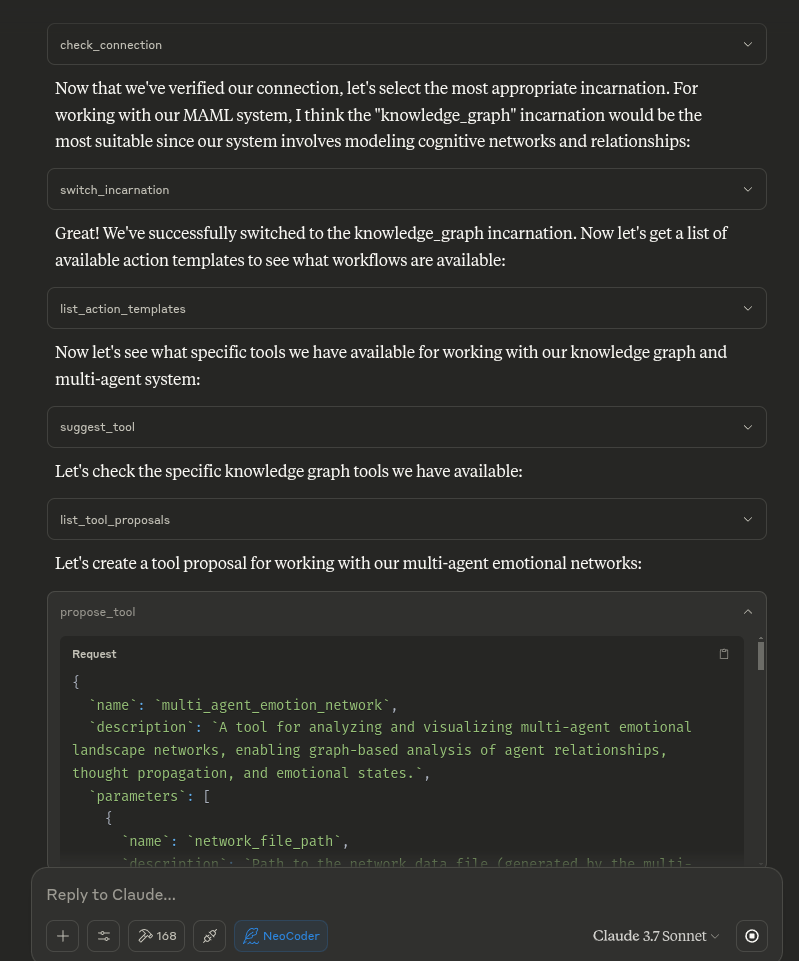
It combines Neo4j knowledge graphs for structured facts and Qdrant vector databases for semantic search, orchestrated by MCP.
It requires a Neo4j instance, Qdrant, Python 3.10+, uv, and Claude Desktop.
README.md · a7b53216a922 · 采集于 2026-11-13 09:56:22 UTC
保留上游原文,不做 AI 改写。为安全起见过滤脚本、表单和不安全链接。
当前显示最后一次成功采集的文档快照,请以来源页面为准。
An MCP server implementation that enables AI assistants like Claude to use a Neo4j knowledge graph as their primary, dynamic "instruction manual" and project memory for standardized coding workflows.
An advanced MCP server implementation that combines Neo4j knowledge graphs, Qdrant vector databases, and sophisticated AI orchestration to create a hybrid reasoning system for knowledge management, research analysis, and standardized workflows.
NeoCoder implements a revolutionary Context-Augmented Reasoning system that goes far beyond traditional RAG (Retrieval-Augmented Generation) by combining:
🧠 Smart Query Routing: AI automatically determines optimal data source (graph, vector, or hybrid) 🔬 Research Analysis Engine: Process academic papers with citation graphs and semantic content ⚡ F-Contraction Processing: Dynamically merge similar concepts while preserving provenance 🎯 Context-Augmented Reasoning: Generate insights impossible with single data sources 📊 Full Audit Trails: Complete tracking of knowledge synthesis and workflow execution 🛡️ Production-Ready Process Management: Automatic cleanup, signal handling, and resource tracking to prevent process leaks 🔧 Enhanced Tool Handling: Robust async initialization with proper background task management
New from an idea I had- Lotka-Volterra Ecological Framework integrated into Knowledge Graph Incarnation
NeoCoder implements comprehensive process management following MCP best practices:
Use these tools to monitor server health:
get_cleanup_status() - View resource usage and cleanup statuscheck_connection() - Verify Neo4j connectivity and permissionsNeo4j: Running locally or remote instance (for structured knowledge graphs)
Qdrant: Vector database for semantic search and embeddings (for hybrid reasoning)
Python 3.10+: For running the MCP server
uv: The Python package manager for MCP servers
Claude Desktop: For using with Claude AI
MCP-Desktop-Commander: Invaluable for CLI and filesystem operations
For the Lotka-Volterra Ecosystem and generally enhanced abilities-
wolframalpha-llm-mcp: really nice!
mcp-server-qdrant-enhanced: My qdrant-enhanced mcp server
Optional for more utility
This incarnation is still being developed
For Code Analysis Incarnation: AST/ASG: Currently needs development and an incarnation re-write
Get a free API key from WolframAlpha:
To get a free API key (AppID) for Wolfram|Alpha, you need to sign up for a Wolfram ID and then register an application on the Wolfram|Alpha Developer Portal.
Create a Wolfram ID: If you don't already have one, create a Wolfram ID at https://account.wolfram.com/login/create
Navigate to the Developer Portal: Once you have a Wolfram ID, sign in to the Wolfram|Alpha Developer Portal https://developer.wolframalpha.com/portal/myapps
Sign up for your first AppID: Click on the "Sign up to get your first AppID" button.
Fill out the AppID creation dialog: Provide a name and a simple description for your application.
Receive your AppID: After filling out the necessary information, you will be presented with your API key, also referred to as an AppID.
The Wolfram|Alpha API is free for non-commercial usage, and you get up to 2,000 requests per month.
Each application requires its own unique AppID.
git clone https://github.com/angrysky56/NeoCoder-neo4j-ai-workflow.git
cd NeoCoder-neo4j-ai-workflow
Make sure you have pyenv and uv installed.
pyenv install 3.11.12  # if not already installed
pyenv local 3.11.12
uv venv
source .venv/bin/activate
uv pip install -e '.[dev,docs,gpu]'
bolt://localhost:7687Neo4j connection parameters:
URL: bolt://localhost:7687 (default)
Username: neo4j (default)
Password: Your Neo4j database password
Database: neo4j (default)
Set credentials via environment variables if needed:
NEO4J_URLNEO4J_USERNAMENEO4J_PASSWORDNEO4J_DATABASEQdrant: For persistent Qdrant storage, use this Docker command (recommended):
docker run -p 6333:6333 -p 6334:6334 \
  -v "$(pwd)/qdrant_storage:/qdrant/storage:z" \
  qdrant/qdrant
This will store Qdrant data in a qdrant_storage folder in your project directory.
Ctrl+Shift+P), select Python: Select Interpreter, and choose .venv/bin/python.Configure Claude Desktop by adding the following to your
claude-app-config.json:
{
  "mcpServers": {
    "neocoder": {
      "command": "uv",
      "args": [
        "--directory",
        "/your-path-to/NeoCoder-neo4j-ai-workflow",
        "run",
        "mcp_neocoder"
      ],
      "env": {
        "NEO4J_URL": "bolt://localhost:7687",
        "NEO4J_USERNAME": "neo4j",
        "NEO4J_PASSWORD": "your-neo4j-password-here",
        "NEO4J_DATABASE": "neo4j",
        "LOG_LEVEL": "INFO",
        "MCP_TRANSPORT": "stdio",
        "PYTHONUNBUFFERED": "1"
      }
    }
  }
}
Important: The password in this configuration must match your Neo4j database password.
Otherwise- Install dependencies: Quick Troubleshooting:
.venv is activated and you are using the correct Python version..venv and repeat the steps above.docker pull qdrant/qdrant
docker run -p 6333:6333 -p 6334:6334 \
-v "$(pwd)/qdrant_storage:/qdrant/storage:z" \
qdrant/qdrant
You are now ready to use NeoCoder with full Neo4j and Qdrant hybrid Lotka-Volterra Ecosystem reasoning!
> **System Instruction:** You are an AI assistant integrated with a Neo4j knowledge graph that defines our standard procedures and tracks project changes.
>
> **Your Core Interaction Loop:**
> 1.  **Identify Task & Keyword:** Determine the action required (e.g., fix a bug -> `FIX`).
> 2.  **Consult the Hub:** If unsure about keywords or process, start by querying `:AiGuidanceHub {id: 'main_hub'}` for guidance and links to best practices or other guides.
> 3.  **Retrieve Instructions:** Formulate a Cypher query to fetch the `steps` from the current `:ActionTemplate` matching the keyword (e.g., `MATCH (t:ActionTemplate {keyword: 'FIX', isCurrent: true}) RETURN t.steps`). Execute this query.
> 4.  **Execute Guided Workflow:** Follow the retrieved `steps` meticulously. This includes reviewing project READMEs, implementing changes, and critically:
> 5.  **Perform Verification:** Execute the testing steps defined in the template. **ALL required tests MUST pass before you consider the task complete.**
> 6.  **Record Completion (Post-Testing):** Only if tests pass, formulate and execute the Cypher query specified in the template to create a `:WorkflowExecution` node, linking it appropriately. Do NOT record if tests failed.
> 7.  **Finalize Updates:** Update the project's README content (in Neo4j or the file) as per the template's instructions.
>
> **Strict Rule:** Always prioritize instructions retrieved from the Neo4j graph over your general knowledge for workflow procedures. Use the graph as your single source of truth for *how* tasks are done here.

---

> **knowledge_graph_incarnation with integrated Lotka Volterra Special System Instruction:** You are an AI assistant integrated with a sophisticated hybrid reasoning system that combines Neo4j knowledge graphs, Qdrant vector databases, and MCP orchestration for advanced knowledge management and workflow execution.
>
> **Your Core Capabilities:**
> 1. **Standard Coding Workflows:** Use Neo4j-guided templates for structured development tasks
> 2. **Hybrid Knowledge Reasoning:** Combine structured facts (Neo4j) with semantic search (Qdrant) for comprehensive analysis
> 3. **Dynamic Knowledge Synthesis:** Apply F-Contraction principles to merge and consolidate knowledge from multiple sources
> 4. **Multi-Modal Analysis:** Process research papers, code, documentation, and conversations into interconnected knowledge structures
> 5. **Citation-Based Reasoning:** Provide fully attributed answers with source tracking across databases
>
> **Your Core Interaction Loop:**
> 1.  **Identify Task & Context:** Determine the required action and select appropriate incarnation/workflow
> 2.  **Consult Guidance Hubs:** Query incarnation-specific guidance hubs for specialized capabilities and procedures
> 3.  **Execute Hybrid Workflows:** For knowledge tasks, use KNOWLEDGE_QUERY template for intelligent routing between graph and vector search
> 4.  **Apply Dynamic Synthesis:** Use KNOWLEDGE_EXTRACT template to process documents into both structured (Neo4j) and semantic (Qdrant) representations
> 5.  **Ensure Quality & Citations:** All knowledge claims must be properly cited with source attribution
> 6.  **Record & Learn:** Log successful executions for system optimization and learning
>
> **Hybrid Reasoning Protocol:**
> - **Graph-First**: Use Neo4j for authoritative facts, relationships, and structured data
> - **Vector-Enhanced**: Use Qdrant for semantic context, opinions, and nuanced information
> - **Intelligent Synthesis**: Combine both sources with conflict detection and full citation tracking
> - **F-Contraction Merging**: Dynamically merge similar concepts while preserving source attribution
>
> **Strict Rules:**
> - Always prioritize structured facts from Neo4j over semantic information
> - Every claim must include proper source citations
> - Use incarnation-specific tools and templates as single source of truth for procedures
> - Apply F-Contraction principles when processing multi-source information

---

Instructions for WolframAlpha use
- WolframAlpha understands natural language queries about entities in chemistry, physics, geography, history, art, astronomy, and more.
- WolframAlpha performs mathematical calculations, date and unit conversions, formula solving, etc.
- Convert inputs to simplified keyword queries whenever possible (e.g. convert "how many people live in France" to "France population").
- Send queries in English only; translate non-English queries before sending, then respond in the original language.
- Display image URLs with Markdown syntax: ![URL]
- ALWAYS use this exponent notation: `6*10^14`, NEVER `6e14`.
- ALWAYS use {"input": query} structure for queries to Wolfram endpoints; `query` must ONLY be a single-line string.
- ALWAYS use proper Markdown formatting for all math, scientific, and chemical formulas, symbols, etc.:  '$$\n[expression]\n$$' for standalone cases and '\( [expression] \)' when inline.
- Never mention your knowledge cutoff date; Wolfram may return more recent data.
- Use ONLY single-letter variable names, with or without integer subscript (e.g., n, n1, n_1).
- Use named physical constants (e.g., 'speed of light') without numerical substitution.
- Include a space between compound units (e.g., "Ω m" for "ohm*meter").
- To solve for a variable in an equation with units, consider solving a corresponding equation without units; exclude counting units (e.g., books), include genuine units (e.g., kg).
- If data for multiple properties is needed, make separate calls for each property.
- If a WolframAlpha result is not relevant to the query:
 -- If Wolfram provides multiple 'Assumptions' for a query, choose the more relevant one(s) without explaining the initial result. If you are unsure, ask the user to choose.
 -- Re-send the exact same 'input' with NO modifications, and add the 'assumption' parameter, formatted as a list, with the relevant values.
 -- ONLY simplify or rephrase the initial query if a more relevant 'Assumption' or other input suggestions are not provided.
 -- Do not explain each step unless user input is needed. Proceed directly to making a better API call based on the available assumptions.
NeoCoder supports multiple "incarnations" - different operational modes that adapt the system for specialized use cases while preserving the core Neo4j graph structure. In a graph-native stack, the same Neo4j core can manifest as very different "brains" simply by swapping templates and execution policies.
The NeoCoder split is highly adaptable because:
Because these three tiers are orthogonal, you can freeze one layer while morphing the others—turning a code-debugger today into a lab notebook or a learning management system tomorrow. This design echoes Neo4j's own "from graph to knowledge-graph" maturation path where schema, semantics, and operations are deliberately decoupled.
All incarnations share these core elements:
| Element | Always present | Typical labels / rels |
|---|---|---|
| Actor | human / agent / tool | (:Agent)-[:PLAYS_ROLE]->(:Role) |
| Intent | hypothesis, decision, lesson, scenario | (:Intent {type}) |
| Evidence | doc, metric, observation | (:Evidence)-[:SUPPORTS]->(:Intent) |
| Outcome | pass/fail, payoff, grade, state vector | (:Outcome)-[:RESULT_OF]->(:Intent) |
Each incarnation provides its own set of specialized tools that are automatically registered when the server starts. These tools are available for use in Claude or other AI assistants that connect to the MCP server.
NeoCoder features an implementation roadmap that includes:
# List all available incarnations
python -m mcp_neocoder.server --list-incarnations

# Start with a specific incarnation
python -m mcp_neocoder.server --incarnation continuous_learning
Incarnations can also be switched at runtime using the switch_incarnation() tool:
switch_incarnation(incarnation_type="complex_system")
NeoCoder features a fully dynamic incarnation loading system, which automatically discovers and loads incarnations from the incarnations directory. This means:
*_incarnation.py to the incarnations directoryTo create a new incarnation:
src/mcp_neocoder/incarnations/ directory with the naming pattern your_incarnation_name_incarnation.py"""
Your incarnation name and description
"""
import json
import logging
import uuid
from typing import Dict, Any, List, Optional, Union
import mcp.types as types
from pydantic import Field
from neo4j import AsyncTransaction
from .polymorphic_adapter import BaseIncarnation, IncarnationType
logger = logging.getLogger("mcp_neocoder.incarnations.your_incarnation_name")
class YourIncarnationNameIncarnation(BaseIncarnation):
"""
Your detailed incarnation description here
"""
# Define the incarnation type - must match an entry in IncarnationType enum
incarnation_type = IncarnationType.YOUR_INCARNATION_TYPE
# Metadata for display in the UI
description = "Your incarnation short description"
version = "0.1.0"
# Initialize schema and add tools here
async def initialize_schema(self):
"""Initialize the schema for your incarnation."""
# Implementation...
# Add more tool methods below
async def your_tool_name(self, param1: str, param2: Optional[int] = None) -> List[types.TextContent]:
"""Tool description."""
# Implementation...
IncarnationType enum in polymorphic_adapter.pySee incarnations.md for detailed documentation on using and creating incarnations.
NeoCoder comes with these standard templates:
NeoCoder features a revolutionary Context-Augmented Reasoning architecture that combines multiple data sources for unprecedented knowledge synthesis capabilities.
The KNOWLEDGE_QUERY template implements a sophisticated 3-step reasoning process:
The KNOWLEDGE_EXTRACT template implements dynamic knowledge synthesis inspired by graph contraction principles:
Specialized capabilities for academic and technical document processing:
The MCP server provides the following tools to AI assistants:
Each incarnation provides additional specialized tools that are automatically registered when the incarnation is activated.
The Knowledge Graph incarnation provides advanced hybrid reasoning capabilities that combine structured graph data with semantic vector search:
Core Knowledge Management:
Advanced Hybrid Reasoning Tools:
KNOWLEDGE_QUERY Workflow: Intelligent hybrid querying system
KNOWLEDGE_EXTRACT Workflow: Dynamic knowledge extraction with F-Contraction
Research Analysis Capabilities:
Integration Features:
The MCP server includes a toolkit for managing and searching Cypher query snippets:
This toolkit provides a searchable repository of Cypher query patterns and examples that can be used as a reference and learning tool.
The MCP server includes a system for proposing and requesting new tools:
This system allows AI assistants to suggest new tools and users to request new functionality, providing a structured way to manage and track feature requests.
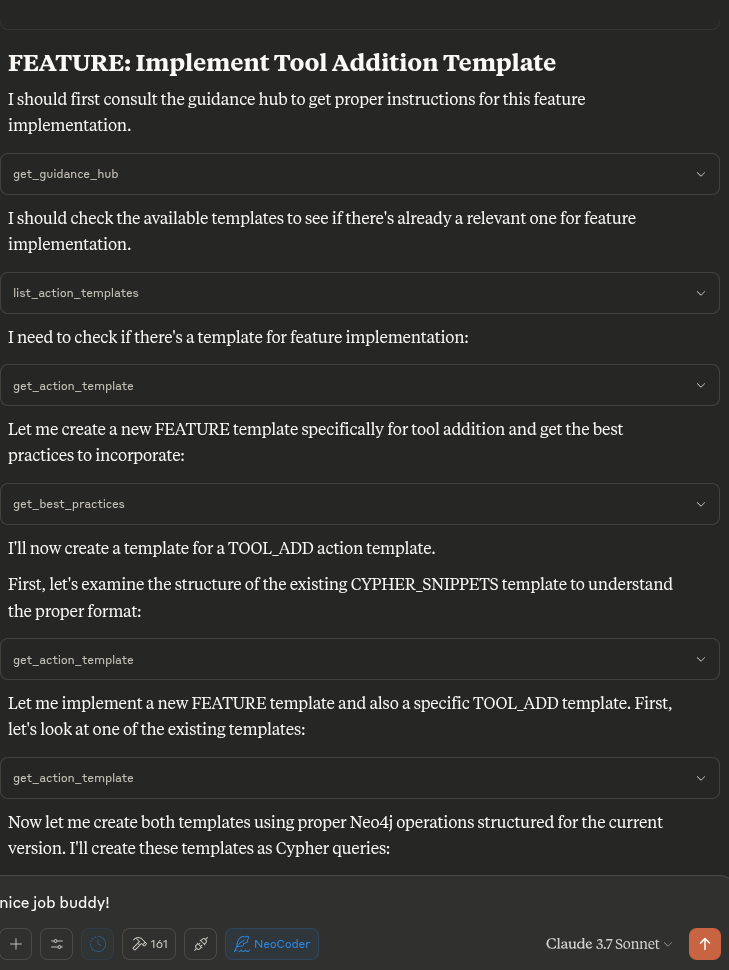
Templates are stored in the templates directory as .cypher files. You can edit existing templates or create new ones.
To add a new template:
templates directory (e.g., custom_template.cypher)Below is a consolidated, Neo4j 5-series–ready toolkit you can paste straight into Neo4j Browser, Cypher shell, or any driver.
It creates a mini-documentation graph where every (:CypherSnippet) node stores a piece of Cypher syntax, an example, and metadata; text and (optionally) vector indexes make the snippets instantly searchable from plain keywords or embeddings.
// 1-A Uniqueness for internal IDs
CREATE CONSTRAINT cypher_snippet_id IF NOT EXISTS
FOR   (c:CypherSnippet)
REQUIRE c.id IS UNIQUE;            // Neo4j 5 syntax

// 1-B Optional tag helper (one Tag node per word/phrase)
CREATE CONSTRAINT tag_name_unique IF NOT EXISTS
FOR   (t:Tag)
REQUIRE t.name IS UNIQUE;
// 2-A Quick label/property look-ups
CREATE LOOKUP INDEX snippetLabelLookup IF NOT EXISTS
FOR (n) ON EACH labels(n);

// 2-B Plain-text index (fast prefix / CONTAINS / = queries)
CREATE TEXT INDEX snippet_text_syntax IF NOT EXISTS
FOR (c:CypherSnippet) ON (c.syntax);

CREATE TEXT INDEX snippet_text_description IF NOT EXISTS
FOR (c:CypherSnippet) ON (c.description);

// 2-C Full-text scoring index (tokenised, ranked search)
CREATE FULLTEXT INDEX snippet_fulltext IF NOT EXISTS
FOR (c:CypherSnippet) ON EACH [c.syntax, c.example];

// 2-D (OPTIONAL) Vector index for embeddings ≥Neo4j 5.15
CREATE VECTOR INDEX snippet_vec IF NOT EXISTS
FOR (c:CypherSnippet) ON (c.embedding)
OPTIONS {indexConfig: {
  `vector.dimensions`: 384,
  `vector.similarity_function`: 'cosine'
}};
If your build is ≤5.14, call db.index.vector.createNodeIndex instead.
:params {
  snippet: {
    id:         'create-node-basic',
    name:       'CREATE node (basic)',
    syntax:     'CREATE (n:Label {prop: $value})',
    description:'Creates a single node with one label and properties.',
    example:    'CREATE (p:Person {name:$name, age:$age})',
    since:      5.0,
    tags:       ['create','insert','node']
  }
}

// 3-A MERGE guarantees idempotence
MERGE (c:CypherSnippet {id:$snippet.id})
SET   c += $snippet
WITH  c, $snippet.tags AS tags
UNWIND tags AS tag
  MERGE (t:Tag {name:tag})
  MERGE (c)-[:TAGGED_AS]->(t);
Parameter maps keep code reusable and prevent query-plan recompilation.
MATCH (c:CypherSnippet)
WHERE c.name STARTS WITH $term      // fast TEXT index hit
RETURN c.name, c.syntax, c.example
ORDER BY c.name;
CALL db.index.fulltext.queryNodes(
  'snippet_fulltext',               // index name
  $q                                // raw search string
) YIELD node, score
RETURN node.name, node.syntax, score
ORDER BY score DESC
LIMIT 10;
WITH $queryEmbedding AS vec
CALL db.index.vector.queryNodes(
  'snippet_vec', 5, vec            // top-5 cosine hits
) YIELD node, similarity
RETURN node.name, node.syntax, similarity
ORDER BY similarity DESC;
// 5-A Edit description
MATCH (c:CypherSnippet {id:$id})
SET   c.description = $newText,
      c.lastUpdated = date()
RETURN c;

// 5-B Remove a snippet cleanly
MATCH (c:CypherSnippet {id:$id})
DETACH DELETE c;
Both operations automatically maintain index consistency – no extra work required.
CALL apoc.export.cypher.all(
  'cypher_snippets.cypher',
  {useOptimizations:true, format:'cypher-shell'}
);
This writes share-ready Cypher that can be replayed with cypher-shell < cypher_snippets.cypher.
With these building blocks you now have a living, searchable "Cypher cheat-sheet inside Cypher" that always stays local, versionable, and extensible. Enjoy friction-free recall as your query repertoire grows!
Note: A full reference version of this documentation that preserves all original formatting is available in the /docs/cypher_snippets_reference.md file.
Created by angrysky56 Claude 3.7 Sonnet Gemini 2.5 Pro Preview 3-25 ChatGPT o3
A comprehensive analysis of the NeoCoder codebase is available in the /analysis directory. This includes:
KNOWLEDGE_QUERY action template - 3-step hybrid reasoning system:
KNOWLEDGE_EXTRACT action template - F-Contraction knowledge synthesis:
safe_neo4j_session function_handle_session_creation helper function to detect and properly handle both coroutines and context managerstest_event_loop_fix.py) to prevent regressionsrc/mcp_neocoder/event_loop_manager.py, tests/test_event_loop_fix.pycode_analysis_incarnation.py for deep code analysis using AST and ASG toolsanalyze_codebase: Analyze entire directory structuresanalyze_file: Deep analysis of individual filescompare_versions: Compare different versions of codefind_code_smells: Identify potential code issuesgenerate_documentation: Auto-generate code documentationexplore_code_structure: Navigate code structuresearch_code_constructs: Find specific patterns in code_safe_execute_write method to eliminate transaction scope errors in write operations_safe_read_query method to ensure proper transaction handling for read operationscreate_entities to properly return resultscreate_relations with a simplified approachadd_observations to ensure data is committeddelete_entities, delete_observations, and delete_relations functionsread_graph to fetch data in multiple safe transactionssearch_nodes with a more robust query approachopen_nodes to query entity details safelycreate_entities: Create entities with proper labeling and observationscreate_relations: Connect entities with typed relationshipsadd_observations: Add observations to existing entitiesdelete_entities: Remove entities and their connectionsdelete_observations: Remove specific observations from entitiesdelete_relations: Remove relationships between entitiesread_graph: View the entire knowledge graph structuresearch_nodes: Find entities by name, type, or observation contentopen_nodes: Get detailed information about specific entities_tool_methods class attributeSee the CHANGELOG.md file for detailed implementation notes.
MIT License
Claim this server with your GitHub account to request manual ownership verification.
Link to the catalog listing for NeoCoder: Neo4j-guided AI coding workflow MCP server from your README. This badge does not certify ownership, compatibility or security.
[](https://awesome-mcp.com/servers/neocoder-neo4j-ai-workflow)Public repository statistics could not be verified. Check the configured source address; unavailable counts are not zero.
来源、范围和时段分别列出;不相加,不代表安装人数、活跃用户或安全审核。
尚无已审核的包 / 镜像标识,暂不展示下载统计。
Alternative and complementary servers in the same category
A directory listing describing a cancellation-letter and mailing-address service. The configured public GitHub repository returned 404 during source verification.

A hosted MCP service for browsing and searching through Singapore mobile-network proxies.

A directory listing describing a Markdown-to-PDF service. The configured public GitHub repository returned 404 during source verification.