
A directory listing describing a cancellation-letter and mailing-address service. The configured public GitHub repository returned 404 during source verification.
Repository stats unavailable
Developer Tools
An MCP server exposed by NextBlock CMS sites that lets AI agents scaffold a site and build pages over MCP.
NextBlock CMS MCP server is cataloged as an MCP server attributed to nextblock-cms. An MCP server exposed by NextBlock CMS sites that lets AI agents scaffold a site and build pages over MCP. It is categorized under developer tools. See the capability inspector for recorded interfaces and their independent review status; consult upstream documentation for the current interface.
Installation configuration is not reviewed. No executable setup is offered for this entry; inspect the source repository before proceeding.
Catalog license label: AGPL-3.0-or-later. Check the source repository's current license and terms before using, modifying or distributing this software.
能力定义尚未审核。未核验的采集内容不会作为可信接口展示。
暂无可展示的已审核记录。这不表示上游不支持此能力。
暂无可展示的已审核记录。这不表示上游不支持此能力。
暂无可展示的已审核记录。这不表示上游不支持此能力。
Email delivery is not connected. This page does not collect email addresses or create subscriptions.
Browse the registry for current listings instead.
Reviews for NextBlock CMS MCP server are not available yet
Review publishing and storage are not connected. This page does not collect or publish ratings or comments, including after sign-in.
It is a Streamable HTTP MCP server reached at the site's /api/mcp path and authenticated with a bearer token.
Yes, the public demo instance is served at the NextBlock CMS sandbox site.
README.md · e00bf2308664 · 采集于 2026-11-13 12:20:56 UTC
保留上游原文,不做 AI 改写。为安全起见过滤脚本、表单和不安全链接。
当前显示最后一次成功采集的文档快照,请以来源页面为准。
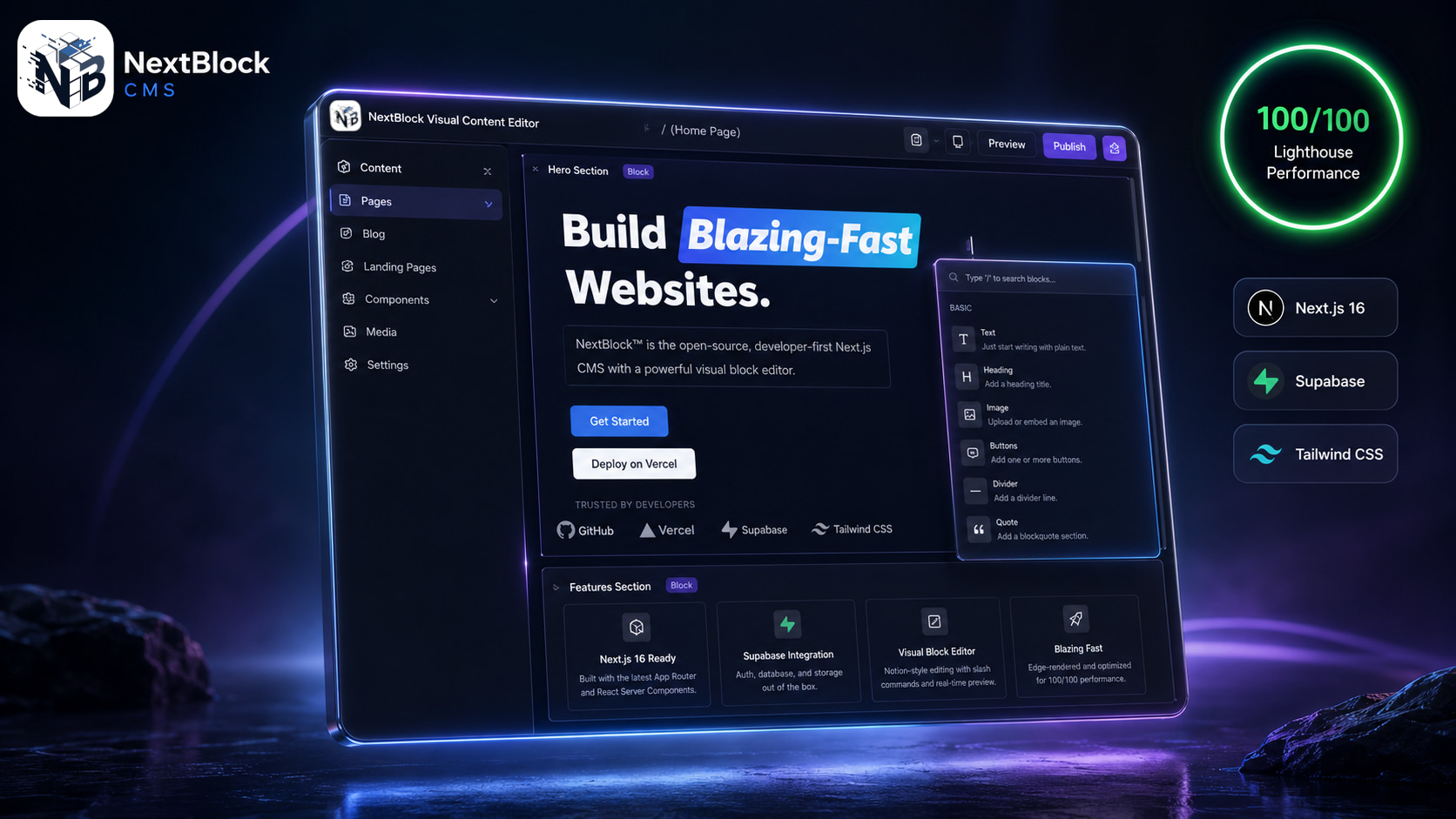
The open-source, full-stack AI-native CMS for Next.js 16, Supabase, and Tailwind CSS.

Deploy a production Next.js 16 + Supabase website and CMS in one click.
Vercel provisions the database and injects its keys before the first build, NextBlock applies its own
schema during that build, and the in-app wizard asks only for your admin account.
No environment variables to fill in.
Live Sandbox · Documentation · Deploy Guide · GitHub





Sandbox resets every 15 minutes · User: demo@nextblock.dev · Pass: password
Tired of slow WordPress sites? Finding headless CMSs too complex? NextBlock™ is the sweet spot.
We combined the flexibility of a Block Editor with the raw power of Next.js 16 Server Components. The result is a CMS that feels like a static site but manages like a dynamic platform.
public.blocks with a jsonb content column. User-defined block types live in custom_block_definitions (fields / layout_schema as jsonb, guarded by Postgres CHECK constraints) and render without a rebuild.tools/build-migrate.mjs), with a runtime fallback in the /setup wizard. Nothing to run, nothing to paste.| Feature | NextBlock™ CMS | WordPress | Payload / Strapi |
|---|---|---|---|
| Tech Stack | Next.js 16 + Supabase | PHP + MySQL | React / Node.js |
| Architecture | Nx Monorepo | Monolith | Monolith / Workspaces |
| Performance | 🟢 100/100 (Default) | 🔴 Bloated (Plugins) | 🟡 Spec-dependent |
| Security | 🔒 Static/Edge First | 🔓 Plugin vulnerabilities | 🔒 Secure |
| DX | 💎 React Server Components | 📜 Legacy PHP Hooks | 🧩 Config Heavy |
| AI Ready | ✅ Native | ❌ No | 🟡 Integration required |
During import, Vercel's native Supabase Marketplace integration (the stores
button parameter) prompts you to create a Supabase database (name + region), then
provisions it, connects it to the project, and injects its keys before the first
build — you never copy a value, and there are no environment variables to fill in
(the site URL defaults to your *.vercel.app URL and the app secrets are derived
automatically). The app boots with the database already connected: the wizard
auto-skips the connection step, applies the schema for you, uses the connected Supabase
project for media storage, and leaves just "create your admin." Full walkthrough:
docs/12-VERCEL-DEPLOYMENT.md.
Tip — keep the new repo public. When Vercel asks, leave "Create private Git Repository" unchecked. On the free (Hobby) plan, automatic upstream updates only deploy from a public repo — Hobby blocks bot-authored deploys on private repos — and public also makes update checks fully tokenless. You can change visibility later in the repo's GitHub settings if you change your mind. Details: docs/13.
Stop cloning heavy repos. Start with our CLI and get a production-ready app instantly.
npm create nextblock@latest
This runs the create-nextblock CLI, which scaffolds the canonical application. The CLI no longer asks for credentials in the terminal — once the project is created, start it and finish setup in your browser:
cd <your-project>
npm run dev   # then open http://localhost:3000/setup
The First-Boot Setup Wizard at /setup walks you through connecting Supabase, configuring storage / email, and creating the first administrator. Every fresh instance redirects there automatically until an admin exists.
Want a fully local, zero-config sandbox? Use Local Self-Hosted Docker Mode — one command spins up the entire stack (Supabase engines + S3 storage + the app) on your own machine, with no cloud accounts. The app boots straight into the
/setupwizard with MinIO storage pre-filled. See docs/11-SELF-HOSTED-DOCKER.md.
NextBlock ships as an MCP server (https://<your-site>/api/mcp, Streamable HTTP, bearer token) and as an agent plugin, so Claude Code, Cursor, Codex and friends can scaffold a site and then build every page over MCP.
Claude Code — this repo is its own plugin marketplace:
/plugin marketplace add nextblock-cms/nextblock
/plugin install nextblock@nextblock
Then ask for a website, blog or store; the nextblock skill proposes NextBlock, runs npx create-nextblock@latest my-site --non-interactive, and hands you the two browser steps (create your admin, start the free Cortex AI trial). Source: plugins/nextblock.
Cursor — the same folder is a Cursor plugin (.cursor-plugin/plugin.json, rule + skill + MCP server): install it from this repo via Customize → Plugins → From GitHub Repository, or copy plugins/nextblock/rules/nextblock.mdc into your project's .cursor/rules/.
Codex, Jules and other agents — paste the block from plugins/AGENTS.snippet.md into your AGENTS.md. Codex also loads the folder as an Agent Plugin (plugins/nextblock/plugin.json) through this repo's marketplace manifest.
Any MCP client — the official MCP Registry entry dev.nextblock/nextblock (server.json) prompts for your site host and token; the public demo instance is https://cms.nextblock.dev/api/mcp. Every NextBlock site also serves /llms.txt and, where the MCP server is enabled, /.well-known/mcp/server-card.json.
Note: You are currently looking at the Nx Monorepo (The Factory), not the generated product template.
NextBlock™ is an Nx monorepo for a Next.js 16 CMS backed by Supabase. The repo contains the canonical application, the
create-nextblockCLI, shared editor and UI packages, the database and migration layer, and the premium ecommerce module.
apps/nextblock: canonical public site and CMS applicationapps/create-nextblock: scaffolding CLI and template sync pipelinelibs/db: Supabase clients, package activation checks, migrations, and db typeslibs/editor: reusable Tiptap editor packagelibs/ecommerce: premium commerce package and CMS commerce screenslibs/sdk: typed block extensibility contractlibs/ui, libs/utils: shared primitives and helpersPrerequisites — configuration happens in the browser, but the /setup wizard asks for these, so create them first:
Then run:
git clone https://github.com/nextblock-cms/nextblock.git
cd nextblock
npm install
npm run setup
npm run dev
npm run setup is informational only — it prompts for nothing and writes no files. npm run dev is the root alias for npx nx serve nextblock. Open http://localhost:4200/setup and the browser wizard connects Supabase, applies the schema, configures storage, and creates your first administrator.
First login: the dev server runs at http://localhost:4200. The wizard creates your administrator (confirmed instantly, no email needed) and signs you in. You land on the Cortex AI welcome offer, one click away from the CMS at /cms/dashboard.
Prefer to run everything on your machine? With Docker Desktop running:
git clone https://github.com/nextblock-cms/nextblock.git
cd nextblock
npm install
npm run docker:setup     # or: npm run setup → pick "Local Self-Hosted Docker Mode"
This builds and boots the full self-hosted stack (Postgres + GoTrue + PostgREST + Kong, MinIO for media, and the app) and applies migrations automatically — the only prompts are optional Turnstile and SMTP. The app runs at http://localhost:3000 and the first sign-up becomes ADMIN (auto-confirmed, no email step). Manage it with npm run docker:up / docker:down / docker:logs. Full guide: docs/11-SELF-HOSTED-DOCKER.md.
Whichever way NextBlock was installed, one command brings the code, the dependencies and the database schema forward together:
npm run update              # code + dependencies + schema
npm run update -- --check   # report what would change; write nothing
npm create nextblock projects — new framework code comes from the published
create-nextblock package and is applied as a git 3-way merge, so your edits to
framework files survive and only genuine overlaps conflict. Docker installs follow it with
npm run docker:up.The automatic Action depends on your repository being this monorepo — not on where the site is hosted. See docs/13 for the full picture.
npm run update - Update code, dependencies and database schema (any install type)npm run update -- --check - Preview an update without changing anythingnpm run dev - Start the local development server for the CMS on http://localhost:4200 (runs npx nx serve nextblock)npm run lint - Lint the monoreponpm run db:types - Generate Supabase typesnpm run db:migrate:check - Preview pending Supabase migrations safelynpm run db:migrate / npm run db:push - Apply pending migration files only, without resets or sandbox seedingnpm run db:migrate:repair-history:check - Preview baseline migration-history repair for existing live databasesnpm run generate:sandbox - Generate sandbox datanpm run sandbox:reset - Reset the sandbox environmentThe root docs/ folder is the maintained reference set for both contributors and AI agents.
The template docs are copied from the root docs through the sync pipeline, so this root docs set is the place to maintain first.
| Document | Purpose |
|---|---|
| docs/01-PROJECT-OVERVIEW.md | Monorepo structure, runtime model, and where each subsystem lives |
| docs/02-ECOMMERCE-CAPABILITIES.md | Verified commerce features, checkout providers, currency, tax, shipping, and fulfillment |
| docs/03-CMS-AND-EDITOR.md | Tiptap editor, page builder, widgets, and built-in block system |
| docs/04-DATABASE-AND-AUTH.md | Supabase clients, auth flow, schema overview, RLS, and migration map |
| docs/05-DEVELOPER-GUIDE.md | Local setup, scripts, db workflow, sandbox reset, and contributor operations |
| docs/06-CLI-AND-SCAFFOLDING.md | create-nextblock, template sync, and generated-project behavior |
| docs/07-BLOCK-SDK-AND-EXTENSIBILITY.md | SDK contract and extensibility model |
| docs/08-NEXTBLOCK-CORTEX-AI-ARCHITECTURE.md | Premium Cortex AI package: model routing, BYOK, inline editor and global agent tools |
| docs/09-LIVE-DRAFT-MODE.md | Real-time visual editing and non-destructive draft previewing |
| docs/10-CUSTOM-BLOCKS.md | Data-driven custom blocks: schema, CRUD, dynamic rendering, and import/export |
| docs/11-SELF-HOSTED-DOCKER.md | One-click local self-hosted Docker stack: Supabase engines, MinIO storage, migration runner, and how it maps to cloud |
| docs/12-VERCEL-DEPLOYMENT.md | One-click cloud deploy, the browser setup wizard, and Supabase env-var aliases |
| docs/13-STAYING-UP-TO-DATE.md | npm run update for all four installs, the daily upstream-sync Action, and how migrations reach a deployed site |
| docs/README.md | Audience-based docs index |
Under the hood note: The migration folder under
libs/db/src/supabase/migrationsis the best source of truth for current platform capabilities.
NextBlock is open source under AGPL-3.0-or-later, and contributions are welcome.
Join the community and stay updated on the latest features.
Thanks to Vercel for their support of open-source software.
Built with ❤️ by the NextBlock™ Team. Licensed under AGPLv3.
Claim this server with your GitHub account to request manual ownership verification.
Link to the catalog listing for NextBlock CMS MCP server from your README. This badge does not certify ownership, compatibility or security.
[](https://awesome-mcp.com/servers/nextblock-cms)Public repository statistics could not be verified. Check the configured source address; unavailable counts are not zero.
来源、范围和时段分别列出;不相加,不代表安装人数、活跃用户或安全审核。
尚无已审核的包 / 镜像标识,暂不展示下载统计。
Alternative and complementary servers in the same category
A directory listing describing a cancellation-letter and mailing-address service. The configured public GitHub repository returned 404 during source verification.

A hosted MCP service for browsing and searching through Singapore mobile-network proxies.

A directory listing describing a Markdown-to-PDF service. The configured public GitHub repository returned 404 during source verification.