

A directory listing describing a cancellation-letter and mailing-address service. The configured public GitHub repository returned 404 during source verification.
Repository stats unavailable
Developer Tools
The UI for Nx and Lerna monorepos that provides visual workflows in the editor and enriches AI chats with workspace context, including an MCP server.
Nx Console editor extension with a bundled MCP server is cataloged as an MCP server attributed to nrwl. The UI for Nx and Lerna monorepos that provides visual workflows in the editor and enriches AI chats with workspace context, including an MCP server. It is categorized under developer tools. See the capability inspector for recorded interfaces and their independent review status; consult upstream documentation for the current interface.
Installation configuration is not reviewed. No executable setup is offered for this entry; inspect the source repository before proceeding.
Catalog license label: Not specified. Check the source repository's current license and terms before using, modifying or distributing this software.
能力定义尚未审核。未核验的采集内容不会作为可信接口展示。
暂无可展示的已审核记录。这不表示上游不支持此能力。
暂无可展示的已审核记录。这不表示上游不支持此能力。
暂无可展示的已审核记录。这不表示上游不支持此能力。
Email delivery is not connected. This page does not collect email addresses or create subscriptions.
Browse the registry for current listings instead.
Reviews for Nx Console editor extension with a bundled MCP server are not available yet
Review publishing and storage are not connected. This page does not collect or publish ratings or comments, including after sign-in.
Yes, the README says the MCP server can be installed separately from the extension via the nx-mcp NPM package.
The README states Nx Console comes with an MCP server for both VS Code and Cursor.
README.md · 41f21f7d4a30 · 采集于 2026-11-13 09:41:58 UTC
保留上游原文,不做 AI 改写。为安全起见过滤脚本、表单和不安全链接。
当前显示最后一次成功采集的文档快照,请以来源页面为准。

Stay focused and productive right in your editor.





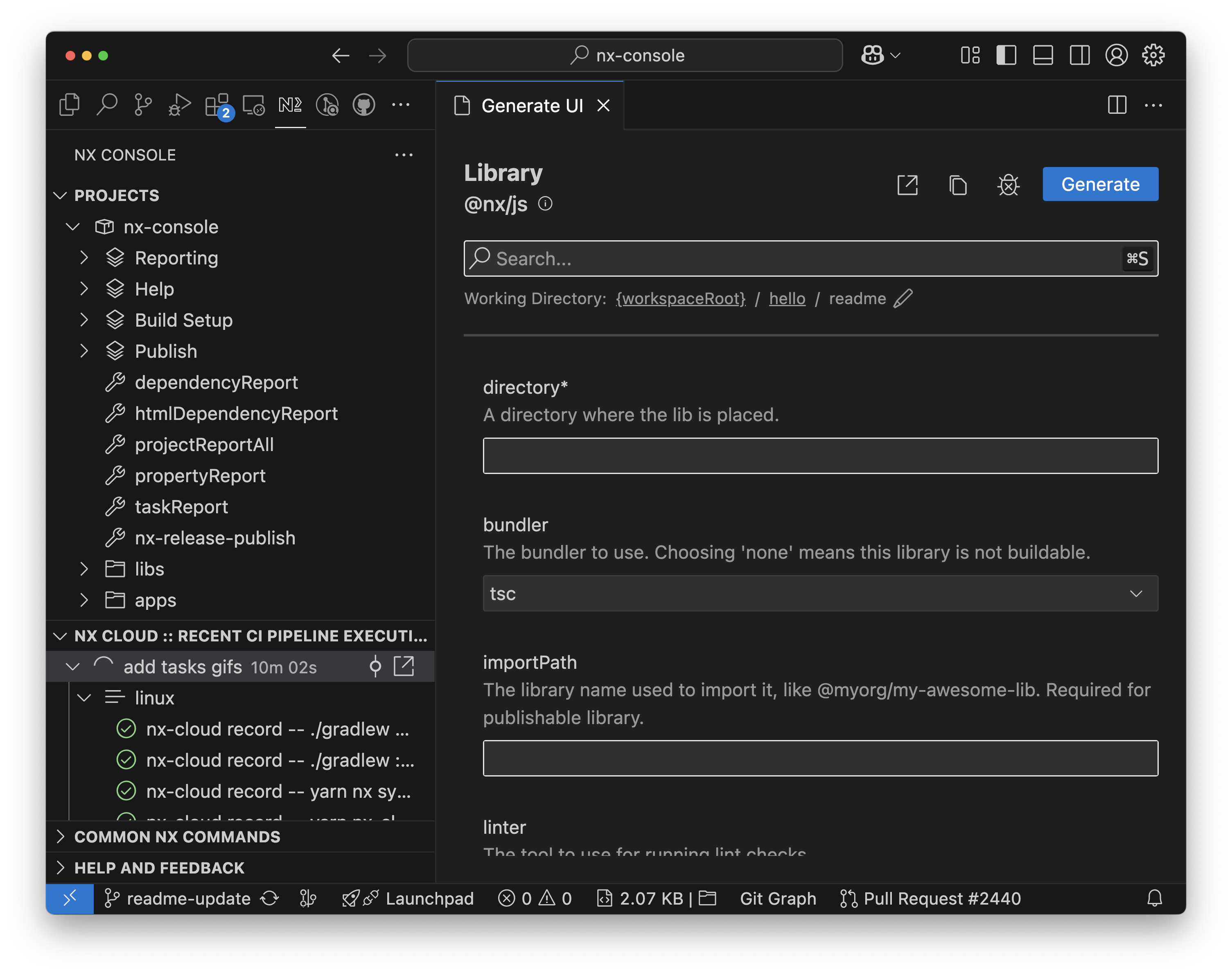
Developers use both command-line tools and user interfaces. They commit in the terminal, but resolve conflicts in Visual Studio Code or WebStorm. They use the right tool for the job.
Nx Console is that tool. It helps developers stay in the flow, provides visual workflows, and enhances your AI chats and more.
You can download Nx Console from the following places:
Nx Console enhances your editors AI features by providing relevant context to the large language models powering VSCode and Cursor. Automatically teach AI about your workspace architecture, generators and feed it up-to-date nx docs!
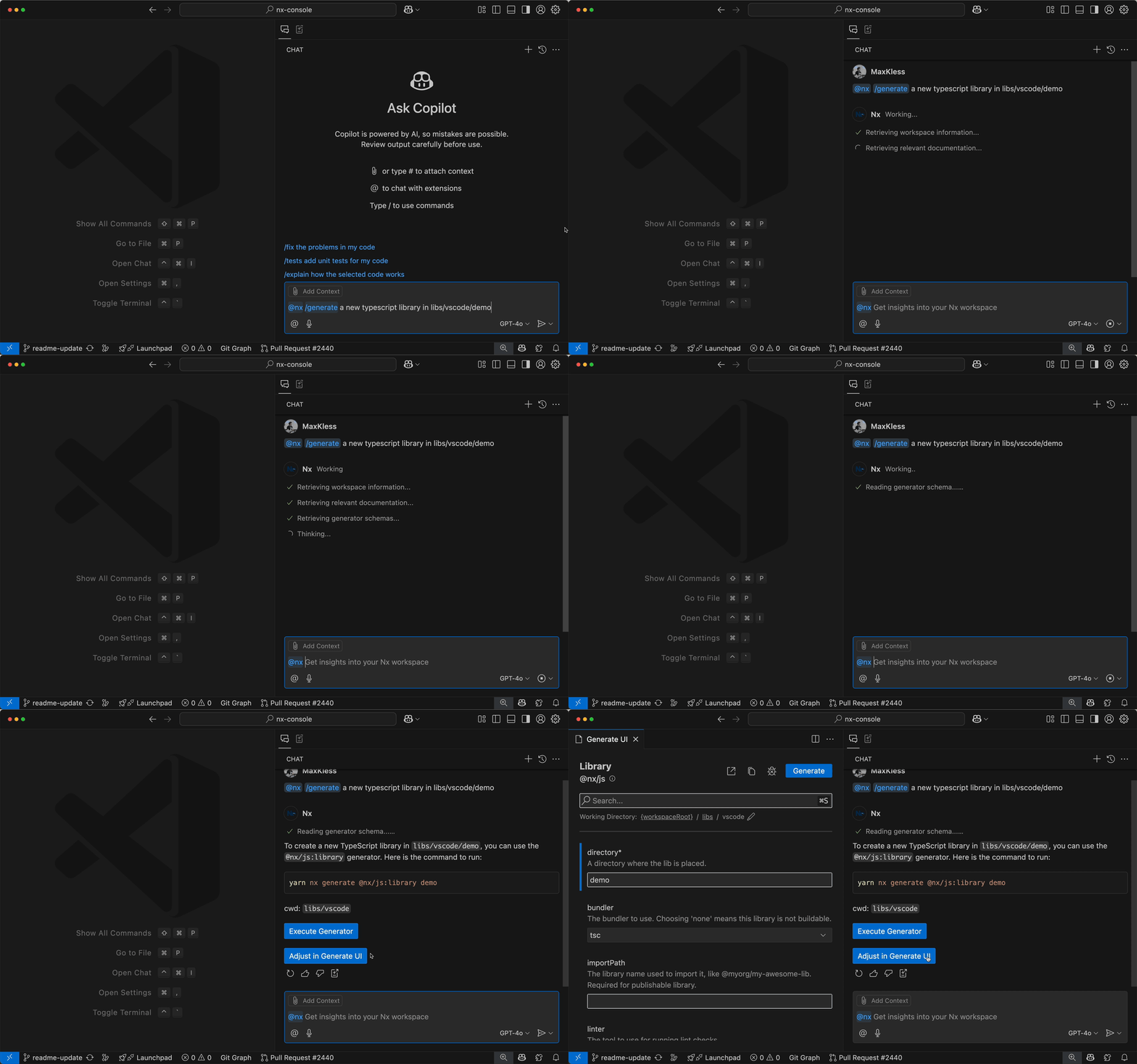
Nx Console comes with an MCP server for both, VSCode and Cursor.
You can also install the MCP server separately from the Nx Console extension via the nx-mcp NPM package. More about that here. Learn more in the Nx docs.
Nx Console provides seamless integration with the Project Details View (PDV). You can learn more about your project, the available tasks and detailed configuration information. With the PDV in Nx Console, you can run tasks or navigate the task graph with just a few clicks!
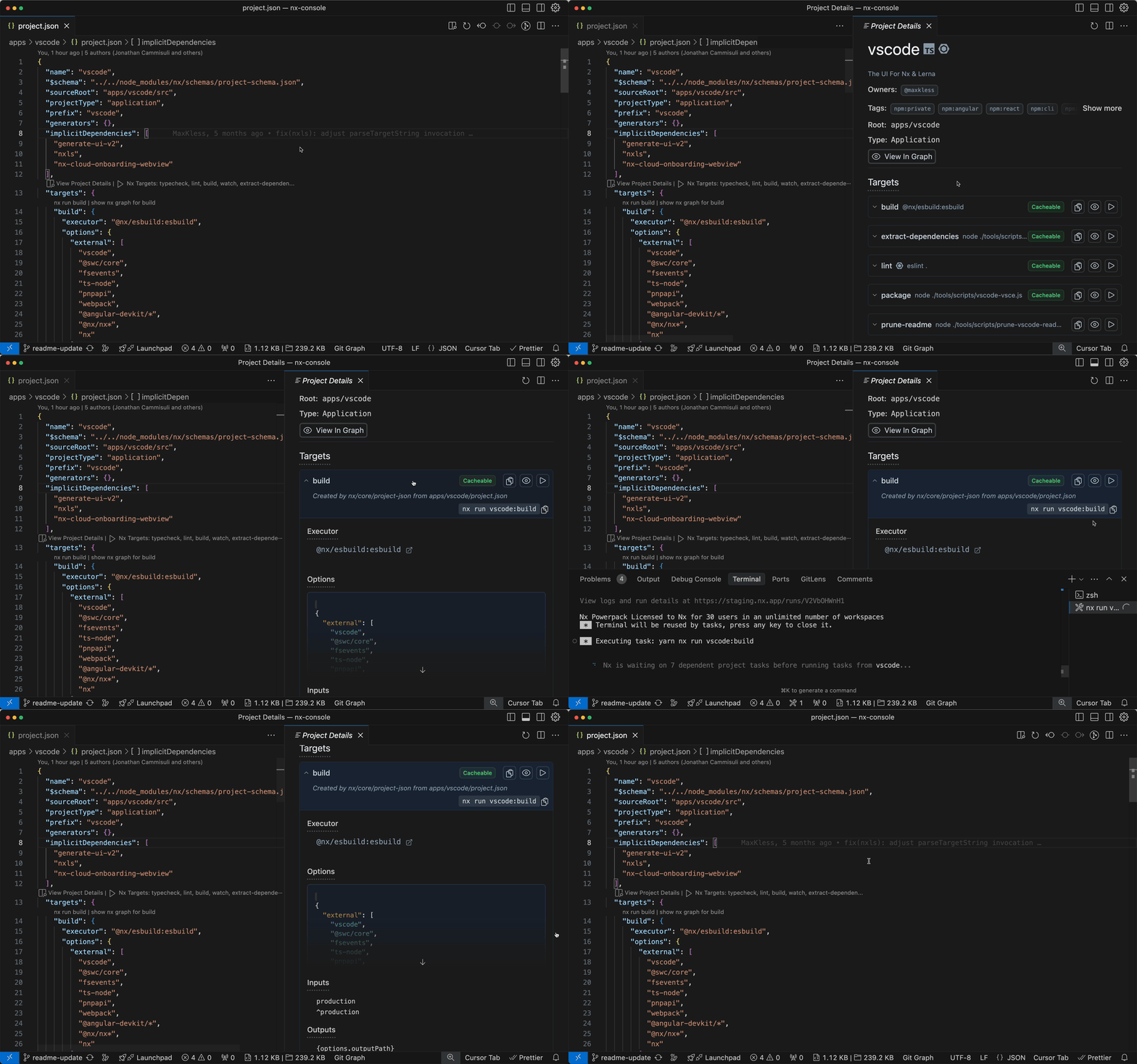
Learn more about the Project Details view on nx.dev
Nx Console makes it easier to run generators through our interactive Generate UI. It automatically parses the schema for any generator and provides autocomplete, validation and dry-run previews as you type.
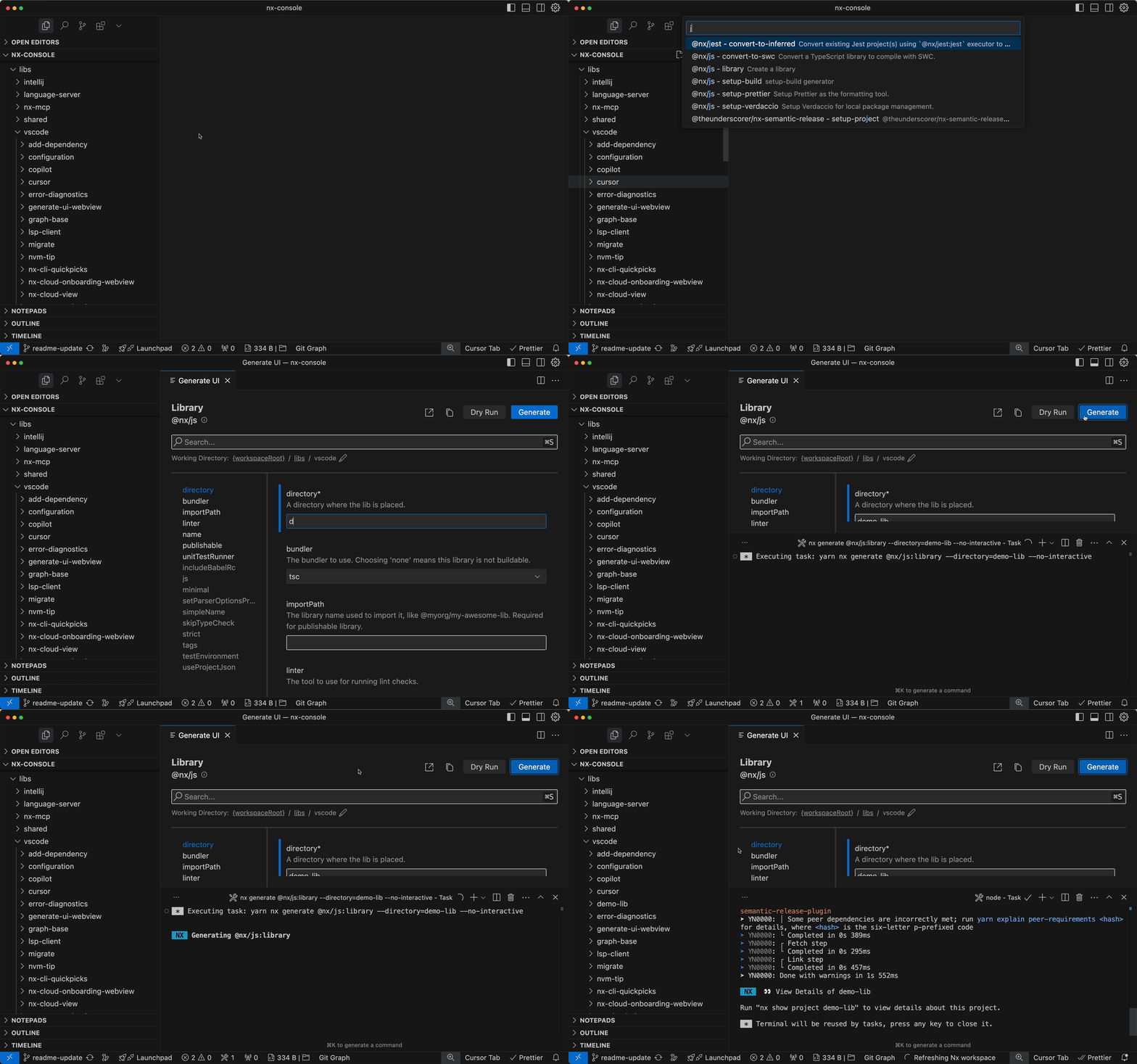
You can launch the Generate UI via the Nx: Generate (UI) command or through the context menu in the file explorer. Paths will be automatically prefilled! Learn more about the Generate UI on nx.dev
Nx Console improves the experience of using Nx Cloud by giving you an overview of current CI Pipeline Executions and showing notifications when CI is done or an error occurs. No more refreshing GitHub forever, just keep working and Nx Console will let you know once your PR is ready!
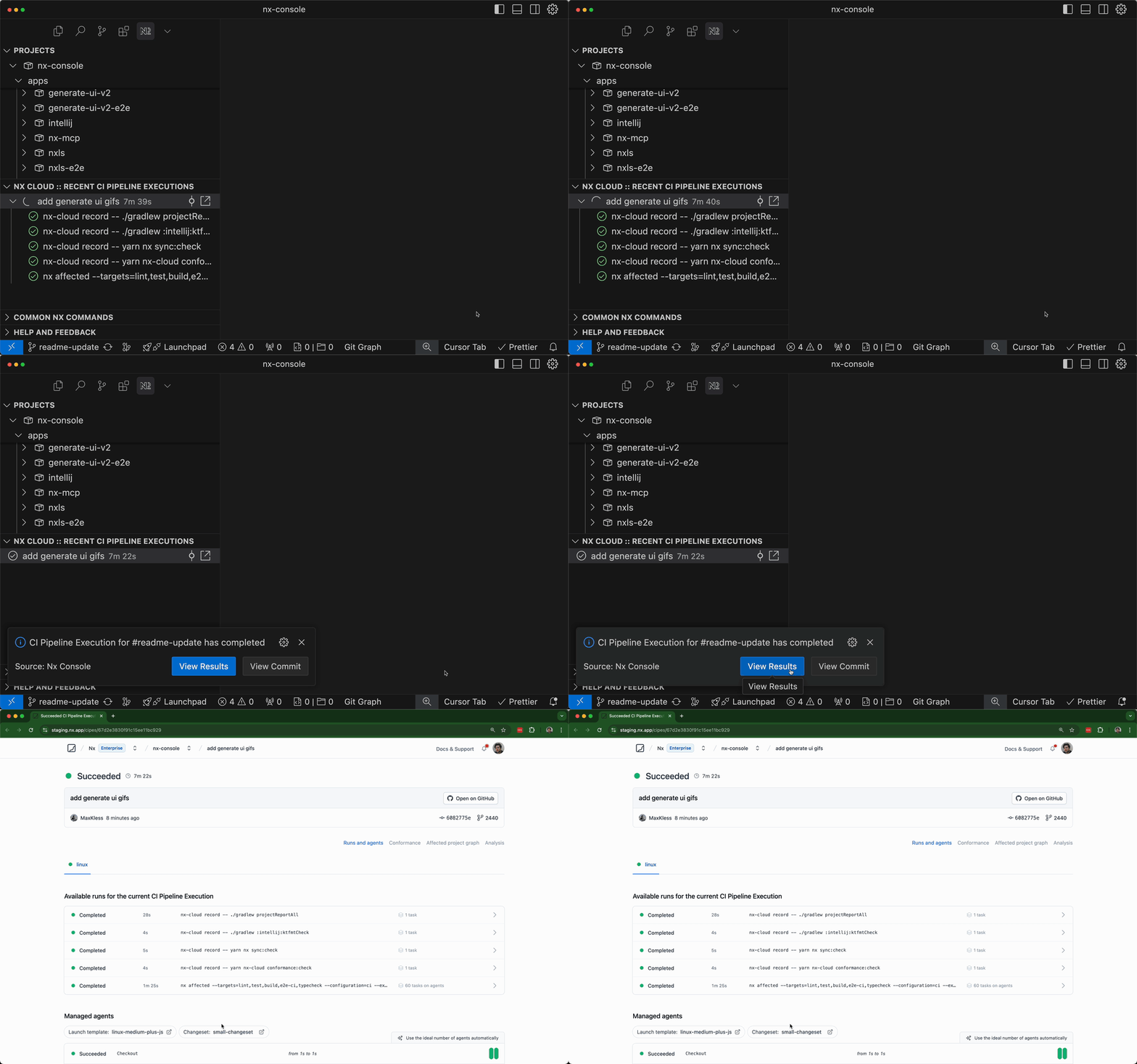
Additionally, Nx Console helps by guiding you through the Nx Cloud onboarding process, right in your editor.
Learn more about the Nx Cloud Integration on nx.dev
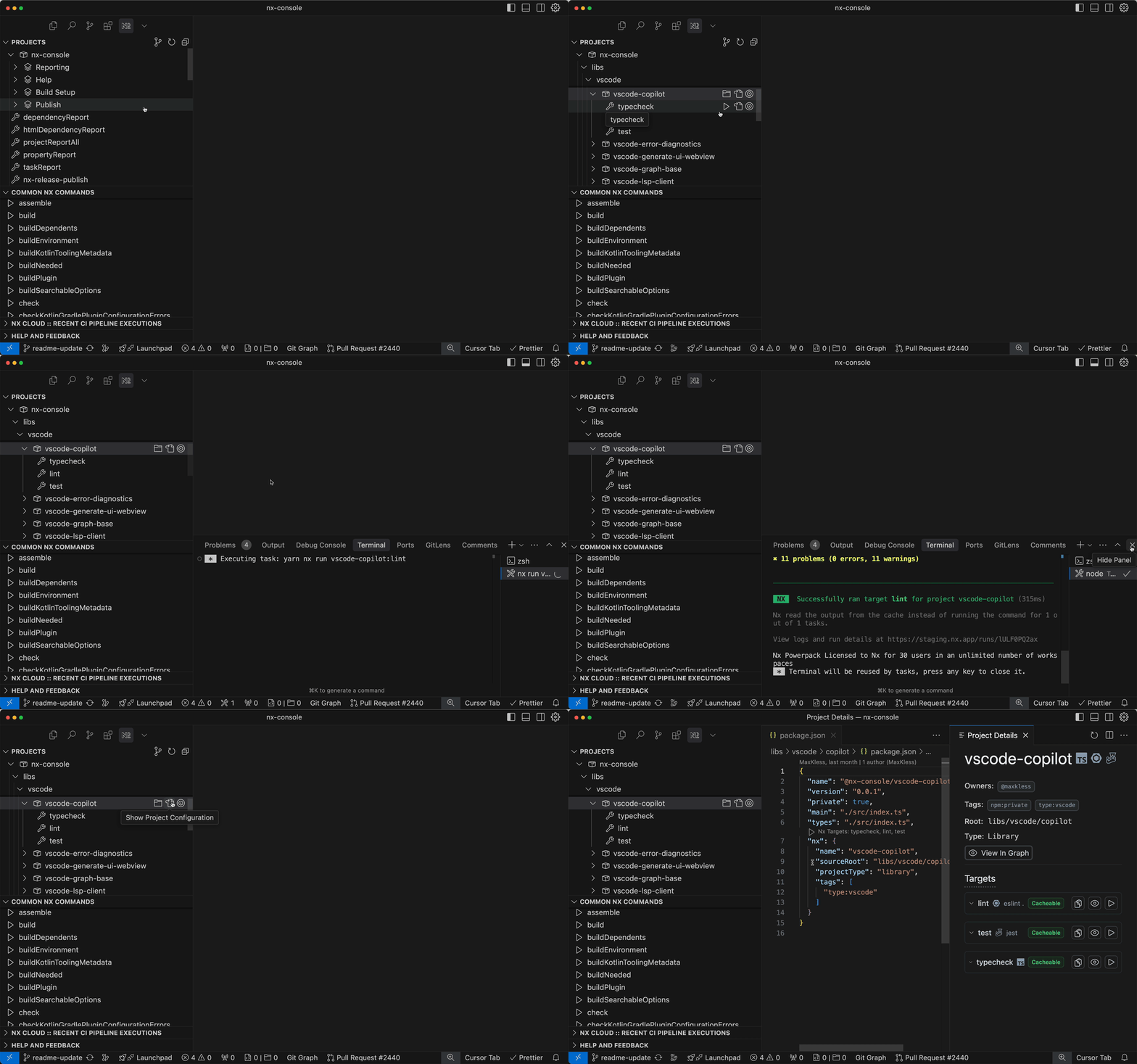
Nx Console presents an overview of your workspace from an Nx perspective. You can browse projects, their targets & configurations in the Projects view. Run available targets or create shortcuts for frequent commands in the Common Nx Commands view.
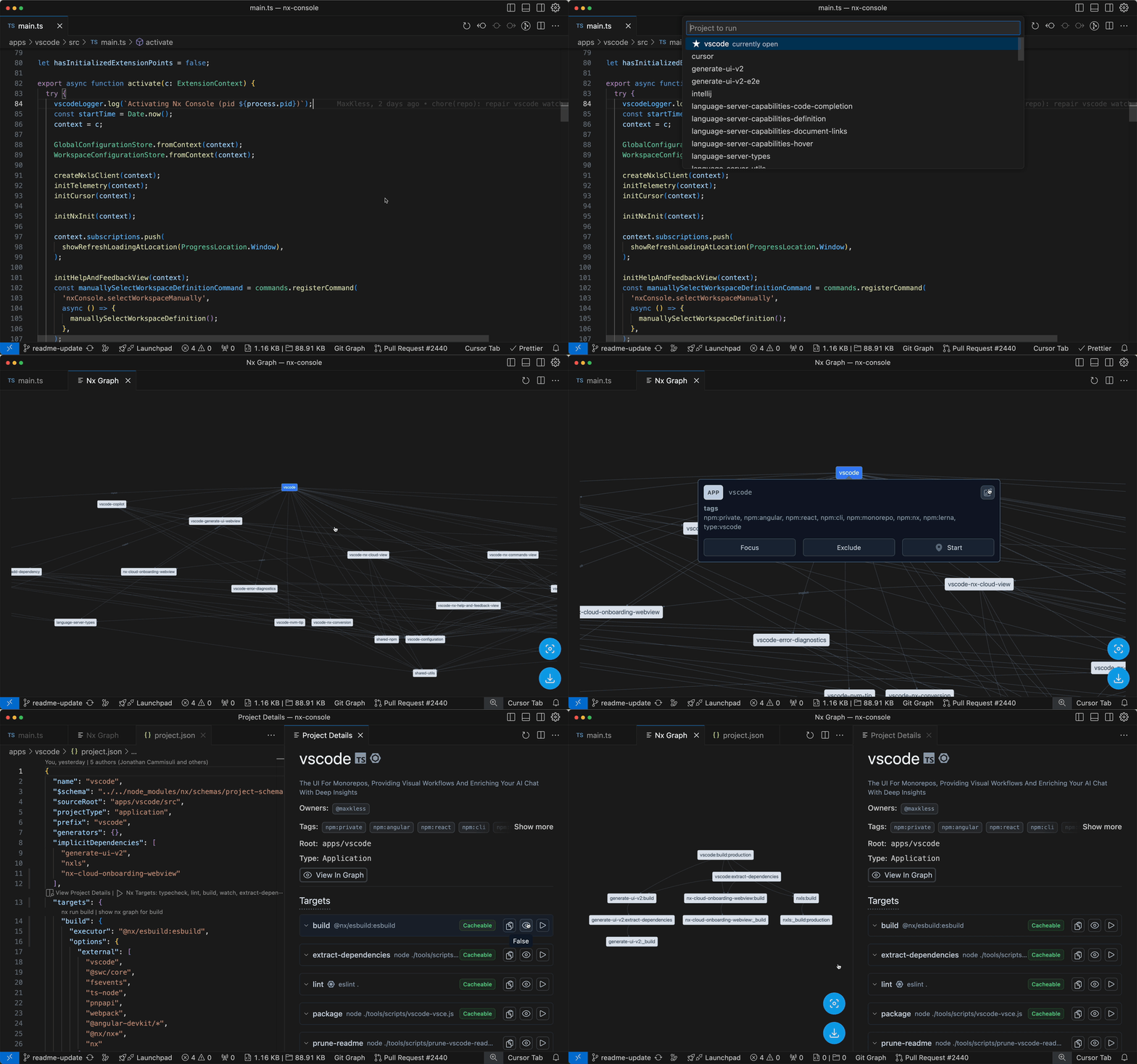
Nx Console visualizes the Nx project & task graphs right in your editor. It knows which file you're working on, so you can easily open the graph focused on that specific project. Also, with the tight integration into your editor, you can run tasks or explore the files that cause project dependencies with a single click.
To use Nx Console, make sure you're in an Nx or Lerna workspace and have Node.js installed. If you're not using Nx yet, learn more here: Intro to Nx
You can create an Nx workspace by running the following command:
npx create-nx-workspace@latest my-workspace
To install Nx into an existing repository, simply run
npx nx init
The latest version of Nx Console supports all Nx versions starting at Nx 15. For older versions, we cannot guarantee compatibility or full functionality. However, we welcome contributions! If you encounter specific issues with older versions, please consider submitting a PR. Of course, if you discover any problems with newer versions of Nx, please report these issues to help us improve Nx Console.
If you're looking to upgrade your version of Nx easily, refer to the Nx migrate documentation.
Please read the contributing guidelines. Pick one of the issues from the good first issue list to get started.
The Node interpreter under Languages & Frameworks > Node.js needs to be configured to use the Node executable within the WSL distribution. You can read more on the official Jetbrains docs page.
Claim this server with your GitHub account to request manual ownership verification.
Link to the catalog listing for Nx Console editor extension with a bundled MCP server from your README. This badge does not certify ownership, compatibility or security.
[](https://awesome-mcp.com/servers/nx-mcp)Public repository statistics could not be verified. Check the configured source address; unavailable counts are not zero.
来源、范围和时段分别列出;不相加,不代表安装人数、活跃用户或安全审核。
尚无已审核的包 / 镜像标识,暂不展示下载统计。
Alternative and complementary servers in the same category
A directory listing describing a cancellation-letter and mailing-address service. The configured public GitHub repository returned 404 during source verification.

A hosted MCP service for browsing and searching through Singapore mobile-network proxies.

A directory listing describing a Markdown-to-PDF service. The configured public GitHub repository returned 404 during source verification.