
A directory listing describing a cancellation-letter and mailing-address service. The configured public GitHub repository returned 404 during source verification.
Repository stats unavailable
Developer Tools
A Model Context Protocol server that automates optimization and analysis using Optuna.
Optuna MCP Server is cataloged as an MCP server attributed to optuna. A Model Context Protocol server that automates optimization and analysis using Optuna. It is categorized under developer tools. See the capability inspector for recorded interfaces and their independent review status; consult upstream documentation for the current interface.
Installation configuration is not reviewed. No executable setup is offered for this entry; inspect the source repository before proceeding.
Catalog license label: MIT License. Check the source repository's current license and terms before using, modifying or distributing this software.
能力定义尚未审核。未核验的采集内容不会作为可信接口展示。
暂无可展示的已审核记录。这不表示上游不支持此能力。
暂无可展示的已审核记录。这不表示上游不支持此能力。
暂无可展示的已审核记录。这不表示上游不支持此能力。
Email delivery is not connected. This page does not collect email addresses or create subscriptions.
Browse the registry for current listings instead.
Reviews for Optuna MCP Server are not available yet
Review publishing and storage are not connected. This page does not collect or publish ratings or comments, including after sign-in.
It offers primitive Optuna functions for Study, Trial, Visualization, and Dashboard.
Yes, it provides a launch_optuna_dashboard tool that launches the Optuna dashboard.
README.md · c59e6340c763 · 采集于 2026-11-13 08:21:42 UTC
保留上游原文,不做 AI 改写。为安全起见过滤脚本、表单和不安全链接。
当前显示最后一次成功采集的文档快照,请以来源页面为准。



A Model Context Protocol (MCP) server that automates optimization and analysis using Optuna.
The Optuna MCP Server can be used in the following use cases, for example.
For details, see the Examples section.
The Optuna MCP server can be installed using uv or Docker.
This section explains how to install the Optuna MCP server, using Claude Desktop as an example MCP client.
Before starting the installation process, install uv from Astral.
Then, add the Optuna MCP server configuration to the MCP client.
To include it in Claude Desktop, go to Claude > Settings > Developer > Edit Config > claude_desktop_config.json
and add the following:
{
  "mcpServers": {
    "Optuna": {
      "command": "/path/to/uvx",
      "args": [
        "optuna-mcp"
      ]
    }
  }
}
Additionally, you can specify the Optuna storage with the --storage argument to persist the results.
{
  "mcpServers": {
    "Optuna": {
      "command": "/path/to/uvx",
      "args": [
        "optuna-mcp",
        "--storage",
        "sqlite:///optuna.db"
      ]
    }
  }
}
After adding this, please restart Claude Desktop application. For more information about Claude Desktop, check out the quickstart page.
You can also run the Optuna MCP server using Docker. Make sure you have Docker installed and running on your machine.
{
  "mcpServers": {
    "Optuna": {
      "command": "docker",
      "args": [
        "run",
        "-i",
        "--rm",
        "--net=host",
        "-v",
        "/PATH/TO/LOCAL/DIRECTORY/WHICH/INCLUDES/DB/FILE:/app/workspace",
        "ghcr.io/optuna/optuna-mcp:latest",
        "--storage",
        "sqlite:////app/workspace/optuna.db"
      ]
    }
  }
}
The Optuna MCP provides the following tools. Specifically, it offers primitive functions of Optuna such as Study, Trial, Visualization, and Dashboard. Since MCP clients know the list of tools and the details of each tool, users do not need to remember those details.
study_name : name of the study (string, required).directions: The directions of optimization (list of literal strings minimize/maximize, optional).name : the name of the sampler (string, required).metric_names : The list of metric names for each objective (list of strings, required).search_space : the search space for Optuna (dictionary, required).trial_number : the trial number (integer, required).values : the result of the trial (float or list of floats, required).trial_number: the trial number (integer, required).key: the key of the user attribute (string, required).value: the value of the user attribute (any type, required).trial_number: the trial number (integer, required).target: index to specify which value to display (integer, optional).target_name: target’s name to display on the axis label (string, optional).reference_point : a list of reference points to calculate the hypervolume (list of floats, required).target_names: objective name list used as the axis titles (list of strings, optional).include_dominated_trials: a flag to include all dominated trial's objective values (boolean, optional).targets: a list of indices to specify the objective values to display. (list of integers, optional).params : parameter list to visualize (list of strings, optional).target : an index to specify the value to display (integer, required).target_name : target’s name to display on the color bar (string, required).params : parameter list to visualize (list of strings, optional).target : an index to specify the value to display (integer, required).target_name : target’s name to display on the axis label and the legend (string, required).params : parameter list to visualize (list of strings, optional).target : an index to specify the value to display (integer, required).target_name : target’s name to display on the axis label (string, required).params : parameter list to visualize (list of strings, optional).target : an index to specify the value to display (integer/null, optional).target_name : target’s name to display on the legend (string, required).target : an index to specify the value to display (integer, required).target_name : target’s name to display on the axis label (string, required).params : parameter list to visualize (list of strings, optional).target : an index to specify the value to display (integer, required).target_name : target’s name to display on the color bar (string, required).port: server port (integer, optional, default: 58080).Here we present a simple example of optimizing the 2D-Sphere function, along with example prompts and the summary of the LLM responses.
| User prompt | Output in Claude |
|---|---|
| (Launch Claude Desktop) | 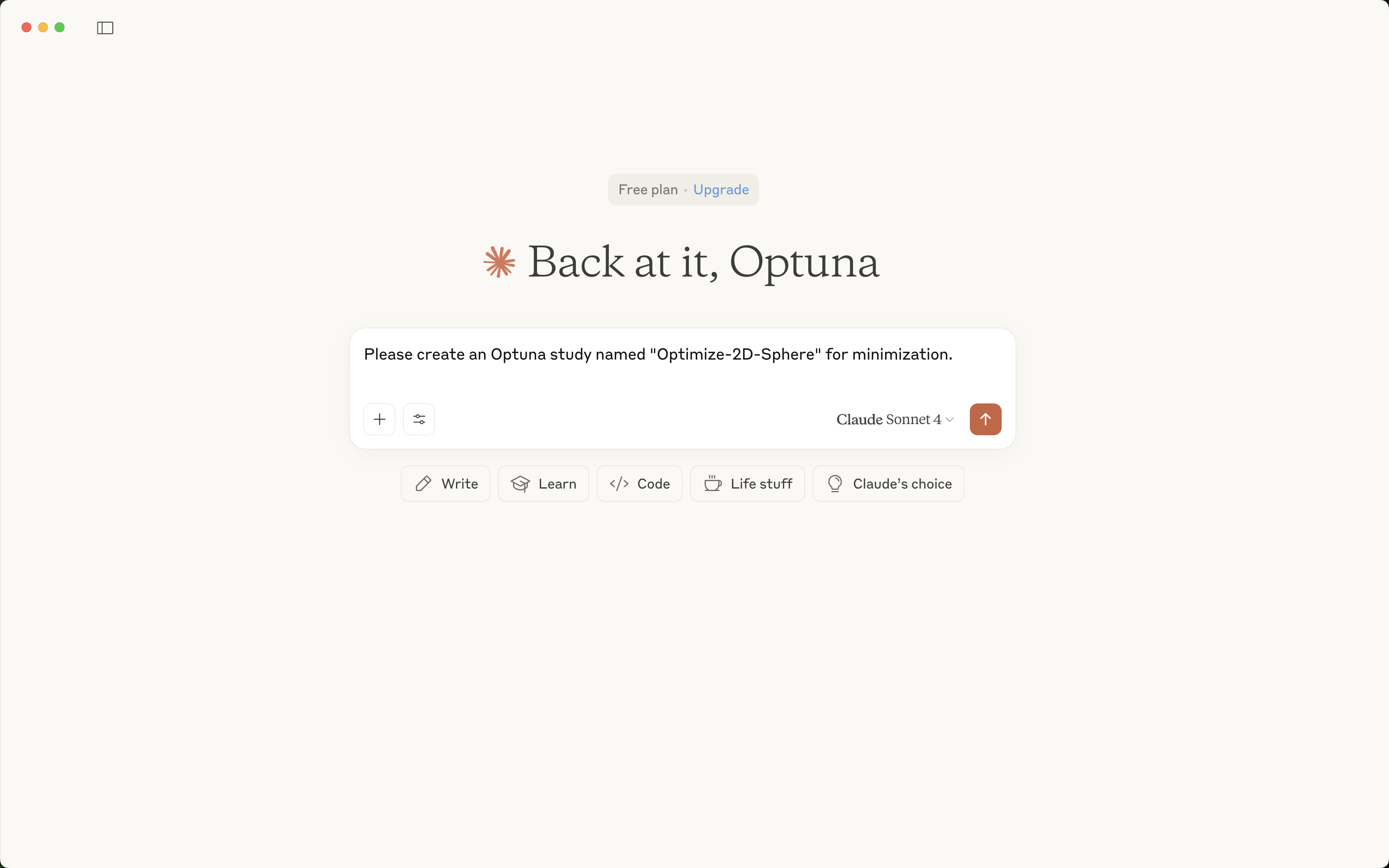 |
| Please create an Optuna study named "Optimize-2D-Sphere" for minimization. | 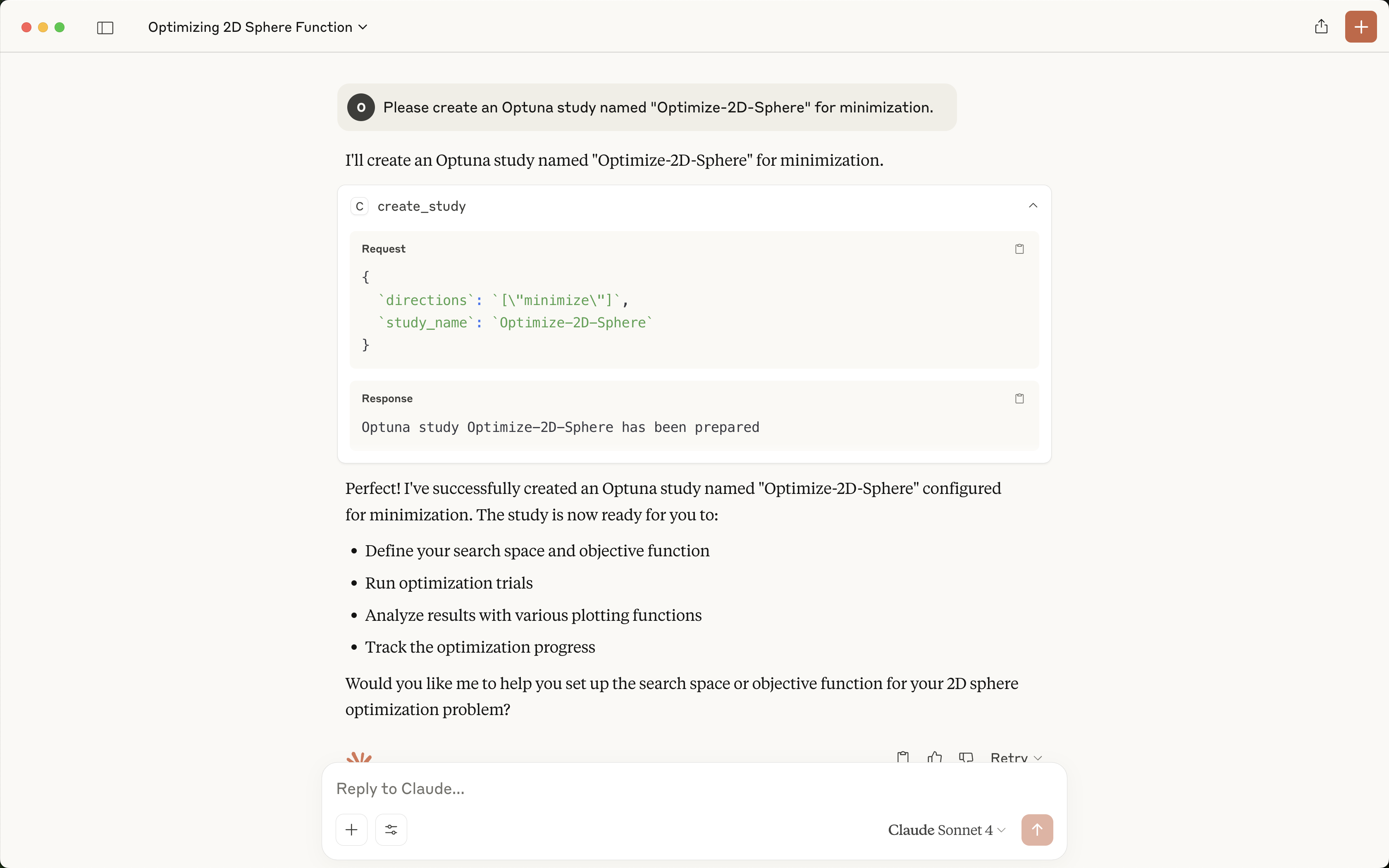 |
| Please suggest two float parameters x, y in [-1, 1]. | 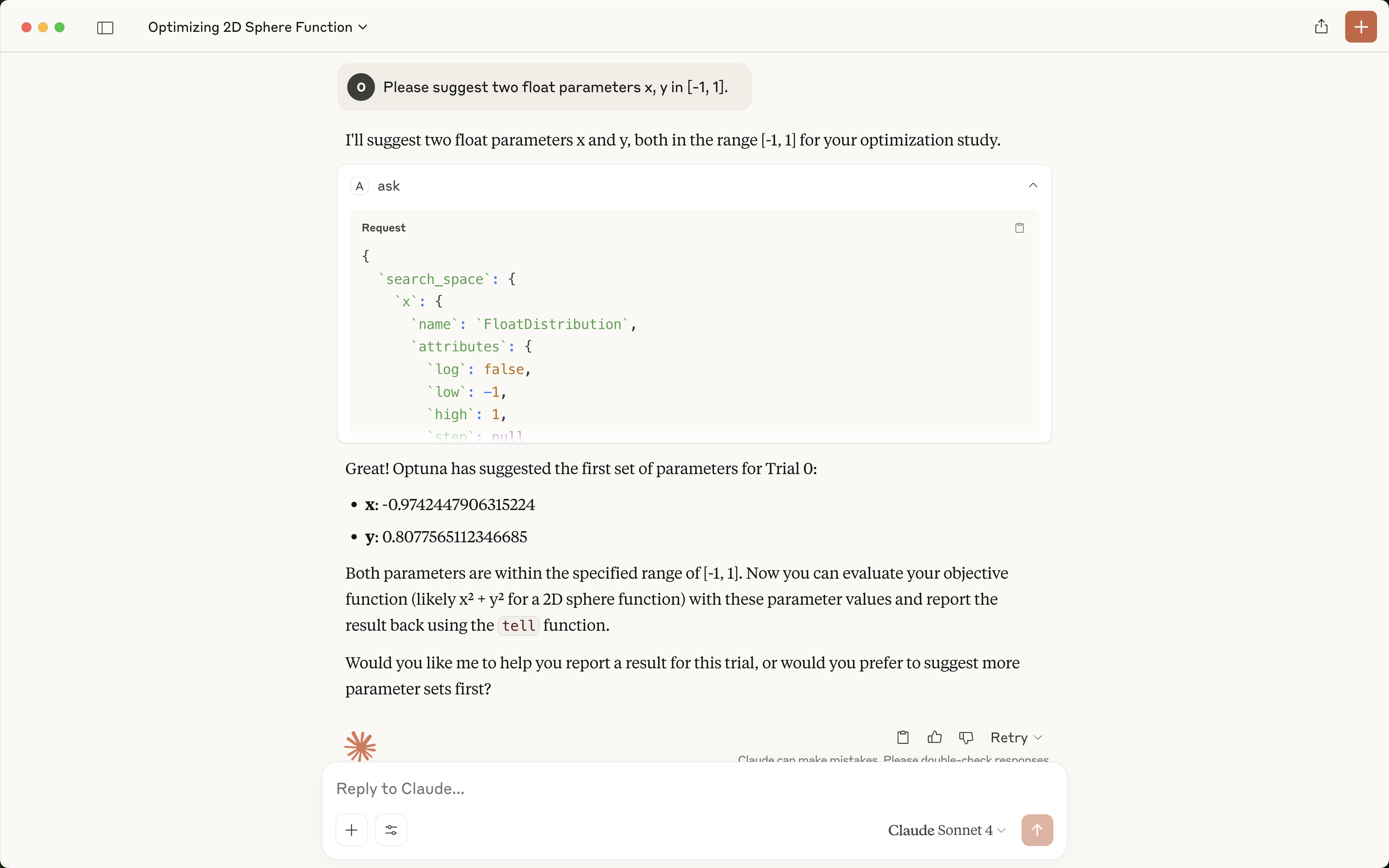 |
| Please report the objective value x**2 + y**2. To calculate the value, please use the JavaScript interpreter and do not round the values. | 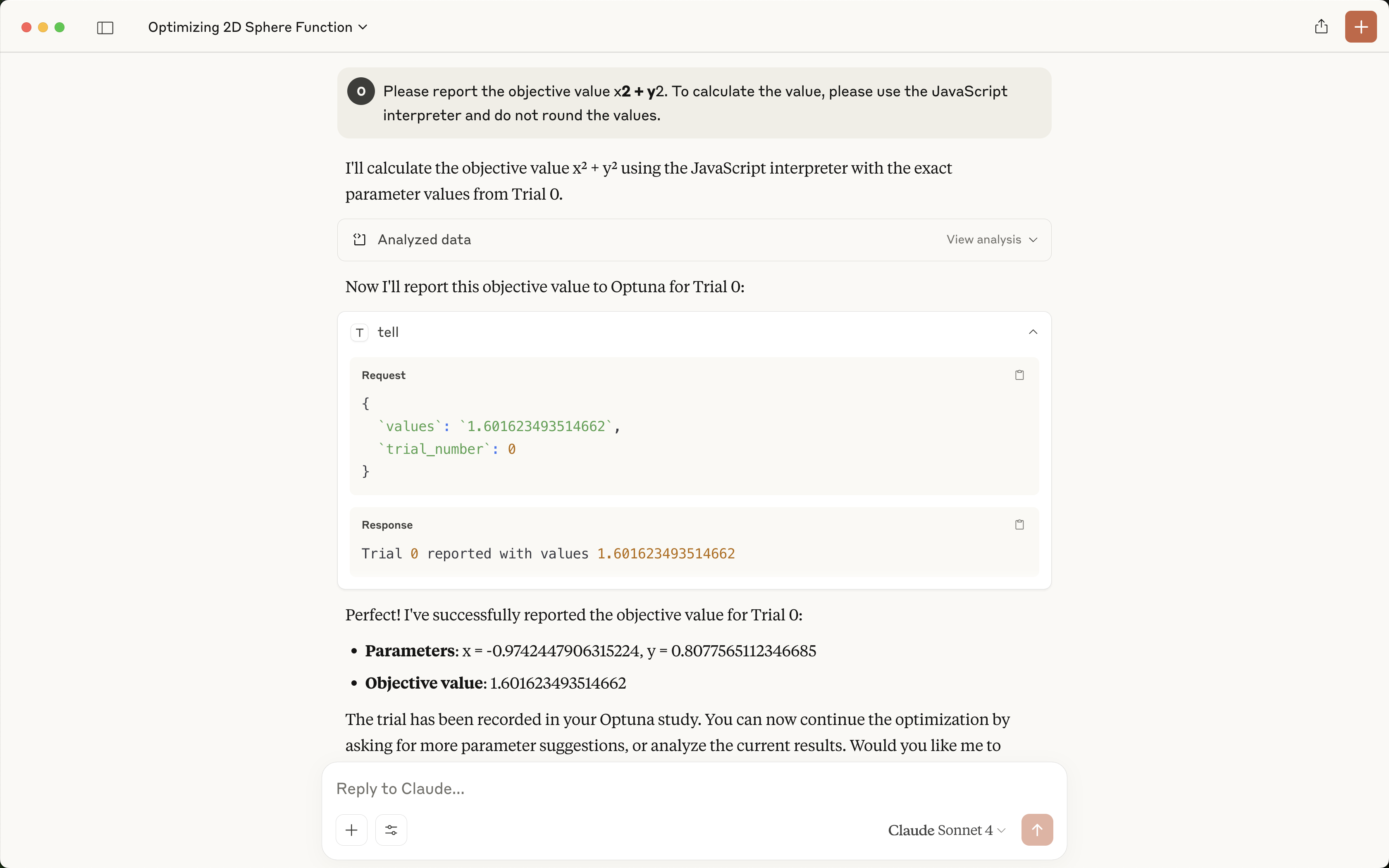 |
| Please suggest another parameter set and evaluate it. | 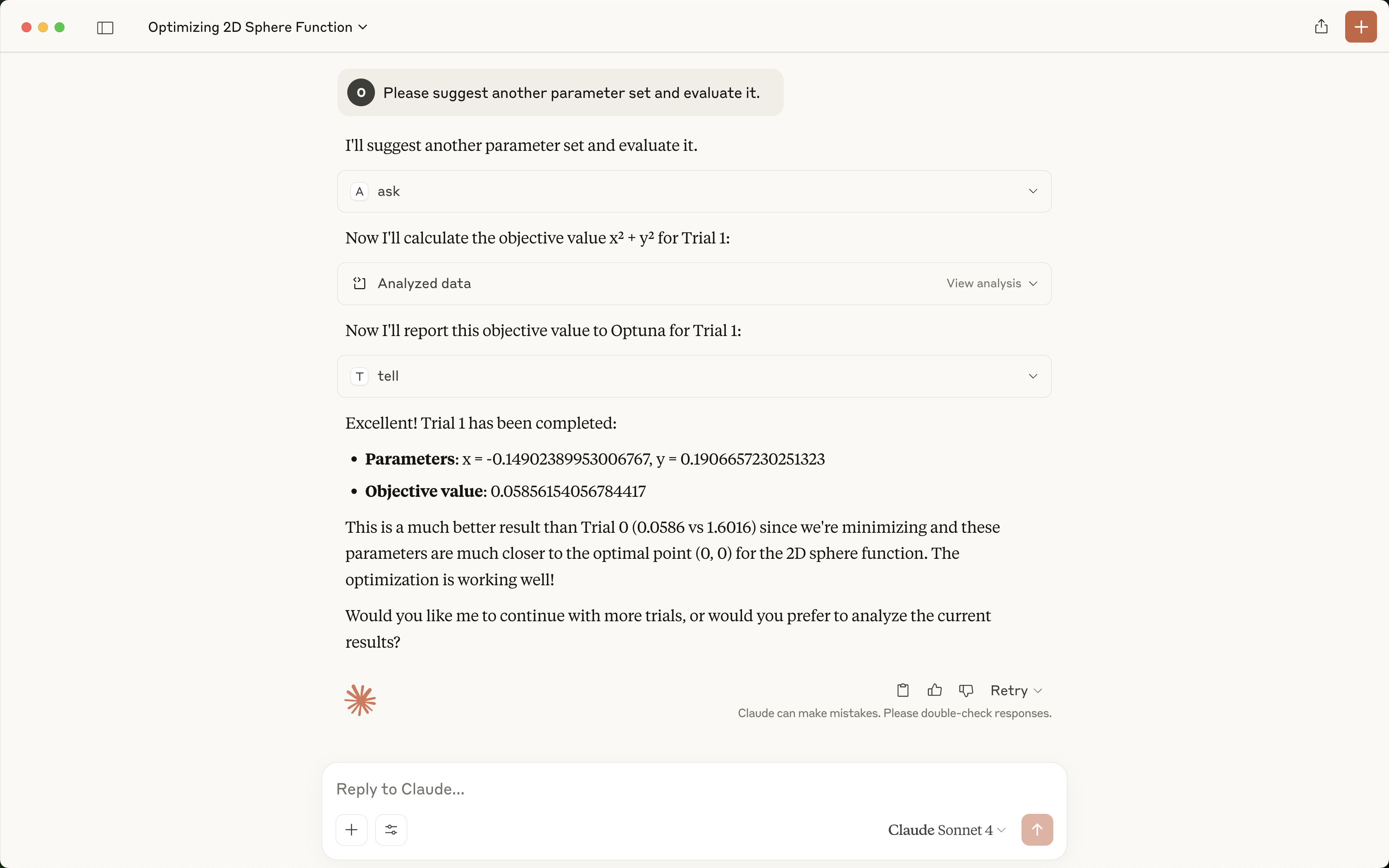 |
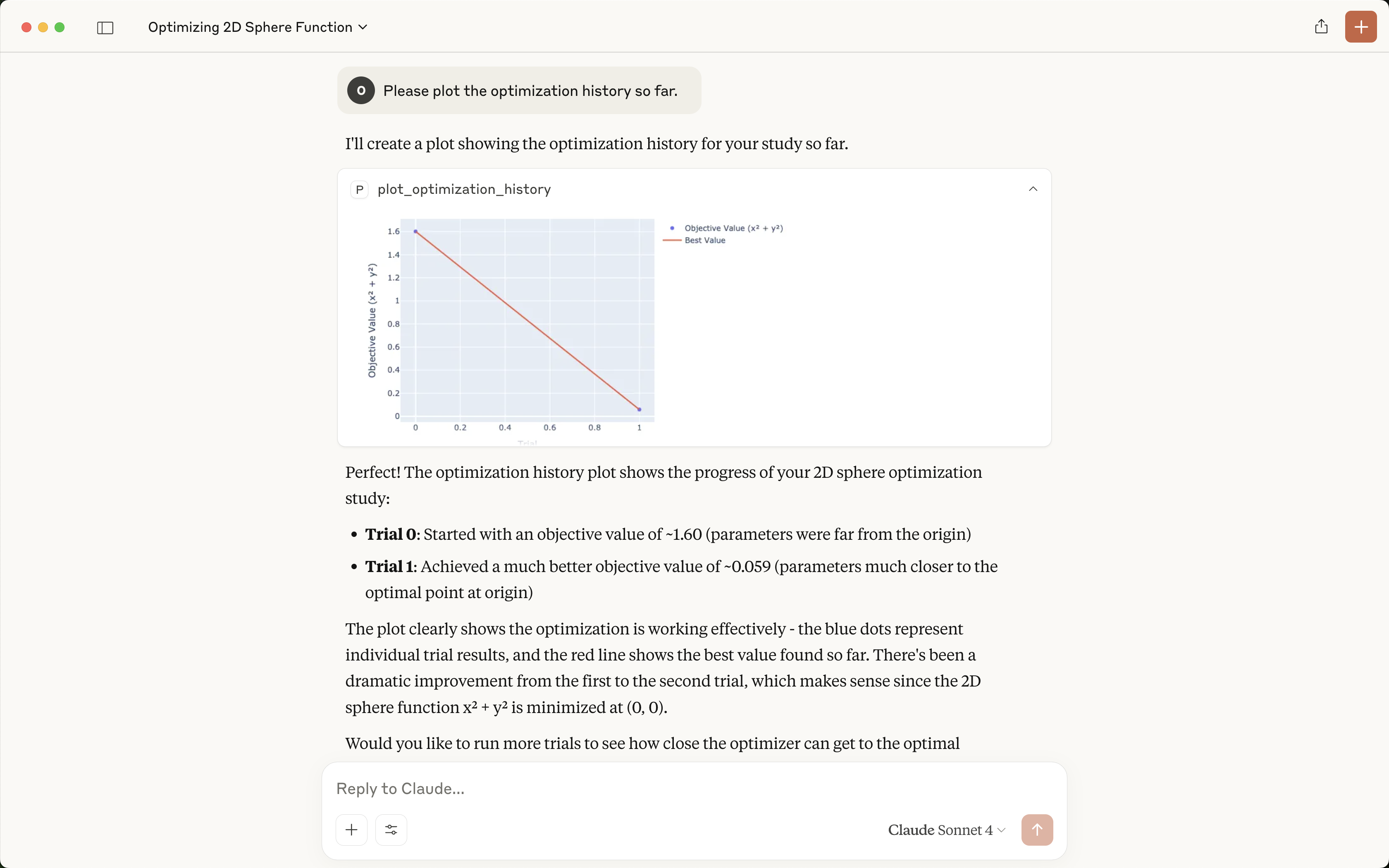
| Please plot the optimization history so far. | |
You can also start the Optuna dashboard via the MCP server to analyze the optimization results interactively.
| User prompt | Output in Claude |
|---|---|
| Please launch the Optuna dashboard. | 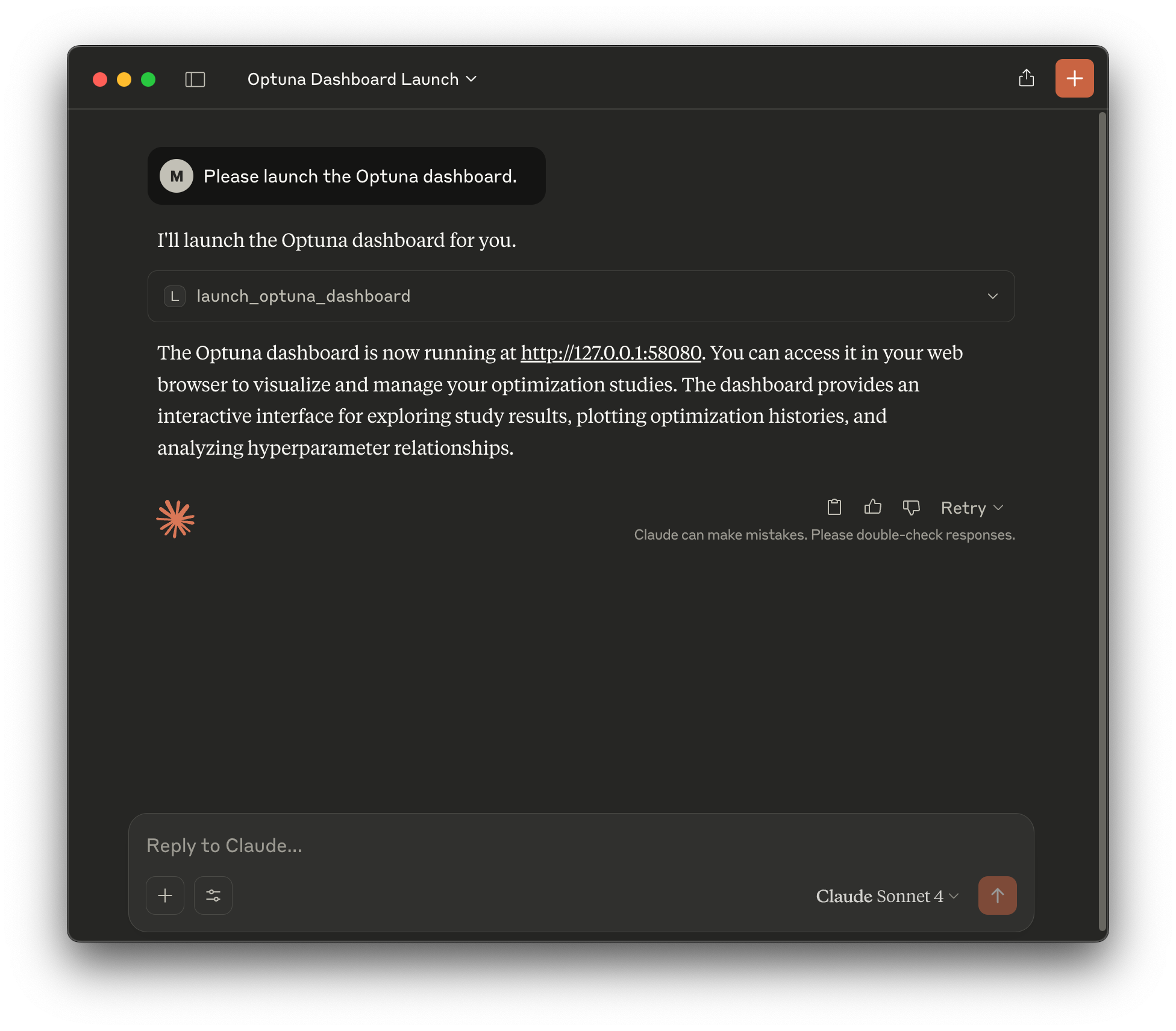 |
By default, the Optuna dashboard will be launched on port 58080.
You can access it by navigating to http://localhost:58080 in your web browser as shown below:
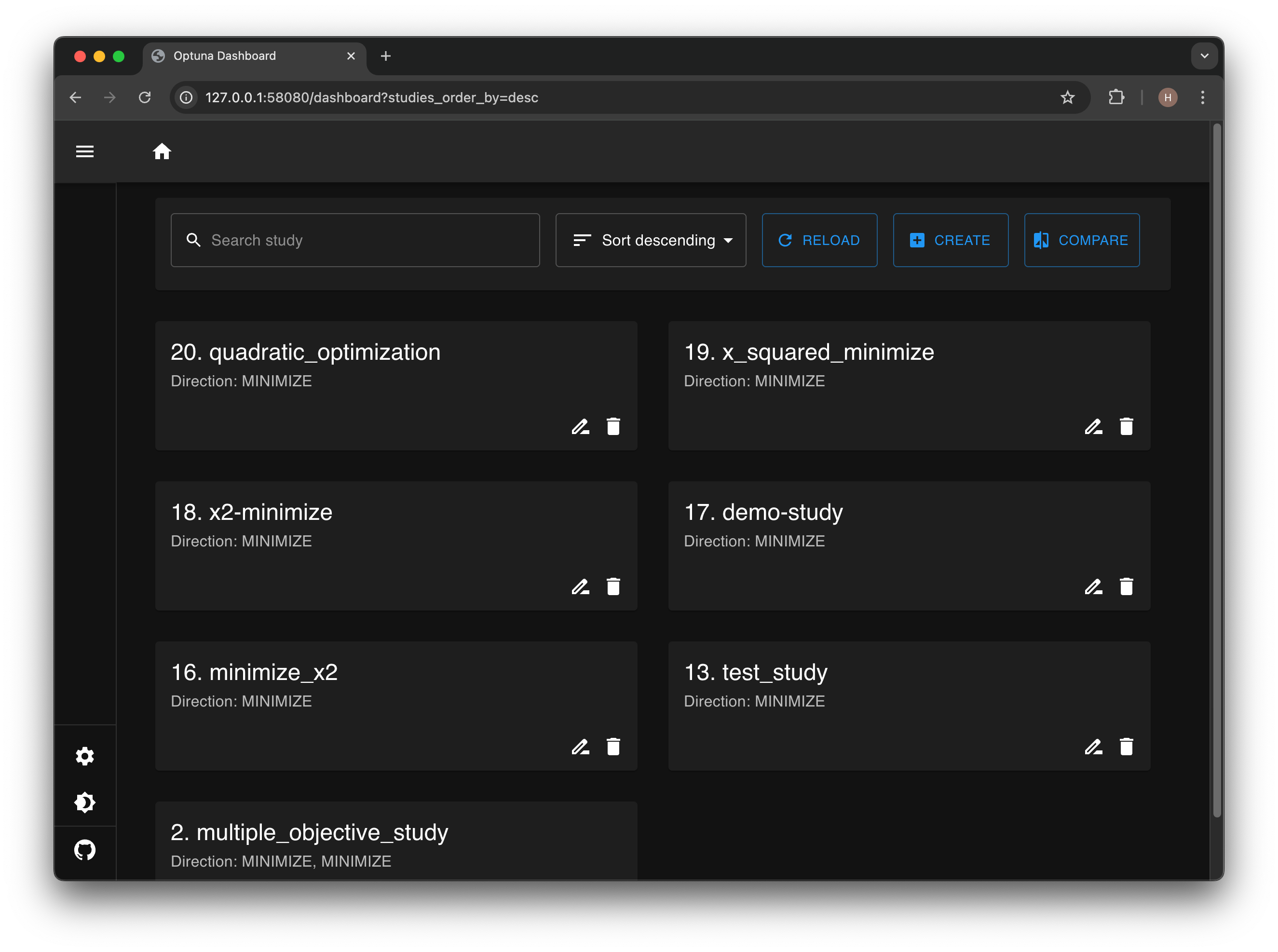
Optuna dashboard provides various visualizations to analyze the optimization results, such as optimization history, parameter importances, and more.
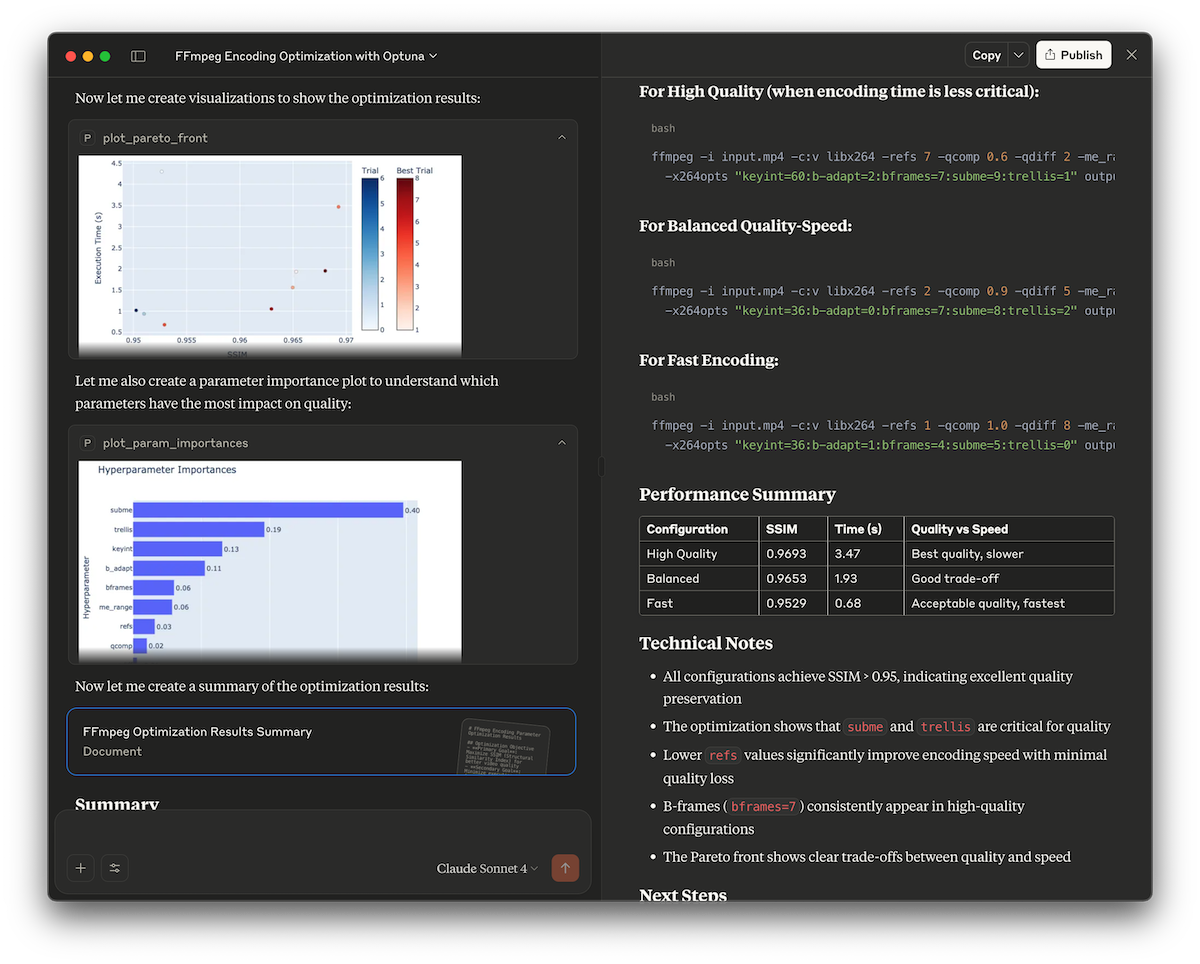
This demo showcases how to use the Optuna MCP server to automatically find optimal FFmpeg encoding parameters. It optimizes x264 encoding options to maximize video quality (measured by the SSIM score) while keeping encoding time reasonable.
Check out examples/ffmpeg for details.
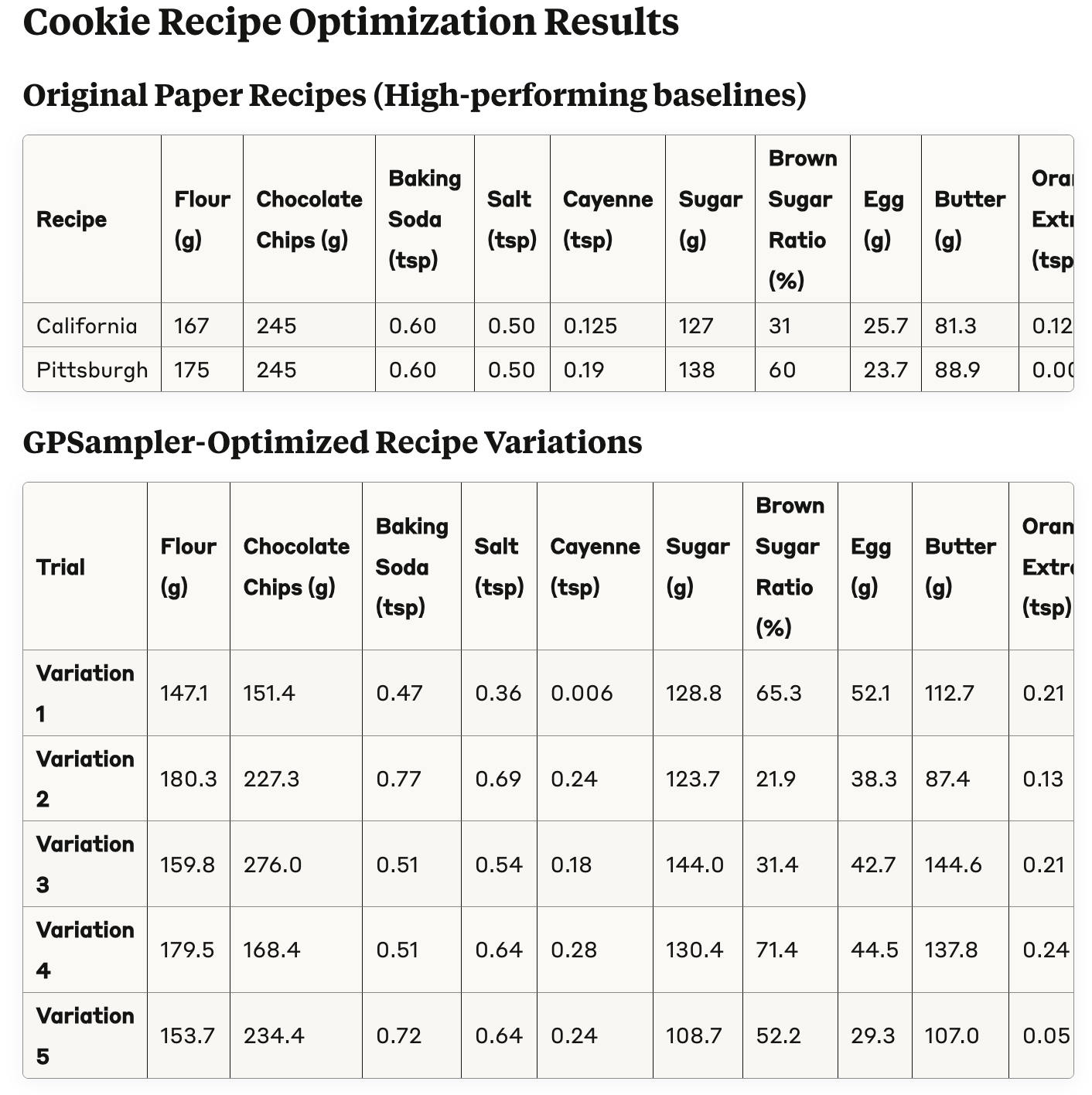
In this example, we will optimize a cookie recipe, referencing the paper titled "Bayesian Optimization for a Better Dessert".
Check out examples/cookie-recipe for details.
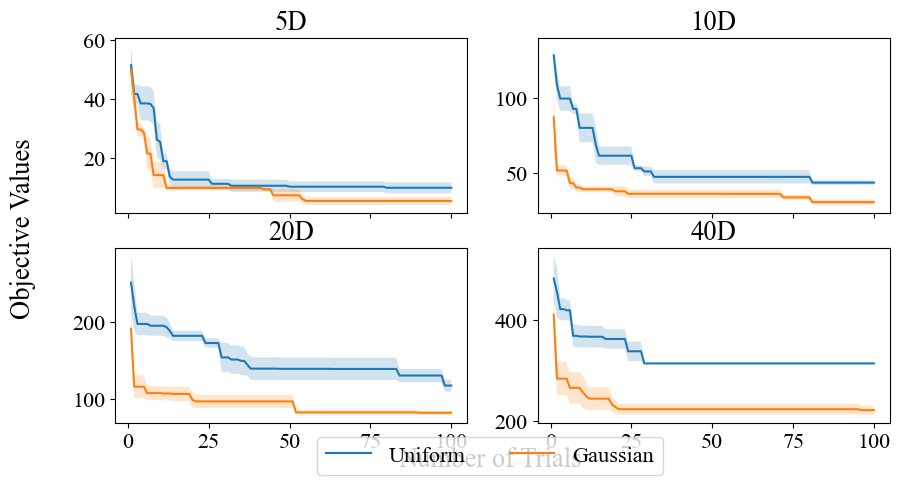 | 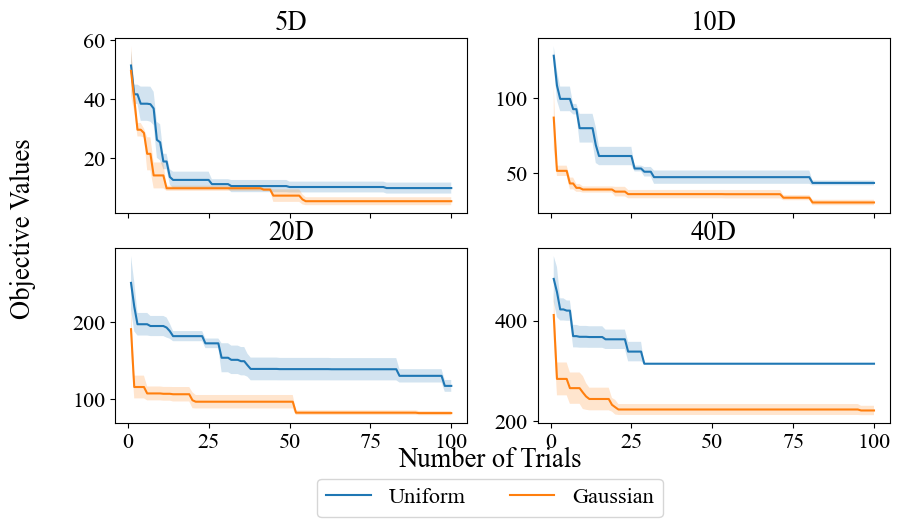 |
This example optimizes a Matplotlib configuration.
Check out examples/auto-matplotlib for details.
MIT License (see LICENSE).
Claim this server with your GitHub account to request manual ownership verification.
Link to the catalog listing for Optuna MCP Server from your README. This badge does not certify ownership, compatibility or security.
[](https://awesome-mcp.com/servers/optuna)Public repository statistics could not be verified. Check the configured source address; unavailable counts are not zero.
来源、范围和时段分别列出;不相加,不代表安装人数、活跃用户或安全审核。
尚无已审核的包 / 镜像标识,暂不展示下载统计。
Alternative and complementary servers in the same category
A directory listing describing a cancellation-letter and mailing-address service. The configured public GitHub repository returned 404 during source verification.

A hosted MCP service for browsing and searching through Singapore mobile-network proxies.

A directory listing describing a Markdown-to-PDF service. The configured public GitHub repository returned 404 during source verification.