
Oriel
The local Docker GUI an AI can drive, safely.
Manage containers, images, volumes, networks, and Compose from a clean browser UI. Or hand the job to an AI: any MCP client (Claude, Cursor, a local LLM) drives the same tools the UI does, with the same secret masking and destructive-action grant. It works with any Docker engine on macOS and Linux (Colima, Docker Engine, OrbStack, Podman, or a remote daemon). A free, open-source Docker Desktop alternative in one ~13 MB binary that idles at 15–30 MB of RAM, with no Electron, no account, and an Apache-2.0 license.




Try it live ↗ · the full UI in your browser, mock data, no install.
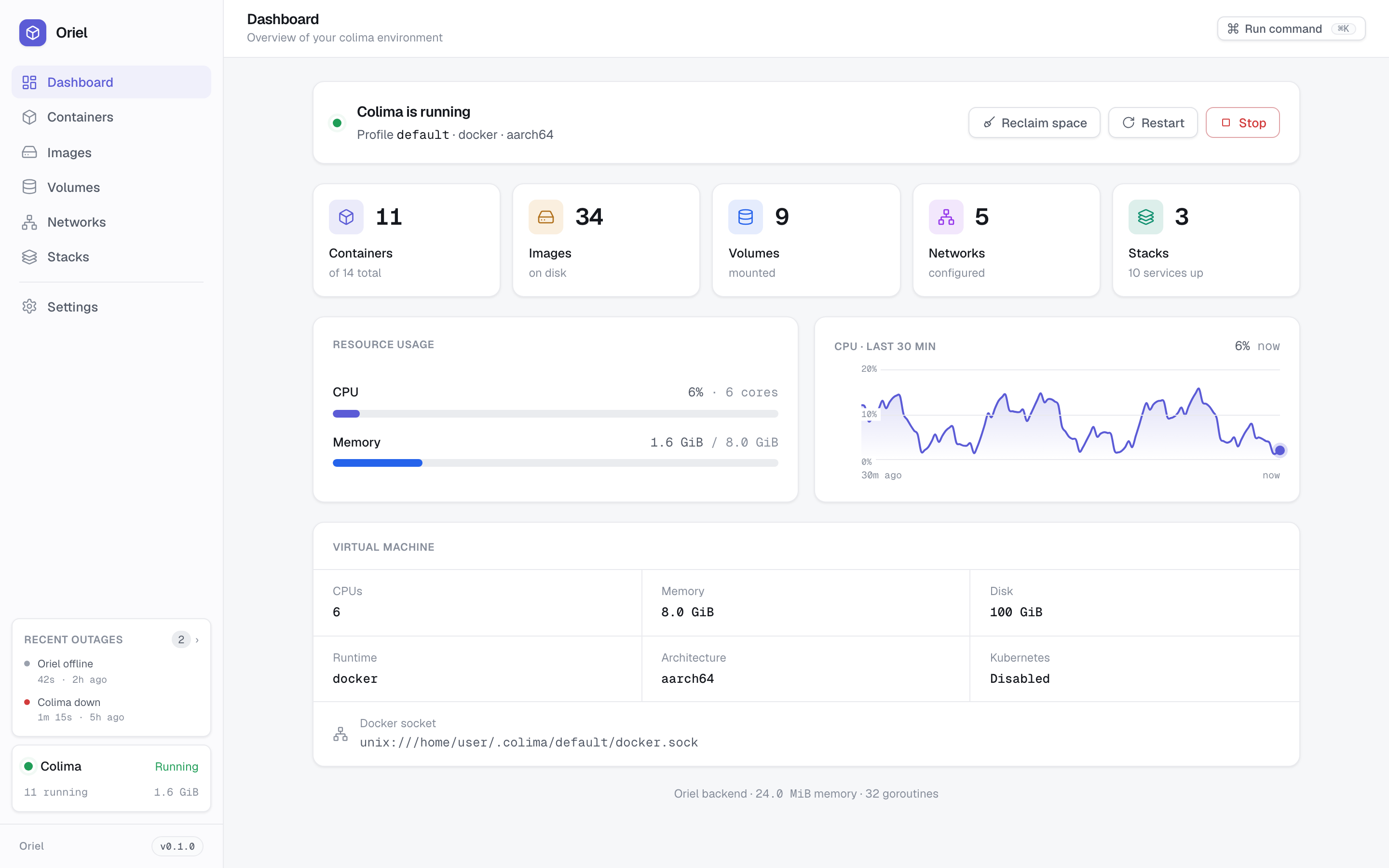
Drive it with AI
Point any MCP client at Oriel and ask in plain English. It calls the same validated, secret-masked tools the UI does, and it can chain several to actually answer a question instead of firing just one:
you: why does api keep restarting?
assistant: reads container.list, container.inspect, then the logs. It's exiting 137 (OOM): the container is capped at 256 MB and the Node heap runs past it. Raise the memory limit or fix the leak in worker.js.
oriel mcp # stdio MCP server for Claude, Cursor, or a local LLM
No model ships in the binary; your client brings its own. Reads run anytime, and destructive actions stay locked behind a grant. Setup & tool list ↓
Install
Homebrew (macOS & Linux):
brew install ParadoxInfinite/oriel/oriel
Script (detects your platform and verifies the checksum):
curl -fsSL https://raw.githubusercontent.com/ParadoxInfinite/oriel/main/install.sh | sh
Add -s -- --edge to track pre-releases (newest builds first), or -s -- --uninstall to remove it:
curl -fsSL https://raw.githubusercontent.com/ParadoxInfinite/oriel/main/install.sh | sh -s -- --edge
⚠️ Piping a script to sh runs code from the internet on your machine. Read install.sh before you run it, or download a binary from releases instead.
Manual binary, Go, or source
Download a binary from releases (oriel-darwin-arm64 for Apple Silicon, oriel-darwin-amd64 for Intel, oriel-linux-arm64, or oriel-linux-amd64), then chmod +x. Or:
go install github.com/ParadoxInfinite/oriel@latest   # with Go
make build                                           # from source (builds + embeds the UI)
Run
./oriel # opens http://127.0.0.1:4321
Flags: --port <n> (default 4321), --no-open. Run on login: ./oriel service install (launchd / systemd; also status, uninstall).
Needs any Docker Engine–compatible runtime + the docker CLI. Colima is first-class (adds VM start/stop); Docker Engine, OrbStack, Rancher/Docker Desktop, Podman, and remote daemons also work (docs/DAEMONS.md). For remote access over a private network, see docs/REVERSE-PROXY.md; read the security note first.
Features
- Containers: live CPU/mem, exit codes, bulk actions, streaming logs, full inspect.
- In-browser shell: open an interactive terminal into any running container, straight from its details drawer.
- AI control (MCP): any MCP client drives Docker/Colima through the same validated, secret-masked tools, with destructive actions behind a grant. More ↓
- Images: pull with registry search, prune, one-click tag.
- Compose: manage stacks, plus discover & deploy projects from disk.
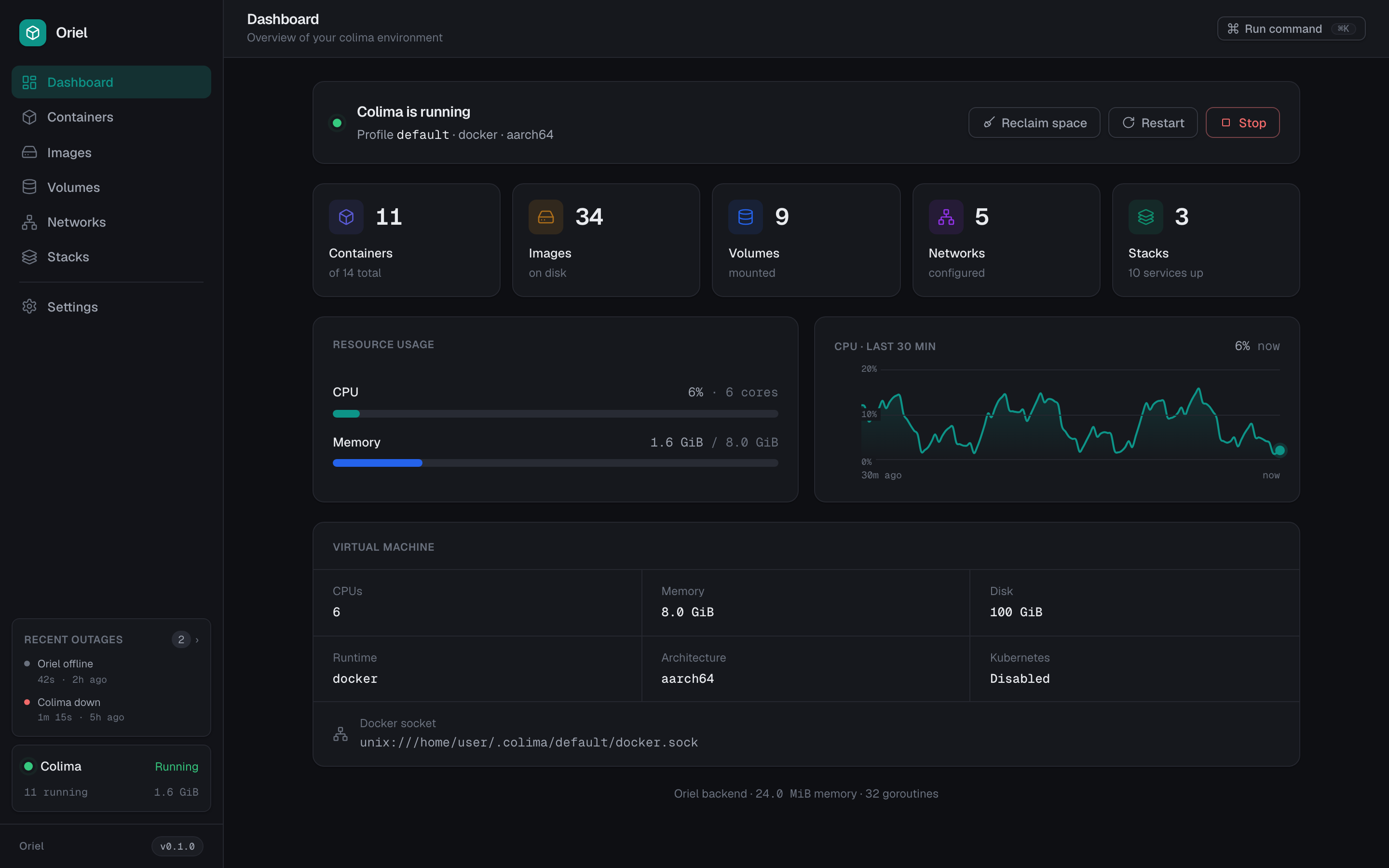
- Dashboard: CPU history, memory, disk, uptime/outage tracking.
- Command palette (
⌘K): fuzzy-run any action or jump to any view.
- Editions, themes & languages: swap the whole UI (Studio, or drop in your own), light/dark/system, custom accents, and a translatable interface (English ships; other languages load on demand).
- Light & live: ~15–30 MB RAM, one SSE stream (no polling), checksum-verified self-update.
How it compares
The usual ways to run containers on a Mac or Linux box, and where Oriel fits. (Figures drift; treat as a snapshot.)
It's the only one here an AI can drive directly, through the same checks the UI gives you. Reach for it over Docker Desktop / OrbStack (no paid license, bundled VM, or menu-bar app), over lazydocker (a real graphical UI, not a terminal one), or over Portainer (a binary you run for yourself, not a server to deploy and lock down).
For the full breakdown, including where Oriel loses (Windows, Kubernetes, multi-host), see the exhaustive comparison in the live demo.
AI control (MCP)
oriel mcp runs Oriel as a Model Context Protocol server, so an MCP client (Claude Desktop, Claude Code, Cursor, a local LLM) manages your Docker/Colima in plain English, headless, with no GUI needed. Same tools, same guardrails:
- Secrets stay masked.
container.inspect and container.logs redact secret-shaped values before they reach a model; an MCP client never gets fully-raw env or logs (the "off" setting applies only to the local UI). Log redaction is best-effort over free-form text.
- Destructive actions are locked until you open a short, time-boxed window (
oriel ai allow-destructive --for 15m). Reads always work; remove/prune don't, until you say so.
- Every action is logged. An audit log records each tool call an assistant makes: what ran, with which arguments, and when (Settings → AI activity). Your own clicks aren't.
- No model in the binary. Your client brings the model, so Oriel stays vendor-neutral.
Point any MCP client at it. With Oriel installed:
{ "mcpServers": { "oriel": { "command": "oriel", "args": ["mcp"] } } }
Or with no install, via the published image (Linux hosts; mounts the Docker socket):
{ "mcpServers": { "oriel": { "command": "docker", "args": ["run", "-i", "--rm", "-v", "/var/run/docker.sock:/var/run/docker.sock", "ghcr.io/paradoxinfinite/oriel"] } } }
Claude Code: claude mcp add oriel -- oriel mcp. Setup, HTTP, scoping, and the full tool list: docs/MCP.md.
Editions & themes
The UI is a swappable plugin on a stable platform SDK: Studio (light/dark/system, custom accents). Recolor it, or drop in your own edition (see docs/THEMES.md).
Security
Out of the box Oriel has no login, and driving Docker is effectively root on the host. An optional bearer token gates remote and MCP-over-HTTP access (off by default), but the safe default is local use, or a private network only (Tailscale, ZeroTier, WireGuard, and the like). Never the public internet. Full trust model: SECURITY.md.
FAQ
Is there a GUI for Colima? Yes. Colima ships CLI-only by design, and Oriel is the browser UI it never shipped. It also drives Docker Engine, OrbStack, Podman, and remote daemons.
A free Docker Desktop alternative? Yes. Apache-2.0 licensed, no license fees, no account. Point it at any Docker-compatible engine.
Can an AI manage my containers? Yes. Run oriel mcp and point any MCP client (Claude, Cursor, a local LLM) at it. It gets the same validated, secret-masked tools as the UI, and destructive actions stay locked until you grant them.
How is it different from lazydocker? lazydocker is a terminal UI; Oriel is a graphical browser UI with dashboards, streaming logs, registry search, Compose discovery, and themeable editions.
Footprint and platforms? ~15–30 MB RAM, ~13 MB binary, no Electron. macOS (Apple Silicon + Intel) and Linux (amd64 + arm64).
Develop
make dev + make dev-web (Vite hot reload), make test. See CONTRIBUTING.md.
License
Apache-2.0 © The Oriel contributors. See NOTICE.


