🍓 pihole-mcp-serer
A Model Context Protocol (MCP) server for Pi-hole. This server exposes Pi-hole functionality as tools that can be used by AI assistants.
Dependencies
Docker
uv (Optional, for Development)
If you want to run the application locally, use uv. Install it with your package manager of choice.
Environment
Create a .env file in the project root with your Pi-hole credentials:
# Primary Pi-hole (required)
PIHOLE_URL=https://your-pihole.local/
PIHOLE_PASSWORD=your-admin-password
#PIHOLE_NAME=Primary        # optional, defaults to URL if unset

# Secondary Pi-hole (optional)
#PIHOLE2_URL=https://secondary-pihole.local/
#PIHOLE2_PASSWORD=password2
#PIHOLE2_NAME=Secondary     # optional

# Up to 4 Pi-holes:
#PIHOLE3_URL=...
#PIHOLE3_PASSWORD=...
#PIHOLE3_NAME=...

#PIHOLE4_URL=...
#PIHOLE4_PASSWORD=...
#PIHOLE4_NAME=...
Project Structure
The project follows a modular organization for better maintainability:
/
├── main.py                # Main application entry point
├── tools/                 # Pi-hole tools organized by functionality
│   ├── __init__.py
│   ├── config.py          # Configuration-related tools (DNS settings)
│   └── metrics.py         # Metrics and query-related tools
├── resources/             # MCP resources
│   ├── __init__.py
│   └── common.py          # Common resources (piholes://, version://)
├── docker-compose.yml     # Docker Compose configuration for production
├── docker-compose.dev.yml # Docker Compose for development with volume mounts
└── Dockerfile             # Docker build configuration
This structure separates the code into logical components while maintaining compatibility with all run modes.
Running the Server
There are several ways to run the Pi-hole MCP server:
Using Docker (Recommended for Production)
# Standard deployment
docker-compose up -d
The server will be available at http://localhost:8383
Development Mode with Docker
For development, use the dev compose file which builds locally:
docker-compose -f docker-compose.dev.yml up
MCP Inspector
You can run the MCP inspector using uv and the mcp CLI:
uv run mcp dev main.py
This will start an interactive interface at http://localhost:6274 where you can test tools and resources.
API
This MCP server exposes the following resources and tools:
Resources
piholes://: Returns information about all configured Pi-holesversion://: Returns the MCP server versionlist-tools://: Returns a list of tool categories
list-tools://{category}: Returns a list of tools within a specific category
Each tool call returns results as a list of dictionaries with the following structure:
[
  {
    "pihole": "Pi-hole Name",
    "data": [...]  # Result data from this Pi-hole
  },
  ...
]
Configuration
list_local_dns: Lists all local DNS settings from Pi-hole(s)add_local_a_record: Adds a local A record to Pi-hole(s).add_local_cname_record: Adds a local CNAME record to Pi-hole(s).remove_local_a_record: Removes all A records for a hostname.remove_local_cname_record: Removes all CNAME records for a hostname.
Metrics
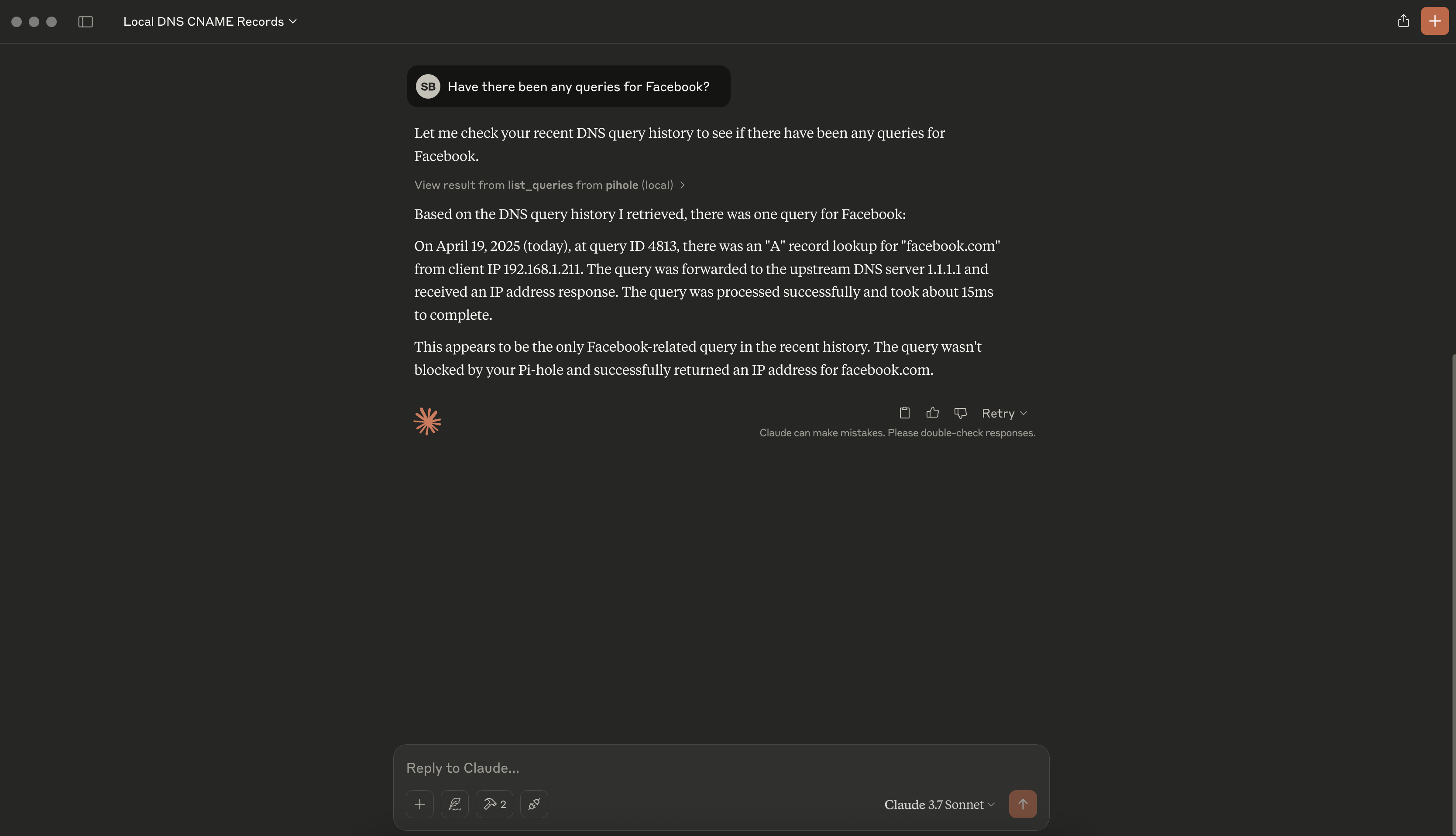
list_queries: Fetches the recent DNS query history from Pi-hole(s)list_query_suggestions: Get query filter suggestionslist_query_history: Get activity graph data for queries over time
Testing in goose
Goose is a CLI LLM client that's useful for testing and development. Follow their install instructions here.
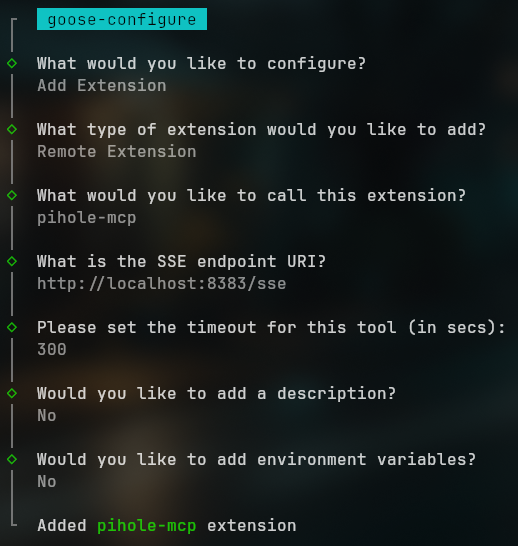
The following assumes you've completed the initial setup with goose configure.
- Type
goose configure to open the configuration menu.
- Select Add Extension
- Select Remote Extension
- It will ask for a name. It doesn't matter what you name it. I called mine
pihole-mcp.
- When it asks "What is the SSE endpoint URI?" enter
http://localhost:8383/sse.
- Enter a timeout.
- Add a description if you'd like.
- Select No when it asks about environment variables.
Start a Session
Once the server is installed, start a chat session.
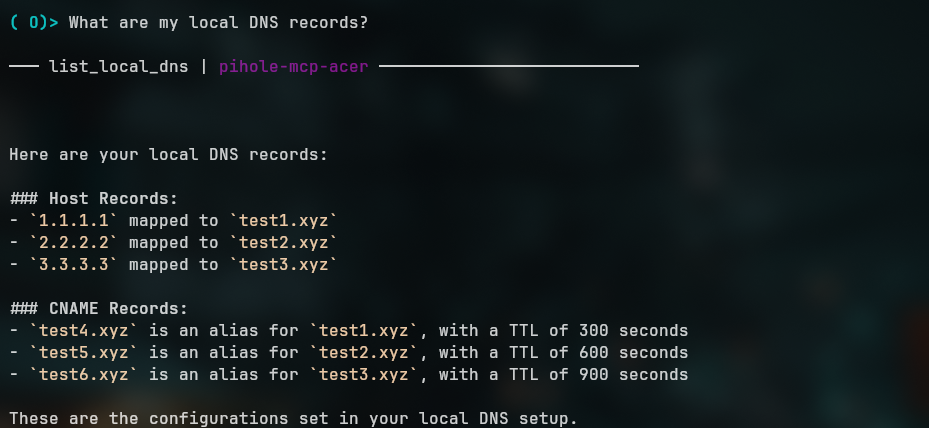
goose session
Try asking it: "What are my local DNS records?"
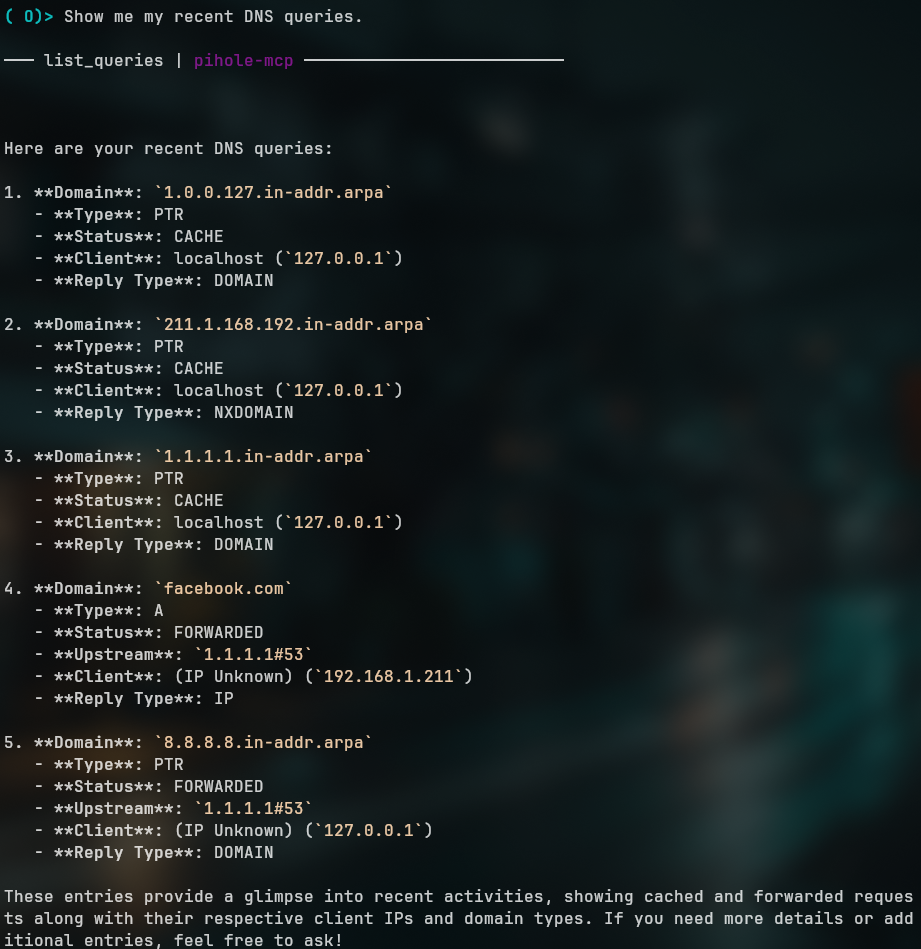
...or telling it: "Show me my recent DNS queries."
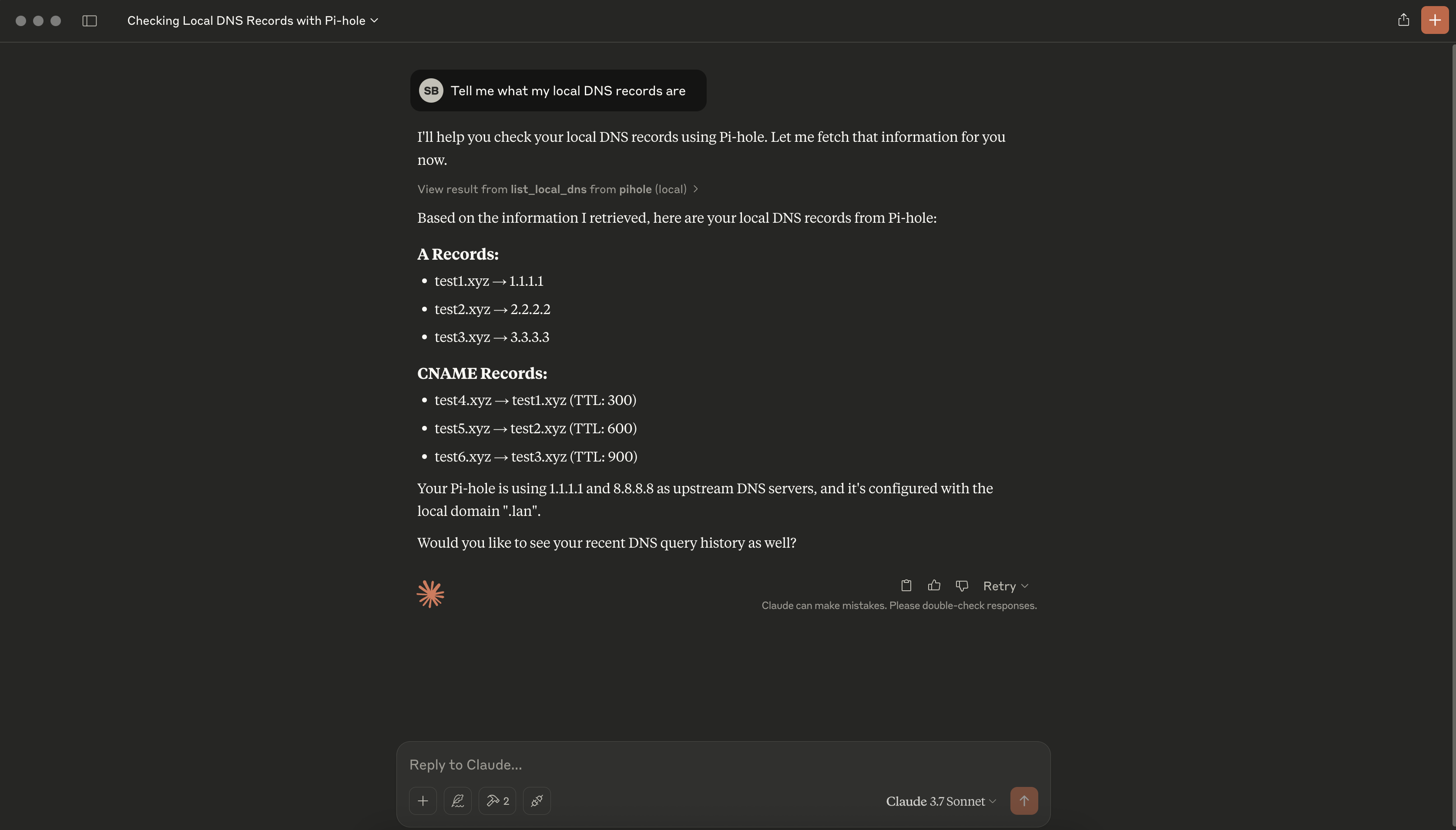
Claude Desktop
Claude's desktop client currently only support's the STDIO protocol, however you can use a proxy to communicate with the SSE endpoint.
Add the following to your claude_desktop_config.json file.
{
  "mcpServers": {
    "pihole": {
      "command": "npx",
      "args": [
        "mcp-remote",
        "http://localhost:8383/sse"
      ]
    }
  }
}
If you're connecting to a different host on your local network and using an unsecured connection, you'll need to explicitly allow it with the --allow-http argument. For example:
{
  "mcpServers": {
    "pihole": {
      "command": "npx",
      "args": [
        "mcp-remote",
        "http://192.168.1.255:8383/sse",
        "--allow-http"
      ]
    }
  }
}
Afterwards, completely restart the application and try it out.
License
MIT


