
A Rust CAD application with an MCP server for creating, inspecting and rendering drawings, either headlessly or through a connection to the desktop app.
8K
Media & Design
A Python-based MCP server that connects to the Plex Media Server API to search movies and manage playlists in your library.
Plex MCP Server is cataloged as an MCP server attributed to djbriane. A Python-based MCP server that connects to the Plex Media Server API to search movies and manage playlists in your library. It is categorized under media design. See the capability inspector for recorded interfaces and their independent review status; consult upstream documentation for the current interface.
Installation configuration is not reviewed. No executable setup is offered for this entry; inspect the source repository before proceeding.
Catalog license label: Not specified. Check the source repository's current license and terms before using, modifying or distributing this software.
能力定义尚未审核。未核验的采集内容不会作为可信接口展示。
暂无可展示的已审核记录。这不表示上游不支持此能力。
暂无可展示的已审核记录。这不表示上游不支持此能力。
暂无可展示的已审核记录。这不表示上游不支持此能力。
Email delivery is not connected. This page does not collect email addresses or create subscriptions.
Browse the registry for current listings instead.
Reviews for Plex MCP Server are not available yet
Review publishing and storage are not connected. This page does not collect or publish ratings or comments, including after sign-in.
README.md · 8f1dad323501 · 采集于 2026-11-13 10:30:24 UTC
保留上游原文,不做 AI 改写。为安全起见过滤脚本、表单和不安全链接。
当前显示最后一次成功采集的文档快照,请以来源页面为准。
This is a Python-based MCP server that integrates with the Plex Media Server API to search for movies and manage playlists. It uses the PlexAPI library for seamless interaction with your Plex server.
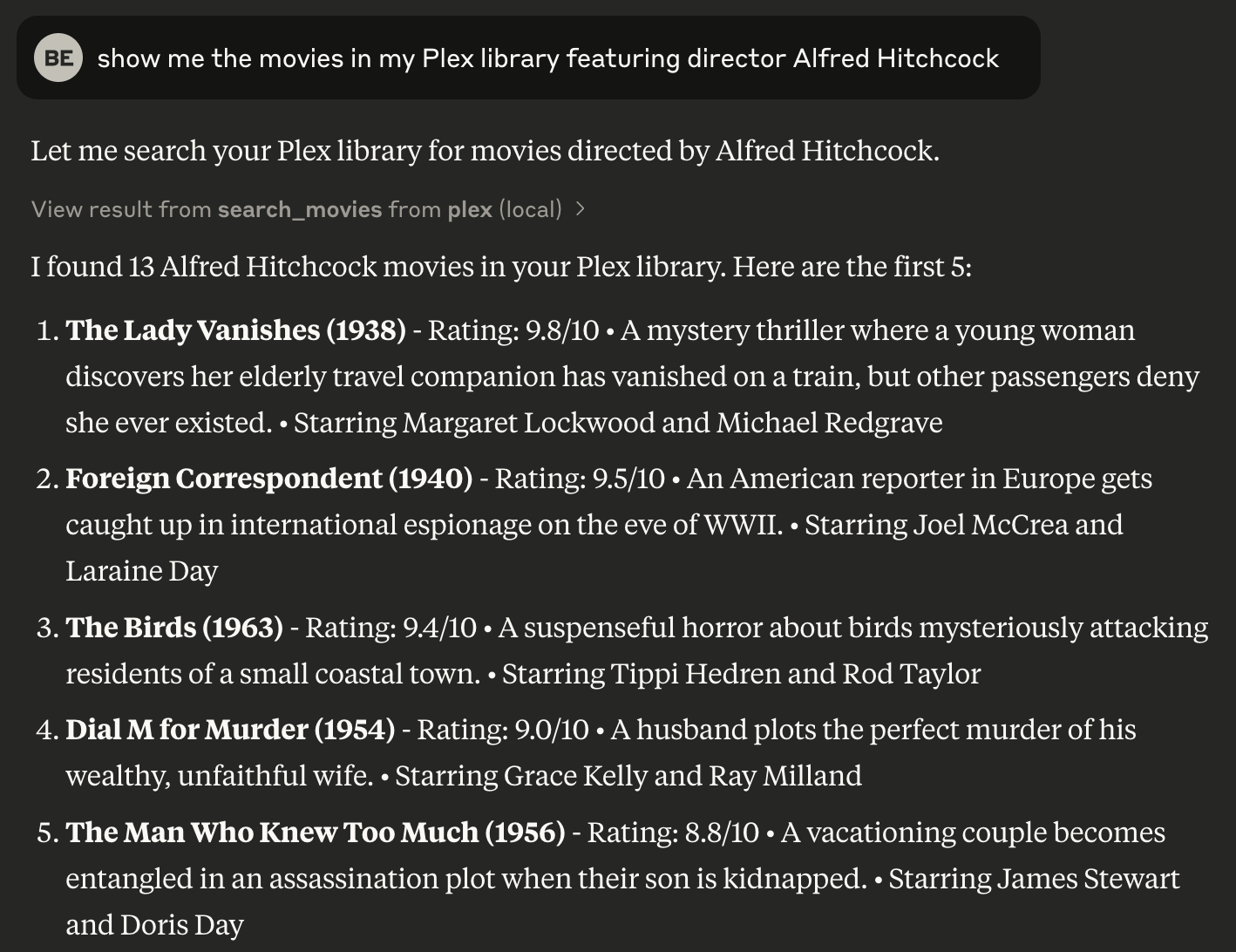
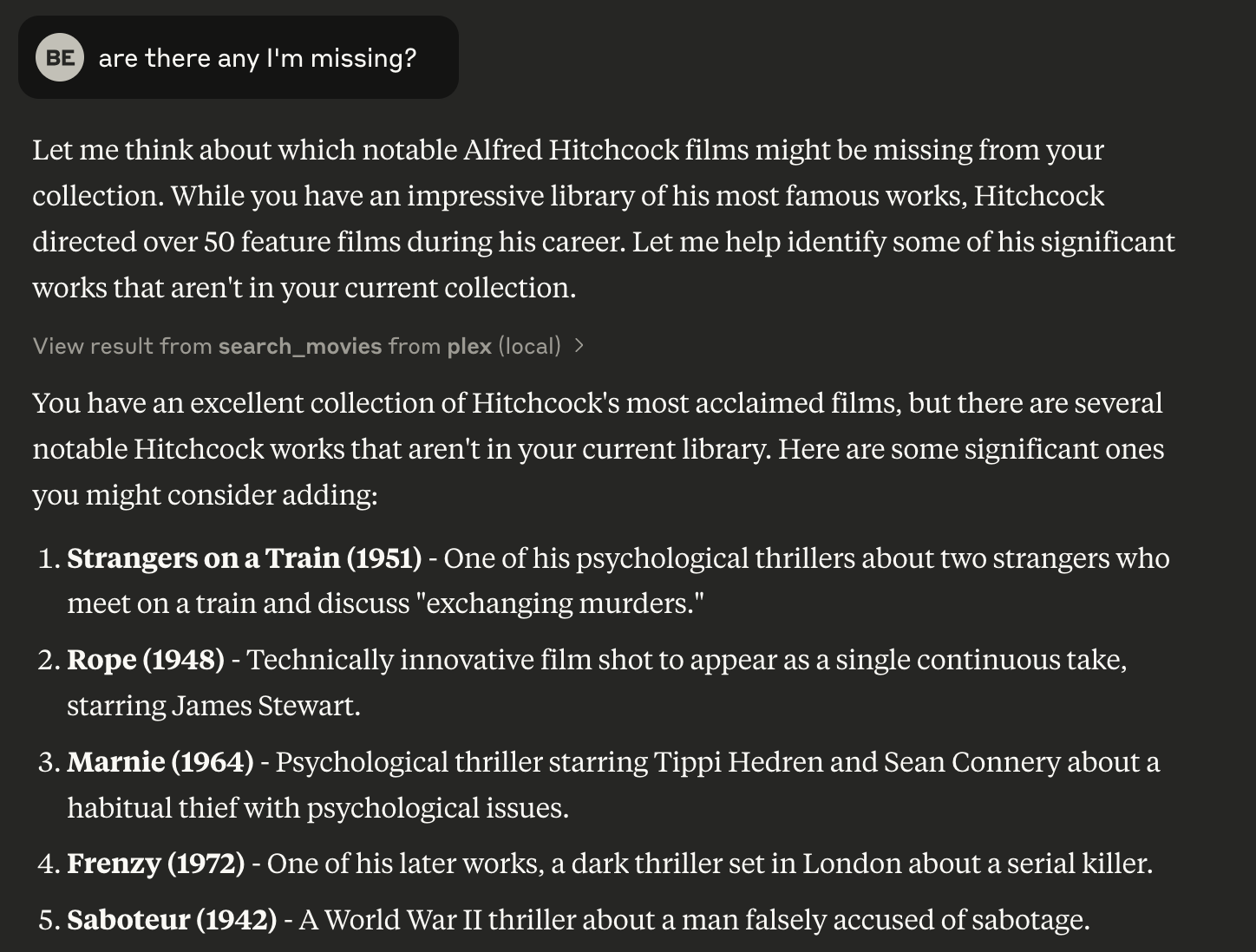
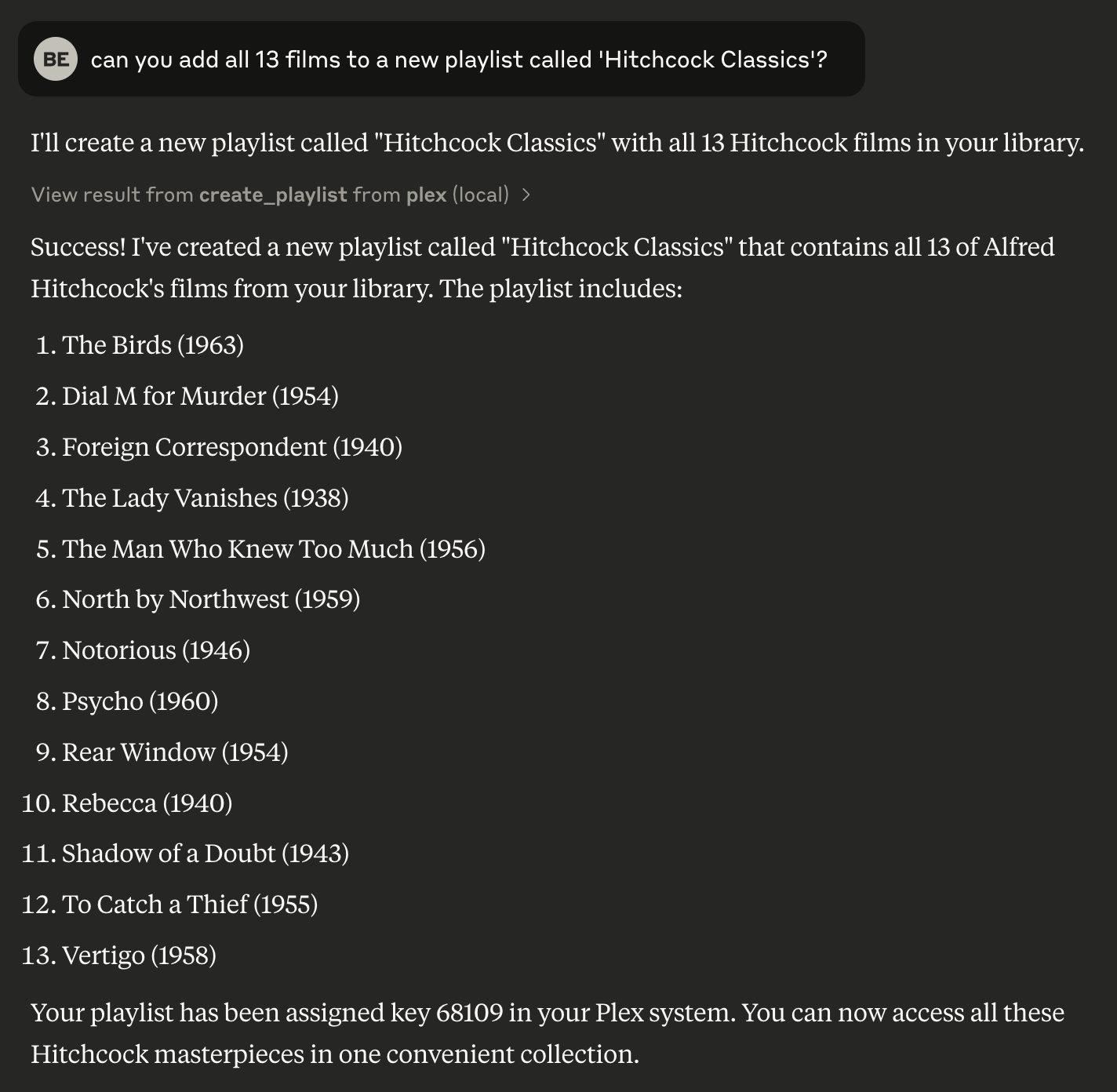
Here are some examples of how the Plex MCP server works:
Search for movies in your Plex library by specifying a director's name. For example, searching for "Alfred Hitchcock" returns a list of his movies in your library.
Identify movies by a specific director that are missing from your Plex library. This helps you discover gaps in your collection.
Create a new playlist in your Plex library using the movies found in a search. This allows you to organize your library efficiently.
uv package managerTo install Plex Media Server Integration for Claude Desktop automatically via Smithery:
npx -y @smithery/cli install @djbriane/plex-mcp --client claude
Clone this repository:
git clone <repository-url>
cd plex-mcp
Install dependencies with uv:
uv venv
source .venv/bin/activate
uv sync
Configure environment variables for your Plex server:
PLEX_TOKEN: Your Plex authentication tokenPLEX_SERVER_URL: Your Plex server URL (e.g., http://192.168.1.100:32400)You can find your Plex token in this way:
window.localStorage.getItem('myPlexAccessToken')
Add the following configuration to your Claude app:
{
    "mcpServers": {
        "plex": {
            "command": "uv",
            "args": [
                "--directory",
                "FULL_PATH_TO_PROJECT",
                "run",
                "src/plex_mcp/plex_mcp.py"
            ],
            "env": {
                "PLEX_TOKEN": "YOUR_PLEX_TOKEN",
                "PLEX_SERVER_URL": "YOUR_PLEX_SERVER_URL"
            }
        }
    }
}
The Plex MCP server exposes these commands:
| Command | Description | OpenAPI Reference |
|---|---|---|
search_movies | Search for movies in your library by various filters (e.g., title, director, genre) with support for a limit parameter to control the number of results. | /library/sections/{sectionKey}/search |
get_movie_details | Get detailed information about a specific movie. | /library/metadata/{ratingKey} |
get_movie_genres | Get the genres for a specific movie. | /library/sections/{sectionKey}/genre |
list_playlists | List all playlists on your Plex server. | /playlists |
get_playlist_items | Get the items in a specific playlist. | /playlists/{playlistID}/items |
create_playlist | Create a new playlist with specified movies. | /playlists |
delete_playlist | Delete a playlist from your Plex server. | /playlists/{playlistID} |
add_to_playlist | Add a movie to an existing playlist. | /playlists/{playlistID}/items |
recent_movies | Get recently added movies from your library. | /library/recentlyAdded |
This project includes both unit tests and integration tests. Use the following instructions to run each type of test:
Unit tests use dummy data to verify the functionality of each module without requiring a live Plex server.
To run all unit tests:
uv run pytest
Integration tests run against a live Plex server using environment variables defined in a .env file. First, create a .env file in your project root with your Plex configuration:
PLEX_SERVER_URL=https://your-plex-server-url:32400
PLEX_TOKEN=yourPlexTokenHere
Integration tests are marked with the integration marker. To run only the integration tests:
uv run pytest -m integration
If you are experiencing connection issues to your Plex server try running the integration tests to help troubleshoot.
Module Structure:
Use clear section headers for imports, logging setup, utility functions, class definitions, global helpers, tool methods, and main execution (guarded by if __name__ == "__main__":).
Naming:
Use CamelCase for classes and lower_snake_case for functions, variables, and fixtures. In tests, list built-in fixtures (e.g. monkeypatch) before custom ones.
Documentation & Comments:
Include a concise docstring for every module, class, and function, with in-line comments for complex logic.
Error Handling & Logging:
Use Python’s logging module with consistent error messages (prefix “ERROR:”) and explicit exception handling.
Asynchronous Patterns:
Define I/O-bound functions as async and use asyncio.to_thread() to handle blocking operations.
Claim this server with your GitHub account to request manual ownership verification.
Link to the catalog listing for Plex MCP Server from your README. This badge does not certify ownership, compatibility or security.
[](https://awesome-mcp.com/servers/plex-mcp)Public repository statistics could not be verified. Check the configured source address; unavailable counts are not zero.
来源、范围和时段分别列出;不相加,不代表安装人数、活跃用户或安全审核。
尚无已审核的包 / 镜像标识,暂不展示下载统计。
Alternative and complementary servers in the same category
A Rust CAD application with an MCP server for creating, inspecting and rendering drawings, either headlessly or through a connection to the desktop app.

Liquid Composer is a browser-based Liquid Glass icon design tool that offers a local MCP server for agent-driven icon workflows.

agent-media makes short drama series and other short vertical videos from Claude, ChatGPT or Codex through one MCP connection, with OAuth sign-in and no API keys.