Proxmox MCP server
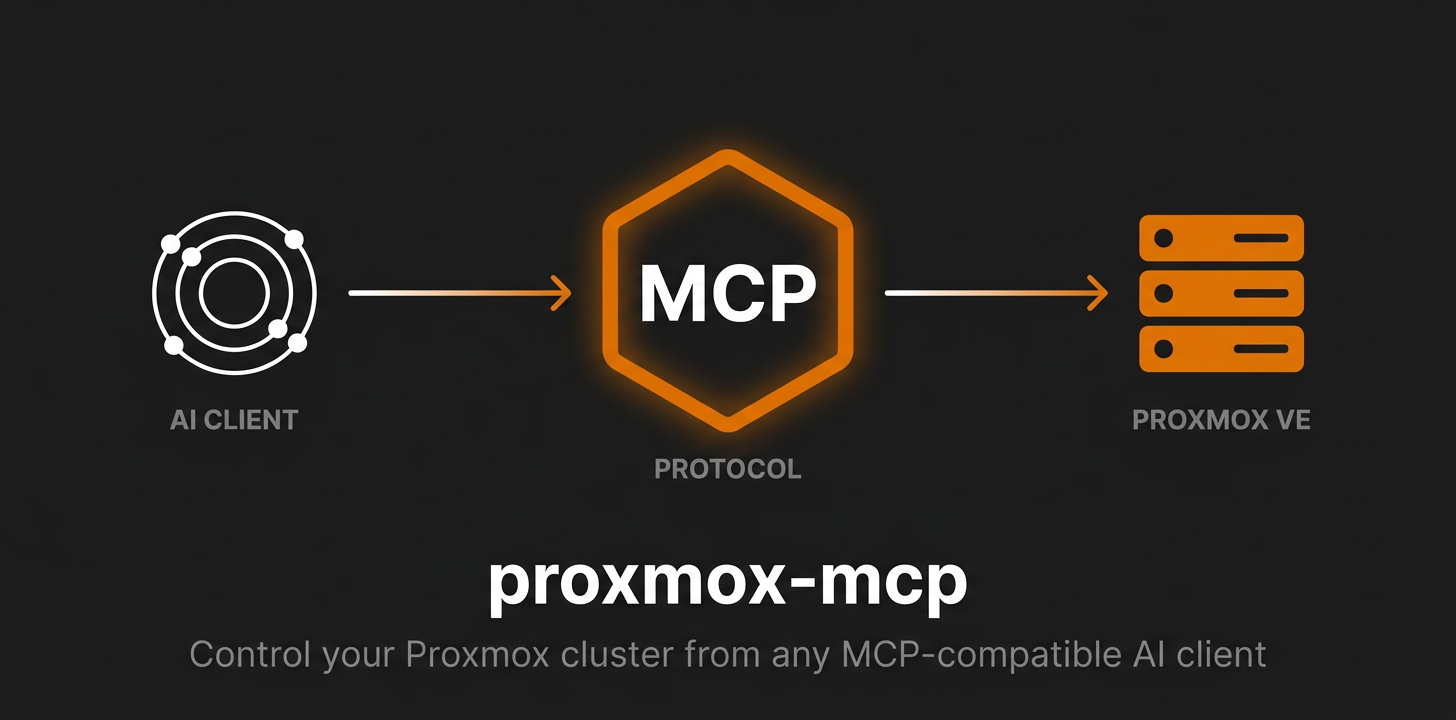





Simple Proxmox MCP

MCP server for managing Proxmox VE
50 tools — nodes, QEMU VMs, LXC containers, storage, cluster, snapshots.
Why this one?
- One image, multi-arch —
docker run ghcr.io/akmalovaa/proxmox-mcp:latest and you're done
- Just env vars — no config files, no database, no state
- Read-only by default — destructive ops are gated behind an explicit
PROXMOX_RISK_LEVEL
- stdio or Streamable HTTP — one env var apart; stdio by default, HTTP binds loopback
- Tiny codebase — a thin layer over Proxmoxer, no config files, no database, no state
- Raw JSON out — no formatting, no emoji; LLM gets clean data
- Readable failures — a 403, a dead host or a blocked tier come back as a sentence, not a stack trace

Quick start
Image: ghcr.io/akmalovaa/proxmox-mcp:latest (multi-arch: amd64 + arm64).
1. Export credentials in your shell profile (~/.zprofile, ~/.zshrc or ~/.bashrc):
# token auth (recommended — see "Least privilege" for the user and role to give it):
export PROXMOX_HOST=192.168.1.100
export PROXMOX_USER=mcp@pve
export PROXMOX_TOKEN_NAME=mcp
export PROXMOX_TOKEN_VALUE=xxxxxxxx-xxxx-xxxx-xxxx-xxxxxxxxxxxx

# or password auth:
# export PROXMOX_USER=root@pam
# export PROXMOX_PASSWORD=your-password

# optional:
export PROXMOX_RISK_LEVEL=read
Reload: source ~/.zprofile (or restart the shell).
2. Add to ~/.claude/settings.json (Claude Code) or claude_desktop_config.json (Claude Desktop):
{
  "mcpServers": {
    "proxmox": {
      "command": "docker",
      "args": ["run", "-i", "--rm",
        "-e", "PROXMOX_HOST",
        "-e", "PROXMOX_USER",
        "-e", "PROXMOX_PASSWORD",
        "ghcr.io/akmalovaa/proxmox-mcp:latest"]
    }
  }
}
or token auth:
{
  "mcpServers": {
    "proxmox": {
      "command": "docker",
      "args": ["run", "-i", "--rm",
        "-e", "PROXMOX_HOST",
        "-e", "PROXMOX_USER",
        "-e", "PROXMOX_TOKEN_NAME",
        "-e", "PROXMOX_TOKEN_VALUE",
        "ghcr.io/akmalovaa/proxmox-mcp:latest"]
    }
  }
}
docker run -e VAR without a value passes the host variable through — no secrets in the config file. Restart the client — 32 read-only Proxmox tools become available (more if you raise PROXMOX_RISK_LEVEL).
For password auth, swap the token vars for PROXMOX_PASSWORD.
Note: Claude Desktop on macOS is launched via launchd and does not inherit ~/.zprofile/~/.zshrc. Either put the exports in ~/.zshenv, or fall back to an inline "env": { ... } block in the config.
Configuration
All settings are environment variables — set them in your shell profile, pass them inline to docker run -e, or declare them in your MCP client's env block.
Transport settings live under a PROXMOX_MCP_ prefix — see Streamable HTTP.
Authentication: token or password
Pick one. If both are set, the token wins.
Token (recommended):
export PROXMOX_USER=mcp@pve
export PROXMOX_TOKEN_NAME=mcp
export PROXMOX_TOKEN_VALUE=xxxxxxxx-xxxx-xxxx-xxxx-xxxxxxxxxxxx
Setting only one half of the pair is a startup error rather than a silent fallback to
the password — a typo in PROXMOX_TOKEN_NAME used to mean quietly running as whoever
PROXMOX_USER is.
Password (fallback):
export PROXMOX_PASSWORD=your-password
Least privilege
An MCP server is reachable by a model acting on text it did not write, so give it its
own user and its own token rather than root@pam. On the Proxmox host:
# a user that is not root, with a role that matches the risk level you plan to run
pveum user add mcp@pve
pveum acl modify / --users mcp@pve --roles PVEAuditor          # read
# pveum acl modify / --users mcp@pve --roles PVEVMAdmin        # lifecycle / all

# a token for that user. Privilege Separation ON (the default) means the token starts
# with no rights at all, so grant it the same role explicitly:
pveum user token add mcp@pve mcp --privsep 1
pveum acl modify / --tokens 'mcp@pve!mcp' --roles PVEAuditor
Check what the token actually ended up with:
pveum user permissions mcp@pve --token mcp
PVEAuditor covers all 32 read tools. PVEVMAdmin on /vms adds guest lifecycle and
snapshots; migrate_vm additionally needs VM.Migrate on the target node, and
clone_vm needs Datastore.AllocateSpace on the target storage. Narrow the ACL path
(/vms/101, /pool/homelab) if the server should only see part of the cluster.
root@pam still works and is the quickest thing for a local look around — it is just
not what should be left running.
Risk levels
PROXMOX_RISK_LEVEL controls which tools exist. Tools above the active level are not registered, so they never appear in the MCP client's tool list:
Each elevated call is also re-checked at call time and logged to stderr (ALLOW / DENY + tool + tier).
The active level is not otherwise observable from the client side — a tool that is
missing looks the same as a tool that was never written — so get_server_info reports
it, along with the versions and the tool count.
PROXMOX_TOOLS_ALLOW narrows further within the tier, for a deployment that serves
one specific agent:
export PROXMOX_TOOLS_ALLOW=list_nodes,list_containers,get_container_status,get_cluster_resources
Names that do not exist are a startup error, so a typo cannot silently amputate the
tool list. Keep get_server_info on the list unless you have a reason not to — it is
how a client learns what the rest of the list means.
Response shape
Inventory listings (list_nodes, list_vms, list_containers, get_cluster_resources)
return a compact subset of each row: identity, status, uptime, CPU and memory. What is
dropped is per-second IO counters and PSI pressure gauges — real data, but nothing a
triage decision turns on, and several times the volume of what is kept. Pass
verbose=true for the untouched rows.
Write tools answer with the task Proxmox accepted, not with a finished result:
{"state":"accepted","operation":"start_vm","node":"pve","vmid":101,
 "upid":"UPID:pve:...","poll_with":"get_task_status"}
cipassword and sshkeys are replaced with ***redacted*** everywhere, keeping the key
so the model can still tell that cloud-init is configured. Set
PROXMOX_REDACT_SECRETS=false to get the raw values.
Streamable HTTP
stdio stays the default and is what an MCP client on your own machine should use. For a
shared deployment — a container in a cluster, several clients on one URL — set the
transport and nothing else changes:
docker run --rm -p 8000:8000 \
  -e PROXMOX_HOST -e PROXMOX_TOKEN_NAME -e PROXMOX_TOKEN_VALUE \
  -e PROXMOX_MCP_TRANSPORT=streamable-http \
  -e PROXMOX_MCP_HOST=0.0.0.0 \
  -e PROXMOX_MCP_ALLOWED_HOSTS=proxmox-mcp.example.com \
  ghcr.io/akmalovaa/proxmox-mcp:latest
The prefix is PROXMOX_MCP_, not PROXMOX_, because Kubernetes injects <SERVICE>_PORT
for every linked Service — a Service named proxmox would otherwise redefine
PROXMOX_PORT.
Sessions are not used (stateless_http): they were removed from the protocol in
revision 2026-07-28, and without them several clients can share one URL and a rolling
update does not cut anyone off.
Host and Origin validation. Binding anything other than loopback requires
PROXMOX_MCP_ALLOWED_HOSTS; the server refuses to start otherwise. A foreign Origin
gets 403 and an unexpected Host gets 421 — this is what stops a page in a browser on
the same LAN from driving the server through DNS rebinding. A request with no Origin
header (curl, MCP clients) always passes. Set PROXMOX_MCP_ALLOWED_HOSTS=* only when
something in front already validates it.
There is no authentication. Anyone who can reach the endpoint gets whatever
PROXMOX_RISK_LEVEL allows. Put it behind a gateway, an authenticating proxy or a
network boundary you trust, and keep PROXMOX_RISK_LEVEL=read unless the path to it is
authenticated.
Health endpoints are served alongside /mcp and need no auth:
livenessProbe:
  httpGet: { path: /healthz, port: 8000 }
readinessProbe:
  httpGet: { path: /readyz, port: 8000 }
Flags mirror the variables for interactive use: uvx proxmox-ve-mcp --transport streamable-http --port 8080.
Sentry (optional)
Tool calls and failures can be shipped to Sentry — every tools/call
becomes a span, every failing tool an issue. Nothing is sent, and the SDK is never even
imported, while SENTRY_DSN is unset.
The ghcr.io image already contains the SDK. From PyPI, install the extra:
uvx --from 'proxmox-ve-mcp[sentry]' proxmox-ve-mcp
Leave SENTRY_SEND_DEFAULT_PII off unless you mean it: with it on, tool arguments and
results are attached to spans, and get_vm_config returns ssh keys and cipassword
hashes. A DSN set without the extra installed logs a warning and the server runs on.
Nodes (10)
QEMU VMs (17)
LXC Containers (13)
Storage (2)
Cluster (7)
Server (1)
Architecture
src/proxmox_mcp/
├── server.py    # MCPServer instance, health routes, transport selection, entry point
├── config.py    # Pydantic Settings (PROXMOX_) + transport config (PROXMOX_MCP_)
├── client.py    # Proxmoxer connection, built once per process
└── tools/       # nodes, vms, containers, storage, cluster, server_info
- Read-only by default — elevated tools gated by
PROXMOX_RISK_LEVEL
- Gated at registration — a tool above the tier is absent from
tools/list, not
refused at call time: what the model cannot see, it cannot retry
- Admission and annotations are separate —
tier= is the operator's policy,
annotations= is what the client is told a call does, so a force-stop can be
destructiveHint: true and still live at the lifecycle tier
- Lazy connection — the Proxmoxer client is built on first use, once, and shared;
the server therefore starts cleanly even when Proxmox is unreachable
- Raw JSON output — compact, no formatting; LLM consumes data directly
- Normalized errors — Proxmox and network failures are translated into one
actionable sentence instead of a
requests traceback
Development
Run standalone (testing)
export PROXMOX_HOST=192.168.1.100
export PROXMOX_USER=root@pam
export PROXMOX_TOKEN_NAME=mcp
export PROXMOX_TOKEN_VALUE=xxxxxxxx-xxxx-xxxx-xxxx-xxxxxxxxxxxx

docker run -i --rm \
  -e PROXMOX_HOST -e PROXMOX_USER \
  -e PROXMOX_TOKEN_NAME -e PROXMOX_TOKEN_VALUE \
  ghcr.io/akmalovaa/proxmox-mcp:latest
Without Docker (UV)
git clone https://github.com/akmalovaa/proxmox-mcp.git && cd proxmox-mcp && uv sync
MCP client config:
{
  "mcpServers": {
    "proxmox": {
      "command": "uv",
      "args": ["run", "--directory", "/path/to/proxmox-mcp", "python", "-m", "proxmox_mcp"],
      "env": {
        "PROXMOX_HOST": "192.168.1.100",
        "PROXMOX_TOKEN_NAME": "mcp",
        "PROXMOX_TOKEN_VALUE": "xxxxxxxx-xxxx-xxxx-xxxx-xxxxxxxxxxxx"
      }
    }
  }
}
Build from source
git clone https://github.com/akmalovaa/proxmox-mcp.git
cd proxmox-mcp
docker build -t proxmox-mcp .
The image is multi-stage: uv builds the virtualenv in a throwaway layer, and the
runtime stage carries only Python plus the venv and runs as the unprivileged mcp
user (uid 10001).
Lint, type-check, test
uv sync --locked --group dev
uv run ruff check .
uv run mypy src/
uv run pytest -v
License
MIT


