
A Rust CAD application with an MCP server for creating, inspecting and rendering drawings, either headlessly or through a connection to the desktop app.
8K
Media & Design
A Python MCP server that lets AI assistants control REAPER by exposing tools for track, FX, project, MIDI, and audio item management.
MCP server for controlling REAPER DAW is cataloged as an MCP server attributed to wegitor. A Python MCP server that lets AI assistants control REAPER by exposing tools for track, FX, project, MIDI, and audio item management. It is categorized under media design. See the capability inspector for recorded interfaces and their independent review status; consult upstream documentation for the current interface.
Installation configuration is not reviewed. No executable setup is offered for this entry; inspect the source repository before proceeding.
Catalog license label: MIT License. Check the source repository's current license and terms before using, modifying or distributing this software.
能力定义尚未审核。未核验的采集内容不会作为可信接口展示。
暂无可展示的已审核记录。这不表示上游不支持此能力。
暂无可展示的已审核记录。这不表示上游不支持此能力。
暂无可展示的已审核记录。这不表示上游不支持此能力。
Email delivery is not connected. This page does not collect email addresses or create subscriptions.
Browse the registry for current listings instead.
Reviews for MCP server for controlling REAPER DAW are not available yet
Review publishing and storage are not connected. This page does not collect or publish ratings or comments, including after sign-in.
Yes, many MCP tools support dual position formats: time in seconds or measure:beat,fraction notation.
It requires Python 3.7+, REAPER DAW, the python-reapy module, and the mcp[cli] package.
README.md · ffd8772ec911 · 采集于 2026-11-13 13:41:27 UTC
保留上游原文,不做 AI 改写。为安全起见过滤脚本、表单和不安全链接。
当前显示最后一次成功采集的文档快照,请以来源页面为准。
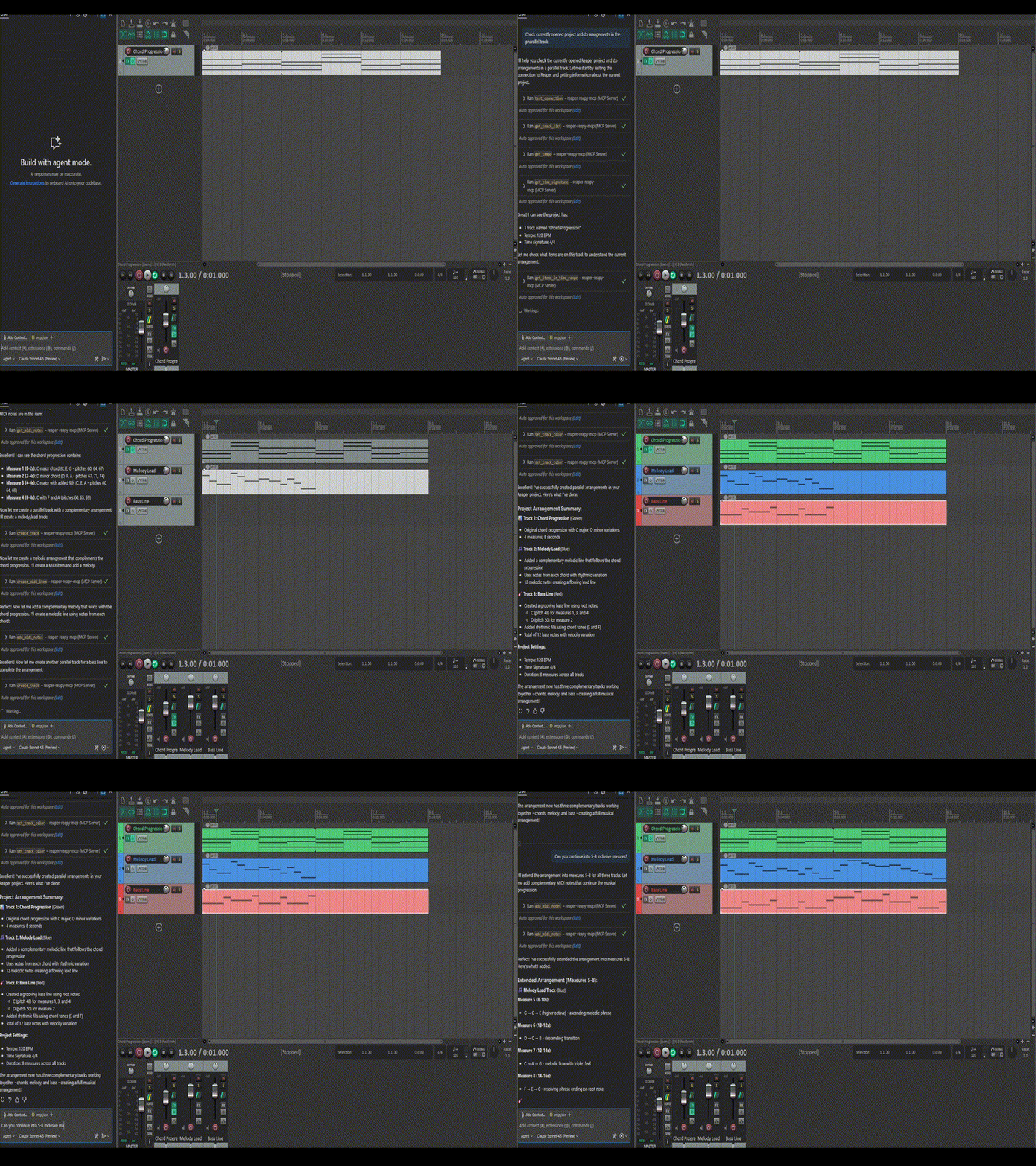
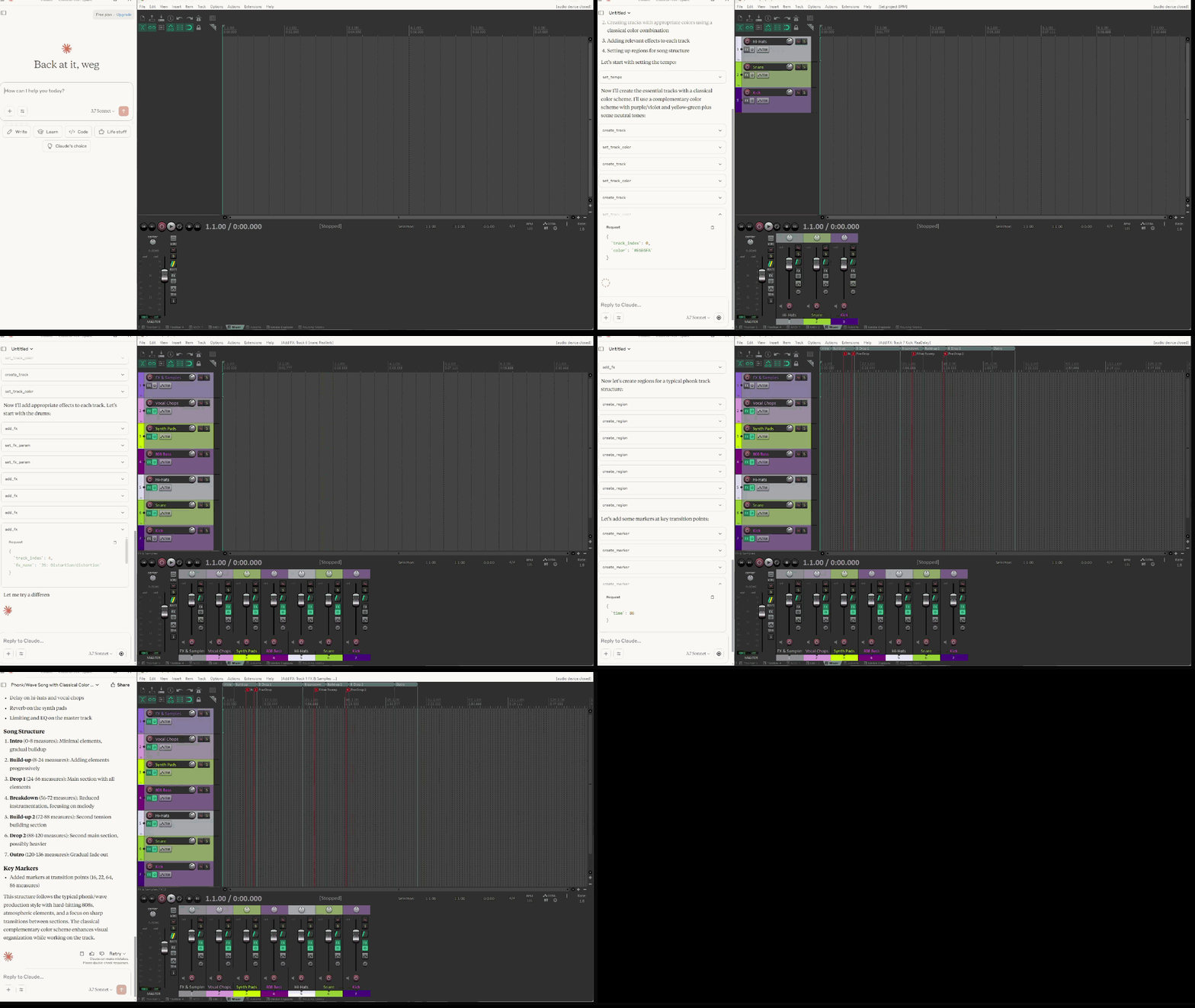
A Python application for controlling REAPER Digital Audio Workstation (DAW) using the MCP(Model context protocol).
python-reapy Python modulemcp[cli] package for MCP server# From PyPI
pip install reaper_reapy_mcp
# From GitHub repository
pip install git+https://github.com/wegitor/reaper-reapy-mcp.git
The wheel package includes all necessary dependencies and can be used in other Python projects that need REAPER integration. The project uses pyproject.toml for modern Python packaging configuration, which provides better dependency management and build system configuration.
The application uses a sample MP3 file for testing audio operations. The file will be automatically downloaded when needed from:
https://www2.cs.uic.edu/~i101/SoundFiles/StarWars3.mp3
This is a short Star Wars theme clip that's commonly used for testing audio applications.
You can run the server using uv directly:
uv --directory <project_path> run -m reaper_reapy_mcp
For the current directory and http MCP mode:
uv --directory . run -m reaper_reapy_mcp --mode http
For example, on Windows:
uv --directory C:\path\to\reaper_reapy_mcp run -m reaper_reapy_mcp
Or using the Python module directly after installation:
python -m reaper_reapy_mcp
Run the server in HTTP mode with default settings:
python -m reaper_reapy_mcp --mode http
Run with custom host and port:
python -m reaper_reapy_mcp --mode http --http-host example_host --http-port 3958
test_mcp.bat
Available MCP tools:
test_connection: Verify connection to REAPERcreate_track: Create a new trackrename_track: Rename an existing trackset_track_color: Set track colorget_track_color: Get track colorget_track_count: Get number of tracks in projectget_track_list: Get list of all tracks with their propertiesadd_fx: Add an FX to a trackremove_fx: Remove an FX from a trackset_fx_param: Set FX parameter valueget_fx_param: Get FX parameter valueget_fx_param_list: Get list of FX parametersget_fx_list: Get list of FX on a trackget_available_fx_list: Get list of available FX pluginstoggle_fx: Toggle FX enable/disable stateset_tempo: Set project tempoget_tempo: Get current tempoget_time_signature: Get current time signatureset_project_time_signature: Set project default time signatureset_time_signature: Set time signature at positioncreate_region: Create a regiondelete_region: Delete a regioncreate_marker: Create a markerdelete_marker: Delete a markerrender_project: Render project to audio fileget_master_track: Get master track informationset_master_volume: Set master track volumeset_master_pan: Set master track pantoggle_master_mute: Toggle master track mutetoggle_master_solo: Toggle master track solocreate_midi_item: Create an empty MIDI item on a track
add_midi_note: Add a MIDI note to a MIDI itemadd_midi_notes: Add multiple MIDI notes at onceget_midi_notes: Get all MIDI notes from a MIDI itemclear_midi_item: Clear all MIDI notes from a MIDI iteminsert_audio_item: Insert an audio file as a media item
duplicate_item: Duplicate an existing item (MIDI or audio)
get_item_properties: Get properties of a media itemset_item_position: Set the position of a media item
set_item_length: Set the length of a media itemdelete_item: Delete a media itemget_items_in_time_range: Get items within a time range
All item operations use a sequential index system (0..n) for item identification. This makes it easier to work with items in scripts and automation:
Many MCP tools now support dual position formats for enhanced musical workflow:
{
  "start_time": 15.5,
  "new_time": 30.0
}
{
  "start_measure": "3:2,500",
  "new_measure": "5:1,000"
}
Format: "measure:beat,fraction" where:
measure: 1-based measure numberbeat: 1-based beat numberfraction: milliseconds (000-999) representing fraction of a beat"4:2,500" = measure 4, beat 2, half beat (500ms)create_midi_item - position via start_time OR start_measureinsert_audio_item - position via start_time OR start_measureduplicate_item - position via new_time OR new_measureset_item_position - position via new_time OR new_measureget_items_in_time_range - range via time OR measure parameters{
"mcpServers": {
"reaper-reapy-mcp": {
"type": "stdio",
"command": "uv",
"args": [
"--directory",
"<path to folder>",
"run",
"-m",
"reaper_reapy_mcp"
]
}
}
}
{
    "mcpServers": {
        "reaper-reapy-mcp": {
            "type": "stdio",
            "command": "python",
            "args": [
                "-m",
                "reaper_reapy_mcp"
            ]
        }
    }
}
or
{
    "mcpServers": {
        "reaper-reapy-mcp": {
            "type": "stdio",
            "command": "python",
            "args": [
                "<path to folder>\\src\\reaper_reapy_mcp.py"
            ]
        }
    }
}
Contributions are welcome! Please feel free to submit a Pull Request.
This project is licensed under the MIT License - see the LICENSE file for details.
Claim this server with your GitHub account to request manual ownership verification.
Link to the catalog listing for MCP server for controlling REAPER DAW from your README. This badge does not certify ownership, compatibility or security.
[](https://awesome-mcp.com/servers/reaper-reapy-mcp)Public repository statistics could not be verified. Check the configured source address; unavailable counts are not zero.
来源、范围和时段分别列出;不相加,不代表安装人数、活跃用户或安全审核。
尚无已审核的包 / 镜像标识,暂不展示下载统计。
Alternative and complementary servers in the same category
A Rust CAD application with an MCP server for creating, inspecting and rendering drawings, either headlessly or through a connection to the desktop app.

Liquid Composer is a browser-based Liquid Glass icon design tool that offers a local MCP server for agent-driven icon workflows.

agent-media makes short drama series and other short vertical videos from Claude, ChatGPT or Codex through one MCP connection, with OAuth sign-in and no API keys.