MCP server for read-only access to SMB/CIFS file shares

MCP server for read-only access to SMB/CIFS file shares

remote-file-server-mcp•bynithiin7

A read-only Model Context Protocol server that lets MCP clients list, read, inspect, and search files on an SMB/CIFS network share without moving files or granting write access.

License: MIT•Runtime: Awaiting documentation review•Category: file systems-docs

WHAT IT DOES

  • •Exposes read-only tools for listing files and directories, reading file contents, retrieving file metadata, and glob-searching across the share.
  • •Parses Excel, Word, PowerPoint, and PDF files into readable text when optional docs extras are installed.
  • •Blocks path traversal and denies sensitive files like .env, keys, and keystores from being listed or read.
  • •Logs every tool call as a JSON audit entry with operation, path, outcome, and tool-specific metadata, never file contents.

BEST FOR

  • •Letting an AI assistant read and summarize documents stored on a corporate Windows file server or NAS.
  • •Searching a share for files matching a glob pattern within a bounded directory depth.
  • •Restricting model access to only selected subdirectories via an allowlist.

ABOUT REMOTE-FILE-SERVER-MCP

MCP server for read-only access to SMB/CIFS file shares is cataloged as an MCP server attributed to nithiin7. A read-only Model Context Protocol server that lets MCP clients list, read, inspect, and search files on an SMB/CIFS network share without moving files or granting write access. It is categorized under file systems-docs. See the capability inspector for recorded interfaces and their independent review status; consult upstream documentation for the current interface.

HOW TO INSTALL

Installation configuration is not reviewed. No executable setup is offered for this entry; inspect the source repository before proceeding.

LICENSE

Catalog license label: MIT. Check the source repository's current license and terms before using, modifying or distributing this software.

能力检查器

能力定义尚未审核。未核验的采集内容不会作为可信接口展示。

Tools (0)

暂无可展示的已审核记录。这不表示上游不支持此能力。

Resources (0)

暂无可展示的已审核记录。这不表示上游不支持此能力。

Prompts (0)

暂无可展示的已审核记录。这不表示上游不支持此能力。

NEWSLETTER - COMING LATER

Newsletter subscriptions are not open yet

Email delivery is not connected. This page does not collect email addresses or create subscriptions.

Browse the registry for current listings instead.

Community Reviews

Coming later

Reviews for MCP server for read-only access to SMB/CIFS file shares are not available yet

Review publishing and storage are not connected. This page does not collect or publish ratings or comments, including after sign-in.

FREQUENTLY ASKED QUESTIONS

Can the server modify or write files on the share?

No. The server is read-only by design and exposes zero write operations.

How are SMB credentials handled?

Credentials are supplied as environment variables and never appear in tool calls or chat history.

Is SMB encryption enabled by default?

Yes. Packet signing and encryption are both on by default, and encryption can be disabled with SMB_ENCRYPT=false.

上游原版 README

在 GitHub 查看同一版本原文

README.md · f77b023e89f1 · 采集于 2026-11-13 12:37:52 UTC

保留上游原文,不做 AI 改写。为安全起见过滤脚本、表单和不安全链接。

当前显示最后一次成功采集的文档快照,请以来源页面为准。

file-server-mcp

remote-file-server-mcp

Give any AI assistant read access to your SMB/CIFS file shares — securely, in minutes.

CI Python 3.11+ License: MIT MCP Compatible


What is this?

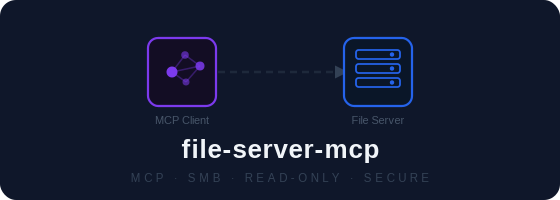
An MCP (Model Context Protocol) server that bridges Claude Desktop (or any MCP client) to your SMB/CIFS network share — Windows file servers, NAS drives, Samba shares, anything SMB.

Ask Claude to read reports, search through spreadsheets, or summarize documents that live on your network — without moving a single file, pasting credentials into a chat, or granting write access.

flowchart LR
    A("🤖 Claude Desktop\nor any MCP client"):::client
    B("🔌 file-server-mcp\n<i>this server</i>"):::server
    C("🗄️ SMB File Server\nWindows · NAS · Samba"):::storage

    A -- "MCP / stdio" --> B
    B -- "SMB 445 · encrypted" --> C

    classDef client  fill:#7c3aed,color:#fff,stroke:none
    classDef server  fill:#2563eb,color:#fff,stroke:none
    classDef storage fill:#0f766e,color:#fff,stroke:none

Features at a glance

Read-only by designThe server exposes zero write operations — your files are safe
Credentials stay localPassed as env vars, never appear in tool calls or chat history
SMB encryption & signingPacket signing and encryption are both on by default; set SMB_ENCRYPT=false to disable encryption only
Path traversal blocked.. segments are rejected before any SMB call is made
Sensitive file denylist.env, *.key, *.pem, id_rsa, keystores, and more are never listed or read
Audit logEvery tool call written as a JSON entry (operation, path, outcome, and tool-specific metadata) — never file contents
Office & PDF parsingExcel, Word, PowerPoint, and PDF files are parsed into readable text — requires the optional [docs] extras
Subdirectory allowlistLock the server to only the directories the model actually needs

Tools

ToolArgumentsDescription
list_filespath (optional)List files and directories. Empty path = share root. Returns JSON.
read_filepathReturn text contents. Oversized files return a preview or hard-error. Office/PDF files are parsed.
get_file_infopathReturn metadata (size, type, timestamps) without reading the file.
search_filespattern, path (optional), max_depth (optional)Glob search (e.g. *.csv). Recurses up to max_depth (default 5, max 10), returns up to 200 matches.

All paths are relative to the share root — e.g. reports/2024/q1.xlsx.


Quickstart

Option A — pip install

pip install -e /path/to/remote-file-server

Then use "command": "file-server-mcp" in your MCP client config.

Option B — uv (no install needed)

uv run --directory /path/to/remote-file-server file-server-mcp

Option C — run from source

python3 -m venv .venv && source .venv/bin/activate
pip install -r requirements.txt
python server.py

Option D — Docker

docker build -t file-server-mcp .

See Dockerfile for runtime usage.


MCP Client Configuration

Add an entry under mcpServers in your client config file.

uv (run from source, no prior install):

{
  "mcpServers": {
    "file-server": {
      "command": "uv",
      "args": ["run", "--directory", "/path/to/remote-file-server", "file-server-mcp"],
      "env": {
        "SMB_HOST": "192.168.1.100",
        "SMB_SHARE": "my_share",
        "SMB_USERNAME": "my_user",
        "SMB_PASSWORD": "my_password"
      }
    }
  }
}

pip/uv pip (console script entry point):

{
  "mcpServers": {
    "file-server": {
      "command": "file-server-mcp",
      "env": {
        "SMB_HOST": "192.168.1.100",
        "SMB_SHARE": "my_share",
        "SMB_USERNAME": "my_user",
        "SMB_PASSWORD": "my_password",
        "SMB_PORT": "445",
        "ALLOWED_PATHS": "reports,finance",
        "AUDIT_LOG_PATH": "/var/log/file-server-mcp/audit.jsonl"
      }
    }
  }
}

Security note: This config file contains credentials — restrict its permissions (chmod 600 on macOS/Linux).

Restart your MCP client after saving.

Connecting to multiple servers

{
  "mcpServers": {
    "file-server-prod": {
      "command": "file-server-mcp",
      "env": { "SMB_HOST": "10.0.0.10", "SMB_SHARE": "Production", "...": "..." }
    },
    "file-server-dev": {
      "command": "file-server-mcp",
      "env": { "SMB_HOST": "10.0.0.20", "SMB_SHARE": "Development", "...": "..." }
    }
  }
}

Environment Variables

VariableRequiredDefaultDescription
SMB_HOSTYes—IP address or hostname of the SMB server
SMB_SHAREYes—Share name on the server
SMB_USERNAMEYes—Username for SMB authentication
SMB_PASSWORDYes—Password for SMB authentication
SMB_PORTNo445SMB port
SMB_ENCRYPTNotrueSet to false to disable SMB encryption (not recommended)
SMB_TIMEOUTNo30Seconds before an SMB connect or operation times out
MAX_FILE_SIZE_MBNo10Maximum file size in MB that read_file will read
READ_PREVIEW_LINESNo100Lines to return for oversized files. Set to 0 to hard-error instead
ALLOWED_PATHSNo—Comma-separated subdirectory allowlist, e.g. reports,finance/2024
AUDIT_LOG_PATHNostderrFile path for JSON audit logs. Falls back to stderr if unset

Security

  • SMB packet signing is required on all connections.
  • Path traversal is blocked — .. segments are rejected before any SMB call.
  • Sensitive file denylist covers .env, *.key, *.pem, *.bak, id_rsa, *.pfx, *.p12, *.token, .netrc, .htpasswd, keystore files, and more. For production, combine this with ALLOWED_PATHS to restrict access to only the directories the model needs.
  • File size limit prevents reading files that would overflow the context window.
  • Audit logging records every tool call in JSON (operation, path, outcome, tool-specific metadata) — never file contents.
  • Error messages are sanitised — internal hostnames, UNC paths, and credentials are never exposed to the client.

Requirements

  • Python 3.11+
  • Network access to the SMB server (port 445 by default)
  • SMB credentials with read permissions on the share

Install configuration

Are you the maintainer?

Claim this server with your GitHub account to request manual ownership verification.

README Embed Badge
Markdown

Link to the catalog listing for MCP server for read-only access to SMB/CIFS file shares from your README. This badge does not certify ownership, compatibility or security.

[![MCP catalog listing](https://img.shields.io/badge/MCP-awesome--mcp-orange?style=flat-square)](https://awesome-mcp.com/servers/remote-file-server-mcp)

REPOSITORY STATS

GitHub StarsUnavailable
ForksUnavailable

Public repository statistics could not be verified. Check the configured source address; unavailable counts are not zero.

下载与拉取统计

来源、范围和时段分别列出;不相加,不代表安装人数、活跃用户或安全审核。

尚无已审核的包 / 镜像标识,暂不展示下载统计。

Related file systems-docs MCP Servers

Alternative and complementary servers in the same category

View all in file systems-docs →

A Model Context Protocol server for global law with read-only tools to find and read provisions by date, trace the law behind each word, search text and changes, and check cases or briefs against law in force.

Repository stats unavailable
Files & Documentation
LoreKeeper MCP server
lorekeeper-rpg-lorekeeper-com•lore-keeper

Hosted MCP server for tabletop RPG worlds that organizes messy notes and documents into a private store and lets MCP apps search lore, read documents, find characters, and optionally generate character or world pictures.

Repository stats unavailable
Files & Documentation

An MCP server that gives AI assistants scoped file system operations inside a project directory, with read-only reference projects plus git and GitHub tools.

Repository stats unavailable
Files & Documentation

