Rootly MCP Server



An MCP server for the Rootly API for Cursor, Windsurf, Claude, and other MCP clients.
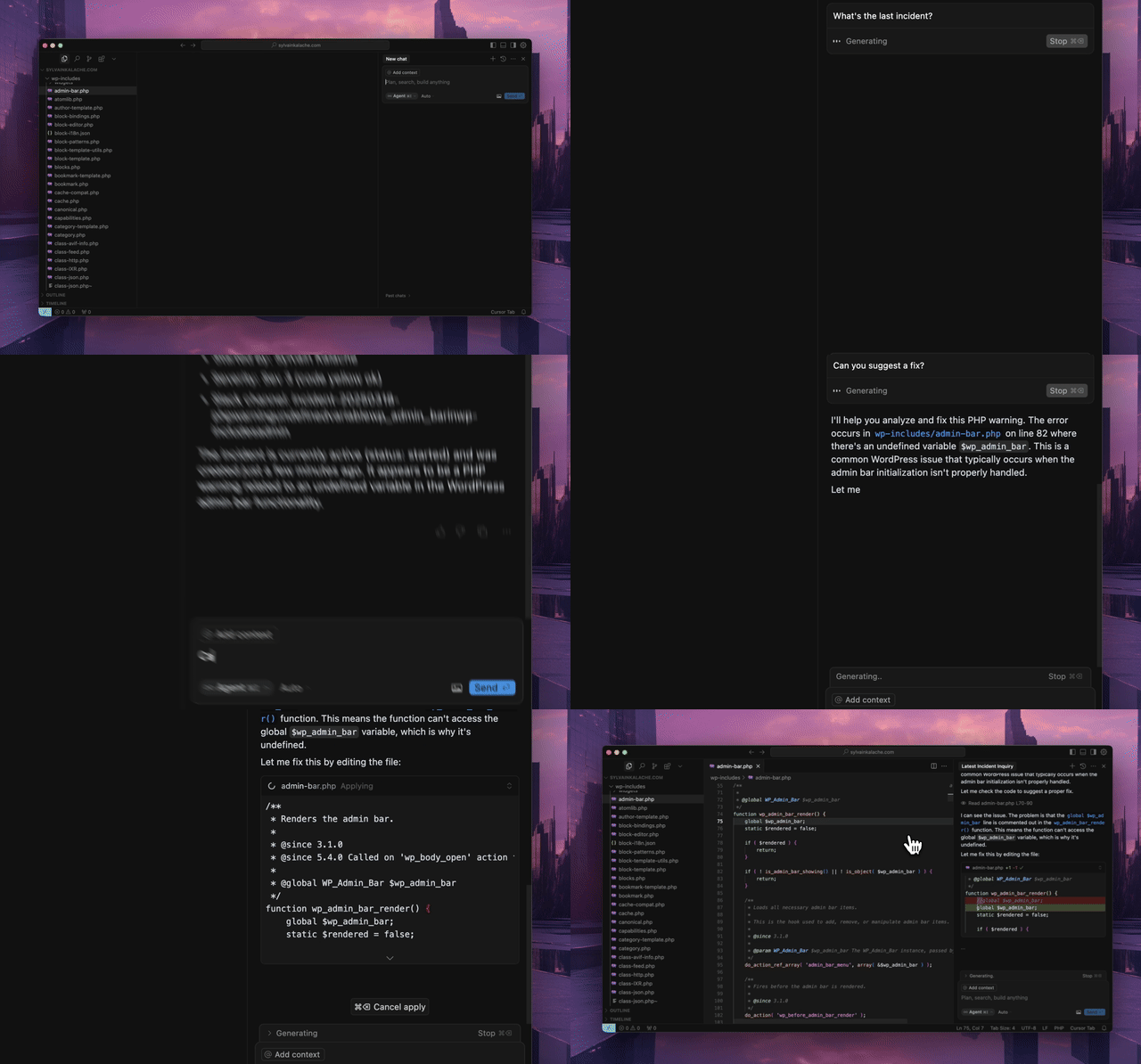
Quick Start
Use the hosted MCP server. No local installation required.
Hosted Transport Options
- Streamable HTTP (recommended):
https://mcp.rootly.com/mcp
- Code Mode:
https://mcp.rootly.com/mcp-codemode
- SSE (deprecated, removed after 2026-11-20):
https://mcp.rootly.com/sse
[!WARNING]
SSE is deprecated. The hosted https://mcp.rootly.com/sse endpoint and the self-hosted --transport sse option will be removed after 2026-11-20. Switch your client to Streamable HTTP (https://mcp.rootly.com/mcp) or Code Mode (https://mcp.rootly.com/mcp-codemode); for most clients that means changing the URL and, if your client config has one, setting the transport to http/streamable-http. SSE responses now carry Deprecation, Sunset and Link: rel="successor-version" headers.
Every client loads the whole tool list into the model's context: the full surface is about 125k tokens. Tools are grouped into toolsets (the same model as GitHub's and Datadog's MCP servers) so a client can load only what it needs. Recommended: ?toolsets=core, about 29 tools and 10k tokens. Without a selection you still get every tool, so existing configurations keep working.
- Pick toolsets:
https://mcp.rootly.com/mcp?toolsets=core,workflows, or send X-MCP-Toolsets: core,workflows
- Actions that run later are separate:
workflow_tasks and automations set up things Rootly does on its own afterwards (workflow steps, AI automations). Leave them out to let an assistant read and use workflows and AI investigations without being able to set those up
- Everything:
?toolsets=all (about 280 tools)
- Read-only: add
readonly=true (or X-MCP-Readonly: true), e.g. ?toolsets=all&readonly=true. Any value other than false/0/no/off turns it on. Write tools are hidden and refused, and the server also refuses any non-GET request to the Rootly API on that connection. It is a per-connection guard; for a hard guarantee, connect with a Rootly API key whose role cannot write
- Deprecated:
?tool_profile= and X-Rootly-Tool-Profile. They still work (full/all mean ?toolsets=all; slim keeps its fixed ~85-tool list) and will be removed; switch to ?toolsets=. Each use is logged so remaining clients can be found
- Server-wide default:
ROOTLY_MCP_TOOLSETS=core,alerts sets what a client gets with no selection (default all); ROOTLY_MCP_HOSTED_TOOL_PROFILE=slim makes slim the default instead
- Exact custom override:
ROOTLY_MCP_ENABLED_TOOLS=... replaces toolsets entirely
A tool outside the selection is refused with the toolset that holds it (list_workflows is not available here: it is in the 'workflows' toolset ... Reconnect with ?toolsets=core,workflows), and the server instructions list every toolset, so an assistant can tell you the exact change. Code Mode (/mcp-codemode) always has the full catalog; readonly=true applies there too, to every tool a script calls. readonly also applies under the slim profile and ROOTLY_MCP_ENABLED_TOOLS.
General Remote Setup
With OAuth2 (recommended):
{
  "mcpServers": {
    "rootly": {
      "url": "https://mcp.rootly.com/mcp"
    }
  }
}
Your MCP client handles OAuth2 login automatically — a browser window opens for you to authenticate with Rootly. No API token needed.
With API Token:
{
  "mcpServers": {
    "rootly": {
      "url": "https://mcp.rootly.com/mcp",
      "headers": {
        "Authorization": "Bearer YOUR_ROOTLY_API_TOKEN"
      }
    }
  }
}
Code Mode:
{
  "mcpServers": {
    "rootly": {
      "url": "https://mcp.rootly.com/mcp-codemode"
    }
  }
}
If your config still points at https://mcp.rootly.com/sse, replace it with https://mcp.rootly.com/mcp before 2026-11-20 (SSE is deprecated, see above).
Agent Setup
Claude Code
With OAuth2 (recommended):
claude mcp add --transport http rootly https://mcp.rootly.com/mcp

# Code Mode:
claude mcp add --transport http rootly-codemode https://mcp.rootly.com/mcp-codemode
With API Token:
claude mcp add --transport http rootly https://mcp.rootly.com/mcp \
  --header "Authorization: Bearer YOUR_ROOTLY_API_TOKEN"
Manual Configuration — Create .mcp.json in your project root:
{
  "mcpServers": {
    "rootly": {
      "type": "http",
      "url": "https://mcp.rootly.com/mcp"
    }
  }
}
Gemini CLI
Install the extension:
gemini extensions install https://github.com/rootlyhq/rootly-mcp-server
Or configure manually in ~/.gemini/settings.json:
{
  "mcpServers": {
    "rootly": {
      "command": "uvx",
      "args": ["--from", "rootly-mcp-server", "rootly-mcp-server"],
      "env": {
        "ROOTLY_API_TOKEN": "<YOUR_ROOTLY_API_TOKEN>"
      }
    }
  }
}
Cursor
Add to .cursor/mcp.json or ~/.cursor/mcp.json:
With OAuth2 (recommended):
{
  "mcpServers": {
    "rootly": {
      "url": "https://mcp.rootly.com/mcp"
    }
  }
}
With API Token:
{
  "mcpServers": {
    "rootly": {
      "url": "https://mcp.rootly.com/mcp",
      "headers": {
        "Authorization": "Bearer <YOUR_ROOTLY_API_TOKEN>"
      }
    }
  }
}
Windsurf
Add to ~/.codeium/windsurf/mcp_config.json:
With OAuth2 (recommended):
{
  "mcpServers": {
    "rootly": {
      "serverUrl": "https://mcp.rootly.com/mcp"
    }
  }
}
With API Token:
{
  "mcpServers": {
    "rootly": {
      "serverUrl": "https://mcp.rootly.com/mcp",
      "headers": {
        "Authorization": "Bearer <YOUR_ROOTLY_API_TOKEN>"
      }
    }
  }
}
Codex
Add to ~/.codex/config.toml:
With OAuth2 (recommended):
[mcp_servers.rootly]
url = "https://mcp.rootly.com/mcp"
With API Token:
[mcp_servers.rootly]
url = "https://mcp.rootly.com/mcp"
bearer_token_env_var = "ROOTLY_API_TOKEN"
Claude Desktop
With OAuth2 (recommended):
Add to claude_desktop_config.json:
{
  "mcpServers": {
    "rootly": {
      "url": "https://mcp.rootly.com/mcp"
    }
  }
}
Claude Desktop handles OAuth2 login automatically.
With API Token (via mcp-remote):
{
  "mcpServers": {
    "rootly": {
      "command": "npx",
      "args": [
        "-y",
        "mcp-remote",
        "https://mcp.rootly.com/mcp",
        "--transport",
        "http",
        "--header",
        "Authorization: Bearer <YOUR_ROOTLY_API_TOKEN>"
      ]
    }
  }
}
Databricks
Register the hosted server in Unity Gateway so Supervisor Agent, AI Playground, and other Databricks agents can use it:
- In your workspace, open Unity Gateway > MCPs, click + MCP, and choose Connect an existing MCP server.
- Pick a catalog and schema, name the MCP, and create a new connection with URL
https://mcp.rootly.com/mcp.
- Choose an authentication method:
- Dynamic Client Registration (recommended): each user signs in to Rootly with their own account.
- Bearer token: paste a Rootly API token.
- Click Create & load tools, click Login if prompted, and select the tools to expose.
Or create the connection with the Databricks SDK:
from databricks.sdk import WorkspaceClient
from databricks.sdk.service import catalog as c

WorkspaceClient().connections.create(
    name="rootly_connection",
    parent="schemas/main.default",
    connection_type=c.ConnectionType.HTTP,
    options={
        "host": "https://mcp.rootly.com",
        "port": "443",
        "base_path": "/mcp",
        "bearer_token": "<YOUR_ROOTLY_API_TOKEN>",
    },
)
The full profile exposes about 250 tools. Use Unity Gateway tool selection to expose only what your agents need. See docs/databricks-marketplace.md for the Marketplace listing details.
Rootly CLI
Standalone CLI for incidents, alerts, services, and on-call operations.
Install via Homebrew:
brew install rootlyhq/tap/rootly-cli
Or via Go:
go install github.com/rootlyhq/rootly-cli/cmd/rootly@latest
For more details, see the Rootly CLI repository.
Alternative Installation (Local)
Run the MCP server locally if you do not want to use the hosted service.
Prerequisites
API Token Types
Choose the token type based on the access you need:
- Global API Key: Full access across the Rootly instance. Best for organization-wide visibility.
- Team API Key: Access limited to entities owned by that team.
- Personal API Key: Access matches the user who created it.
A Global API Key is recommended for organization-wide queries and for actions that modify data, especially when workflows may span multiple teams, schedules, or incidents.
With uv
{
  "mcpServers": {
    "rootly": {
      "command": "uv",
      "args": [
        "tool",
        "run",
        "--from",
        "rootly-mcp-server",
        "rootly-mcp-server"
      ],
      "env": {
        "ROOTLY_API_TOKEN": "<YOUR_ROOTLY_API_TOKEN>",
        "ROOTLY_MCP_ENABLE_WRITE_TOOLS": "true"
      }
    }
  }
}
Self-Hosted Transport Options
Choose one transport per server process:
-
Streamable HTTP endpoint path: /mcp
-
SSE (deprecated, removed after 2026-11-20) endpoint path: /sse. --transport sse logs a deprecation warning at startup; use --transport streamable-http instead.
-
Code Mode (experimental) endpoint path: /mcp-codemode in hosted dual-transport mode. One execute call may make at most 50 tool calls; set ROOTLY_CODE_MODE_MAX_TOOL_CALLS to a positive integer to change that.
-
Hosted default: full surface; ?toolsets=core for the recommended small one (see Toolsets)
-
Hosted slim profile (deprecated): about 85 high-usage tools via ?tool_profile=slim
-
Self-hosted default: full surface (ROOTLY_MCP_TOOLSETS narrows it)
To restrict either deployment to read-only tools, start the server with --no-enable-write-tools or set ROOTLY_MCP_ENABLE_WRITE_TOOLS=false.
For hosted clients, choose toolsets with ?toolsets= on the MCP URL or the X-MCP-Toolsets header (see Toolsets).
To override the hosted or self-hosted default profile entirely, set ROOTLY_MCP_ENABLED_TOOLS (or pass --enabled-tools) with a comma-separated allowlist of exact tool names. When that variable is set, it fully replaces the default selection.
To expose only a specific subset of MCP tools on a self-hosted deployment, set ROOTLY_MCP_ENABLED_TOOLS (or pass --enabled-tools) with a comma-separated allowlist of exact tool names, for example list_incidents,get_incident,get_server_version.
PostHog MCP analytics
Hosted deployments send MCP telemetry to PostHog only. Setting
POSTHOG_PROJECT_TOKEN (and optionally POSTHOG_HOST, default
https://us.i.posthog.com) sends $mcp_* events with no injected context,
conversation_id or llm_model parameters, credential scrubbing before send,
and hosted users identified by Rootly user ID only. Without the token (the
default for local and self-hosted installs) nothing is sent.
Failed calls carry the real exception type, the upstream HTTP status and an
mcp_error_expected flag. Expected failures (guided errors and Rootly API
401/403/404/409/429 answers) open no Error Tracking issue. On the stateless
hosted transport, PostHog sessions are tied together through the
Mcp-Session-Id header minted at initialize. Clients holding a cached tool
list that still send context or session_id are tolerated; the stray
argument is dropped before validation.
OpenAI Apps domain verification
Hosted deployments expose an unauthenticated domain-verification endpoint used by the OpenAI plugin directory:
- Endpoint:
GET /.well-known/openai-apps-challenge
- Environment variable:
ROOTLY_OPENAI_APPS_CHALLENGE_TOKEN
Set ROOTLY_OPENAI_APPS_CHALLENGE_TOKEN to the token generated in the OpenAI submission portal. The endpoint returns that exact token as text/plain (with Cache-Control: no-store), and returns 404 when the variable is unset or empty. The token is read from the environment at request time — never hardcode or commit it. The route is served on both the dual-transport (--transport both) and profiled streamable-HTTP hosted deployments and is not subject to Bearer authentication.
To discover the exact tool names available under your current self-hosted configuration, run:
ROOTLY_API_TOKEN=<YOUR_ROOTLY_API_TOKEN> \
uv run python -m rootly_mcp_server --list-tools
This prints the effective MCP tool names after applying your current settings, including ROOTLY_MCP_ENABLE_WRITE_TOOLS and ROOTLY_MCP_ENABLED_TOOLS.
Smoke-test a self-hosted allowlist:
ROOTLY_API_TOKEN=<YOUR_ROOTLY_API_TOKEN> \
ROOTLY_MCP_ENABLED_TOOLS=list_incidents,get_incident,get_server_version \
uv run python -m rootly_mcp_server --transport streamable-http --log-level ERROR
Then connect an MCP client to http://127.0.0.1:8000/mcp and verify tools/list returns only:
get_server_version
get_incident
list_incidents
To include specific write tools for self-hosted testing, add both the write flag and the allowlist:
ROOTLY_API_TOKEN=<YOUR_ROOTLY_API_TOKEN> \
ROOTLY_MCP_ENABLE_WRITE_TOOLS=true \
ROOTLY_MCP_ENABLED_TOOLS=create_incident,create_workflow_task,list_teams \
uv run python -m rootly_mcp_server --transport streamable-http --log-level ERROR
Example Docker run (Streamable HTTP):
docker run -p 8000:8000 \
  -e ROOTLY_TRANSPORT=streamable-http \
  -e ROOTLY_API_TOKEN=<YOUR_ROOTLY_API_TOKEN> \
  -e ROOTLY_MCP_ENABLE_WRITE_TOOLS=true \
  rootly-mcp-server
Example Docker run (SSE, deprecated: removed after 2026-11-20, use Streamable HTTP above):
docker run -p 8000:8000 \
  -e ROOTLY_TRANSPORT=sse \
  -e ROOTLY_API_TOKEN=<YOUR_ROOTLY_API_TOKEN> \
  rootly-mcp-server
Example Docker run (Dual transport + Code Mode; the /sse endpoint it also serves is deprecated):
docker run -p 8000:8000 \
  -e ROOTLY_TRANSPORT=both \
  -e ROOTLY_API_TOKEN=<YOUR_ROOTLY_API_TOKEN> \
  rootly-mcp-server
The full surface exposes about 280 tools. Toolsets cover most needs; for an exact list, use ROOTLY_MCP_ENABLED_TOOLS:
Essential tools for emergency responders and incident commanders
ROOTLY_MCP_ENABLED_TOOLS="list_incidents,get_incident,create_incident,update_incident,search_incidents,find_related_incidents,suggest_solutions,create_incident_action_item,list_incident_action_items,update_incident_form_field_selection,list_teams,get_current_user,list_services,list_severities,get_alert,list_alerts,get_alert_by_short_id,list_escalation_policies,get_escalation_policy,list_on_call_roles,list_schedules,get_schedule_shifts,get_oncall_handoff_summary,get_shift_incidents,list_endpoints"
For schedule coordinators and on-call managers
ROOTLY_MCP_ENABLED_TOOLS="list_schedules,get_schedule,update_schedule,get_schedule_shifts,list_shifts,create_schedule_rotation,update_schedule_rotation,list_schedule_rotations,get_schedule_rotation,list_schedule_rotation_users,update_schedule_rotation_user,create_on_call_shadow,update_on_call_shadow,list_on_call_shadows,create_override_shift,update_override_shift,list_override_shifts,list_on_call_roles,update_on_call_role,get_oncall_schedule_summary,get_oncall_shift_metrics,check_responder_availability,create_override_recommendation,list_teams,get_team,list_users,get_user,get_current_user,list_escalation_policies,update_escalation_policy,list_escalation_paths,update_escalation_path,list_escalation_levels"
For platform teams setting up observability
ROOTLY_MCP_ENABLED_TOOLS="list_alerts,get_alert,get_alert_by_short_id,create_alert_group,update_alert_group,list_alert_groups,create_alert_routing_rule,update_alert_routing_rule,list_alert_routing_rules,list_alert_events,get_alert_event,update_alert_event,create_heartbeat,update_heartbeat,list_heartbeats,get_heartbeat,create_pulse,update_pulse,list_pulses,get_pulse,create_dashboard,update_dashboard,list_dashboards,get_dashboard,create_dashboard_panel,update_dashboard_panel,list_status_pages,get_status_page,update_status_page,list_status_page_templates,get_status_page_template,list_communications_templates,update_communications_template,create_live_call_router,update_live_call_router,list_services,list_teams,get_current_user,list_environments,list_severities,list_endpoints"
📋 Post-Incident Analysis (30 tools)
For SREs doing retrospectives and process improvement
ROOTLY_MCP_ENABLED_TOOLS="get_incident,update_incident,find_related_incidents,suggest_solutions,list_incident_action_items,create_incident_action_item,update_incident_form_field_selection,create_post_incident_review,update_post_incident_review,list_post_incident_reviews,get_post_incident_review,create_retrospective_step,update_retrospective_step,list_retrospective_steps,create_retrospective_process,update_retrospective_process,list_retrospective_processes,create_playbook,update_playbook,list_playbooks,get_playbook,create_playbook_task,update_playbook_task,list_causes,get_cause,update_cause,list_incident_types,get_incident_type,update_incident_type,get_current_user"
For leadership and metrics teams (read-only focus)
ROOTLY_MCP_ENABLED_TOOLS="list_incidents,search_incidents,collect_incidents,list_teams,list_services,list_schedules,get_oncall_shift_metrics,get_shift_incidents,list_dashboards,get_dashboard,list_alerts,list_heartbeats,list_pulses,get_current_user,list_endpoints"
Multiple MCP Instances for Different Teams
You can run multiple MCP instances with different tool subsets:
{
  "mcpServers": {
    "rootly-incident-response": {
      "command": "uvx", "args": ["--from", "rootly-mcp-server", "rootly-mcp-server"],
      "env": {
        "ROOTLY_API_TOKEN": "<token>",
        "ROOTLY_MCP_ENABLED_TOOLS": "list_incidents,get_incident,create_incident,find_related_incidents,suggest_solutions..."
      }
    },
    "rootly-oncall-management": {
      "command": "uvx", "args": ["--from", "rootly-mcp-server", "rootly-mcp-server"],
      "env": {
        "ROOTLY_API_TOKEN": "<token>",
        "ROOTLY_MCP_ENABLED_TOOLS": "list_schedules,update_schedule,create_override_shift,get_oncall_shift_metrics..."
      }
    }
  }
}
With uvx
{
  "mcpServers": {
    "rootly": {
      "command": "uvx",
      "args": [
        "--from",
        "rootly-mcp-server",
        "rootly-mcp-server"
      ],
      "env": {
        "ROOTLY_API_TOKEN": "<YOUR_ROOTLY_API_TOKEN>"
      }
    }
  }
}
Features
- Dynamic Tool Generation: Automatically creates MCP resources from Rootly's OpenAPI (Swagger) specification
- Smart Pagination: Uses bounded pagination and compact incident responses to prevent context window overflow
- API Filtering: Limits exposed API endpoints for security and performance
- Intelligent Incident Analysis: Smart tools that analyze historical incident data
find_related_incidents: Uses TF-IDF similarity analysis to find historically similar incidentssuggest_solutions: Mines past incident resolutions to recommend actionable solutions
- MCP Resources: Exposes incidents, teams, on-call status, and workflow guides as structured resources for AI context
- Intelligent Pattern Recognition: Automatically identifies services, error types, and resolution patterns
- On-Call Health Integration (self-hosted only): Detects workload health risk in scheduled responders
The default tool surface depends on deployment profile:
- Hosted default: about 280 tools
- Hosted
?toolsets=core (recommended): about 29 tools
- Hosted slim profile (deprecated): about 85 tools
- Self-hosted default: about 280 tools
check_oncall_health_risk - self-hosted onlycheck_responder_availabilitycollect_incidentscreate_incident - create a new incident with a scoped set of fields for agent workflowscreate_override_recommendationfind_related_incidentsget_incident - retrieve a single incident for direct verification, including PIR-related fieldsget_alert_by_short_idget_investigation - an AI SRE investigation's verdict, evidence, causal chain and open questions (by id, or latest for an alert/incident)get_investigation_progress - follow a running investigation; call again with after_cursor until doneget_oncall_handoff_summaryget_oncall_schedule_summaryget_oncall_shift_metricsget_server_versionget_shift_incidentslist_endpointslist_investigationslist_incidentslist_shiftssearch_incidentsstart_investigation, cancel_investigation - start or cancel an AI SRE investigation; write toolssuggest_solutionsupdate_incident - update native incident fields with severity validation; retrospective status changes require the Rootly UI
Tool naming: all tools use snake_case. The historical camelCase names
(e.g. getScheduleShifts, listIncidents) are no longer advertised in
tools/list, but remain callable as hidden aliases — they are transparently
routed to their snake_case canonical. Update configs and ROOTLY_MCP_ENABLED_TOOLS
allowlists to the snake_case names; legacy camelCase allowlist entries are
auto-canonicalized.
list_workflow_runs
create_incident_action_item
create_incident_form_field_selection
create_workflow_task
get_alert
get_alert_event
get_alert_group
get_alert_routing_rule
get_alert_source
get_alert_urgency
get_catalog
get_catalog_entity
get_catalog_property
get_cause
get_current_user
get_custom_form
get_environment
get_escalation_level
get_escalation_path
get_escalation_policy
get_form_field
get_form_field_option
get_functionality
get_functionality_incidents_chart
get_functionality_uptime_chart
get_incident_action_items
get_incident_form_field_selection
get_incident_type
get_on_call_role
get_on_call_shadow
get_override_shift
get_schedule
get_schedule_rotation
get_schedule_shifts
get_service
get_service_incidents_chart
get_service_uptime_chart
get_severity
get_status_page
get_status_page_template
get_team
get_team_incidents_chart
get_user
get_workflow
get_workflow_form_field_condition
get_workflow_group
get_workflow_task
list_alert_events
list_alert_groups
list_alert_routing_rules
list_alert_sources
list_alert_urgencies
list_alerts
list_all_incident_action_items
list_catalog_entities
list_catalog_properties
list_catalogs
list_causes
list_custom_forms
list_environments
list_escalation_levels
list_escalation_levels_paths
list_escalation_paths
list_escalation_policies
list_form_field_options
list_form_fields
list_functionalities
list_incident_action_items
list_incident_alerts
list_incident_form_field_selections
list_incident_types
list_observability_logs
list_observability_patterns
count_observability_logs
list_on_call_roles
list_on_call_shadows
list_override_shifts
list_schedule_rotation_active_days
list_schedule_rotation_users
list_schedule_rotations
list_schedules
list_services
list_severities
list_shifts
list_status_page_templates
list_status_pages
list_teams
list_users
list_workflow_form_field_conditions
list_workflow_groups
list_workflows
list_workflow_tasks
update_environment
update_escalation_level
update_escalation_path
update_escalation_policy
update_functionality
update_incident_type
update_on_call_role
update_on_call_shadow
update_override_shift
update_schedule
update_schedule_rotation
update_service
update_severity
update_team
update_workflow
update_incident_form_field_selection
update_workflow_task
Major Expansion: This version includes 50+ new endpoints covering communications, dashboards, playbooks, post-incident reviews, monitoring, and advanced form management - while carefully excluding security-sensitive operations like API key management, user creation/deletion, role management, and webhook configuration.
Delete operations remain disabled in the default tool surface.
On-Call Health Integration (Self-Hosted Only)
Integrates with On-Call Health to detect workload health risk in scheduled responders.
check_oncall_health_risk is unavailable on the hosted MCP service, including
the full and slim profiles, SSE, Streamable HTTP, and Code Mode. It is not
registered in hosted mode, so an API key or ROOTLY_MCP_ENABLED_TOOLS allowlist
cannot enable it. Ordinary on-call scheduling and incident tools remain available.
Self-hosted deployments retain this integration. Operators are responsible for
appropriate employee disclosure and data handling for their deployment.
Setup
Set the ONCALLHEALTH_API_KEY environment variable:
{
  "mcpServers": {
    "rootly": {
      "command": "uvx",
      "args": ["--from", "rootly-mcp-server", "rootly-mcp-server"],
      "env": {
        "ROOTLY_API_TOKEN": "your_rootly_token",
        "ONCALLHEALTH_API_KEY": "och_live_your_key"
      }
    }
  }
}
Usage
check_oncall_health_risk(
    start_date="2026-02-09",
    end_date="2026-02-15"
)
Returns at-risk users who are scheduled, recommended safe replacements, and action summaries.
Example Skills
Pre-built Claude Code skills:
This skill:
- Analyzes production incidents with full context
- Finds similar historical incidents using ML-based similarity matching
- Suggests solutions based on past successful resolutions
- Coordinates with on-call teams across timezones
- Correlates incidents with recent code changes and deployments
- Creates action items and remediation plans
- Provides confidence scores and time estimates
Quick Start:
# Copy the skill to your project
mkdir -p .claude/skills
cp examples/skills/rootly-incident-responder.md .claude/skills/

# Then in Claude Code, invoke it:
# @rootly-incident-responder analyze incident #12345
It demonstrates a full incident response workflow using Rootly tools and GitHub context.
On-Call Shift Metrics
Get on-call shift metrics for any time period, grouped by user, team, or schedule. Includes primary/secondary role tracking, shift counts, hours, and days on-call.
get_oncall_shift_metrics(
    start_date="2025-10-01",
    end_date="2025-10-31",
    group_by="user"
)
On-Call Handoff Summary
Complete handoff: current/next on-call + incidents during shifts.
# All on-call (any timezone)
get_oncall_handoff_summary(team_ids="team-1,team-2", timezone="America/Los_Angeles")

# Regional filter - only show APAC on-call during APAC business hours
get_oncall_handoff_summary(timezone="Asia/Tokyo", filter_by_region=True)
Regional filtering shows only people on-call during business hours (9am-5pm) in the specified timezone.
Returns: schedules with current_oncall, next_oncall, and shift_incidents
MCP Resources for Context
AI agents can access these resources for situational awareness:
incident://{incident_id} - Detailed incident information for specific incidentsteam://{team_id} - Team details including name, color, and metadatarootly://incidents - List of recent incidents for quick referencerootly://oncall-status - Current on-call status across all schedules (critical for incident response)rootly://workflow-guide - Step-by-step workflow guidance for common operations
Example usage: "Check the current on-call status" → AI reads rootly://oncall-status resource
Shift Incidents
Incidents during a time period, with filtering by severity/status/tags.
get_shift_incidents(
    start_time="2025-10-20T09:00:00Z",
    end_time="2025-10-20T17:00:00Z",
    severity="critical",  # optional
    status="resolved",  # optional
    tags="database,api",  # optional
)
Returns: incidents list + summary (counts, avg resolution time, grouping)
Contributing
See CONTRIBUTING.md for developer setup and guidelines.
Play with it on Postman

About Rootly AI Labs
This project was developed by Rootly AI Labs, where we're building the future of system reliability and operational excellence. As an open-source incubator, we share ideas, experiment, and rapidly prototype solutions that benefit the entire community.


