

Oleafly is a live collaborative LaTeX, Typst and Markdown editor for research that offers a local MCP server and an oleafly mcp stdio command so outside AI clients can use its project tools.
Repository stats unavailable
Productivity & Ops
A Model Context Protocol server that gives AI assistants access to Autodesk ShotGrid (Flow Production Tracking) data for production tracking workflows.
ShotGrid MCP Server is cataloged as an MCP server attributed to loonghao. A Model Context Protocol server that gives AI assistants access to Autodesk ShotGrid (Flow Production Tracking) data for production tracking workflows. It is categorized under productivity work. See the capability inspector for recorded interfaces and their independent review status; consult upstream documentation for the current interface.
Installation configuration is not reviewed. No executable setup is offered for this entry; inspect the source repository before proceeding.
Catalog license label: MIT. Check the source repository's current license and terms before using, modifying or distributing this software.
能力定义尚未审核。未核验的采集内容不会作为可信接口展示。
暂无可展示的已审核记录。这不表示上游不支持此能力。
暂无可展示的已审核记录。这不表示上游不支持此能力。
暂无可展示的已审核记录。这不表示上游不支持此能力。
Email delivery is not connected. This page does not collect email addresses or create subscriptions.
Browse the registry for current listings instead.
Reviews for ShotGrid MCP Server are not available yet
Review publishing and storage are not connected. This page does not collect or publish ratings or comments, including after sign-in.
It supports stdio for local use, HTTP for remote access, and ASGI for production deployment.
Yes, hosts without MCP Apps support automatically receive the same summary as plain text.
README.md · 32dd584de6be · 采集于 2026-11-13 09:01:12 UTC
保留上游原文,不做 AI 改写。为安全起见过滤脚本、表单和不安全链接。
当前显示最后一次成功采集的文档快照,请以来源页面为准。

A Model Context Protocol (MCP) server that provides AI assistants with seamless access to Autodesk ShotGrid (Flow Production Tracking)
English | 简体中文




📖 Documentation | 中文文档
ShotGrid MCP Server enables AI assistants like Claude, Cursor, and VS Code Copilot to interact directly with your ShotGrid (Flow Production Tracking) data. Built on FastMCP, it provides a high-performance bridge between AI tools and production tracking workflows.
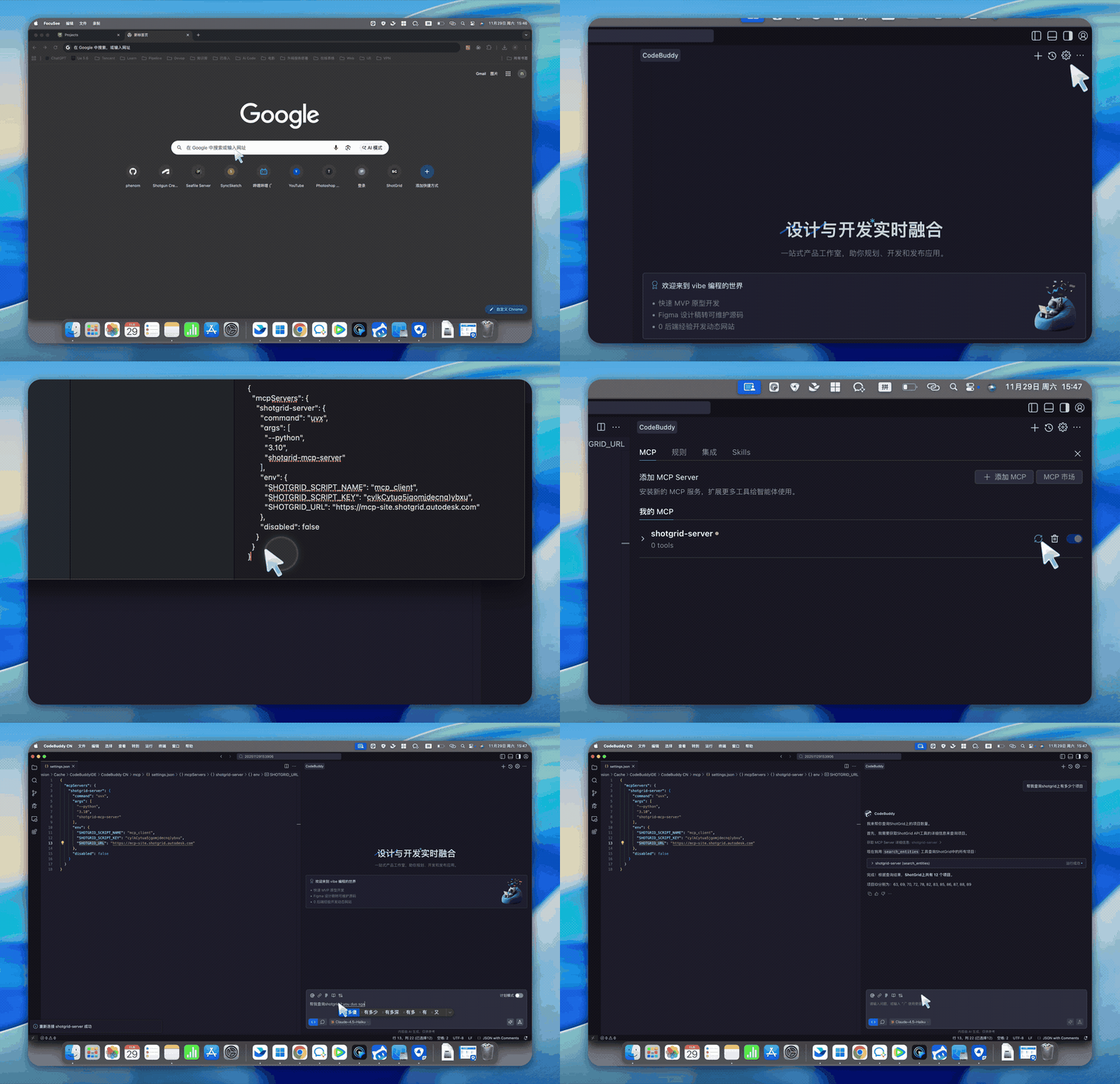
Prompt: Query the team's task schedule for the past week, calculate workload rate based on 8 hours per day, and visualize it in web format
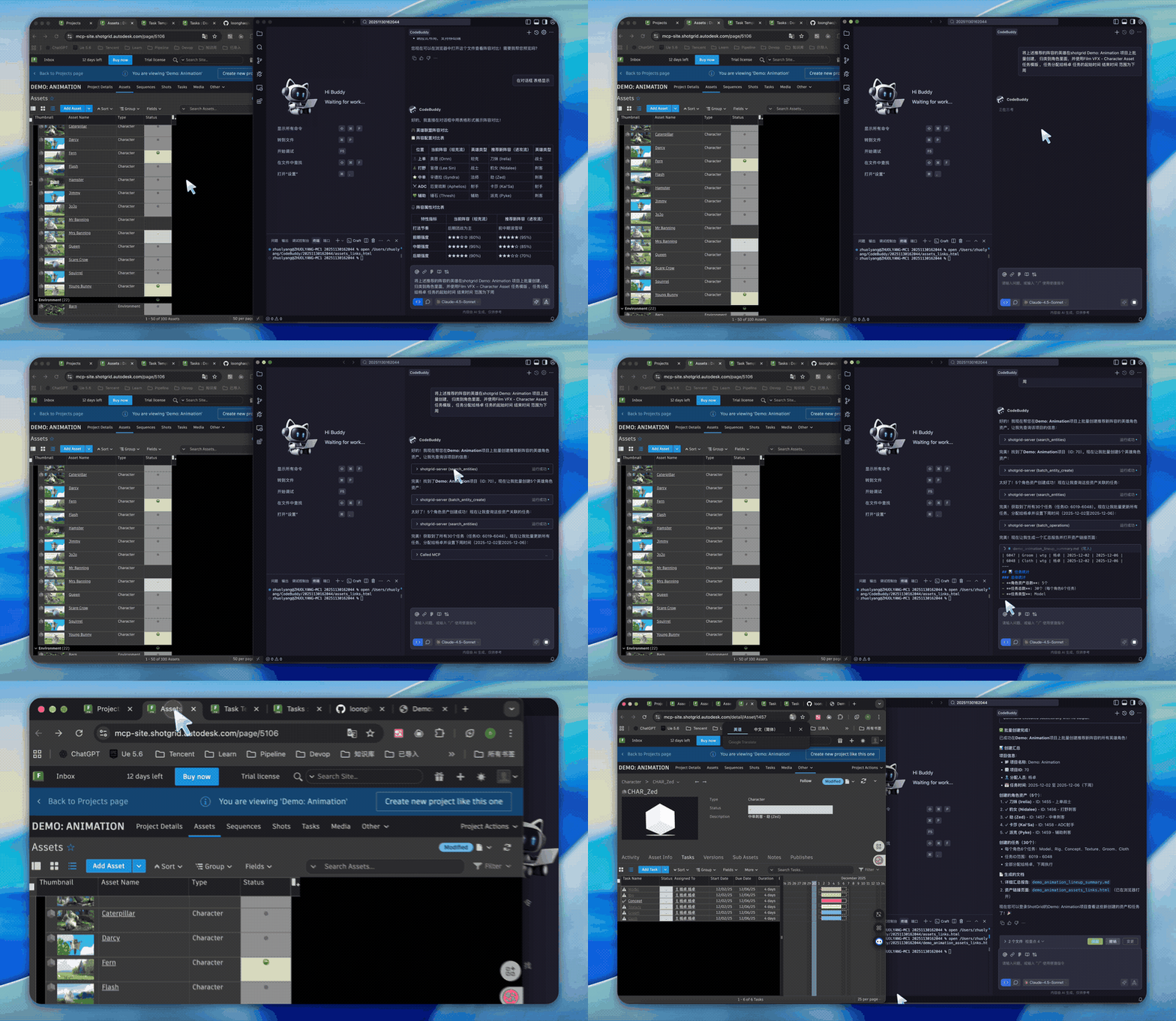
Prompt: Batch create the recommended hero characters in the shotgrid Demo:Animation project, categorize them as characters, use the FilmVFX-CharacterAsset task template, assign tasks to Yang Zhuo, with start and end dates set to next week
Prompt: Query timelog data from shotgrid and visualize it in web format
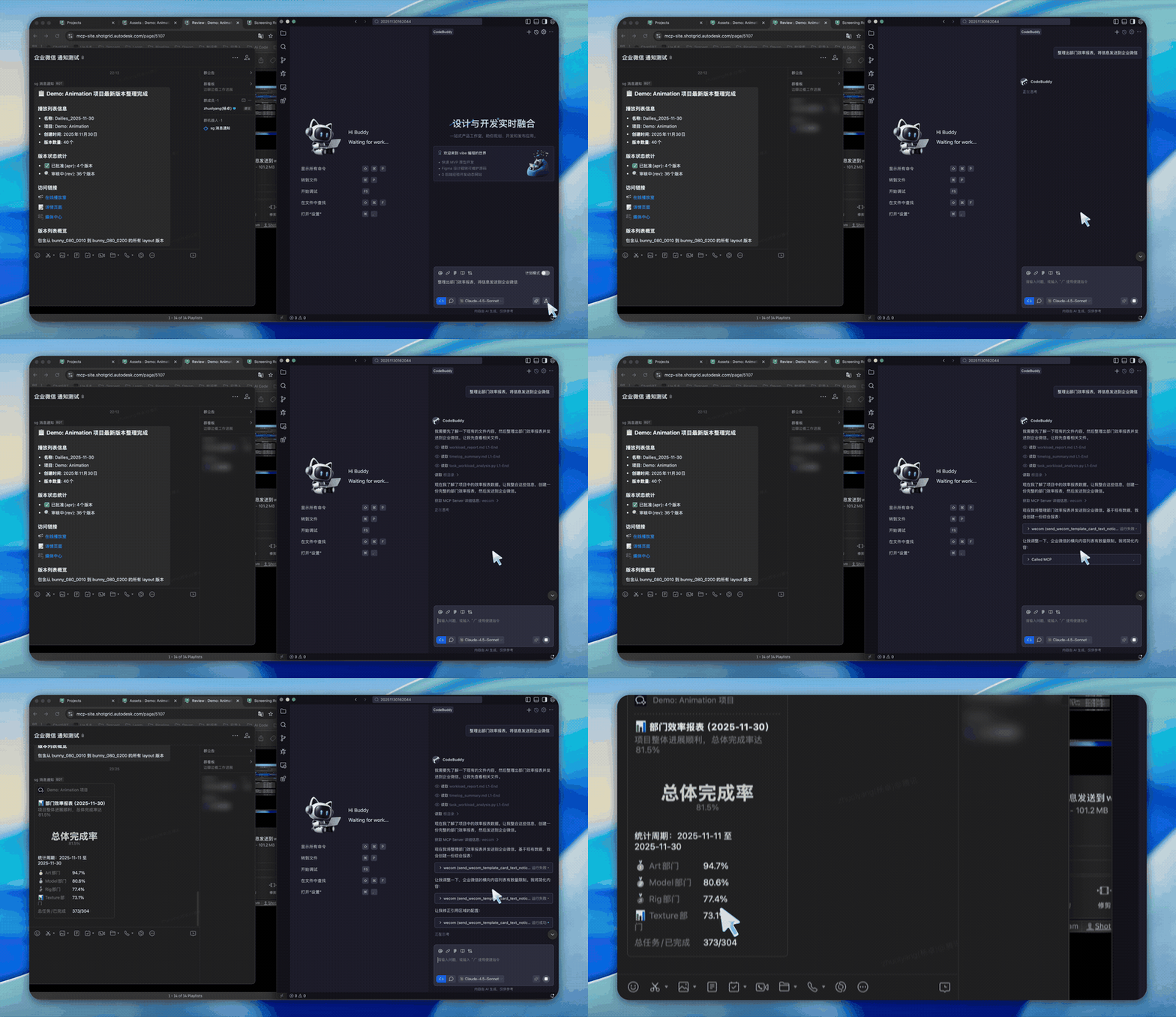
Prompt: Calculate department efficiency and send the data to WeCom. Efficiency formula: Efficiency = Task bid / Timelog hours
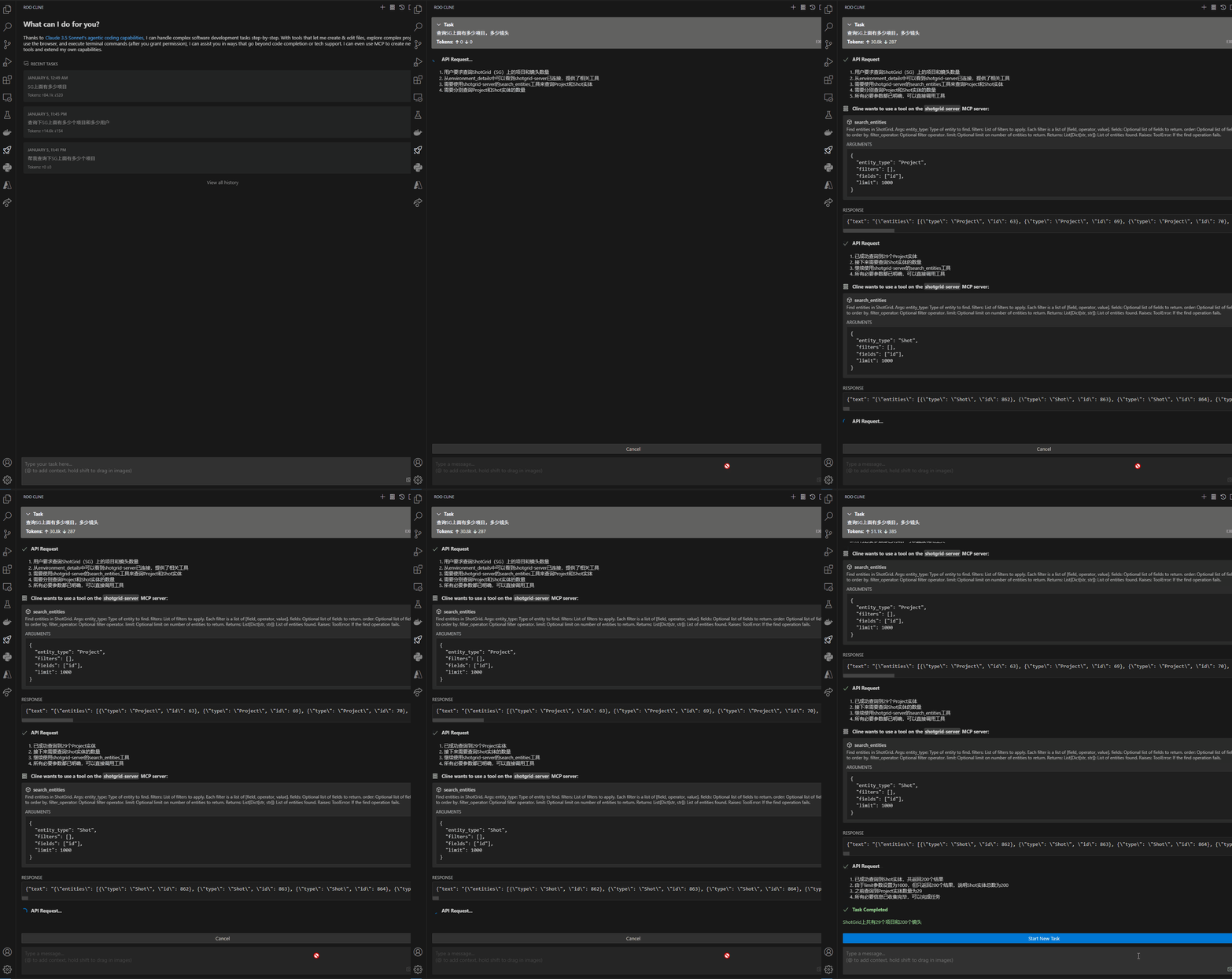
| Category | Highlights |
|---|---|
| 40+ Tools | Complete CRUD operations, batch processing, thumbnails, notes, playlists |
| Transport | stdio (local), HTTP (remote), ASGI (production) |
| Performance | Connection pooling, schema caching, lazy initialization |
| Skills | Bundled Agent Skills over MCP (io.modelcontextprotocol/skills) |
| Deployment | FastMCP Cloud, Docker, uvicorn/gunicorn, any ASGI server |
| Platform | Windows, macOS, Linux |
# Using uv (recommended)
uv pip install shotgrid-mcp-server

# Or using pip
pip install shotgrid-mcp-server
Set your ShotGrid credentials:
export SHOTGRID_URL="https://your-site.shotgunstudio.com"
export SHOTGRID_SCRIPT_NAME="your_script_name"
export SHOTGRID_SCRIPT_KEY="your_script_key"
uvx shotgrid-mcp-server
uvx shotgrid-mcp-server http --host 0.0.0.0 --port 8000
Add the server to your MCP client configuration:
{
  "mcpServers": {
    "shotgrid": {
      "command": "uvx",
      "args": ["shotgrid-mcp-server"],
      "env": {
        "SHOTGRID_URL": "https://your-site.shotgunstudio.com",
        "SHOTGRID_SCRIPT_NAME": "your_script_name",
        "SHOTGRID_SCRIPT_KEY": "your_script_key"
      }
    }
  }
}
{
  "mcpServers": {
    "shotgrid": {
      "command": "uvx",
      "args": ["shotgrid-mcp-server"],
      "env": {
        "SHOTGRID_URL": "https://your-site.shotgunstudio.com",
        "SHOTGRID_SCRIPT_NAME": "your_script_name",
        "SHOTGRID_SCRIPT_KEY": "your_script_key"
      }
    }
  }
}
{
  "mcpServers": {
    "shotgrid": {
      "type": "http",
      "url": "http://your-server:8000/mcp"
    }
  }
}
| Method | Command / Setup |
|---|---|
| FastMCP Cloud | Deploy via fastmcp.cloud with fastmcp_entry.py |
| ASGI | uvicorn shotgrid_mcp_server.asgi:app --host 0.0.0.0 --port 8000 |
| Docker | See Deployment Guide |
See the Deployment Guide for detailed instructions.
This server provides 40+ tools for interacting with ShotGrid:
| Category | Tools |
|---|---|
| CRUD | create_entity, find_one_entity, search_entities, update_entity, delete_entity |
| Batch | batch_create, batch_update, batch_delete |
| Media | download_thumbnail, upload_thumbnail |
| Notes | shotgrid.note.create, shotgrid.note.read, shotgrid.note.update |
| Playlists | create_playlist, find_playlists |
| MCP Apps | shotgrid_dashboard (interactive status dashboard) |
| Direct API | sg.find, sg.create, sg.update, sg.batch, and more... |
shotgrid_dashboard is an MCP App: it returns data and an interactive UI. The tool advertises ui://shotgrid/dashboard in its _meta.ui.resourceUri, and the host renders that resource in a sandboxed iframe.
Hosts without MCP Apps support automatically receive the same summary as plain text.
The UI is bundled into a single self-contained HTML file, so no Node runtime is needed in production. See the MCP Apps guide for the wire format and rebuild instructions.
python scripts/verify_mcp_app.py
Once connected, you can ask your AI assistant:
# Clone and install
git clone https://github.com/loonghao/shotgrid-mcp-server.git
cd shotgrid-mcp-server
pip install -r requirements-dev.txt

# Run tests
nox -s tests

# Development server with hot reload
uv run fastmcp dev src/shotgrid_mcp_server/server.py:mcp

# Verify the Skills extension against a live HTTP server
uv run python scripts/verify_skills_extension.py
See the /docs directory for detailed documentation.
Contributions welcome! Please follow the Google Python Style Guide, write tests, and use Conventional Commits — commit messages drive versioning and the changelog. See RELEASE.md for how releases are cut.
flowchart TB
    subgraph Clients["🤖 MCP Clients"]
        direction LR
        CLAUDE["Claude Desktop"]
        CURSOR["Cursor"]
        VSCODE["VS Code"]
        AI["Other AI"]
    end

    subgraph MCP["⚡ ShotGrid MCP Server"]
        direction LR
        TOOLS["40+ Tools"]
        POOL["Connection Pool"]
        SCHEMA["Schema Cache"]
    end

    subgraph ShotGrid["🎬 ShotGrid API"]
        direction LR
        P["Projects"]
        S["Shots"]
        A["Assets"]
        T["Tasks"]
        N["Notes"]
    end

    Clients -->|"MCP Protocol<br/>stdio / http"| MCP
    MCP -->|"REST API"| ShotGrid

    style Clients fill:#2ecc71,stroke:#27ae60,color:#fff
    style MCP fill:#3498db,stroke:#2980b9,color:#fff
    style ShotGrid fill:#e74c3c,stroke:#c0392b,color:#fff
Claim this server with your GitHub account to request manual ownership verification.
Link to the catalog listing for ShotGrid MCP Server from your README. This badge does not certify ownership, compatibility or security.
[](https://awesome-mcp.com/servers/shotgrid-mcp-server)Public repository statistics could not be verified. Check the configured source address; unavailable counts are not zero.
来源、范围和时段分别列出;不相加,不代表安装人数、活跃用户或安全审核。
尚无已审核的包 / 镜像标识,暂不展示下载统计。
Alternative and complementary servers in the same category
Oleafly is a live collaborative LaTeX, Typst and Markdown editor for research that offers a local MCP server and an oleafly mcp stdio command so outside AI clients can use its project tools.
Buddy is an Android app that offers its phone tools through a local MCP server to Claude Code, Codex, OpenCode, Antigravity, and Grok sessions.

Tuqui is a hosted MCP server that connects Odoo with Claude and ChatGPT so users can ask about sales, stock, customers and overdue invoices in plain language.
