

A directory listing describing a cancellation-letter and mailing-address service. The configured public GitHub repository returned 404 during source verification.
Repository stats unavailable
Developer Tools
A Model Context Protocol server that lets AI assistants access and manage Storyblok spaces, stories, components, assets, workflows and other resources.
Storyblok MCP Server is cataloged as an MCP server attributed to kiran1689. A Model Context Protocol server that lets AI assistants access and manage Storyblok spaces, stories, components, assets, workflows and other resources. It is categorized under developer tools. See the capability inspector for recorded interfaces and their independent review status; consult upstream documentation for the current interface.
Installation configuration is not reviewed. No executable setup is offered for this entry; inspect the source repository before proceeding.
Catalog license label: MIT License. Check the source repository's current license and terms before using, modifying or distributing this software.
能力定义尚未审核。未核验的采集内容不会作为可信接口展示。
暂无可展示的已审核记录。这不表示上游不支持此能力。
暂无可展示的已审核记录。这不表示上游不支持此能力。
暂无可展示的已审核记录。这不表示上游不支持此能力。
Email delivery is not connected. This page does not collect email addresses or create subscriptions.
Browse the registry for current listings instead.
Reviews for Storyblok MCP Server are not available yet
Review publishing and storage are not connected. This page does not collect or publish ratings or comments, including after sign-in.
It is configured with a Storyblok space ID, a management token and a default public token through environment variables.
It is built with Python using httpx and FastMCP, with each Storyblok resource managed by its own tool module.
README.md · 704df7f98d5a · 采集于 2026-11-13 11:21:05 UTC
保留上游原文,不做 AI 改写。为安全起见过滤脚本、表单和不安全链接。
当前显示最后一次成功采集的文档快照,请以来源页面为准。

The Storyblok MCP (Model Context Protocol) server enables your AI assistants to directly access and manage your Storyblok spaces, stories, components, assets, workflows, and more.




With the Storyblok MCP Server, your AI assistant can:
httpx and FastMCP for high performance..env.├── config.py # Loads and validates environment config
├── server.py # Main entrypoint, registers all tools
├── tools/ # All modular tool implementations
│ ├── components.py # Component CRUD and usage
│ ├── stories.py # Story CRUD, bulk ops, validation
│ ├── ... # (assets, tags, releases, workflows, etc.)
│ └── meta.py # Meta tool for tool discovery
├── utils/
│ └── api.py # API helpers, error handling, URL builders
├── .env # Your Storyblok tokens and space ID
├── pyproject.toml # Python dependencies
└── README.md # This file
| Resource | Description |
|---|---|
| Access Tokens | Manage access tokens for Storyblok API |
| Activities | Manage or retrieve activity logs |
| Approvals | Manage approval workflows |
| Assets | Manage assets (upload, update, delete, list) |
| Assets Folder | Manage asset folders |
| Branch Deployments | Manage branch deployments |
| Collaborators | Manage collaborators in a space |
| Components | Manage Storyblok components (CRUD, schema, etc.) |
| Components Folder | Manage folders for components |
| Datasource Entries | Manage entries in data sources |
| Data Sources | Manage data sources (CRUD, entries) |
| Discussions | Manage discussions and comments |
| Extensions | Manage Storyblok extensions |
| Field Plugins | Manage custom field plugins |
| Internal Tags | Manage internal tags for assets/stories |
| Meta | Meta tool: discover all available tools |
| Ping | Health check and server status |
| Pipelines | Manage pipelines for content delivery |
| Presets | Manage field presets for components |
| Releases | Manage releases (create, update, publish) |
| Scheduling Stories | Schedule stories for publishing |
| Space | Manage Storyblok space settings and info |
| Space Roles | Manage roles and permissions in a space |
| Stories | Manage stories (CRUD, bulk ops, validation) |
| Tags | Manage tags (CRUD, bulk association) |
| Tasks | Manage tasks (CRUD, webhooks, automation) |
| Webhooks | Manage webhooks (CRUD, trigger) |
| Workflows | Manage workflows and workflow stages |
| Workflow Stage | Manage individual workflow stages |
| Workflow Stage Changes | Track and manage workflow stage changes |
retrieve_multiple_access_tokens: List all access tokenscreate_access_token: Create a new access tokenupdate_access_token: Update an existing access tokendelete_access_token: Delete an access tokenretrieve_multiple_activities: List activity logsretrieve_multiple_approvals: List approvalscreate_approval: Create a new approvalupdate_approval: Update an approvaldelete_approval: Delete an approvalfetch_assets: List assets with filteringget_asset: Get a specific asset by IDdelete_asset: Delete an assetupdate_asset: Update an assetdelete_multiple_assets: Delete multiple assetsbulk_move_assets: Move multiple assetsbulk_restore_assets: Restore multiple assetsinit_asset_upload: Initialize asset uploadcomplete_asset_upload: Complete asset uploadretrieve_multiple_asset_folders: List asset folderscreate_asset_folder: Create a new asset folderupdate_asset_folder: Update an asset folderdelete_asset_folder: Delete an asset folderretrieve_multiple_branch_deployments: List branch deploymentscreate_branch_deployment: Create a new branch deploymentupdate_branch_deployment: Update a branch deploymentdelete_branch_deployment: Delete a branch deploymentretrieve_multiple_collaborators: List collaboratorsadd_collaborator: Add a collaboratorupdate_collaborator: Update a collaboratorremove_collaborator: Remove a collaboratorfetch_components: List components with filteringget_component: Get a specific component by IDcreate_component: Create a new componentupdate_component: Update an existing componentdelete_component: Delete a componentget_component_usage: Find stories using a componentretrieve_component_versions: List versions of a componentretrieve_single_component_version: Get a specific component versionrestore_component_version: Restore a component to a previous versionretrieve_multiple_component_folders: List component folderscreate_component_folder: Create a new component folderupdate_component_folder: Update a component folderdelete_component_folder: Delete a component folderretrieve_multiple_datasource_entries: List datasource entriescreate_datasource_entry: Create a new datasource entryupdate_datasource_entry: Update a datasource entrydelete_datasource_entry: Delete a datasource entryretrieve_multiple_data_sources: List data sourcescreate_data_source: Create a new data sourceupdate_data_source: Update a data sourcedelete_data_source: Delete a data sourceretrieve_multiple_discussions: List discussionsretrieve_specific_discussion: Get a specific discussionretrieve_idea_discussions_comments: List idea discussion commentscreate_discussion: Create a new discussionretrieve_my_discussions: List my discussionsretrieve_all_extensions: List all extensionsretrieve_extension: Get a specific extensioncreate_extension: Create a new extensionupdate_extension: Update an extensiondelete_extension: Delete an extensionretrieve_extension_settings: Get extension settingsretrieve_all_extension_settings: List all extension settingsretrieve_field_plugins: List field pluginsretrieve_field_plugin: Get a specific field plugincreate_field_plugin: Create a new field pluginupdate_field_plugin: Update a field plugindelete_field_plugin: Delete a field pluginretrieve_multiple_internal_tags: List internal tagscreate_internal_tag: Create a new internal tagupdate_internal_tag: Update an internal tagdelete_internal_tag: Delete an internal taglist_tools: List all available toolsping: Check server healthretrieve_multiple_branches: List branchesretrieve_single_branch: Get a specific branchcreate_branch: Create a new branchupdate_branch: Update a branchdelete_branch: Delete a branchretrieve_multiple_presets: List field presetsretrieve_single_preset: Get a specific presetcreate_preset: Create a new presetupdate_preset: Update a presetdelete_preset: Delete a presetretrieve_multiple_releases: List releasesretrieve_single_release: Get a specific releasecreate_release: Create a new releaseupdate_release: Update a releasedelete_release: Delete a releaseretrieve_multiple_story_schedules: List story schedulesretrieve_one_story_schedule: Get a specific story schedulecreate_story_schedule: Create a new story scheduleupdate_story_schedule: Update a story scheduledelete_story_schedule: Delete a story schedulefetch_spaces: List spacesget_space: Get a specific spacecreate_space: Create a new spaceupdate_space: Update a spaceduplicate_space: Duplicate a spacebackup_space: Backup a spacedelete_space: Delete a spacefetch_space_roles: List space rolesget_space_role: Get a specific space rolecreate_space_role: Create a new space roleupdate_space_role: Update a space roledelete_space_role: Delete a space rolefetch_stories: List stories with filteringget_story: Get a specific story by IDcreate_story: Create a new storyupdate_story: Update an existing storydelete_story: Delete a storypublish_story: Publish a storyunpublish_story: Unpublish a storyget_story_versions: List versions of a storyrestore_story: Restore a story to a previous versionvalidate_story_content: Validate story contentdebug_story_access: Debug access for a storybulk_publish_stories: Publish multiple storiesbulk_delete_stories: Delete multiple storiesbulk_update_stories: Update multiple storiesbulk_create_stories: Create multiple storiesget_unpublished_dependencies: List unpublished dependenciesai_translate_story: AI-powered translation for a storycompare_story_versions: Compare two versions of a storyretrieve_multiple_tags: List tagscreate_tag: Create a new tagupdate_tag: Update a tagdelete_tag: Delete a tagtag_bulk_association: Add tags to multiple storiesretrieve_multiple_tasks: List tasksretrieve_single_task: Get a specific taskcreate_task: Create a new taskupdate_task: Update a taskdelete_task: Delete a taskretrieve_multiple_webhooks: List webhooksretrieve_single_webhook: Get a specific webhookadd_webhook: Add a new webhookupdate_webhook: Update a webhookdelete_webhook: Delete a webhookretrieve_multiple_workflows: List workflowsretrieve_single_workflow: Get a specific workflowcreate_workflow: Create a new workflowupdate_workflow: Update a workflowduplicate_workflow: Duplicate a workflowdelete_workflow: Delete a workflowretrieve_multiple_workflow_stages: List workflow stagesretrieve_single_workflow_stage: Get a specific workflow stagecreate_workflow_stage: Create a new workflow stageupdate_workflow_stage: Update a workflow stagedelete_workflow_stage: Delete a workflow stageretrieve_multiple_workflow_stage_changes: List workflow stage changescreate_workflow_stage_change: Create a workflow stage changeClone the repo
git clone <your-repo-url>
cd storyblok-mcp-server
Install dependencies
pip install -r requirements.txt
Configure your environment
.env.example to .env and fill in your Storyblok credentials:
STORYBLOK_SPACE_ID=your_space_id
STORYBLOK_MANAGEMENT_TOKEN=your_management_token
STORYBLOK_DEFAULT_PUBLIC_TOKEN=your_public_token
MCP Client Configuration
claude_desktop_config.json:{
"mcpServers": {
"storyblok": {
"command": "uv",
"args": [
"run",
"--with",
"mcp",
"mcp",
"run",
"C:\\path\\to\\storyblok-mcp-server\\server.py"
],
"env": {
"STORYBLOK_SPACE_ID": "your_space_id",
"STORYBLOK_MANAGEMENT_TOKEN": "your_management_token",
"STORYBLOK_DEFAULT_PUBLIC_TOKEN": "your_public_token"
}
}
}
}
[!NOTE] Make sure you have installed
uvon your system
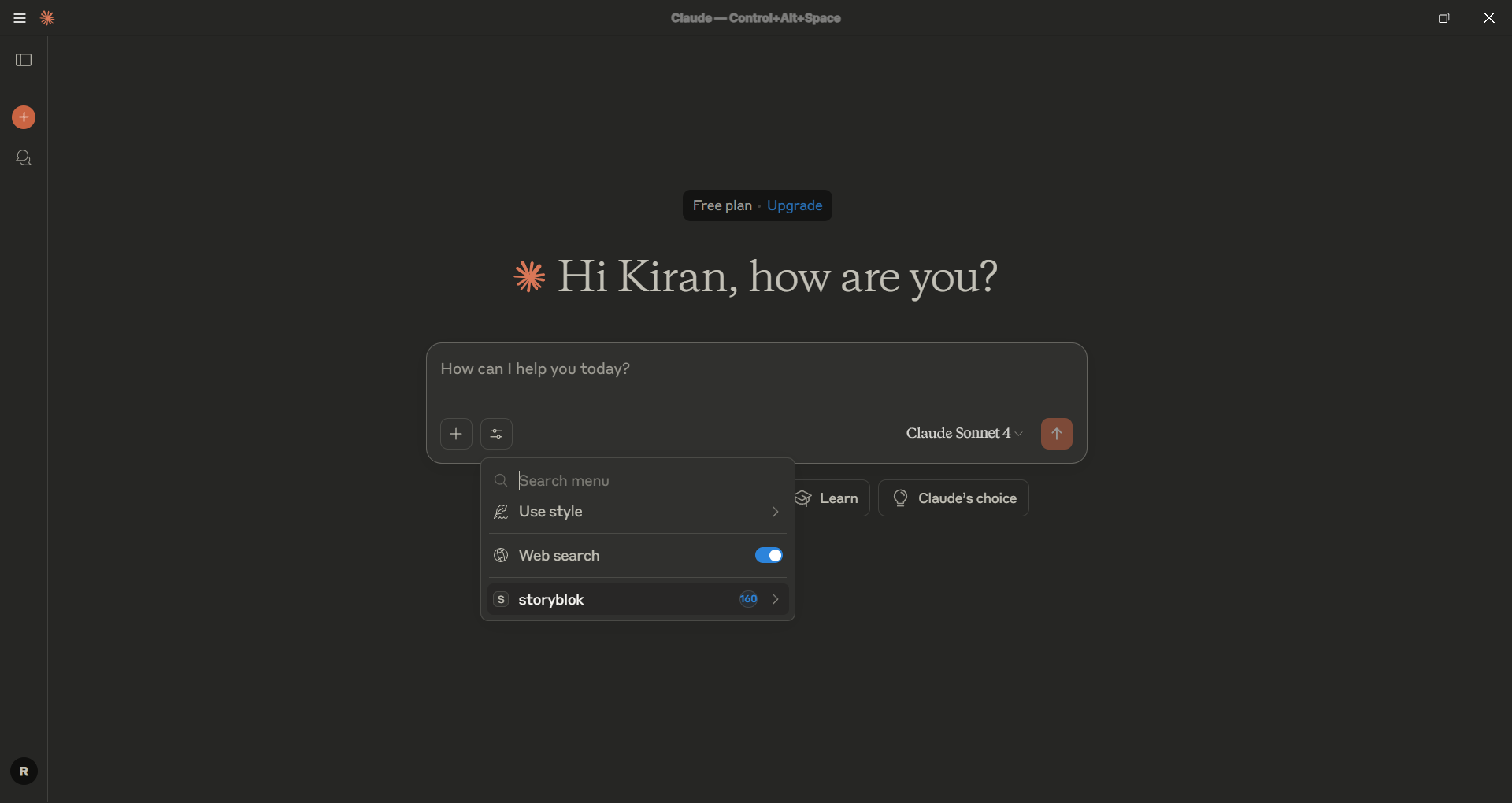
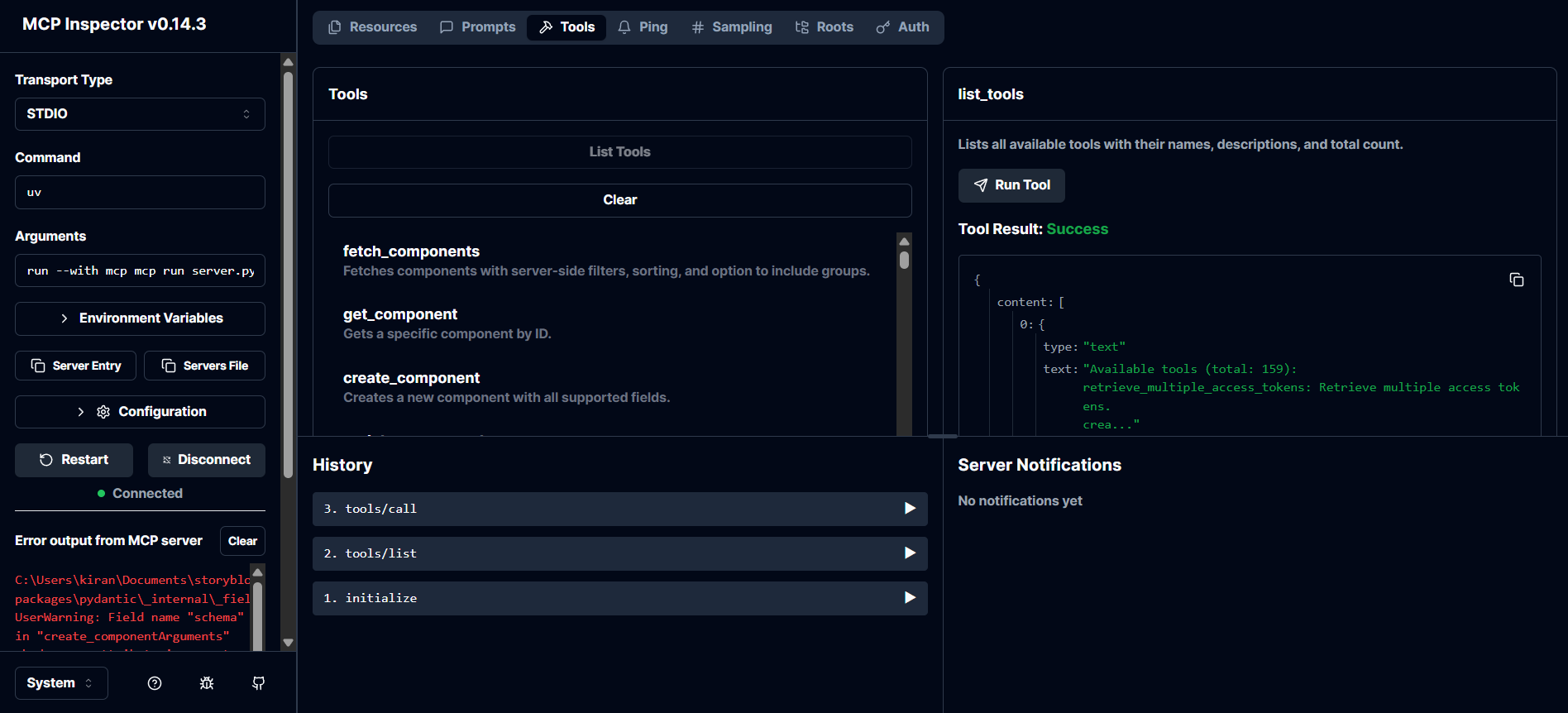
Restart your Claude Desktop and chek the tools. It will show total number tools available if you connected successfully.
mcp run server.py
[!TIP] Here are some natural language queries you can try with your MCP Client.
We welcome contributions! To get started:
master.tools/ directory..env file out of version control.Built with Storyblok and FastMCP.
MIT License. See LICENSE for details.
Built with 💙 by Kiran
Claim this server with your GitHub account to request manual ownership verification.
Link to the catalog listing for Storyblok MCP Server from your README. This badge does not certify ownership, compatibility or security.
[](https://awesome-mcp.com/servers/storyblok-mcp-server)Public repository statistics could not be verified. Check the configured source address; unavailable counts are not zero.
来源、范围和时段分别列出;不相加,不代表安装人数、活跃用户或安全审核。
尚无已审核的包 / 镜像标识,暂不展示下载统计。
Alternative and complementary servers in the same category
A directory listing describing a cancellation-letter and mailing-address service. The configured public GitHub repository returned 404 during source verification.

A hosted MCP service for browsing and searching through Singapore mobile-network proxies.

A directory listing describing a Markdown-to-PDF service. The configured public GitHub repository returned 404 during source verification.