

Oleafly is a live collaborative LaTeX, Typst and Markdown editor for research that offers a local MCP server and an oleafly mcp stdio command so outside AI clients can use its project tools.
Repository stats unavailable
Productivity & Ops
An MCP server that exposes Tomba.io email discovery, verification, enrichment, phone, and domain intelligence capabilities through a standardized interface.
Tomba.io MCP Server is cataloged as an MCP server attributed to tomba-io. An MCP server that exposes Tomba.io email discovery, verification, enrichment, phone, and domain intelligence capabilities through a standardized interface. It is categorized under productivity work. See the capability inspector for recorded interfaces and their independent review status; consult upstream documentation for the current interface.
Installation configuration is not reviewed. No executable setup is offered for this entry; inspect the source repository before proceeding.
Catalog license label: Not specified. Check the source repository's current license and terms before using, modifying or distributing this software.
能力定义尚未审核。未核验的采集内容不会作为可信接口展示。
暂无可展示的已审核记录。这不表示上游不支持此能力。
暂无可展示的已审核记录。这不表示上游不支持此能力。
暂无可展示的已审核记录。这不表示上游不支持此能力。
Email delivery is not connected. This page does not collect email addresses or create subscriptions.
Browse the registry for current listings instead.
Reviews for Tomba.io MCP Server are not available yet
Review publishing and storage are not connected. This page does not collect or publish ratings or comments, including after sign-in.
It supports stdio, used by default for Claude Desktop, and an HTTP server with REST endpoints.
Filters include location, industry, company type, size, revenue, founding year, keywords, SIC and NAICS codes, and similar domains.
README.md · e492c111f6da · 采集于 2026-11-13 11:22:53 UTC
保留上游原文,不做 AI 改写。为安全起见过滤脚本、表单和不安全链接。
当前显示最后一次成功采集的文档快照,请以来源页面为准。
 Tomba.io MCP Server
A Model Context Protocol (MCP) server for integrating with the Tomba.io API. This server provides comprehensive email discovery, verification, and enrichment capabilities through a standardized MCP interface.
tomba://api/status - API status and account infotomba://domain/{domain} - Domain informationtomba://email/{email} - Email informationtomba://similar/{domain} - Similar domains analysistomba://technology/{domain} - Technology stack informationtomba://docs/api - API documentationtomba://docs/tools - Tools documentation| Filter | Available Values |
|---|---|
| Size | 1-10 (Micro), 11-50 (Small), 51-250 (Mid-sized), 251-1K (Medium-large), 1K-5K (Large), 5K-10K (Very large), 10K-50K (Enterprise), 50K-100K (Massive), 100K+ (Global) |
| Type | education, government, nonprofit, private, public, personal |
| Revenue | $0-$1M, $1M-$10M, $10M-$50M, $50M-$100M, $100M-$250M, $250M-$500M, $500M-$1B, $1B-$10B, $10B+ |
| Industry | Based on LinkedIn Industry Codes V2 (140+ industries including Computer Software, Financial Services, Hospital & Health Care, etc.) |
All API calls have a 120-second timeout. Tomba searches run in real time against live infrastructure — response times vary with the target company's SMTP server speed, website responsiveness, and the depth of catch-all detection.
All API calls automatically retry up to 3 times with exponential backoff on:
429 Too Many Requests (rate limit exceeded)5xx server errorsRetry delays: 1s → 2s → 4s.
Rate limits are enforced per endpoint and per plan:
| Plan | Per Second | Per Minute | Per Day |
|---|---|---|---|
| Free | 1 | 2 | 5 |
| Basic | 3 | 50 | 500 |
| Growth | 5 | 80 | 1,000 |
| Pro | 8 | 150 | 4,000 |
| 50,000+ plans | Unlimited | Unlimited | Unlimited |
No credits are charged when Tomba cannot provide a result. Duplicate requests within 30 days are not counted again.
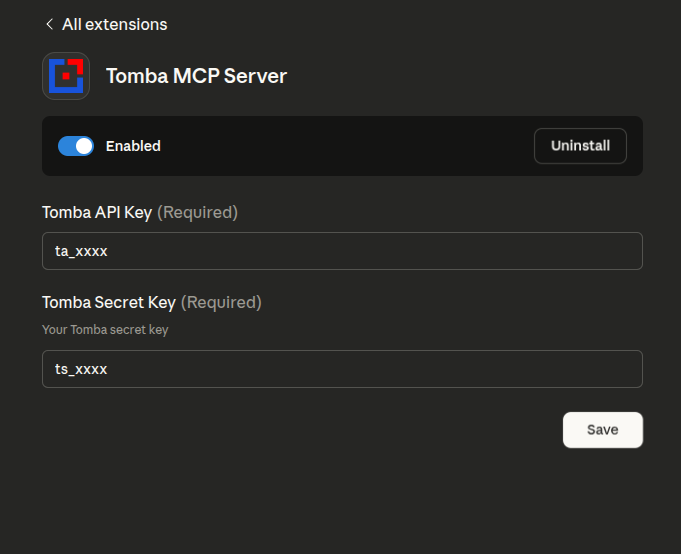
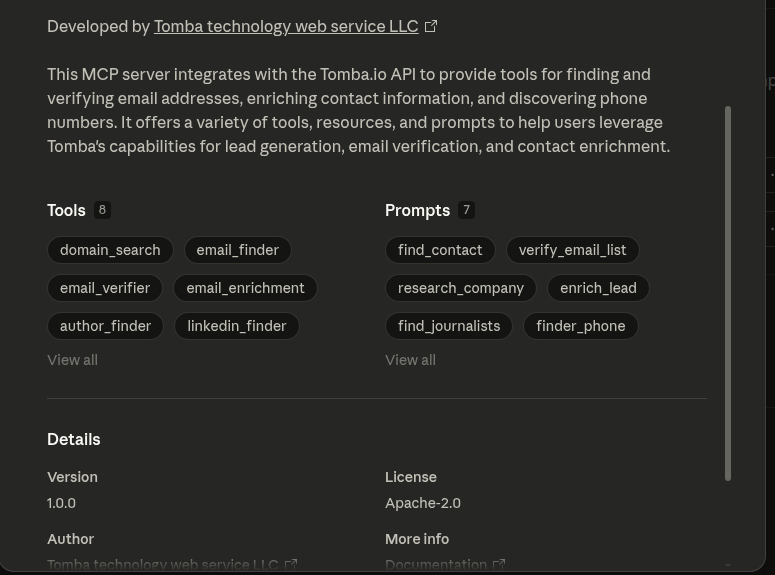
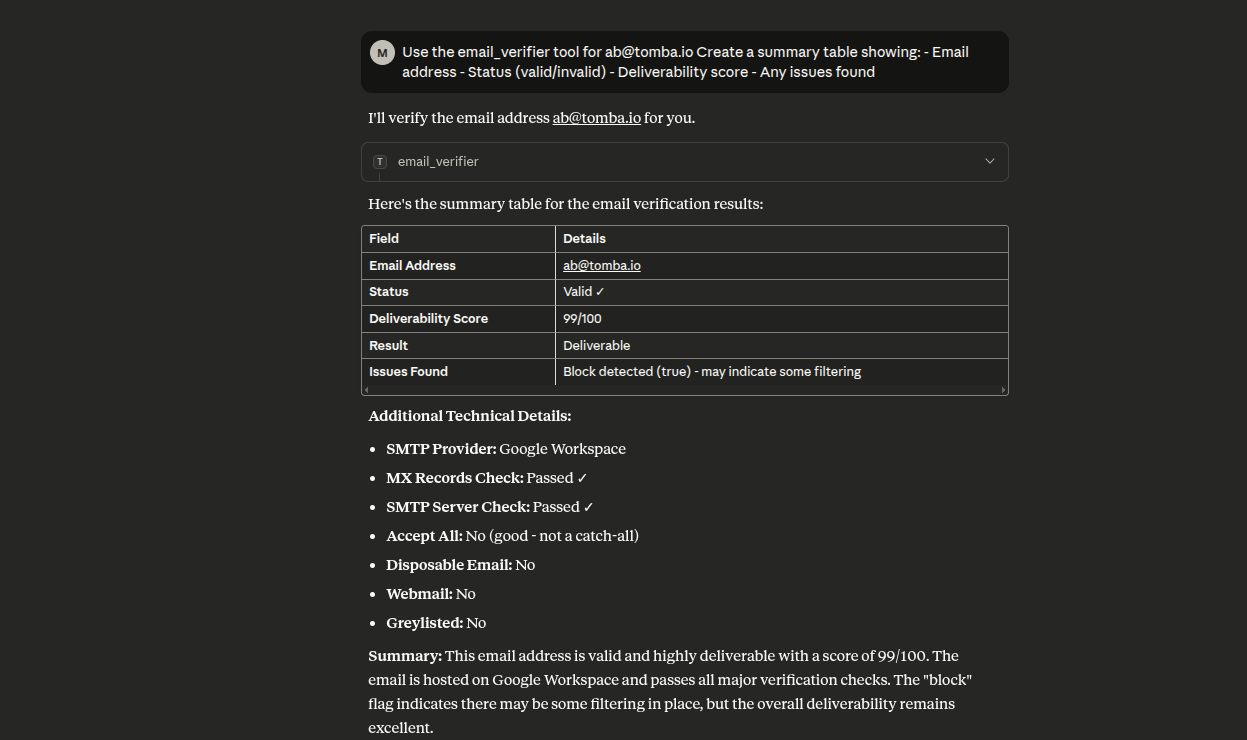
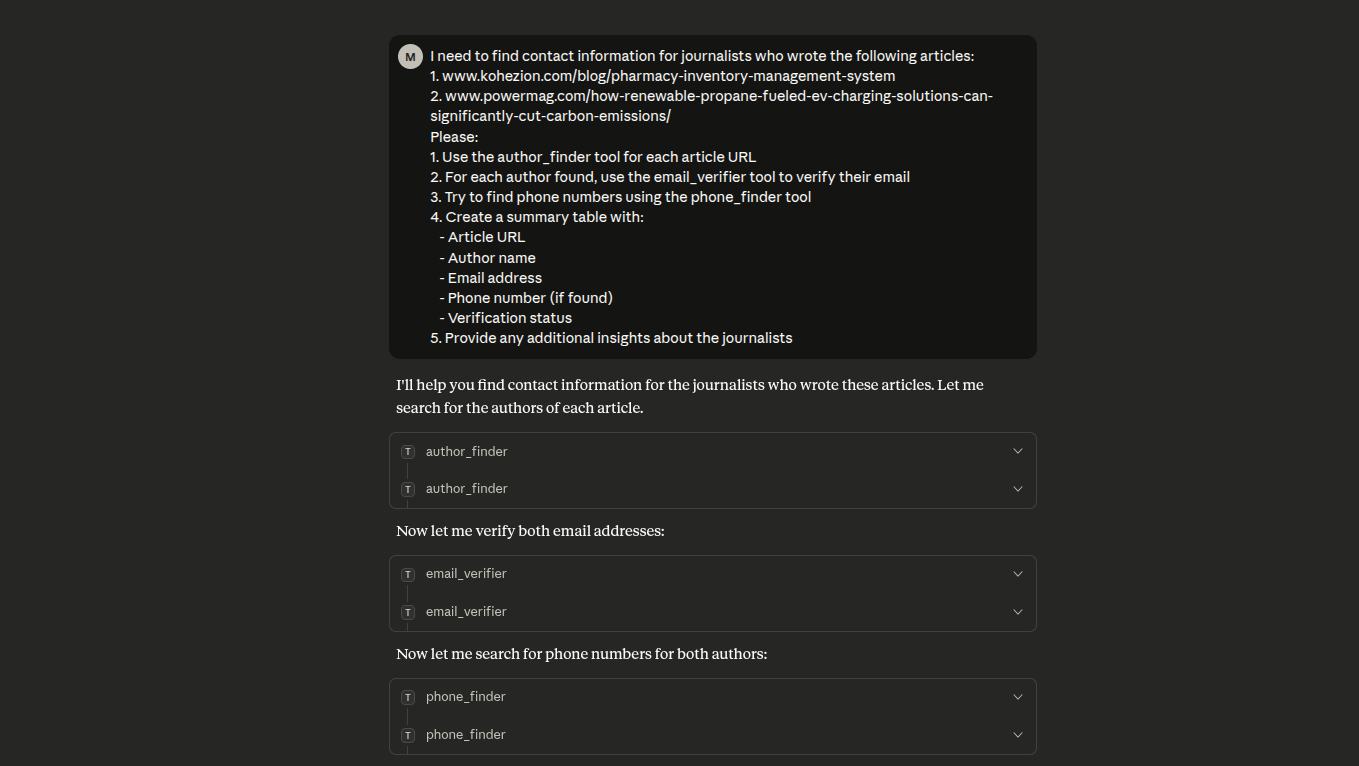
Note: The npm package has been renamed from
tomba-mcp-serverto@tomba-io/tomba-mcp-server. Please update your configurations accordingly.
The easiest way to use the Tomba MCP server is via npx, which doesn't require cloning the repository:
Add to your claude_desktop_config.json (~/Library/Application Support/Claude/claude_desktop_config.json):
{
    "mcpServers": {
        "tomba": {
            "command": "npx",
            "args": ["-y", "@tomba-io/tomba-mcp-server"],
            "env": {
                "TOMBA_API_KEY": "your-api-key-here",
                "TOMBA_SECRET_KEY": "your-secret-key-here"
            }
        }
    }
}
Add to your claude_desktop_config.json (%APPDATA%\Claude\claude_desktop_config.json):
{
    "mcpServers": {
        "tomba": {
            "command": "npx",
            "args": ["-y", "@tomba-io/tomba-mcp-server"],
            "env": {
                "TOMBA_API_KEY": "your-api-key-here",
                "TOMBA_SECRET_KEY": "your-secret-key-here"
            }
        }
    }
}
Note: The -y flag automatically accepts the installation prompt, and npx will always fetch the latest version.
If you want to modify the server or contribute to development:
# Clone the repository
git clone https://github.com/tomba-io/tomba-mcp-server.git
cd tomba-mcp-server

# Install dependencies
yarn install

# Build the project
yarn build
This repository includes workspace-local skills in skills/. The Cursor plugin (.cursor-plugin/plugin.json) loads them as well.
skills/tomba-contact-intelligence/SKILL.md is the main skill. It helps the agent pick the right Tomba MCP tools for contact discovery, company research, email verification, phone lookup, and prospect enrichment workflows.
Each MCP tool also has its own skill folder, skills/tomba-<tool-name>/SKILL.md. Each one covers the tool's inputs, workflow, expected output, and an example call:
To use it:
skills/tomba-* directories you need into your OpenClaw skills directory.Example prompts:
This repository is also a Claude Code plugin marketplace (.claude-plugin/). The plugin bundles every skill in skills/ and connects to the hosted MCP server at https://mcp.tomba.io/mcp:
/plugin marketplace add tomba-io/tomba-mcp-server
/plugin install tomba@tomba
Then run /mcp and authenticate the tomba server with OAuth. No API keys are needed. Plugin skills are namespaced, for example /tomba:tomba-domain-search zapier.com.
.codex-plugin/plugin.json packages the same skills for OpenAI Codex. It loads the remote server from .mcp.json. After installing the plugin, sign in with OAuth:
codex mcp login tomba
To use API keys instead of OAuth, send the X-Tomba-Key and X-Tomba-Secret headers, or Authorization: Bearer <base64(ta_key:ts_secret)>, to https://mcp.tomba.io/mcp.
To use this server with Claude Desktop, add the configuration to your claude_desktop_config.json file.
This method automatically uses the latest published version:
macOS/Linux (~/Library/Application Support/Claude/claude_desktop_config.json):
{
    "mcpServers": {
        "tomba": {
            "command": "npx",
            "args": ["-y", "@tomba-io/tomba-mcp-server"],
            "env": {
                "TOMBA_API_KEY": "your-api-key-here",
                "TOMBA_SECRET_KEY": "your-secret-key-here"
            }
        }
    }
}
Windows (%APPDATA%\Claude\claude_desktop_config.json):
{
    "mcpServers": {
        "tomba": {
            "command": "npx",
            "args": ["-y", "@tomba-io/tomba-mcp-server"],
            "env": {
                "TOMBA_API_KEY": "your-api-key-here",
                "TOMBA_SECRET_KEY": "your-secret-key-here"
            }
        }
    }
}
If you've built from source, use the absolute path to your installation:
macOS/Linux:
{
    "mcpServers": {
        "tomba": {
            "command": "node",
            "args": ["/ABSOLUTE/PATH/TO/tomba-mcp-server/server/index.js"],
            "env": {
                "TOMBA_API_KEY": "your-api-key-here",
                "TOMBA_SECRET_KEY": "your-secret-key-here"
            }
        }
    }
}
Windows:
{
    "mcpServers": {
        "tomba": {
            "command": "node",
            "args": [
                "C:\\ABSOLUTE\\PATH\\TO\\tomba-mcp-server\\server\\index.js"
            ],
            "env": {
                "TOMBA_API_KEY": "your-api-key-here",
                "TOMBA_SECRET_KEY": "your-secret-key-here"
            }
        }
    }
}
Important Notes:
your-api-key-here and your-secret-key-here with your actual Tomba API credentials/ABSOLUTE/PATH/TO/tomba-mcp-server with the full path to your installation directoryFor HTTP transport with npx:
{
    "mcpServers": {
        "tomba": {
            "command": "npx",
            "args": [
                "-y",
                "@tomba-io/tomba-mcp-server",
                "--transport",
                "http",
                "--port",
                "3000"
            ],
            "env": {
                "TOMBA_API_KEY": "your-api-key-here",
                "TOMBA_SECRET_KEY": "your-secret-key-here"
            }
        }
    }
}
For HTTP transport with local installation:
{
    "mcpServers": {
        "tomba": {
            "command": "node",
            "args": [
                "/ABSOLUTE/PATH/TO/tomba-mcp-server/server/index.js",
                "--transport",
                "http",
                "--port",
                "3000"
            ],
            "env": {
                "TOMBA_API_KEY": "your-api-key-here",
                "TOMBA_SECRET_KEY": "your-secret-key-here"
            }
        }
    }
}
Usage: tomba-mcp-server [options]

Options:
  --transport <type>    Transport type: 'stdio' or 'http' (default: stdio)
  --port <number>       Port number for HTTP transport (default: 3000)
  --help                Show help message

Environment Variables:
  TOMBA_API_KEY         Your Tomba API key (required)
  TOMBA_SECRET_KEY      Your Tomba secret key (required)

Examples:
  # Run with stdio transport (default)
  node server/index.js

  # Run with HTTP transport on default port (3000)
  node server/index.js --transport http

  # Run with HTTP transport on custom port
  node server/index.js --transport http --port 8080
You can also run the server as a standalone HTTP service:
export TOMBA_API_KEY="your-api-key"
export TOMBA_SECRET_KEY="your-secret-key"
node server/index.js --transport http --port 3000
curl -X POST http://localhost:3000/mcp \
  -H "Content-Type: application/json" \
  -d '{
    "jsonrpc": "2.0",
    "method": "tools/call",
    "params": {
      "name": "email_finder",
      "arguments": {
        "domain": "stripe.com",
        "firstName": "Patrick",
        "lastName": "Collison"
      }
    },
    "id": 1
  }'
# Run in development mode
yarn dev

# Build the project
yarn build

# Run tests
yarn test

# Run tests in watch mode
yarn test:watch

# Run tests with coverage
yarn test:coverage

# Lint code
yarn lint

# Fix linting errors
yarn lint:fix
The easiest way to test and debug your MCP server:
# Build and launch MCP Inspector
yarn debug
This opens a web interface where you can:
# Debug TypeScript directly
yarn debug:dev

# Run integration tests
yarn test:integration

# Manual testing
yarn build
echo '{"jsonrpc":"2.0","id":1,"method":"tools/list"}' | node server/index.js
If using VS Code, use the included debug configurations:
See DEBUG_GUIDE.md for comprehensive debugging instructions.
Search for email addresses associated with a domain name.
{
    "name": "domain_search",
    "arguments": {
        "domain": "tomba.io",
        "limit": 10,
        "page": 1
    }
}
Response:
{
  "data": {
    "organization": {
      "website_url": "tomba.io",
      "organization": "Tomba technology web service LLC",
      "location": {
        "country": "US",
        "city": "Claymont",
        "state": "Delaware",
        "street_address": "1228 claymont",
        "postal_code": "19703"
      },
      "social_links": {
        "twitter_url": "https://twitter.com/tombaplatforum",
        "facebook_url": "https://www.facebook.com/tombaplatforum",
        "linkedin_url": "https://www.linkedin.com/company/tomba-io"
      },
      "disposable": false,
      "webmail": false,
      "phone_number": "(850) 790-5575",
      "industries": "Information Technology and Services",
      "founded": "2021",
      "company_size": "1-10",
      "company_type": "privately held",
      "revenue": "$0-$1M",
      "accept_all": false,
      "description": "the most powerful email-finding tool which is able to list all the email addresses of people who are working in a particular company.",
      "pattern": "{l}.{first}",
      "total_similar": 35,
      "keywords": [
        "lead generation software"
      ],
      "ranking": 661495,
      "whois": {
        "registrar_name": "namecheap, inc.",
        "created_date": "2020-07-07T20:54:07+02:00",
        "referral_url": "https://www.namecheap.com/"
      },
      "last_updated": "2025-09-06T00:22:01+02:00"
    },
    "emails": [
      {
        "email": "b.mohamed@tomba.io",
        "first_name": "Mohamed",
        "last_name": "Ben rebia",
        "full_name": "Mohamed Ben rebia",
        "gender": "male",
        "phone_number": false,
        "type": "personal",
        "country": "DZ",
        "position": "CEO",
        "department": "executive",
        "seniority": "senior",
        "twitter": null,
        "linkedin": "https://www.linkedin.com/in/mohamed-ben-rebia",
        "score": 100,
        "verification": {
          "date": "2025-09-22T00:00:00+02:00",
          "status": "valid"
        },
        "sources": [
          {
            "uri": "https://github.com/tomba-io/generic-emails/blob/084fc1a63d3cdaf9a34f255bedc2baea49a8e8b9/src/lib/validation/hash.ts",
            "website_url": "github.com",
            "extracted_on": "2021-02-08T20:09:54+01:00",
            "last_seen_on": "2021-02-08T22:43:40+01:00",
            "still_on_page": true
          },
          ....
        ]
      },
      ...
      ...
      ...
      ...
      ...
    ]
  },
  "meta": {
    "total": 21,
    "pageSize": 10,
    "current": 1,
    "total_pages": 3,
    "params": {
      "domain": "tomba.io",
      "page": 1,
      "limit": 10,
      "department": null,
      "country": null,
      "type": "all",
      "live": false
    }
  }
}
Generate likely email addresses from domain, first name, and last name.
{
    "name": "email_finder",
    "arguments": {
        "domain": "example.com",
        "firstName": "John",
        "lastName": "Doe"
    }
}
Response:
{
    "data": {
        "email": "b.mohamed@tomba.io",
        "first_name": "Mohamed",
        "last_name": "Ben rebia",
        "full_name": "Mohamed Ben rebia",
        "website_url": "tomba.io",
        "company": "Tomba technology web service LLC",
        "position": "CEO",
        "country": "DZ",
        "gender": "male",
        "twitter": null,
        "linkedin": "https://www.linkedin.com/in/mohamed-ben-rebia",
        "score": 100,
        "accept_all": null,
        "phone_number": false,
        "verification": {
            "date": "2025-09-22T00:00:00+02:00",
            "status": "valid"
        },
        "sources": [
            {
                "uri": "https://github.com/tomba-io/generic-emails/blob/084fc1a63d3cdaf9a34f255bedc2baea49a8e8b9/src/lib/validation/hash.ts",
                "website_url": "github.com",
                "extracted_on": "2021-02-08T20:09:54+01:00",
                "last_seen_on": "2021-02-08T22:43:40+01:00",
                "still_on_page": true
            }
        ]
    }
}
Verify email address deliverability and check database presence.
{
    "name": "email_verifier",
    "arguments": {
        "email": "b.mohamed@tomba.io"
    }
}
Response:
{
    "data": {
        "email": {
            "email": "b.mohamed@tomba.io",
            "result": "deliverable",
            "status": "valid",
            "score": 99,
            "smtp_provider": "Google Workspace",
            "mx": {
                "records": [
                    "aspmx.l.google.com",
                    "alt2.aspmx.l.google.com",
                    "alt1.aspmx.l.google.com",
                    "alt4.aspmx.l.google.com",
                    "alt3.aspmx.l.google.com"
                ]
            },
            "mx_check": true,
            "smtp_server": true,
            "smtp_check": true,
            "accept_all": false,
            "greylisted": false,
            "block": true,
            "gibberish": false,
            "disposable": false,
            "webmail": false,
            "regex": true,
            "whois": {
                "registrar_name": "namecheap, inc.",
                "referral_url": "https://www.namecheap.com/",
                "created_date": "2020-07-07T20:54:07+02:00"
            }
        },
        "sources": [
            {
                "uri": "https://github.com/tomba-io/generic-emails/blob/084fc1a63d3cdaf9a34f255bedc2baea49a8e8b9/src/lib/validation/hash.ts",
                "website_url": "github.com",
                "extracted_on": "2021-02-08T20:09:54+01:00",
                "last_seen_on": "2021-02-08T22:43:40+01:00",
                "still_on_page": true
            }
        ]
    }
}
Enrich an email address with additional contact information.
{
    "name": "email_enrichment",
    "arguments": {
        "email": "b.mohamed@tomba.io"
    }
}
Response:
{
    "data": {
        "email": "b.mohamed@tomba.io",
        "first_name": "Mohamed",
        "last_name": "Ben rebia",
        "full_name": "Mohamed Ben rebia",
        "website_url": "tomba.io",
        "company": "Tomba technology web service LLC",
        "position": "CEO",
        "country": "DZ",
        "gender": "male",
        "twitter": null,
        "linkedin": "https://www.linkedin.com/in/mohamed-ben-rebia",
        "score": 100,
        "accept_all": null,
        "phone_number": false,
        "verification": {
            "date": "2025-09-22T00:00:00+02:00",
            "status": "valid"
        },
        "sources": [
            {
                "uri": "https://github.com/tomba-io/generic-emails/blob/084fc1a63d3cdaf9a34f255bedc2baea49a8e8b9/src/lib/validation/hash.ts",
                "website_url": "github.com",
                "extracted_on": "2021-02-08T20:09:54+01:00",
                "last_seen_on": "2021-02-08T22:43:40+01:00",
                "still_on_page": true
            }
        ]
    }
}
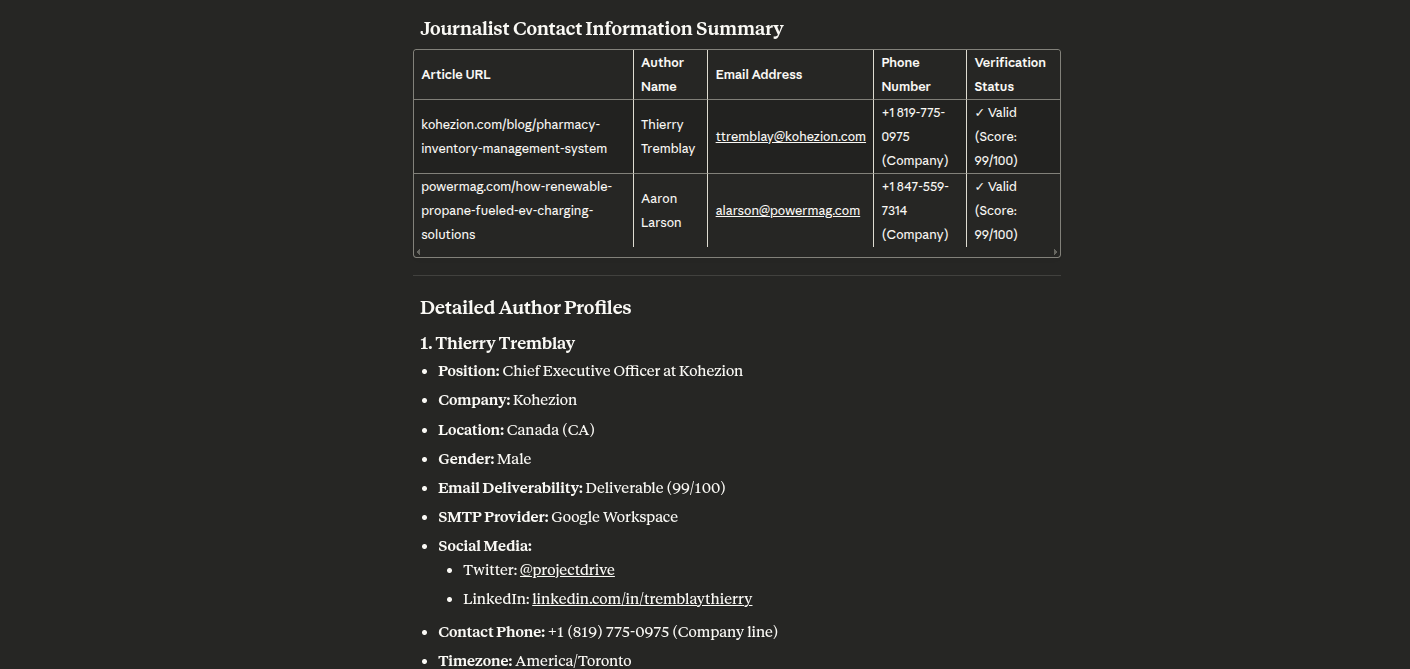
Find email addresses of article authors from a URL.
{
    "name": "author_finder",
    "arguments": {
        "url": "https://example.com/article"
    }
}
Response:
{
    "data": {
        "email": "b.mohamed@tomba.io",
        "first_name": "Mohamed",
        "last_name": "Ben rebia",
        "full_name": "Mohamed Ben rebia",
        "website_url": "tomba.io",
        "company": "Tomba technology web service LLC",
        "position": "CEO",
        "country": "DZ",
        "gender": "male",
        "twitter": null,
        "linkedin": "https://www.linkedin.com/in/mohamed-ben-rebia",
        "score": 100,
        "accept_all": null,
        "phone_number": false,
        "verification": {
            "date": "2025-09-22T00:00:00+02:00",
            "status": "valid"
        },
        "sources": [
            {
                "uri": "https://github.com/tomba-io/generic-emails/blob/084fc1a63d3cdaf9a34f255bedc2baea49a8e8b9/src/lib/validation/hash.ts",
                "website_url": "github.com",
                "extracted_on": "2021-02-08T20:09:54+01:00",
                "last_seen_on": "2021-02-08T22:43:40+01:00",
                "still_on_page": true
            }
        ]
    }
}
Find email addresses from LinkedIn profile URLs.
{
    "name": "linkedin_finder",
    "arguments": {
        "url": "https://linkedin.com/in/johndoe"
    }
}
Response:
{
    "data": {
        "email": "b.mohamed@tomba.io",
        "first_name": "Mohamed",
        "last_name": "Ben rebia",
        "full_name": "Mohamed Ben rebia",
        "website_url": "tomba.io",
        "company": "Tomba technology web service LLC",
        "position": "CEO",
        "country": "DZ",
        "gender": "male",
        "twitter": null,
        "linkedin": "https://www.linkedin.com/in/mohamed-ben-rebia",
        "score": 100,
        "accept_all": null,
        "phone_number": false,
        "verification": {
            "date": "2025-09-22T00:00:00+02:00",
            "status": "valid"
        },
        "sources": [
            {
                "uri": "https://github.com/tomba-io/generic-emails/blob/084fc1a63d3cdaf9a34f255bedc2baea49a8e8b9/src/lib/validation/hash.ts",
                "website_url": "github.com",
                "extracted_on": "2021-02-08T20:09:54+01:00",
                "last_seen_on": "2021-02-08T22:43:40+01:00",
                "still_on_page": true
            }
        ]
    }
}
Search for phone numbers based on email, domain, or LinkedIn profile.
{
    "name": "phone_finder",
    "arguments": {
        "domain": "tomba.io"
    }
}
Response:
{
    "data": {
        "domain": "tomba.io",
        "valid": true,
        "local_format": "(850) 790-5575",
        "intl_format": "+1 850-790-5575",
        "e164_format": "+18507905575",
        "rfc3966_format": "tel:+1-850-790-5575",
        "country_code": "US",
        "line_type": "FIXED_LINE_OR_MOBILE",
        "carrier": "",
        "timezones": ["America/New_York"]
    }
}
Validate phone numbers and check carrier information.
{
    "name": "phone_validator",
    "arguments": {
        "phone": "+213667945402"
    }
}
Response:
{
    "data": {
        "valid": true,
        "local_format": "0667 94 54 02",
        "intl_format": "+213 667 94 54 02",
        "e164_format": "+213667945402",
        "rfc3966_format": "tel:+213-667-94-54-02",
        "country_code": "DZ",
        "line_type": "MOBILE",
        "carrier": "Mobilis",
        "timezones": ["Europe/Paris"]
    }
}
Get the total number of email addresses for a domain.
{
    "name": "email_count",
    "arguments": {
        "domain": "tomba.io"
    }
}
Response:
{
    "domain": "tomba.io",
    "total": 245,
    "personalEmails": 198,
    "genericEmails": 47,
    "department": {
        "engineering": 45,
        "sales": 38,
        "marketing": 32,
        "hr": 15,
        "finance": 12,
        "legal": 8,
        "executive": 25,
        "support": 28,
        "other": 42
    },
    "seniority": {
        "junior": 89,
        "senior": 125,
        "executive": 31
    },
    "source": "tomba_email_count"
}
Find similar domains based on a specific domain.
{
    "name": "similar_finder",
    "arguments": {
        "domain": "tomba.io"
    }
}
Response:
{
    "data": [
        {
            "website_url": "summit.com",
            "name": "Summit",
            "industries": "Wholesale"
        },
        {
            "website_url": "hunter.io",
            "name": "Hunter",
            "industries": "Information Technology and Services"
        },
        {
            "website_url": "voilaNorbert.com",
            "name": "VoilaNorbert",
            "industries": "Information Technology and Services"
        }
    ]
}
Instantly reveal the technology stack of any website.
{
    "name": "technology_finder",
    "arguments": {
        "domain": "tomba.io"
    }
}
Response:
{
    "domain": "tomba.io",
    "data": [
        {
            "slug": "intercom",
            "name": "Intercom",
            "icon": "Intercom.png",
            "website": "https://www.intercom.com",
            "categories": {
                "id": 10,
                "slug": "analytics",
                "name": "Analytics"
            }
        }
    ]
}
Search for companies using natural language queries with advanced filters including location, industry, size, and revenue.
{
    "name": "companies_search",
    "arguments": {
        "filters": {
            "location_city": {
                "include": ["san francisco"]
            },
            "industry": {
                "include": ["technology"]
            },
            "size": {
                "include": ["51-200", "201-500"]
            }
        },
        "page": 1,
        "limit": 10
    }
}
Response:
{
    "data": {
        "companies": [
            {
                "name": "Tech Company Inc",
                "domain": "techcompany.com",
                "industry": "Technology",
                "location": {
                    "city": "San Francisco",
                    "state": "California",
                    "country": "United States"
                },
                "size": "51-200",
                "revenue": "$10M-$50M"
            }
        ],
        "total": 150,
        "page": 1
    }
}
Available Filters:
location_city: Filter by city with include/exclude arrayslocation_state: Filter by state with include/exclude arrayslocation_country: Filter by country with include/exclude arraysindustry: Filter by industry (based on LinkedIn Industry Codes V2 - 140+ industries)type: Filter by company type: education, government, nonprofit, private, public, personalsize: Filter by company size: 1-10, 11-50, 51-250, 251-1K, 1K-5K, 5K-10K, 10K-50K, 50K-100K, 100K+revenue: Filter by revenue range: $0-$1M, $1M-$10M, $10M-$50M, $50M-$100M, $100M-$250M, $250M-$500M, $500M-$1B, $1B-$10B, $10B+founded: Filter by founding year with include/exclude arrayskeywords: Filter by keywords with include/exclude arrayssic: Filter by SIC codes with include/exclude arraysnaics: Filter by NAICS codes with include/exclude arrayssimilar: Filter by similar domains with include/exclude arraysTomba.io implements rate limiting based on your subscription plan:
Learn more about Tomba Pricing Plans.
Each API response includes rate limit information:
X-RateLimit-Limit: 1000
X-RateLimit-Remaining: 999
X-RateLimit-Reset: 1609459200
Learn more about Tomba API Rate Limits.
When you exceed your rate limit, the API returns a 429 Too Many Requests status with:
{
    "error": {
        "type": "rate_limit",
        "message": "Rate limit exceeded. Please try again in 60 seconds",
        "code": 429
    }
}
Check Node.js version: Ensure you have Node.js 18 or higher
node --version
Using NPX:
-y flag should auto-accept the installationUsing Local Installation:
server/index.js exists: ls -la server/index.jsyarn build successfullyVerify API credentials: Ensure your Tomba API keys are correct
Check Claude logs:
~/Library/Logs/Claude/mcp*.log%APPDATA%\Claude\logs\mcp*.log"npx command not found":
npm --versionnpm install -g npmPackage not found:
npm view @tomba-io/tomba-mcp-servernpm cache clean --forceAlways downloading package:
-y flagFounded in 2020, Tomba prides itself on being the most reliable, accurate, and in-depth source of email address data available anywhere. We process terabytes of data to produce our Email finder API.
git checkout -b my-new-feature)git commit -am 'Add some feature')git push origin my-new-feature)Please see the License file for more information.
Claim this server with your GitHub account to request manual ownership verification.
Link to the catalog listing for Tomba.io MCP Server from your README. This badge does not certify ownership, compatibility or security.
[](https://awesome-mcp.com/servers/tomba-mcp-server)Public repository statistics could not be verified. Check the configured source address; unavailable counts are not zero.
来源、范围和时段分别列出;不相加,不代表安装人数、活跃用户或安全审核。
尚无已审核的包 / 镜像标识,暂不展示下载统计。
Alternative and complementary servers in the same category
Oleafly is a live collaborative LaTeX, Typst and Markdown editor for research that offers a local MCP server and an oleafly mcp stdio command so outside AI clients can use its project tools.
Buddy is an Android app that offers its phone tools through a local MCP server to Claude Code, Codex, OpenCode, Antigravity, and Grok sessions.

Tuqui is a hosted MCP server that connects Odoo with Claude and ChatGPT so users can ask about sales, stock, customers and overdue invoices in plain language.
