



Store and retrieve entities, relations and observations in a persistent local knowledge graph.
create_entitiescreate_relationsadd_observations+6 more
92K
AI & Multi-Agent
A unified MCP gateway that exposes prebuilt marketplace MCP servers and custom MCP servers to agents through search and execute meta-tools.
MCP360 Universal Gateway is cataloged as an MCP server attributed to mcp360. A unified MCP gateway that exposes prebuilt marketplace MCP servers and custom MCP servers to agents through search and execute meta-tools. It is categorized under ai agents-models. See the capability inspector for recorded interfaces and their independent review status; consult upstream documentation for the current interface.
Installation configuration is not reviewed. No executable setup is offered for this entry; inspect the source repository before proceeding.
Catalog license label: MIT. Check the source repository's current license and terms before using, modifying or distributing this software.
能力定义尚未审核。未核验的采集内容不会作为可信接口展示。
暂无可展示的已审核记录。这不表示上游不支持此能力。
暂无可展示的已审核记录。这不表示上游不支持此能力。
暂无可展示的已审核记录。这不表示上游不支持此能力。
Email delivery is not connected. This page does not collect email addresses or create subscriptions.
Browse the registry for current listings instead.
Reviews for MCP360 Universal Gateway are not available yet
Review publishing and storage are not connected. This page does not collect or publish ratings or comments, including after sign-in.
The gateway exposes all aggregated tools through two meta-tools, search and execute.
An API key can be configured manually, but if none is provided an OAuth 2.0 flow activates automatically on first use.
Yes, custom MCP servers created in your MCP360 account are automatically available through the Universal Gateway.
README.md · bc0413059e04 · 采集于 2026-11-13 12:48:43 UTC
保留上游原文,不做 AI 改写。为安全起见过滤脚本、表单和不安全链接。
当前显示最后一次成功采集的文档快照,请以来源页面为准。
MCP360 is a unified MCP gateway that gives AI agents access to 100+ external tools, including prebuilt MCPs and custom MCP servers. You can connect your agents once and immediately run searches, research tasks, SEO workflows, and other operational actions. Instead of spending days integrating multiple APIs, connect to 100+ tools easily with a simple setup, or add your own Custom MCPs when you need specific logic or data.

Smart Discovery Find the perfect tool across all connected MCP servers |

Universal Execution Run any tool from any MCP server with a single command |

Enterprise Security API key authentication with secure token handling |

Universal Access Single gateway to marketplace MCPs and custom integrations |

Lightning Fast Optimized for performance with global CDN delivery |

Universal Compatibility Works with Claude Desktop, Cursor, Windsurf, VS Code & more |
Configuration File Locations:
~/Library/Application Support/Claude/claude_desktop_config.json%APPDATA%\Claude\claude_desktop_config.jsonAdd this configuration:
{
  "mcpServers": {
    "mcp360": {
      "command": "npx",
      "args": ["-y", "@mcp360/universal-gateway"],
      "env": {
        "MCP360_API_KEY": "your_api_key_here"
      }
    }
  }
}
Restart Claude Desktop and you're ready! 🎊
Cmd/Ctrl + Shift + J{
"mcpServers": {
"mcp360": {
"command": "npx",
"args": ["-y", "@mcp360/universal-gateway"],
"env": {
"MCP360_API_KEY": "your_api_key_here"
}
}
}
}
Restart Cursor to activate! 🚀
Configuration File Locations:
~/.config/claude-code/mcp_settings.json%APPDATA%\claude-code\mcp_settings.jsonAdd this configuration:
{
  "mcpServers": {
    "mcp360": {
      "command": "npx",
      "args": ["-y", "@mcp360/universal-gateway"],
      "env": {
        "MCP360_API_KEY": "your_api_key_here"
      }
    }
  }
}
Restart Claude Code to load the gateway! ✨
Configuration File Locations:
~/Library/Application Support/Windsurf/mcp_config.json%APPDATA%\Windsurf\mcp_config.jsonAdd this configuration:
{
  "mcpServers": {
    "mcp360": {
      "command": "npx",
      "args": ["-y", "@mcp360/universal-gateway"],
      "env": {
        "MCP360_API_KEY": "your_api_key_here"
      }
    }
  }
}
Restart Windsurf to activate! 🌟
{
  "mcpServers": {
    "mcp360": {
      "command": "npx",
      "args": ["-y", "@mcp360/universal-gateway"],
      "env": {
        "MCP360_API_KEY": "your_api_key_here"
      }
    }
  }
}
Reload VS Code to activate the gateway! 💡
Use MCP360 in YourGPT:
mcp360https://connect.mcp360.ai/v1/mcp360/mcp?token=YOUR_API_KEYSave and activate to start using MCP360 in YourGPT! 🎉
OpenClaw is an open-source, self-hosted agent runtime that treats AI agents as long-lived managed processes with state, health, tooling, and execution boundaries. MCP360 connects to OpenClaw as a unified tool gateway.
Step 1: Install OpenClaw globally
npm i -g openclaw

openclaw --version
Step 2: Run initial configuration
openclaw configure
Step 3: Start the gateway and verify health
openclaw gateway

openclaw gateway status

openclaw doctor
All health checks must pass before proceeding.
Step 4: Install MCP tooling for inspection
npm i -g mcporter

mcporter --version
Step 5: Create a stable MCP configuration directory
mkdir -p ~/mcp

cd ~/mcp
Step 6: Register MCP360 as an MCP server
mcporter config add mcp360 \
--command 'npx mcp-remote "https://connect.mcp360.ai/v1/mcp360/mcp?token=YOUR_API_KEY"'
Step 7: Confirm registration and verify tool access
mcporter config list

mcporter list
If mcporter list returns structured tool definitions, your MCP360 connection is working correctly. ✅
Tip: Use
openclaw tuito run OpenClaw in the terminal instead of the dashboard.
📖 For a full walkthrough, see the OpenClaw + MCP360 setup guide.
For faster startup times, install globally:
npm install -g @mcp360/universal-gateway
Then update your config to use the global command:
{
  "mcpServers": {
    "mcp360": {
      "command": "mcp360-gateway",
      "env": {
        "MCP360_API_KEY": "your_api_key_here"
      }
    }
  }
}
The gateway provides 2 powerful meta-tools that unlock access to 100+ services:
search - Discover Available ToolsFind the perfect tool for your task across all connected MCP servers.
Parameters:
query (optional): Search term to filter by name or descriptionExamples:
💬 "Search for email tools"
💬 "Show me all available tools"
💬 "Find tools for SEO"
💬 "What tools can help with keyword research?"
Returns: Comprehensive list of matching tools with names, descriptions, and parameters.
execute - Run Any ToolExecute any tool from any connected MCP server with dynamic parameters.
Parameters:
tool_name (required): Name of the tool to executearguments (optional): Tool-specific parameters as an objectExamples:
💬 "Execute verify_email with email 'test@example.com'"
💬 "Run keyword_research with keyword 'AI tools'"
💬 "Execute get_crypto_price for Bitcoin"
Returns: Tool-specific results tailored to your request.
| Service | Description | Use Cases |
|---|---|---|
| 🔍 Keyword Research | SEO keyword analysis & search volumes | Content strategy, SEO optimization |
| 📊 OnPage SEO Checker | Website SEO element analysis | Site audits, optimization |
| ✉️ Email Verification | Validate email addresses | List cleaning, form validation |
| 🕷️ Web Scraping | Extract content from websites | Data collection, monitoring |
| 📈 Google Trends | Search trends & interest data | Market research, trending topics |
| 💰 Cryptocurrency | Real-time crypto prices & market data | Price tracking, portfolio management |
All custom MCP servers you've created in your MCP360 account are automatically available through the Universal Gateway!
graph LR
    A[🔍 Discover Tools] --> B[📋 Check Parameters]
    B --> C[⚡ Execute Tool]
    C --> D[📊 Get Results]
    D --> E{Need More?}
    E -->|Yes| A
    E -->|No| F[✅ Done]
# Step 1: Discover
User: "Search for email tools"
→ Returns: verify_email, send_email, email_lookup, etc.

# Step 2: Check Details
→ See: verify_email requires { email: string }

# Step 3: Execute
User: "Execute verify_email with email 'john@example.com'"
→ Returns: { valid: true, deliverable: true, ... }
How it works:
search and execute| Variable | Description | URL |
|---|---|---|
MCP360_TOOL_URL | Your MCP360 API key | https://connect.mcp360.ai/v1/mcp360/_tool_name_/mcp |
MCP360_UNIVERSAL_GATEWAY | Custom gateway URL | https://connect.mcp360.ai/v1/mcp360/mcp |
For enterprise deployments or custom configurations:
{
  "mcpServers": {
    "mcp360": {
      "command": "npx",
      "args": ["-y", "@mcp360/universal-gateway"],
      "env": {
        "MCP360_API_KEY": "your_api_key_here",
        "MCP360_GATEWAY_URL": "https://your-custom-gateway.com/mcp"
      }
    }
  }
}
MCP360 supports flexible authentication to get you started quickly:
No API key? No problem! Simply connect MCP360 without an API key, and our OAuth 2.0 flow will automatically activate:
Benefits:
Note: If you don't provide an API key in your configuration, OAuth 2.0 authentication will trigger automatically on first use.
MCP360 is built with enterprise security at its core, ensuring your data is protected with industry-leading standards.

🇪🇺 GDPR Compliant Full compliance with European data protection regulations ✓ Data Privacy ✓ User Consent ✓ Right to Delete |

🔐 SOC 2 Type II Rigorous security, availability, and confidentiality controls ✓ Security Controls ✓ Availability ✓ Confidentiality |
🏆 ISO 27001 International standard for information security management ✓ Risk Management ✓ Asset Protection ✓ Continuous Improvement |
| Method | Security Level | Best For |
|---|---|---|
| OAuth 2.0 | 🔒🔒🔒 Highest | Production environments, team access |
| API Key | 🔒🔒 High | Development, personal projects |
Security Features:
Learn how to set up, test, and manage MCP servers and functions using MCP360:


🚀 MCP360 Integration with N8N Step-by-step installation, configuration, and your first tool execution. Perfect for beginners! |
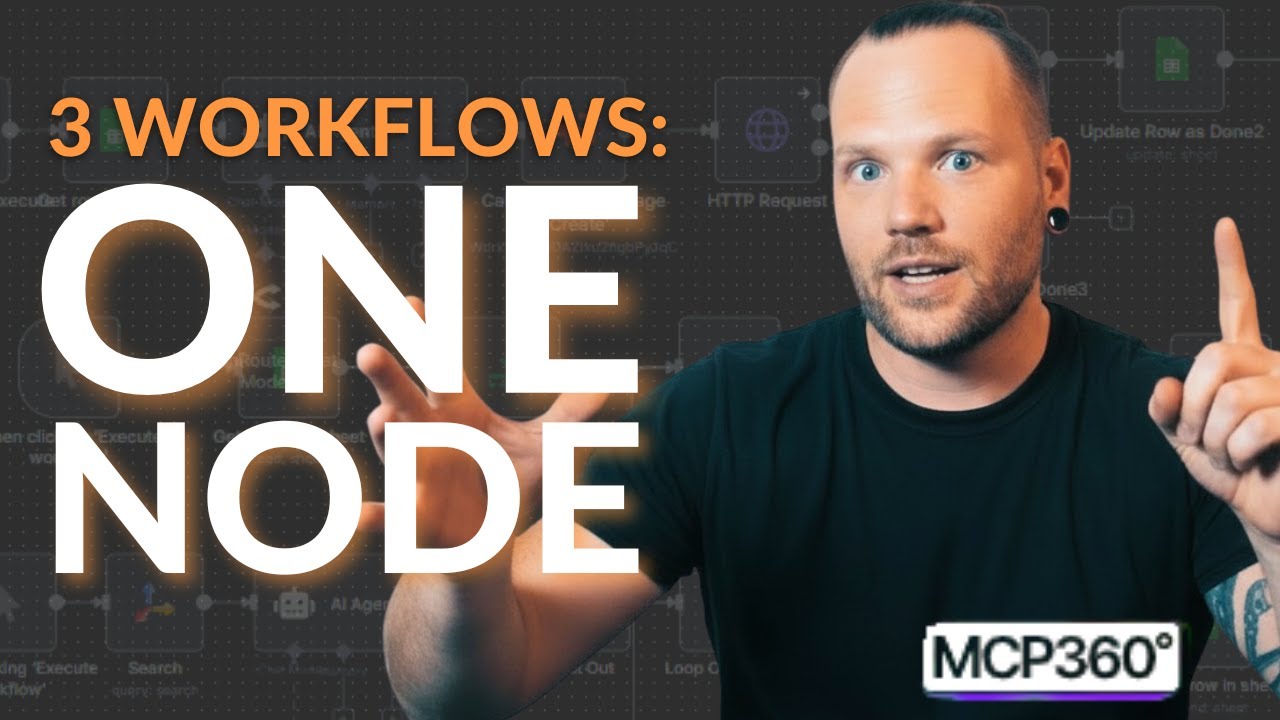

⚡ Building Real MCP Workflows Deep dive into powerful features, custom MCPs, and advanced workflows for power users. |


Help Center Comprehensive guides, API references, and best practices |


Dev.to Tutorial Build an Amazon Price Alert system with n8n integration |


Code Examples Ready-to-use code snippets and integration samples |


🐛 Bug Reports & Features Report bugs, request features Issue Tracking • Feature Requests |


📧 Direct Support Assistance from our support team 24-hr Response • Priority Support |
This project is licensed under the MIT License - see the LICENSE file for details.
Built with ❤️ by the team at MCP360
Special thanks to:
If you find MCP360 Universal Gateway helpful, please consider giving us a star ⭐
Made with ❤️ by MCP360
Website • Documentation • GitHub • npm
Claim this server with your GitHub account to request manual ownership verification.
Link to the catalog listing for MCP360 Universal Gateway from your README. This badge does not certify ownership, compatibility or security.
[](https://awesome-mcp.com/servers/unified-gateway-mcp)Public repository statistics could not be verified. Check the configured source address; unavailable counts are not zero.
来源、范围和时段分别列出;不相加,不代表安装人数、活跃用户或安全审核。
尚无已审核的包 / 镜像标识,暂不展示下载统计。
Alternative and complementary servers in the same category
Store and retrieve entities, relations and observations in a persistent local knowledge graph.
Organize problem solving into revisable, branching thought steps through an MCP tool.

Query-aware context compression with an MCP plugin for coding agents, plus Python and HTTP interfaces for reducing the context sent to a language model.