
Oleafly is a live collaborative LaTeX, Typst and Markdown editor for research that offers a local MCP server and an oleafly mcp stdio command so outside AI clients can use its project tools.
Repository stats unavailable
Productivity & Ops
UseHourly offers a remote Model Context Protocol server that lets AI assistants log time, manage timers, build timesheets, create sign-off links and prepare invoices.
UseHourly MCP server is cataloged as an MCP server attributed to zontak-llc. UseHourly offers a remote Model Context Protocol server that lets AI assistants log time, manage timers, build timesheets, create sign-off links and prepare invoices. It is categorized under productivity work. See the capability inspector for recorded interfaces and their independent review status; consult upstream documentation for the current interface.
Installation configuration is not reviewed. No executable setup is offered for this entry; inspect the source repository before proceeding.
Catalog license label: MIT License. Check the source repository's current license and terms before using, modifying or distributing this software.
能力定义尚未审核。未核验的采集内容不会作为可信接口展示。
暂无可展示的已审核记录。这不表示上游不支持此能力。
暂无可展示的已审核记录。这不表示上游不支持此能力。
暂无可展示的已审核记录。这不表示上游不支持此能力。
Email delivery is not connected. This page does not collect email addresses or create subscriptions.
Browse the registry for current listings instead.
Reviews for UseHourly MCP server are not available yet
Review publishing and storage are not connected. This page does not collect or publish ratings or comments, including after sign-in.
Yes. Tokens can be created as read-only or read and write, with an expiry, on the Account page under AI assistants.
The server is remote, served over Streamable HTTP, with a bridge available for clients that only support local stdio servers.
README.md · 27795e58c71a · 采集于 2026-11-13 13:00:17 UTC
保留上游原文,不做 AI 改写。为安全起见过滤脚本、表单和不安全链接。
当前显示最后一次成功采集的文档快照,请以来源页面为准。
The free, open-source time tracker your AI assistant can use. Connect Claude, ChatGPT, Cursor or any MCP assistant and say "log 3 hours on Acme, then make this week's timesheet for sign-off". Or log your day in seconds yourself: type 1.5, 1:30 or 90m, press Enter, done.
Live: https://usehourly.app · Free to use, no paywall, no ads.
https://github.com/Zontak-LLC/usehourly/raw/main/public/landing/assistant-demo.mp4
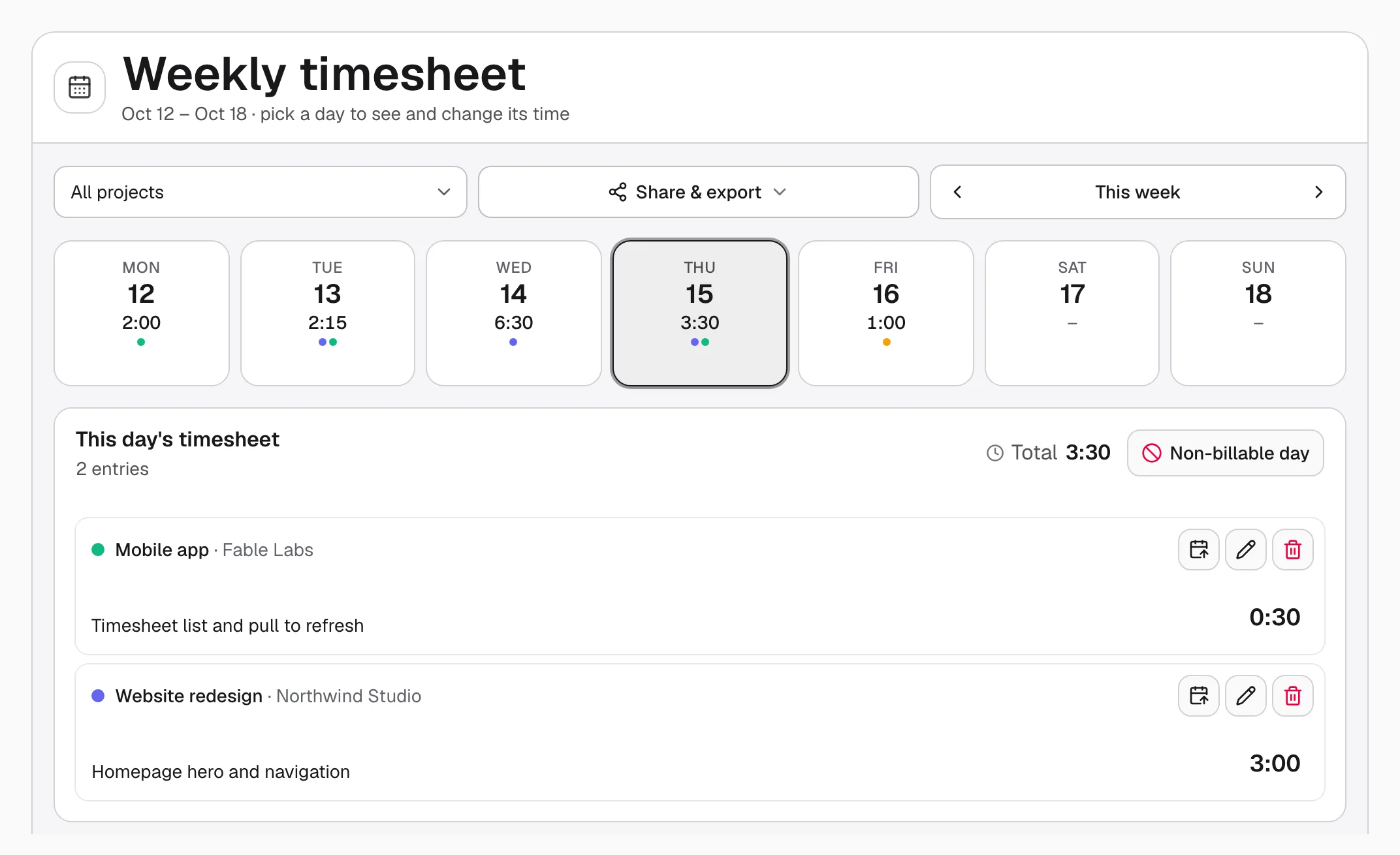
UseHourly runs a remote Model Context Protocol server at https://usehourly.app/api/mcp (Streamable HTTP). It has 32 tools for projects, clients, time entries, timers, timesheets, invoices and reports; each one runs as you, so it only sees your own data. Create a token on Account > AI assistants (read-only or read and write, with an expiry), then:
claude mcp add --transport http usehourly https://usehourly.app/api/mcp --header "Authorization: Bearer <your token>"
That example is for Claude Code. Other clients just need the URL and an Authorization: Bearer <token> header in their MCP settings.
Cursor (~/.cursor/mcp.json):
{ "mcpServers": { "usehourly": { "url": "https://usehourly.app/api/mcp", "headers": { "Authorization": "Bearer <your token>" } } } }
VS Code (.vscode/mcp.json):
{ "servers": { "usehourly": { "type": "http", "url": "https://usehourly.app/api/mcp", "headers": { "Authorization": "Bearer <your token>" } } } }
For clients that can only run local (stdio) servers, such as Claude Desktop, there is a small bridge published on npm (usehourly-mcp): set the command to npx with args ["-y", "usehourly-mcp"] and USEHOURLY_API_TOKEN to your token.
Then ask: "Log 2 hours on the Acme website for yesterday" or "Make an invoice for Acme for September."
Next.js 16 (App Router) · React 19 · Tailwind CSS v4 · shadcn/ui · NextAuth v5 (credentials) · tRPC v11 · Prisma 7 with Cloudflare D1 · Vitest · Biome · deployed to Cloudflare Workers with OpenNext.
You need Node 22+.
npm install                 # also runs `prisma generate`

cp wrangler.example.jsonc wrangler.jsonc   # then set account_id and database_id (see Deploy)

# .env.local and .dev.vars (keep the two in sync):
#   AUTH_SECRET=<a long random string, e.g. `openssl rand -base64 32`>
#   AUTH_URL=http://localhost:3028

npm run d1:migrate:local    # create the local D1 database
npm run dev                 # http://localhost:3028
Register an account on the sign-up page and you are in.
npm test                    # scenario tests (Vitest)
npx biome check             # lint and format
npx tsc --noEmit            # type check
It runs on Cloudflare Workers with a D1 database:
cp wrangler.example.jsonc wrangler.jsonc and fill in your Cloudflare account id and a D1 database
(npx wrangler d1 create usehourly-db). wrangler.jsonc is git-ignored, so your ids stay out of the repo..env.production.local: NEXT_PUBLIC_APP_URL=https://app.example.com
(it is baked into the build) and set the same value as AUTH_URL in wrangler.jsonc.npm run d1:migrate:remotenpx wrangler secret put AUTH_SECRETnpm run deployPassword reset and email confirmation need an email service. UseHourly sends through Resend: verify your sending domain there, then set two values on the Worker:
npx wrangler secret put RESEND_API_KEY
npx wrangler secret put EMAIL_FROM        # for example: UseHourly <noreply@your-domain.com>
Without them the app works as before, and the forgot-password page says email isn't set up.
.circleci/config.yml runs the checks on every push and, on main, applies the D1 migrations and
deploys. The deploy token is a secret, so keep it out of the project settings: create a context
named usehourly-production (Organization Settings > Contexts), add an expression restriction
pipeline.git.branch == "main", and put the token in it. Only the deploy job on main can read it.
| Context variable | Value |
|---|---|
CLOUDFLARE_API_TOKEN | a token with Workers Scripts: Edit and D1: Edit |
In the CircleCI project settings add these environment variables:
| Variable | Value |
|---|---|
CLOUDFLARE_ACCOUNT_ID | your Cloudflare account id |
D1_DATABASE_ID | the id of your D1 database |
APP_URL | your public address, for example https://app.example.com |
Optional: WORKER_NAME, D1_DATABASE_NAME, CUSTOM_DOMAIN. AUTH_SECRET stays a Worker secret
(npx wrangler secret put AUTH_SECRET, once); CI never sees it. scripts/ci-wrangler-config.mjs
writes wrangler.jsonc from these variables, so no account ids live in the repository.
UseHourly is free. If it saves you time you can sponsor it on GitHub.
Thank you to everyone who helps keep UseHourly free:
Be the first: sponsor UseHourly on GitHub.
Built on the excellent next-shadcn-admin-dashboard template by Mohammed Arham Khan.
Released under the MIT License. The code is open; the name "UseHourly" and its logo are not part of the license.
Claim this server with your GitHub account to request manual ownership verification.
Link to the catalog listing for UseHourly MCP server from your README. This badge does not certify ownership, compatibility or security.
[](https://awesome-mcp.com/servers/usehourly)Public repository statistics could not be verified. Check the configured source address; unavailable counts are not zero.
来源、范围和时段分别列出;不相加,不代表安装人数、活跃用户或安全审核。
尚无已审核的包 / 镜像标识,暂不展示下载统计。
Alternative and complementary servers in the same category
Oleafly is a live collaborative LaTeX, Typst and Markdown editor for research that offers a local MCP server and an oleafly mcp stdio command so outside AI clients can use its project tools.
Buddy is an Android app that offers its phone tools through a local MCP server to Claude Code, Codex, OpenCode, Antigravity, and Grok sessions.

Tuqui is a hosted MCP server that connects Odoo with Claude and ChatGPT so users can ask about sales, stock, customers and overdue invoices in plain language.
