
A Rust CAD application with an MCP server for creating, inspecting and rendering drawings, either headlessly or through a connection to the desktop app.
8K
Media & Design
An MCP server that opens a browser capture session where users upload a video, scrub the timeline, annotate frames, and send the annotated frames as WebP image content into the Claude Code conversation.
video-to-claude MCP server for sending annotated video frames to Claude Code is cataloged as an MCP server attributed to adityao5. An MCP server that opens a browser capture session where users upload a video, scrub the timeline, annotate frames, and send the annotated frames as WebP image content into the Claude Code conversation. It is categorized under media design. See the capability inspector for recorded interfaces and their independent review status; consult upstream documentation for the current interface.
Installation configuration is not reviewed. No executable setup is offered for this entry; inspect the source repository before proceeding.
Catalog license label: MIT. Check the source repository's current license and terms before using, modifying or distributing this software.
能力定义尚未审核。未核验的采集内容不会作为可信接口展示。
暂无可展示的已审核记录。这不表示上游不支持此能力。
暂无可展示的已审核记录。这不表示上游不支持此能力。
暂无可展示的已审核记录。这不表示上游不支持此能力。
Email delivery is not connected. This page does not collect email addresses or create subscriptions.
Browse the registry for current listings instead.
Reviews for video-to-claude MCP server for sending annotated video frames to Claude Code are not available yet
Review publishing and storage are not connected. This page does not collect or publish ratings or comments, including after sign-in.
The MCP await_capture tool returns and delivers all annotated frames as image content blocks into the Claude Code conversation.
It polls until the user clicks Send, with a default 600 second timeout.
README.md · f00a0ba2b76e · 采集于 2026-11-13 12:07:12 UTC
保留上游原文,不做 AI 改写。为安全起见过滤脚本、表单和不安全链接。
当前显示最后一次成功采集的文档快照,请以来源页面为准。
Drop a screen recording, scrub the timeline, draw annotations on frames, click Send — the annotated WebPs land directly in your Claude Code conversation as vision input.
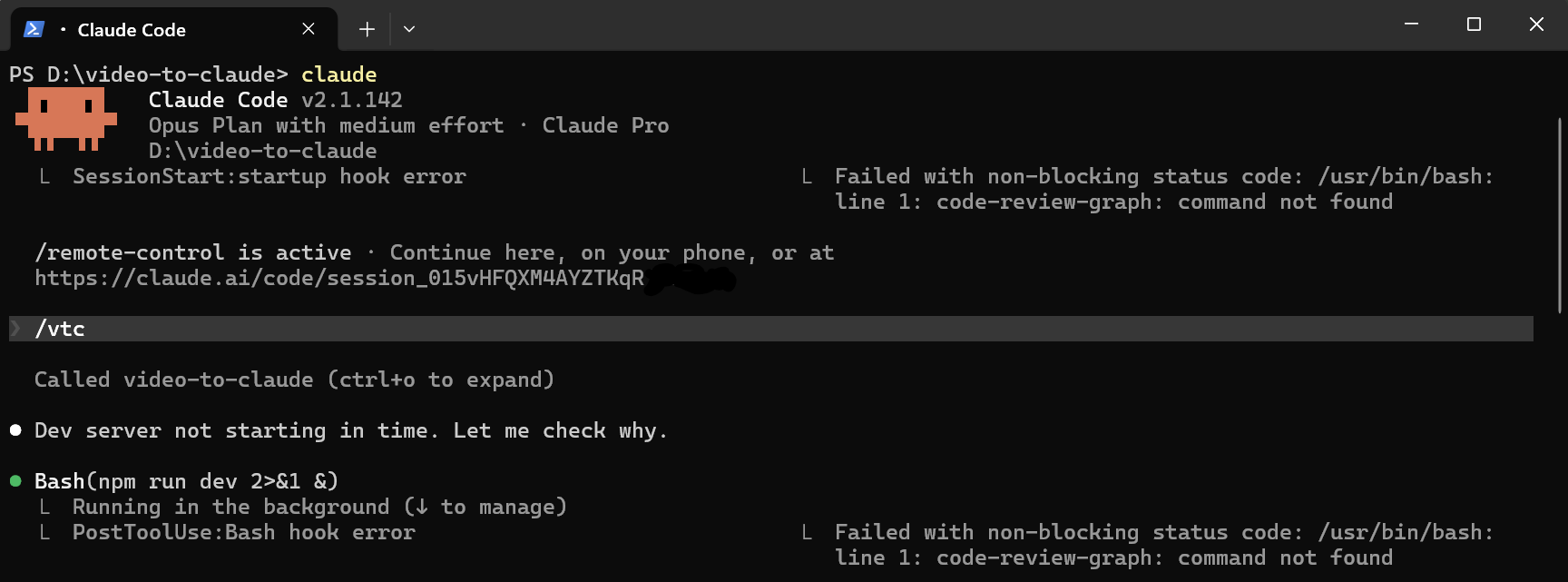 | 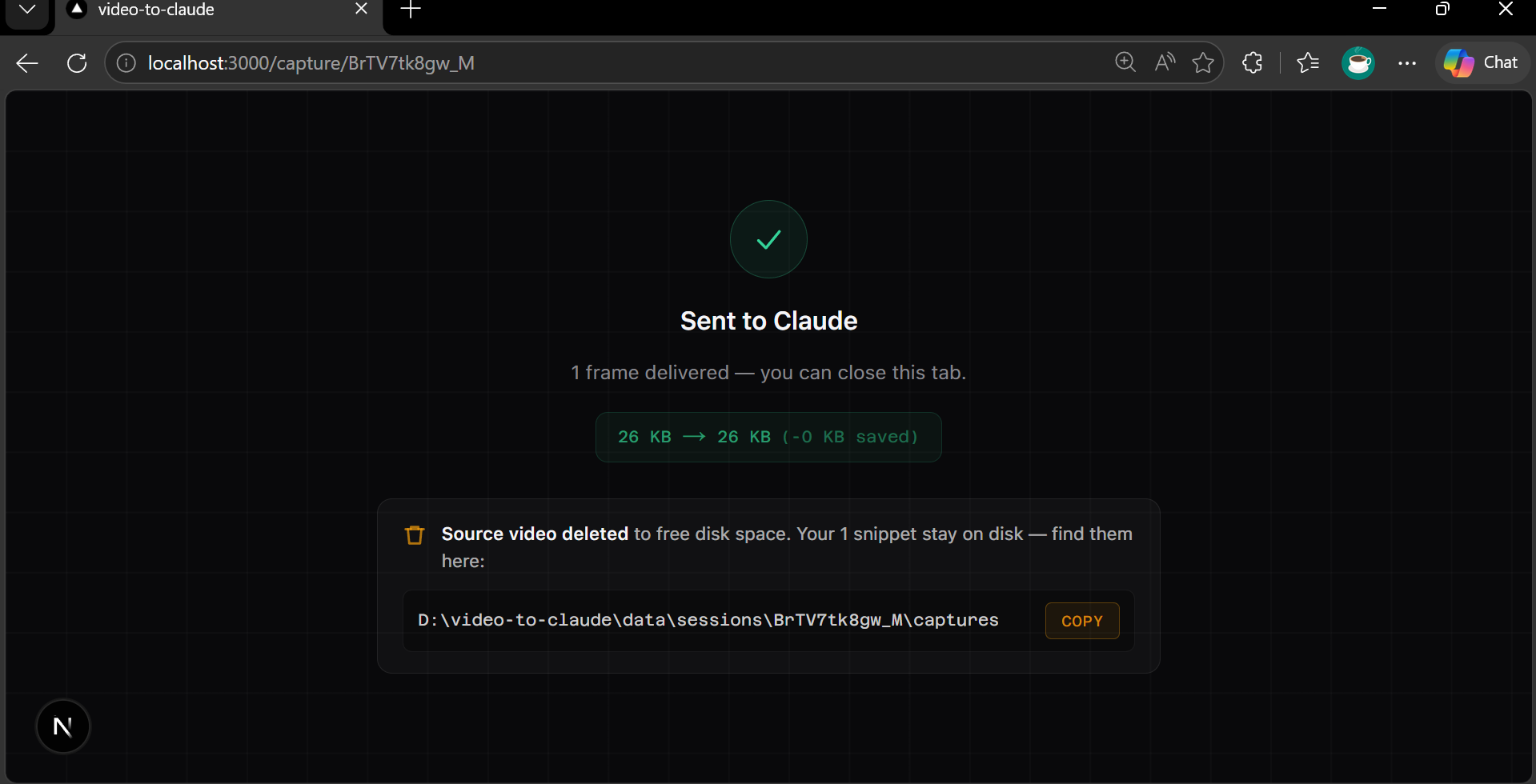 | 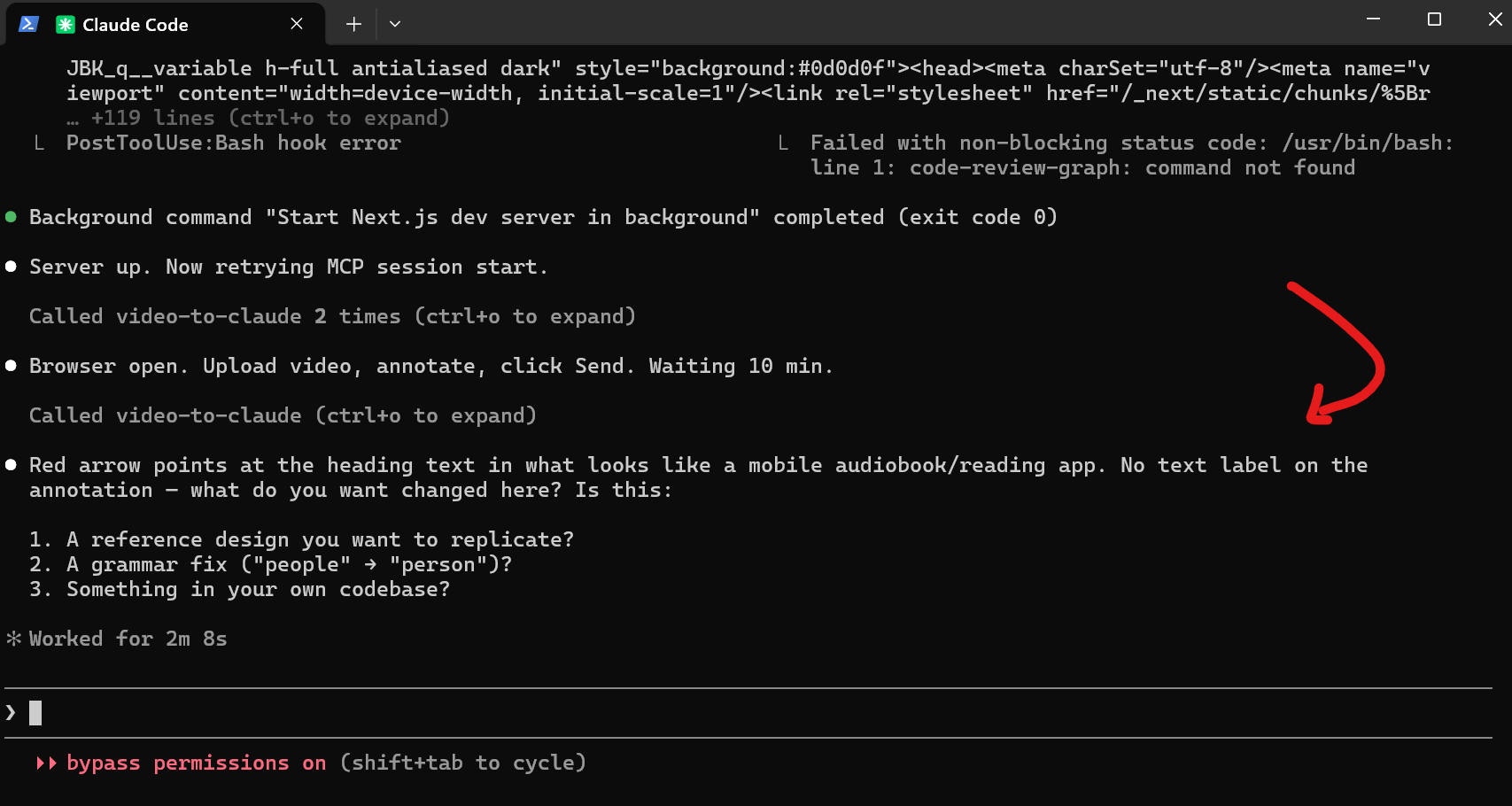 |
Type /vtc in Claude Code | Claude receives your annotated frames | Claude reads the annotation and responds |
1. Type /vtc in Claude Code
The MCP server starts the dev server if it isn't running, creates a session, and opens http://localhost:3000/capture/{id} in your browser.
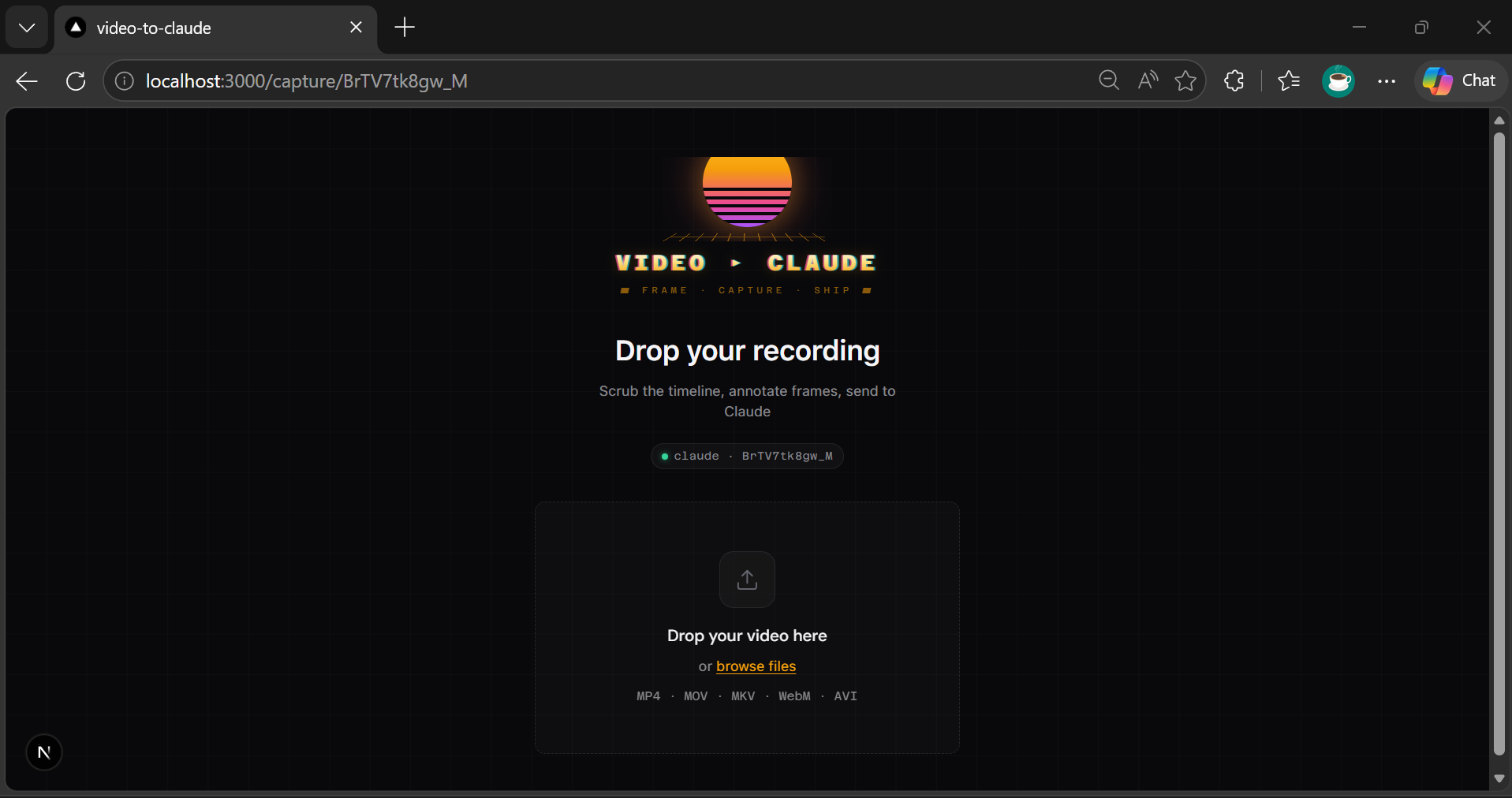
2. Drop your video
Drag a .mp4, .mov, .webm, or any common video file onto the upload zone. The file is probed with ffmpeg and the player becomes active.
3. Scrub the timeline
Use the scrubber or arrow keys to seek to the moment you want to capture. The canvas overlay sits on top of the video frame.
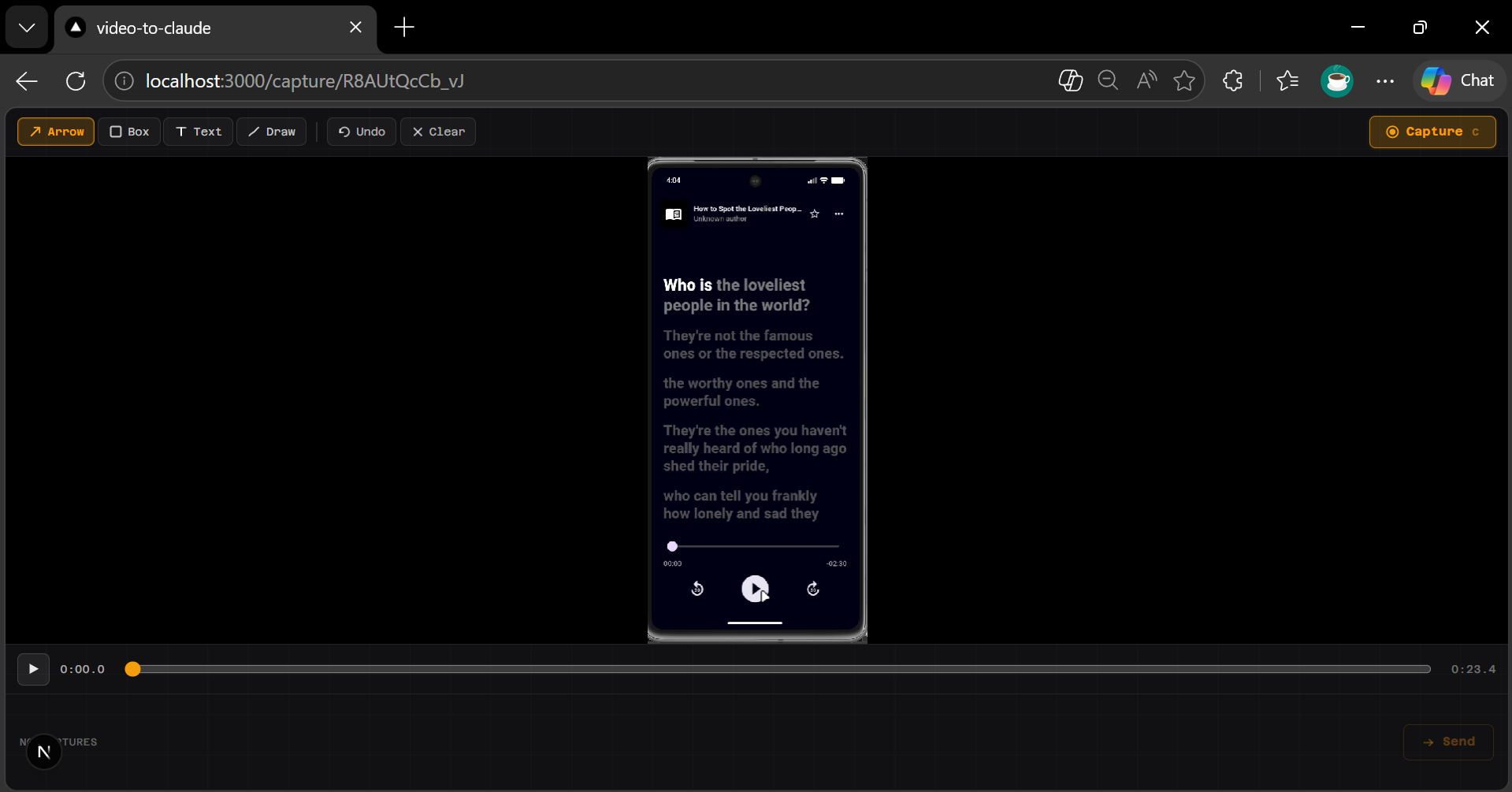
4. Annotate the frame
Draw arrows, boxes, freehand marks, and add text labels in red directly on the canvas. These annotations are baked into the exported WebP — Claude sees exactly what you circled.
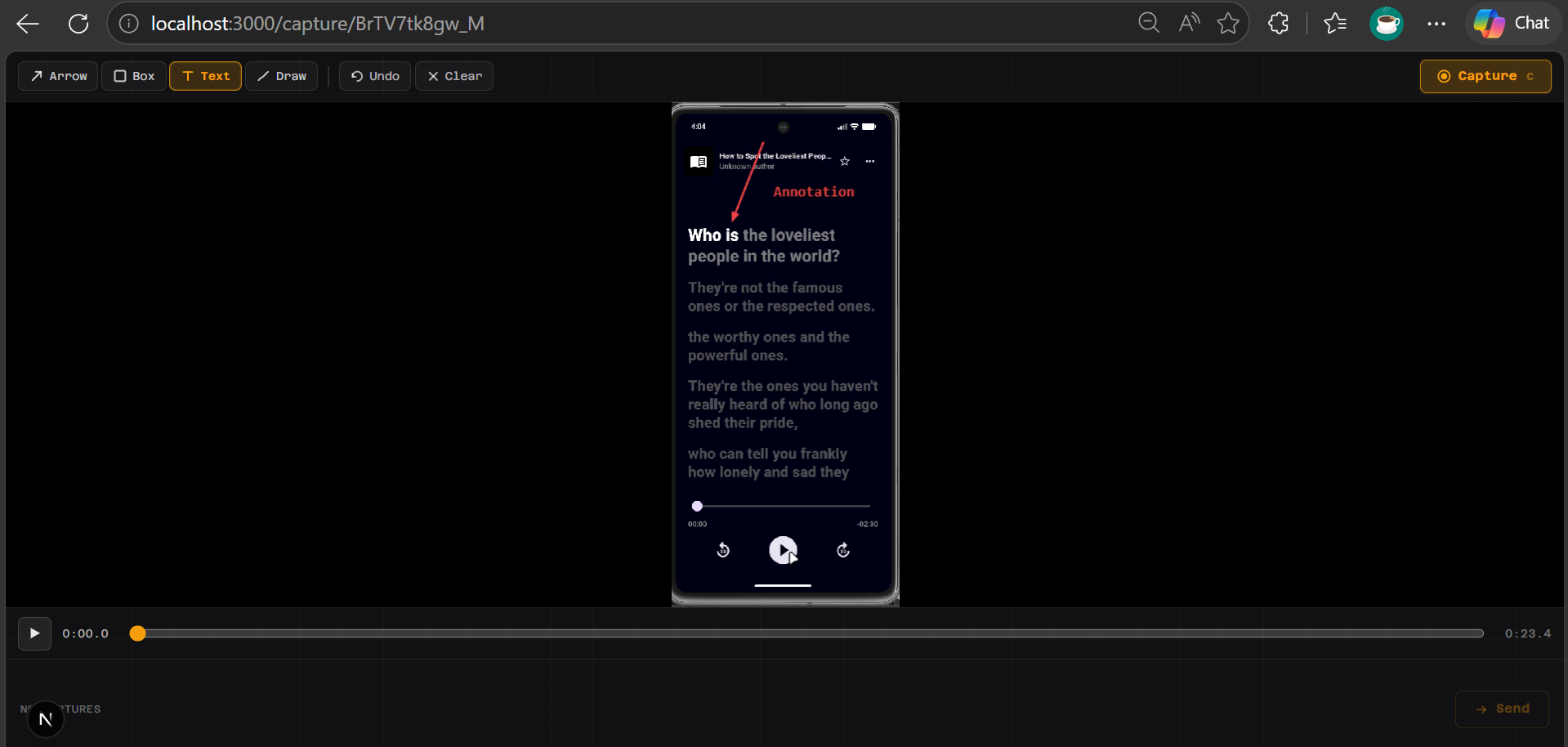
5. Capture + repeat
Click Capture to freeze the annotated frame. Repeat steps 3–4 for as many frames as you need. The capture strip at the bottom shows thumbnails.
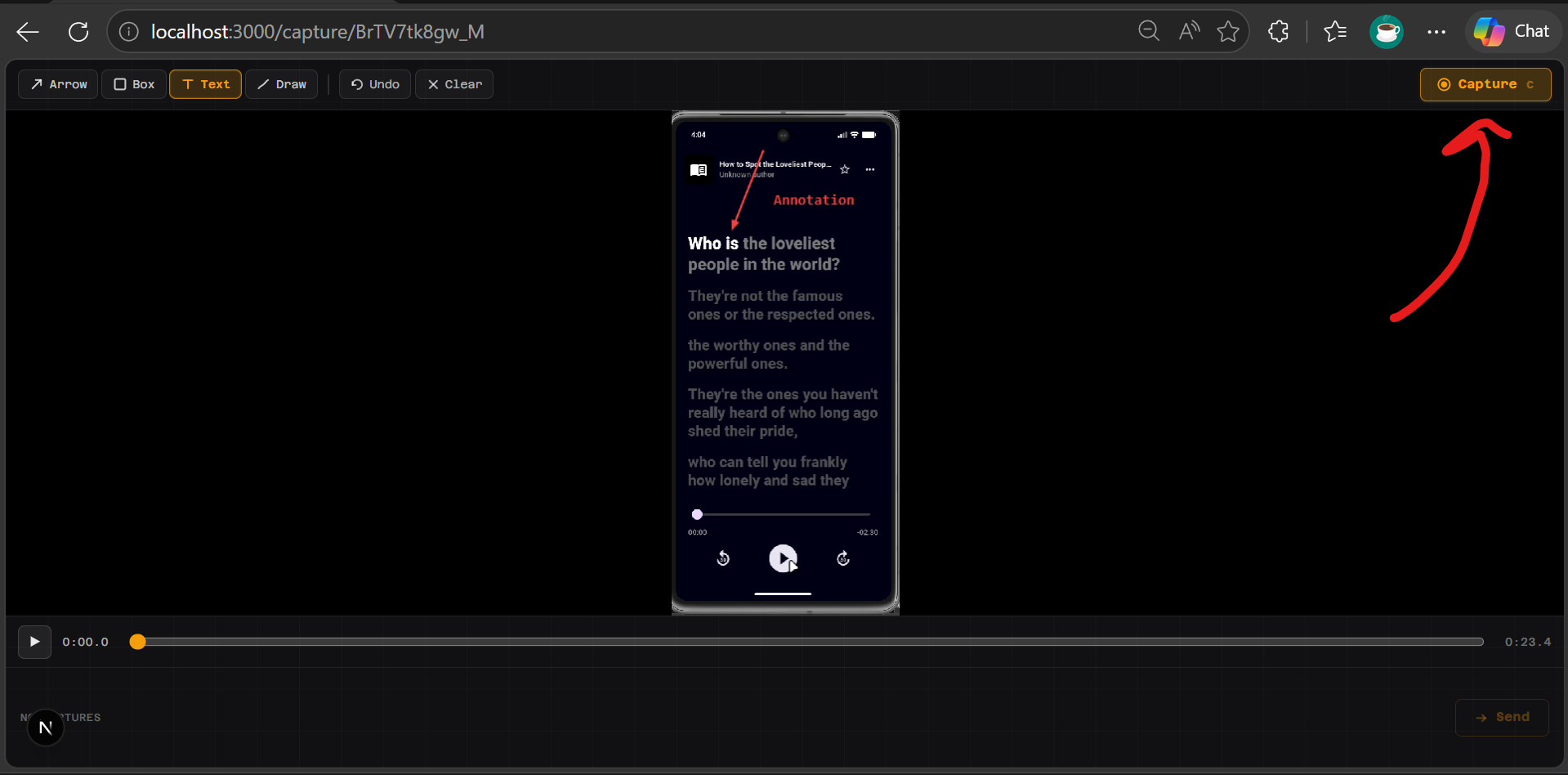
6. Send
Click Send. The MCP await_capture tool returns, delivering all annotated frames as image content blocks into the Claude Code conversation.
7. Claude describes what it sees
Claude reads the annotation — the red arrow, the circled element, or the text label — and responds directly to what you marked. No re-explaining needed.
/plugin install github:adityaO5/video-to-claude
This installs the MCP server and /video-to-claude:vtc skill in one step. No separate MCP registration or command copying needed.
claude mcp add video-to-claude --scope user -- npx video-to-claude-mcp
Or manually add to ~/.claude.json:
{
  "mcpServers": {
    "video-to-claude": {
      "command": "npx",
      "args": ["video-to-claude-mcp"]
    }
  }
}
Then add the /vtc command (see below).
git clone https://github.com/adityaO5/video-to-claude
cd video-to-claude
npm install
npm run mcp:build
Then register:
claude mcp add video-to-claude --scope user -- node /ABSOLUTE/PATH/TO/video-to-claude/dist/mcp/server.js
Replace /ABSOLUTE/PATH/TO/video-to-claude with the real path.
Windows example: C:/Users/you/repos/video-to-claude (forward slashes work in JSON).
/vtc slash command (Options B and C only)Plugin install (Option A) includes the skill automatically as /video-to-claude:vtc.
For Options B/C, the repo ships .claude/commands/vtc.md. Claude Code loads project-scoped slash commands only when your working directory is inside the cloned repo.
To use /vtc from any directory, copy the command file to your user-level commands folder:
# macOS / Linux
cp .claude/commands/vtc.md ~/.claude/commands/vtc.md

# Windows (PowerShell)
Copy-Item .claude\commands\vtc.md $HOME\.claude\commands\vtc.md
Restart Claude Code after any config change.
/vtc
That's it. The browser opens, you upload + scrub + annotate + send, and the annotated frames appear in the conversation. Claude reads the red marks and acts on them.
| Tool | Description |
|---|---|
start_capture_session | Start dev server if needed, create session, open browser. Returns sessionId. |
await_capture | Poll until user clicks Send (default 600 s timeout). Returns annotated WebPs as image content blocks. |
The /vtc slash command calls both in sequence automatically.
Dev server didn't open?
Run npm run dev in the repo directory, then retry /vtc.
MCP tools not visible in Claude Code?
Run claude mcp list to confirm registration. Restart Claude Code. If using the cloned repo, confirm dist/mcp/server.js exists (if not, re-run npm run mcp:build).
Port conflict?
The MCP server scans ports 3000–3005 looking for the app. Run npm run dev on an open port or stop whatever else is using 3000.
Upload stalls on large files?
The source is uploaded in 512 KB chunks. Very large files (> 2 GB) may take a moment on slow disks.
MIT — see LICENSE
Claim this server with your GitHub account to request manual ownership verification.
Link to the catalog listing for video-to-claude MCP server for sending annotated video frames to Claude Code from your README. This badge does not certify ownership, compatibility or security.
[](https://awesome-mcp.com/servers/video-to-claude)Public repository statistics could not be verified. Check the configured source address; unavailable counts are not zero.
来源、范围和时段分别列出;不相加,不代表安装人数、活跃用户或安全审核。
尚无已审核的包 / 镜像标识,暂不展示下载统计。
Alternative and complementary servers in the same category
A Rust CAD application with an MCP server for creating, inspecting and rendering drawings, either headlessly or through a connection to the desktop app.

Liquid Composer is a browser-based Liquid Glass icon design tool that offers a local MCP server for agent-driven icon workflows.

agent-media makes short drama series and other short vertical videos from Claude, ChatGPT or Codex through one MCP connection, with OAuth sign-in and no API keys.