
A directory listing describing a cancellation-letter and mailing-address service. The configured public GitHub repository returned 404 during source verification.
Repository stats unavailable
Developer Tools
A Model Context Protocol server for Vizro that works alongside an LLM to help create Vizro dashboards and charts.
Vizro-MCP is cataloged as an MCP server attributed to mckinsey. A Model Context Protocol server for Vizro that works alongside an LLM to help create Vizro dashboards and charts. It is categorized under developer tools. See the capability inspector for recorded interfaces and their independent review status; consult upstream documentation for the current interface.
Installation configuration is not reviewed. No executable setup is offered for this entry; inspect the source repository before proceeding.
Catalog license label: Apache License 2.0. Check the source repository's current license and terms before using, modifying or distributing this software.
能力定义尚未审核。未核验的采集内容不会作为可信接口展示。
暂无可展示的已审核记录。这不表示上游不支持此能力。
暂无可展示的已审核记录。这不表示上游不支持此能力。
暂无可展示的已审核记录。这不表示上游不支持此能力。
Email delivery is not connected. This page does not collect email addresses or create subscriptions.
Browse the registry for current listings instead.
Reviews for Vizro-MCP are not available yet
Review publishing and storage are not connected. This page does not collect or publish ratings or comments, including after sign-in.
Yes, it provides tools and templates to create a functioning Vizro chart or dashboard step-by-step.
README.md · 146b93246444 · 采集于 2026-11-13 09:28:39 UTC
保留上游原文,不做 AI 改写。为安全起见过滤脚本、表单和不安全链接。
当前显示最后一次成功采集的文档快照,请以来源页面为准。





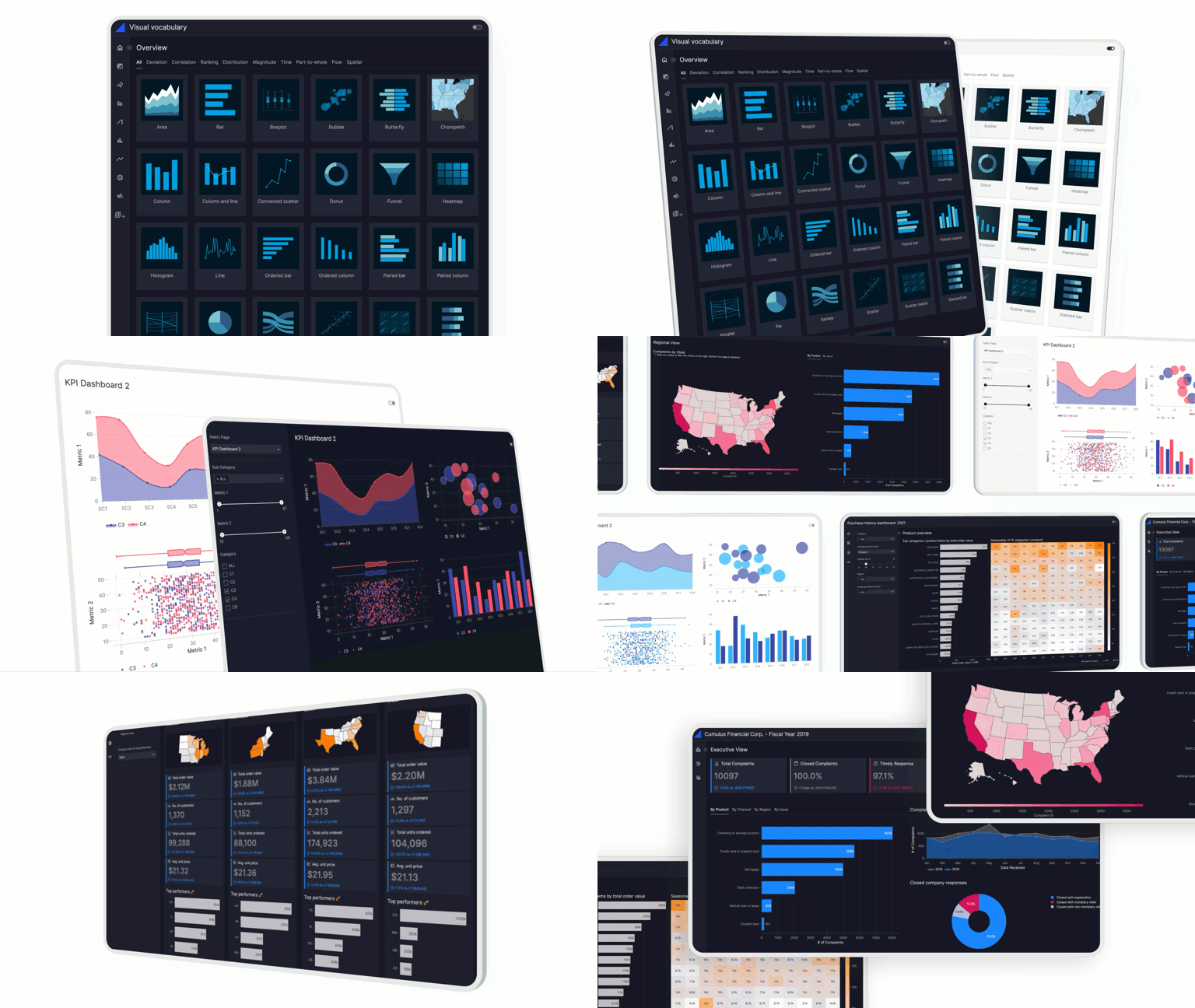
Vizro is an open-source Python-based toolkit.
Use it to build beautiful and powerful data visualization apps quickly and easily, without needing advanced engineering or visual design expertise.
Then customize and deploy your app to production at scale.
In just a few lines of simple low-code configuration, with in-built visual design best practices, you can quickly assemble high-quality, multi-page prototypes, that are production-ready.
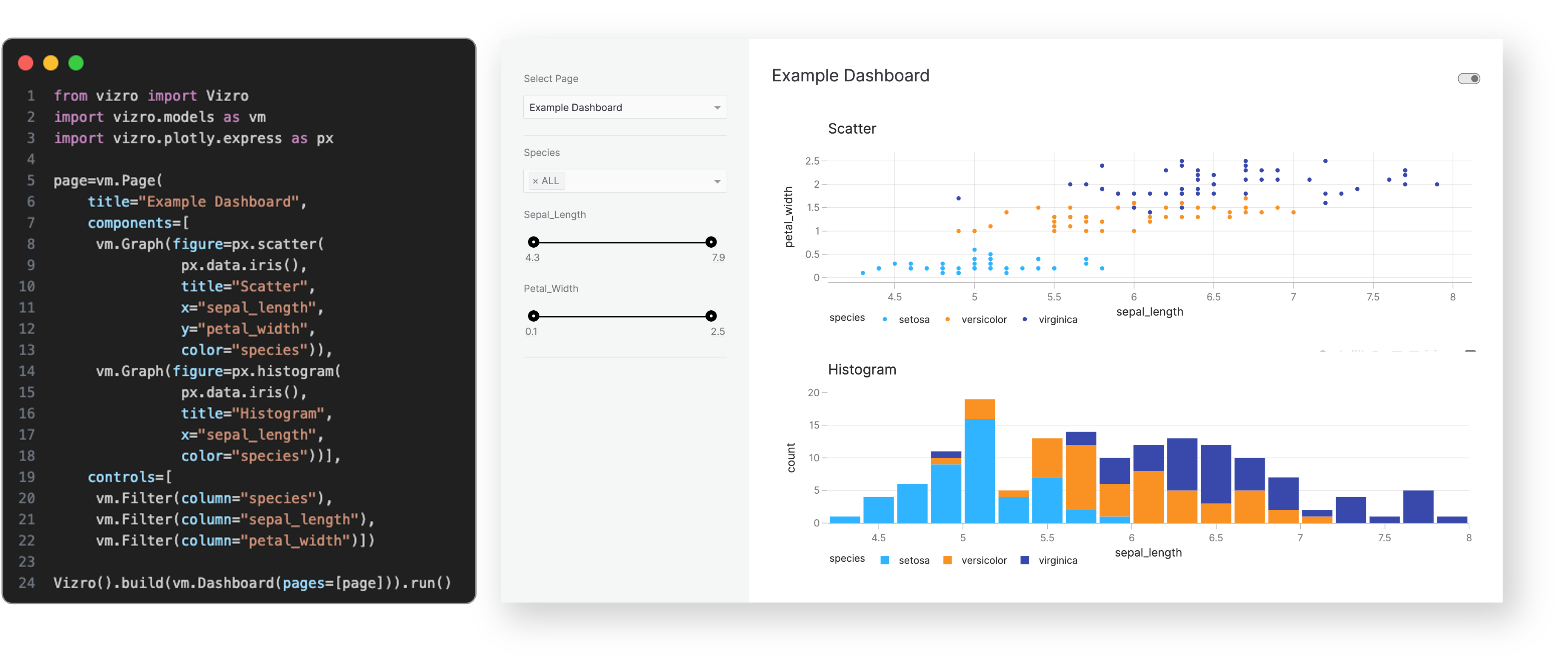
Every Vizro app is defined by a simple configuration, using these high-level categories:
Configuration can be written in multiple formats including Pydantic models, JSON, YAML or Python dictionaries for added flexibility of implementation.
Optional high-code extensions enable almost infinite customization in a modular way, combining the best of low-code and high-code - including bespoke visual formatting and custom components.
Visit the "How-to guides" for a more detailed explanation of Vizro features.
The benefits of the Vizro toolkit include:
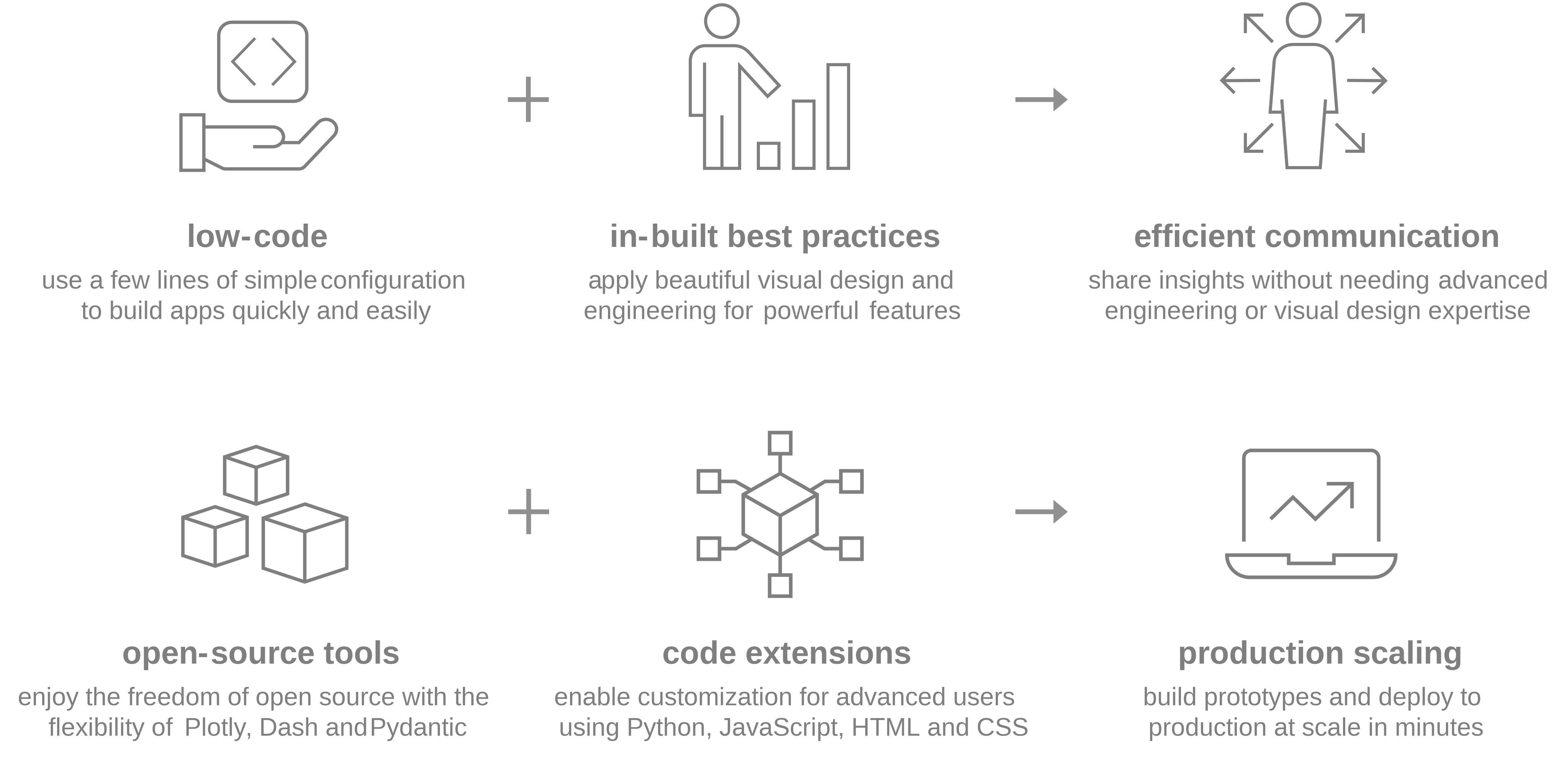
Vizro helps you to build data visualization apps that are:
Quick and easy
Build apps in minutes. Use a few lines of simple configuration (via Pydantic models, JSON, YAML, or Python dictionaries) in place of thousands of lines of code.
Beautiful and powerful
Build high-quality multi-page apps without needing advanced engineering or visual design expertise. Use powerful features of production-grade BI tools, with in-built visual design best practices.
Flexible
Benefit from the capabilities and flexibility of open-source packages. Use the trusted dependencies of Plotly, Dash, and Pydantic.
Customizable
Almost infinite control for advanced users. Use Python, JavaScript, HTML and CSS code extensions.
Scalable
Rapidly prototype and deploy to production. Use the in-built production-grade capabilities of Plotly, Dash and Pydantic.
Visit "Why should I use Vizro?" for a more detailed explanation of Vizro use cases.
Use Vizro when you need to combine the speed and ease of low-code Python tools, with production capabilities of JavaScript and BI tools, and the freedom of open source:
Explore a few live demos to see different Vizro dashboards in action:
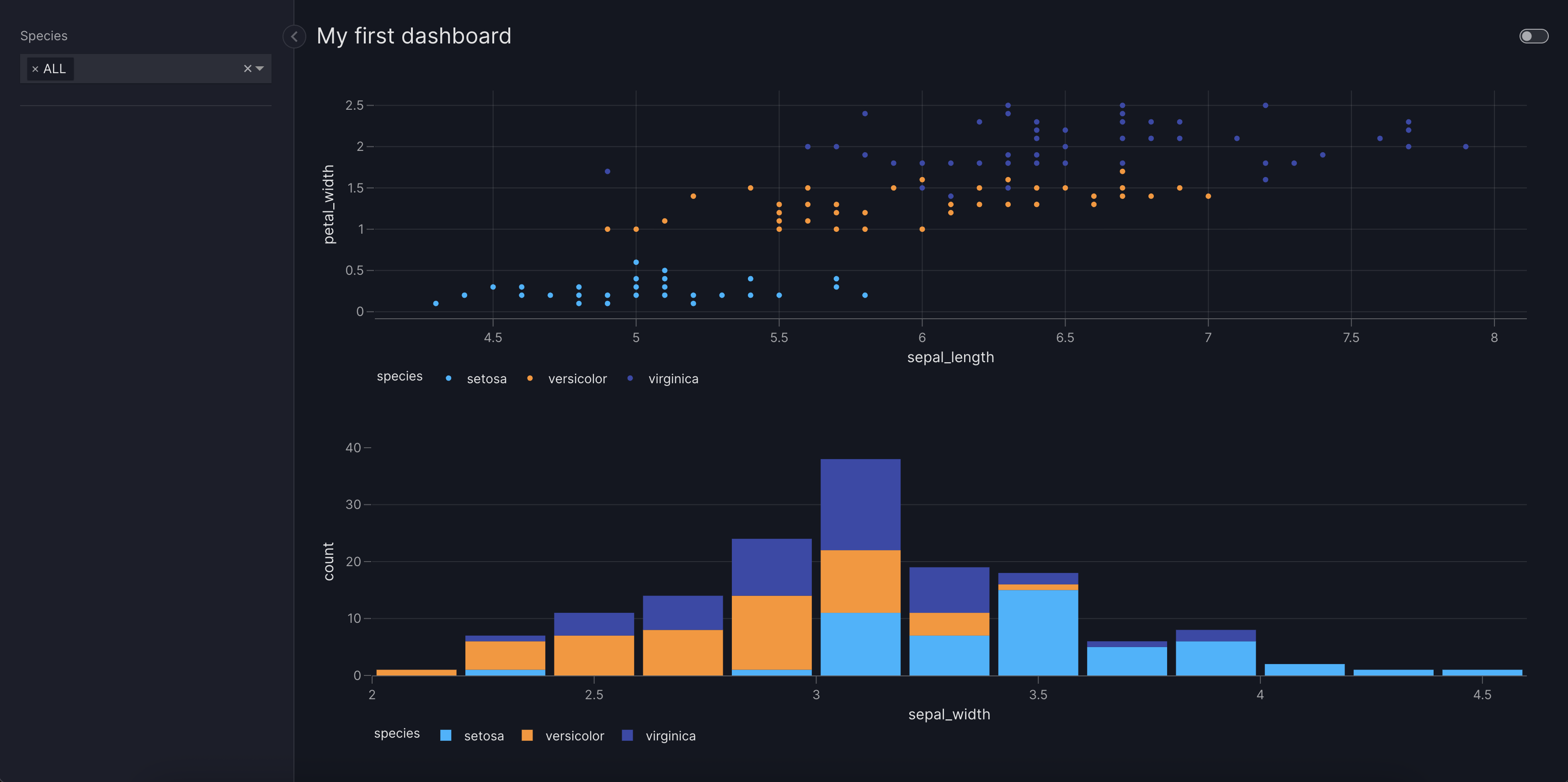
Basic Dashboard Try it live |

Visual Vocabulary Try it live |
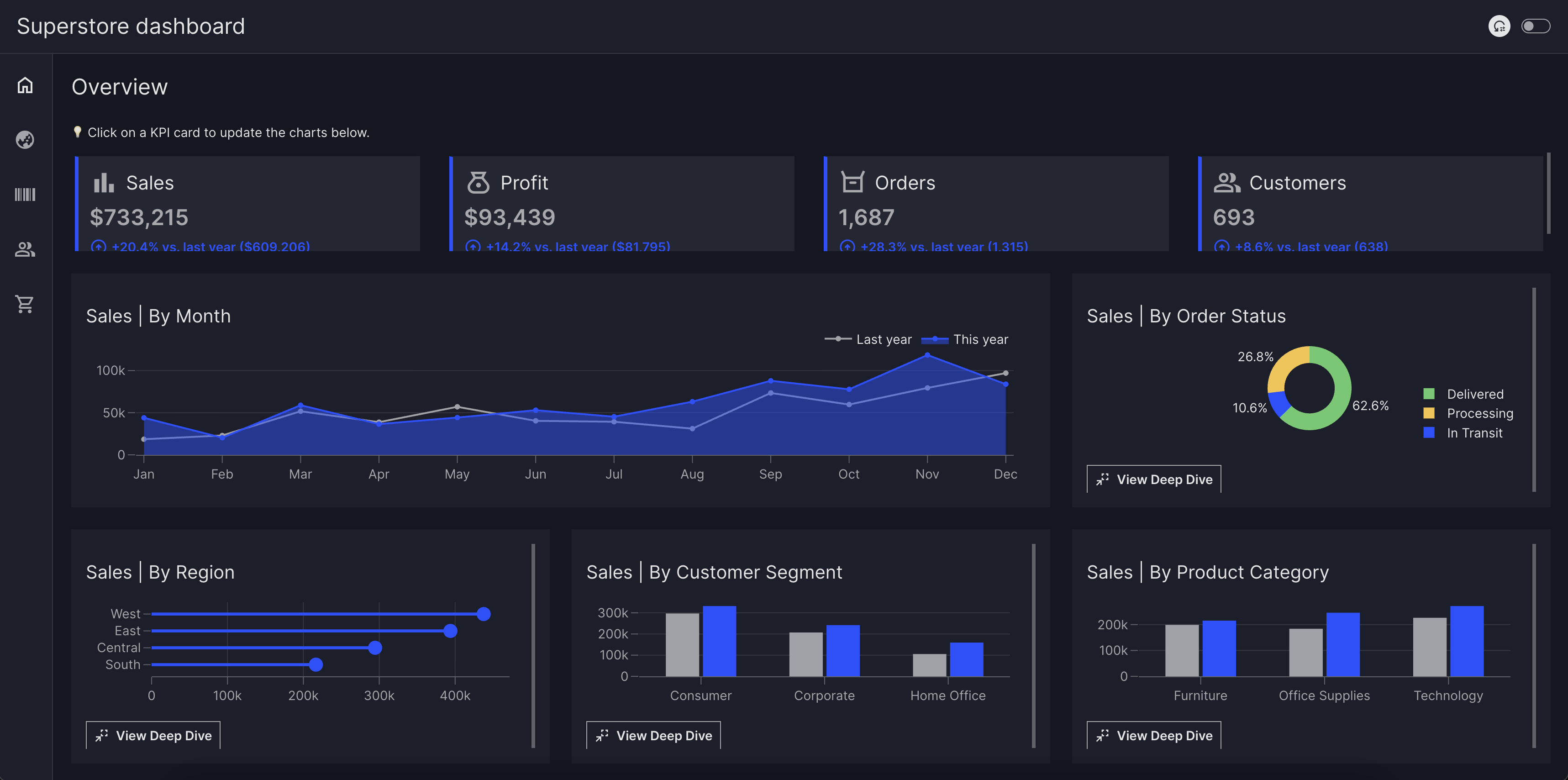
BI Dashboard Try it live |
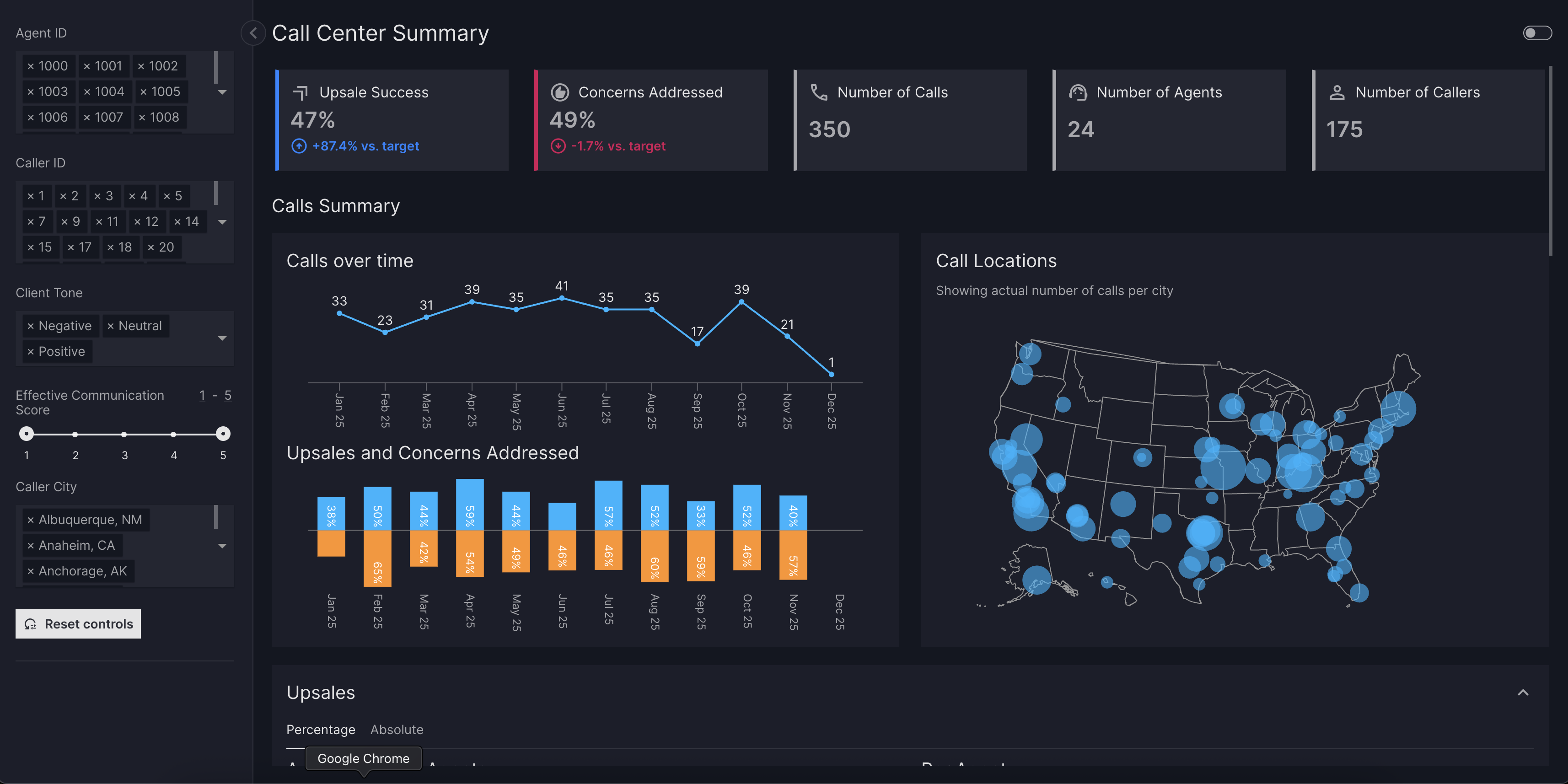
Call Center Dashboard Try it live |
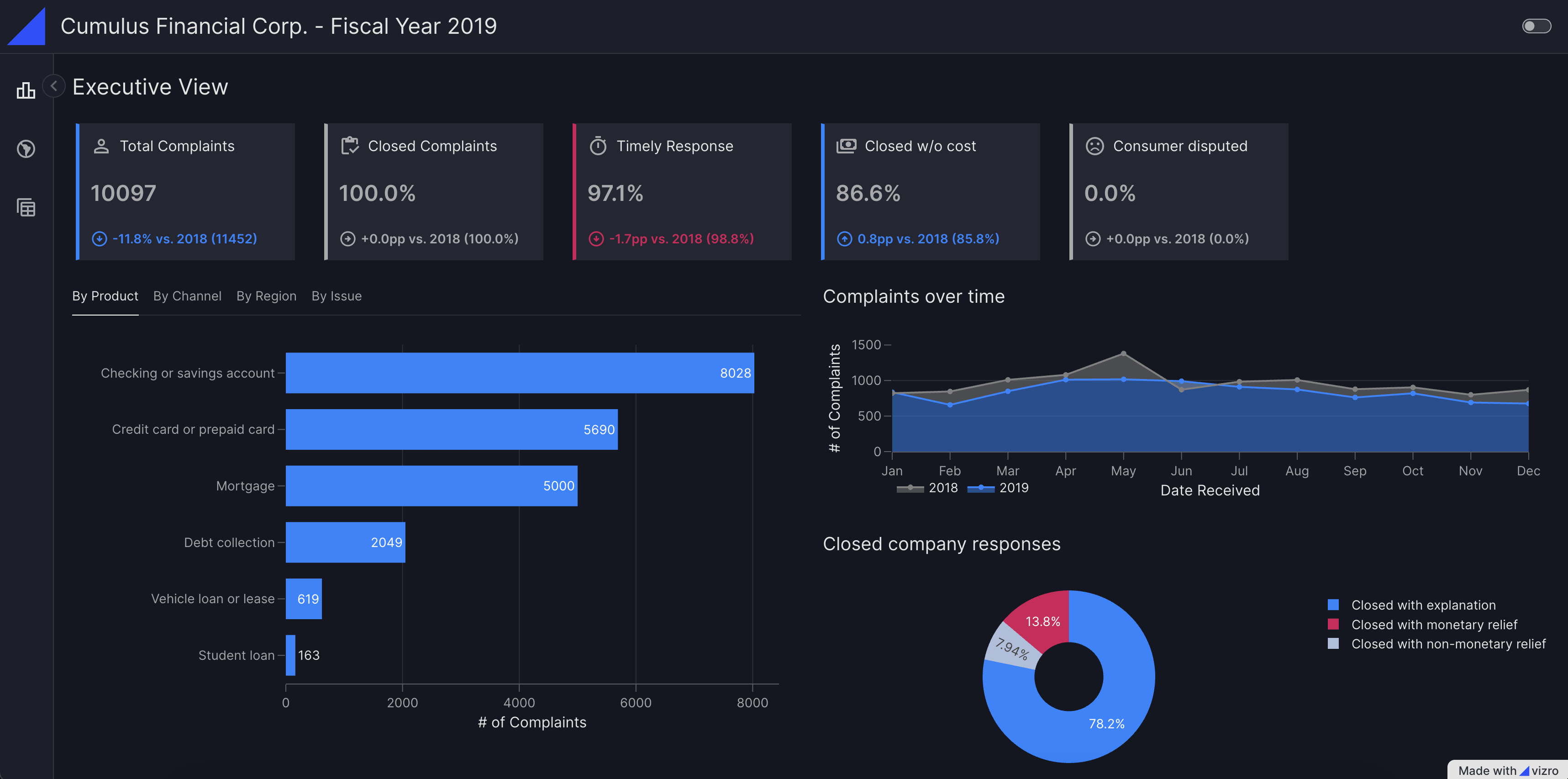
KPI Dashboard Try it live |
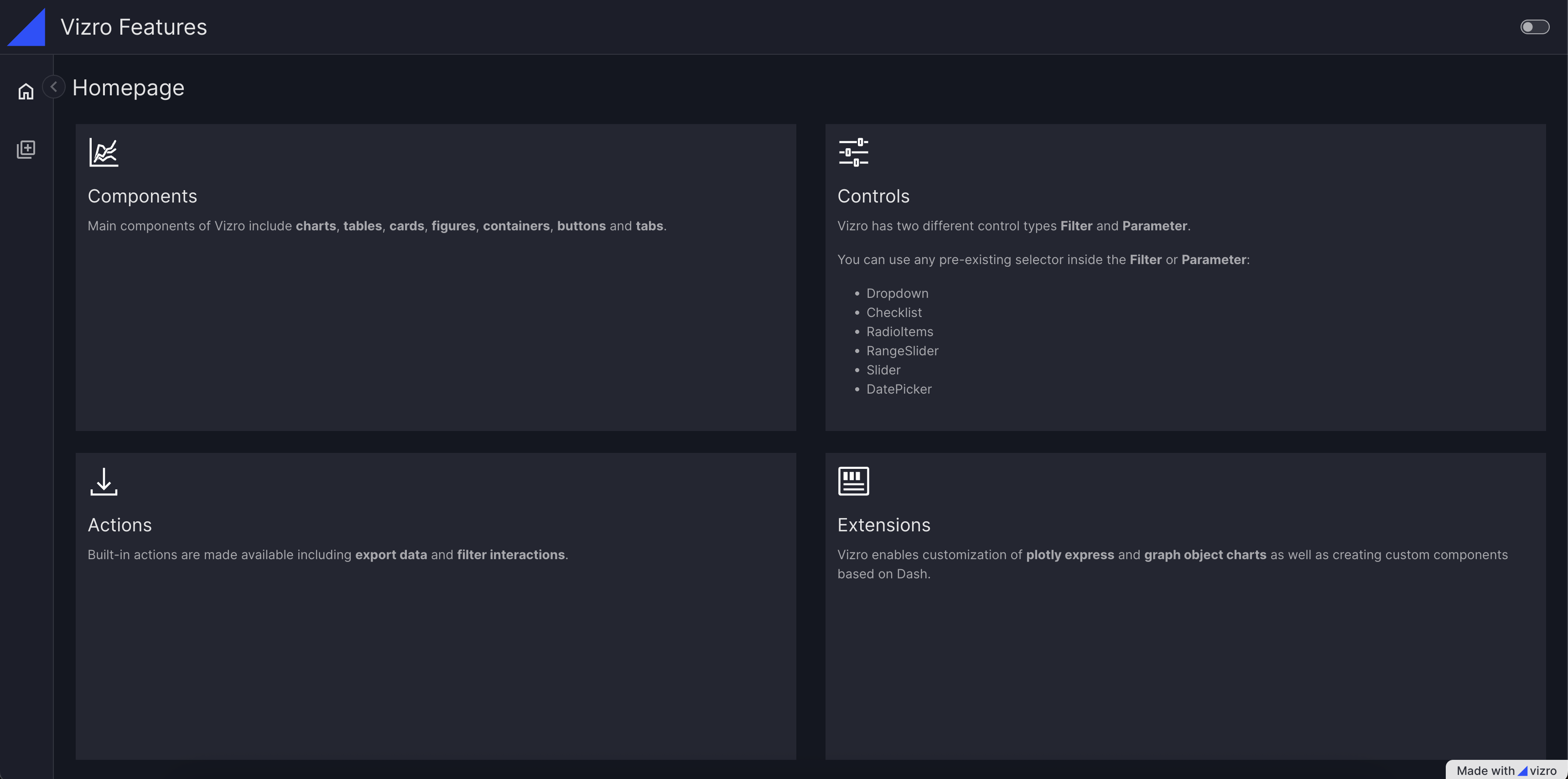
Features Dashboard Try it live |
Browse the full Vizro Gallery for more examples.
Low-code framework for building dashboards.
The Vizro framework underpins the entire Vizro toolkit. It is a Python package (called vizro).
Visit the documentation for more details.
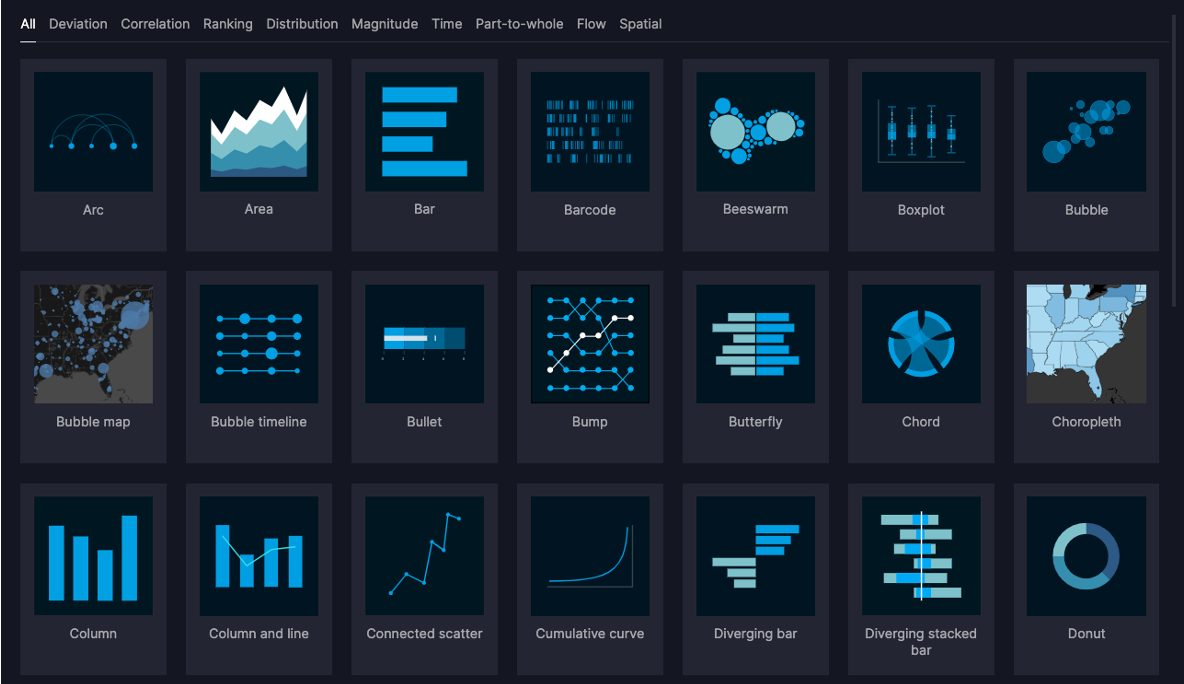
Chart examples.
The visual vocabulary helps you to decide which chart type to use for your requirements, and offers sample code to create these charts with Plotly or embed them into a Vizro dashboard.
Visit the visual vocabulary to search for charts or get inspiration.
A Model Context Protocol (MCP) server for Vizro.
Vizro-MCP works alongside an LLM to help you create Vizro dashboards and charts. It provides tools and templates to create a functioning Vizro chart or dashboard step-by-step.
Compatible with MCP-enabled LLM clients such as Cursor or Claude Desktop.

pip install vizro
See the installation guide for more information.
The get started documentation explains how to create your first dashboard.
Upgrading from a 0.1.x release? Vizro 1.0.0 is the first stable release and introduces some breaking changes. See the migration guide to update your existing dashboards.
If you are an AI agent or LLM building Vizro apps, start with the Vizro for LLMs cheatsheet and use llms.txt as the machine-readable documentation index. Detailed documentation is available in these forms:
/ from any canonical documentation URL and append .md; use /index.md for the documentation root. No custom request header is needed.Accept: text/markdown, text/html;q=0.9. Include the HTML fallback because upstream conversion returns HTTP 406 for pages over 2 MB.graph.md instead of loading the combined Models API page. All per-model files are listed in llms.txt.This repository is a monorepo containing the following packages:
| Folder | Version | Documentation |
|---|---|---|
| vizro-core | | Vizro Docs |
| vizro-ai |  | Vizro-AI Docs |
| vizro-mcp |  | Vizro-MCP Docs |
We encourage you to ask and discuss any technical questions via the GitHub Issues. This is also the place where you can submit bug reports or request new features.
The contributing guide explains how you can contribute to Vizro.
You can also view current and former contributors here.
See our security policy.
vizro is distributed under the terms of the Apache License 2.0.
Claim this server with your GitHub account to request manual ownership verification.
Link to the catalog listing for Vizro-MCP from your README. This badge does not certify ownership, compatibility or security.
[](https://awesome-mcp.com/servers/vizro)Public repository statistics could not be verified. Check the configured source address; unavailable counts are not zero.
来源、范围和时段分别列出;不相加,不代表安装人数、活跃用户或安全审核。
尚无已审核的包 / 镜像标识,暂不展示下载统计。
Alternative and complementary servers in the same category
A directory listing describing a cancellation-letter and mailing-address service. The configured public GitHub repository returned 404 during source verification.

A hosted MCP service for browsing and searching through Singapore mobile-network proxies.

A directory listing describing a Markdown-to-PDF service. The configured public GitHub repository returned 404 during source verification.