

A directory listing describing a cancellation-letter and mailing-address service. The configured public GitHub repository returned 404 during source verification.
Repository stats unavailable
Developer Tools
An MCP server that connects AI agents to a Roblox Studio plugin, letting them create and modify instances, scripts, properties, terrain, and assets directly in live Studio sessions.
WEPPY MCP Server for Roblox Studio is cataloged as an MCP server attributed to hope1026. An MCP server that connects AI agents to a Roblox Studio plugin, letting them create and modify instances, scripts, properties, terrain, and assets directly in live Studio sessions. It is categorized under developer tools. See the capability inspector for recorded interfaces and their independent review status; consult upstream documentation for the current interface.
Installation configuration is not reviewed. No executable setup is offered for this entry; inspect the source repository before proceeding.
Catalog license label: WEPPY Software License. Check the source repository's current license and terms before using, modifying or distributing this software.
能力定义尚未审核。未核验的采集内容不会作为可信接口展示。
暂无可展示的已审核记录。这不表示上游不支持此能力。
暂无可展示的已审核记录。这不表示上游不支持此能力。
暂无可展示的已审核记录。这不表示上游不支持此能力。
Email delivery is not connected. This page does not collect email addresses or create subscriptions.
Browse the registry for current listings instead.
Reviews for WEPPY MCP Server for Roblox Studio are not available yet
Review publishing and storage are not connected. This page does not collect or publish ratings or comments, including after sign-in.
Yes. AI can create instances, write scripts, generate terrain, set up lighting, insert assets, and configure physics inside a live Roblox Studio session.
Basic is free and includes MCP tool execution and one-way sync from Studio to local. Pro adds multi-place work across up to five Places, the Asset Library with Roblox upload, bidirectional sync, UI Studio, bulk operations, terrain generation, spatial analysis, and audio/animation control.
The server runs only on localhost, blocks forbidden paths such as CoreGui and CorePackages, and applies rate limiting and timeouts; changes are trackable via sync history.
README.md · bddc750f919b · 采集于 2026-11-13 11:16:53 UTC
保留上游原文,不做 AI 改写。为安全起见过滤脚本、表单和不安全链接。
当前显示最后一次成功采集的文档快照,请以来源页面为准。
WEPPY Roblox AI Toolkit is a Roblox Studio AI development product. It includes the WEPPY MCP Server for AI app connections and the WEPPY Roblox Studio Plugin for live Studio control. Claude Code, Codex, and Antigravity can also install the optional WEPPY AI Agent Plugin for client-native setup and workflow guidance.
Multi-Place Studio work · Generated assets to Roblox · Bidirectional sync · Automated playtest · UI Studio
English | 한국어 | 日本語 | Español | Português | Bahasa Indonesia | Deutsch
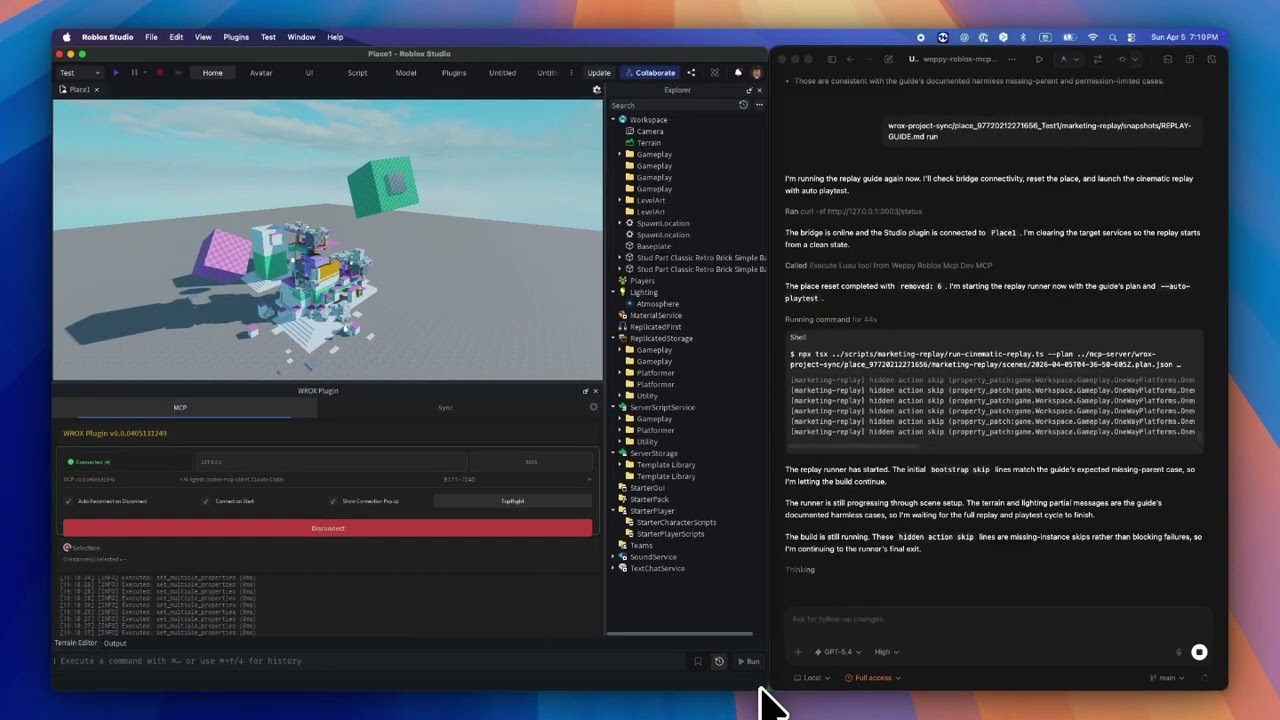
AI coding agents like Claude, Codex, and Gemini are powerful, but they cannot see or modify anything inside Roblox Studio. The DataModel, scripts, terrain, and lighting are invisible to external tools. Without a bridge, AI can only generate code snippets that you must paste manually.
The WEPPY MCP Server connects AI agents to the WEPPY Roblox Studio Plugin. AI directly creates and modifies instances, scripts, properties, terrain, and more inside Studio, and the changes are reflected immediately in Studio and the dashboard so you can see exactly what changed.
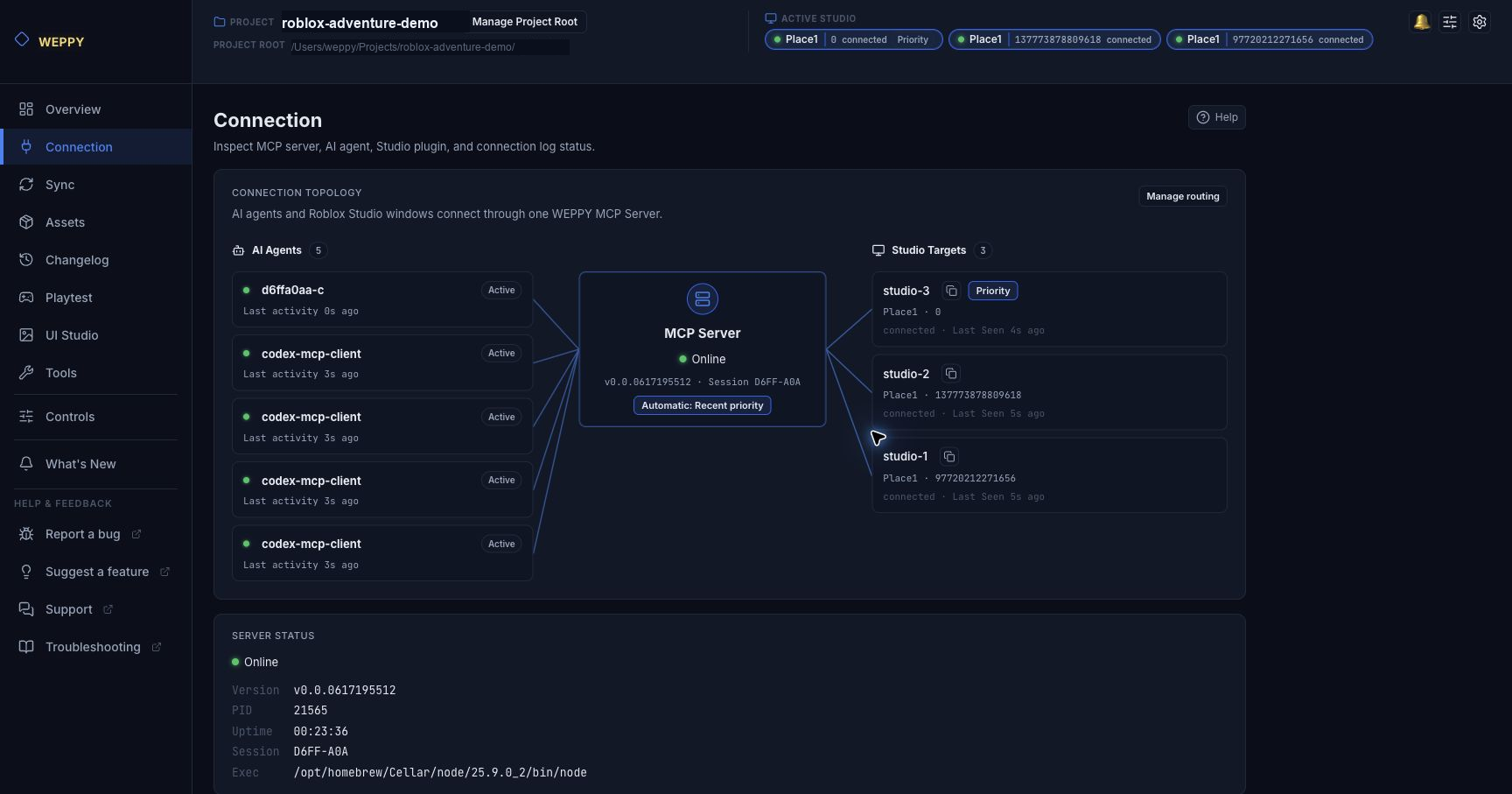
WEPPY is also built for Roblox experiences that are split across several Places. Open up to five Studio windows for Lobby, Game, Shop, Tutorial, or other Places, then tell the agent which Studio ID to use. One request can update several Places without re-explaining context or copying changes by hand.
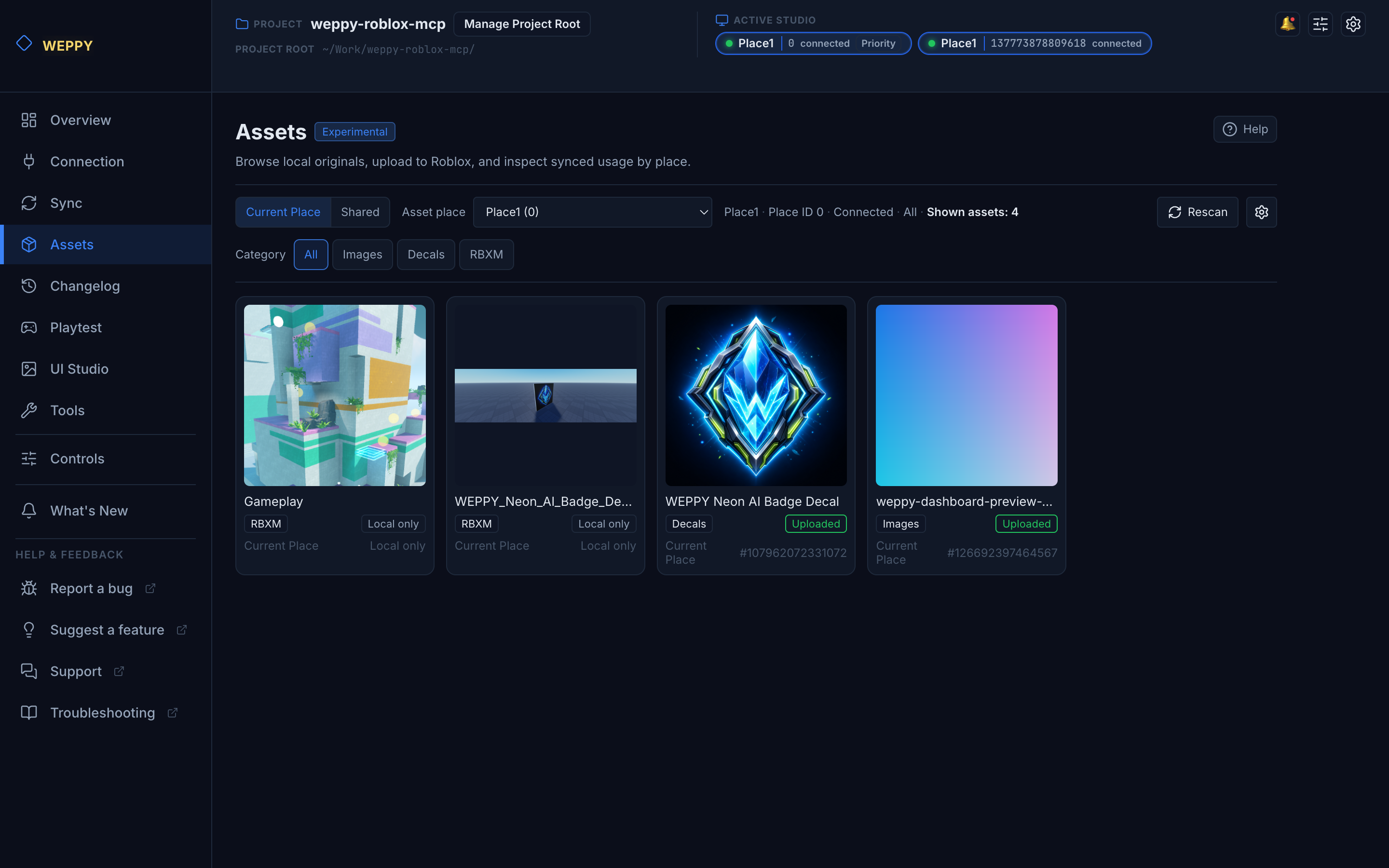
For assets, an agent can create or prepare an image, save it to the Asset Library, upload it through Roblox Open Cloud, and apply the returned asset URI to a Place. The result is a shorter path from "make this icon/decal" to "it is visible in Studio."
No copy-pasting code or asset IDs. AI does the work, you review the results.
Start from the web install page. It shows the recommended one-line script for your platform first.
On the install page, copy the one-line script and run it in Terminal or PowerShell.
macOS / Linux
curl -fsSL https://raw.githubusercontent.com/hope1026/weppy-roblox-mcp/main/install.sh | bash
Windows (PowerShell)
irm https://raw.githubusercontent.com/hope1026/weppy-roblox-mcp/main/install.ps1 | iex
Then reopen your AI app and restart Roblox Studio.
Automatic WEPPY MCP Server registration supports Claude Code, Claude Desktop, Cursor, Codex CLI/App, Gemini CLI, and Antigravity / Antigravity IDE / Antigravity CLI.
For Claude Code, the installer also installs the WEPPY AI Agent Plugin. For Codex, it adds the plugin marketplace and then asks you to install WEPPY AI Agent Plugin from Plugin Directory. For Antigravity, the AI agent plugin is installed only when Antigravity CLI and agy plugin are available; otherwise the installer preserves the direct MCP connection.
If terminal or PowerShell is uncomfortable, use the terminal-free web installer on the same install page.
If the one-line install or terminal-free web installer does not work, register the WEPPY MCP Server manually with your AI app.
Use this server command:
npx -y @weppy/roblox-mcp@latest
Automatic registration supports Claude Code, Claude Desktop, Cursor, Codex CLI, Codex App, Gemini CLI, and Antigravity / Antigravity IDE / Antigravity CLI.
Any MCP-compatible AI client works. The server command is
npx -y @weppy/roblox-mcp@latest.
Dola Desktop connects through a local STDIO Custom Connector. It requires Dola's Pro mode and Local computer. Follow the Dola manual setup guide; the one-line installer and GitHub marketplace plugin do not configure Dola.
The WEPPY Roblox AI Toolkit connects to every supported AI app through the WEPPY MCP Server. Claude Code, Codex, and Antigravity can additionally install the WEPPY AI Agent Plugin for client-native setup and workflow guidance for Studio control, sync, and assets.
Claude Code
claude plugin marketplace add hope1026/weppy-roblox-mcp --scope user
claude plugin install weppy-roblox-ai-toolkit@hope1026-roblox-mcp --scope user
Codex
codex plugin marketplace add hope1026/weppy-roblox-mcp
After adding the Codex marketplace, restart Codex, open Plugin Directory, and install WEPPY AI Agent Plugin.
Antigravity
Antigravity CLI is required to install the WEPPY AI Agent Plugin. The one-line installer uses agy plugin install with the latest public GitHub release, verifies it with agy plugin list, and publishes the verified skill-only payload to supported IDE surfaces. Existing installs are replaced on every run so they can converge on the latest release.
The installer reports results as installed, updated, reinstalled, repaired, fallback, failed, or skipped. A missing CLI keeps the shared MCP connection at ~/.gemini/config/mcp_config.json working and reports fallback; an existing plugin is never treated as a skip. In a CLI-only profile, verified native plugin MCP replaces the shared direct WEPPY entry. When Antigravity IDE and CLI coexist, both plugin views stay skill-only and one shared direct weppy-roblox-mcp definition serves both. Outside the verified OS and version matrix, native discovery uses the MCP fallback.
On Windows Antigravity, CLI installation has been verified to expose skills and MCP. Windows Antigravity IDE plugin discovery is unverified because the verified environment has no plugin or skills inspection UI, so the shared MCP fallback is preserved. GitHub URLs are not passed directly to agy plugin install; the installer downloads the latest public release and installs from a prepared local path.
| Claude Code | Claude Desktop | Cursor | Codex CLI | Gemini CLI | Antigravity / Antigravity IDE / Antigravity CLI | Dola Desktop |
|---|---|---|---|---|---|---|
| ✅ | ✅ | ✅ | ✅ | ✅ | ✅ | Manual setup |
Requirements: Node.js 22+, Roblox Studio, Windows 10+ or macOS 12+
AI can directly handle scripts, instances, properties, terrain, lighting, assets, audio, and animation inside Studio.
Many Roblox experiences are not a single Place. WEPPY lets you keep up to five Studio windows connected to one MCP server, then route work by Studio ID.
If your AI app can create PNG or JPG files, it can make a new image for this workflow. Otherwise, start with an image you already have and register it in Asset Library before uploading it.
WEPPY Assets turns a natural-language asset request into a Studio-ready result.
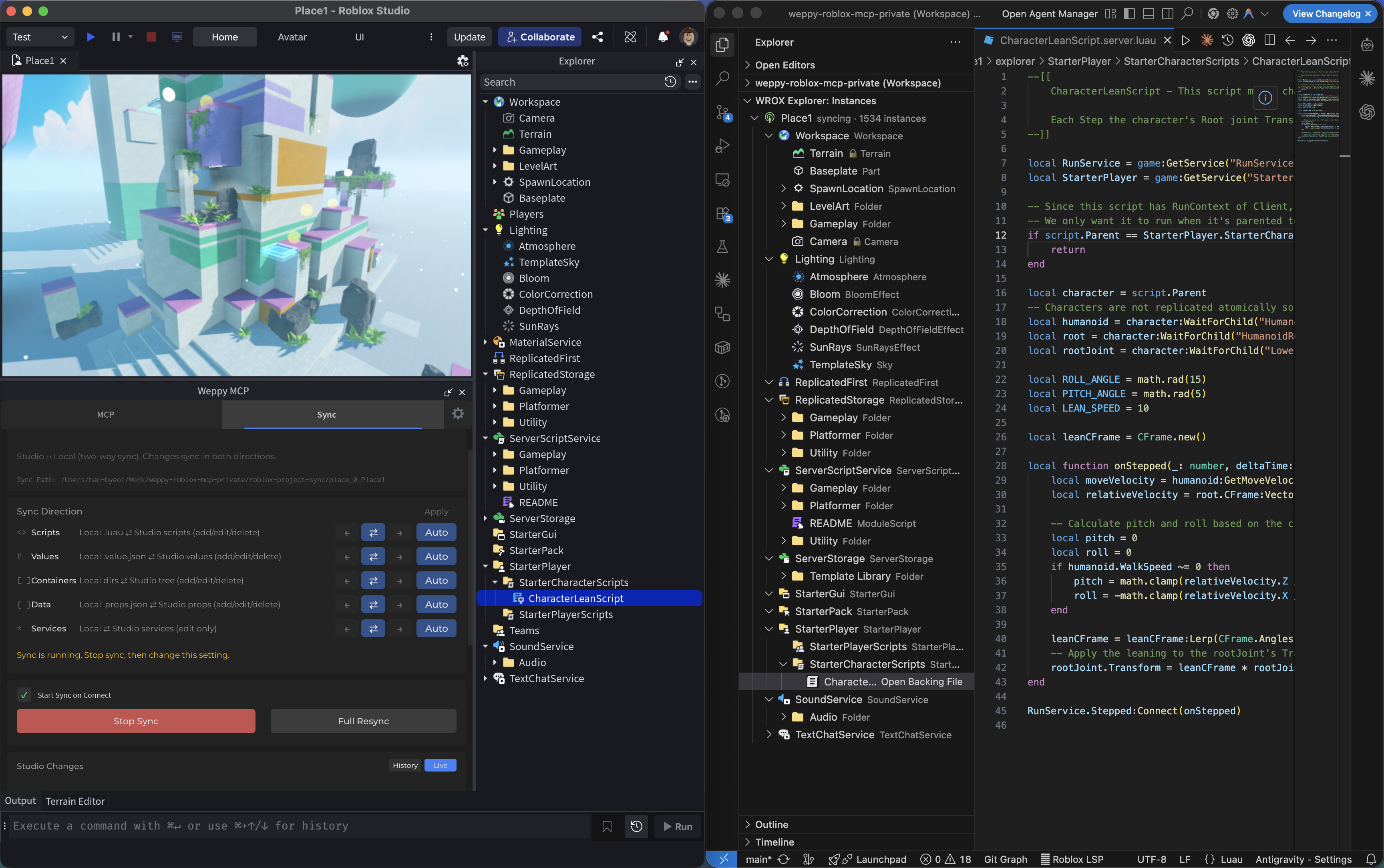
AI reads a local mirror of your Studio project. Review pending local changes before applying them to Studio.
AI can check raw Luau source or an existing Script for syntax errors without starting the game. Standalone validation is available on Basic and Pro.
validate value, the write follows the Dashboard policy and returns a warning with the setting pathvalidate=true also returns full valid detailsThe first validation that needs the companion parser downloads the exact luau-parser-v1.0.0 WASM release and caches it locally. A compatible local luau-compile can be used as a fallback. Script source is parsed on your computer and is not sent to a remote validation service; the download request fetches only the parser artifact. Very large scripts can add some readback and parsing time.
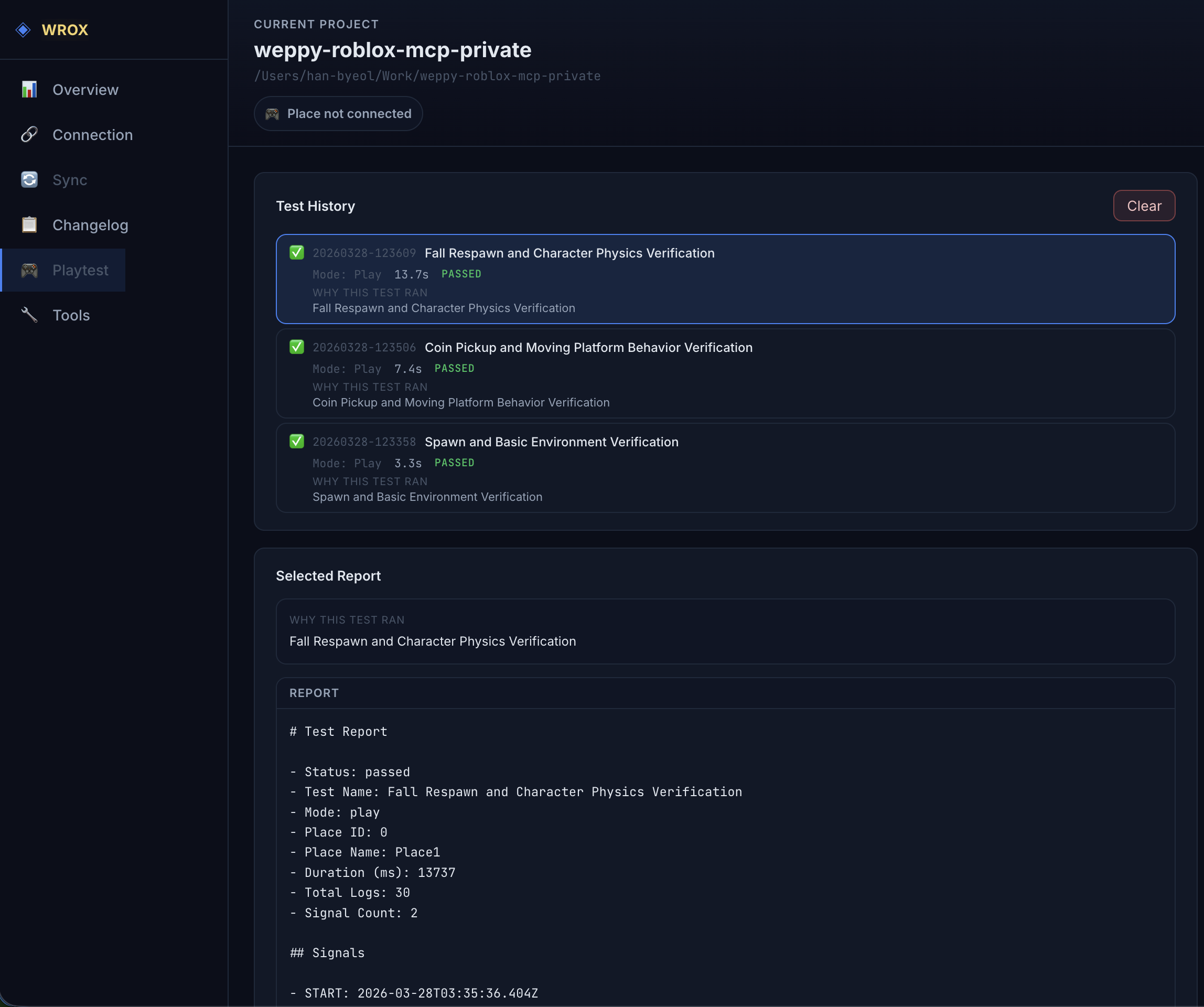
Ordinary runtime checks use a structured Play session. AI can wait for game UI, inspect its semantic structure and geometry, deliver virtual input, observe the UI response, and verify the resulting server state in separate evidence steps. The local Dashboard groups the saved result by server, client UI, interaction, and visual evidence so you can review what passed and why.
The same Playtest page also includes a Test Values workspace for development-only values. Create multiple Place-scoped profiles for different test setups; the Dashboard remembers the last profile selected for each Place. While Play or Run remains active, you can switch, create, edit, or delete profiles without restarting the game. Switching keeps the current game values and changes the controls, Watch Values, and Actions shown for the same session. Controls and read-only observations appear in one searchable, paginated list, so large profiles remain easy to scan. Use Manage values to add entries discovered from Project Test Adapters, or use a runtime path and the current Studio selection for direct values. A stale or disconnected observation is shown as the last observed value instead of being presented as current.
On Pro, profile Actions can run a prepared game operation during Play, such as changing a value or calling a reviewed Test Adapter. Actions report their result separately from value changes. Reset all restores reversible value changes; it cannot undo saved game data, deaths, rewards, or external requests caused by an Action.
Basic includes profile creation and live runtime observation. Pro adds typed value changes during Play, rollback, Reset all, and actual saved Automated Test Results. The Playtest page explains the Pro additions and links directly to available plans and purchase options.
Studio Stop discards Play/Run Instance changes. While the runtime remains active, Reset all restores every reversible value changed through any profile in that session, and a partially failed transaction rolls back. Games that cache values at startup or need domain operations can expose reviewed Project Test Adapter methods through optional Dashboard metadata. The Dashboard validates the metadata, shows the registration source, and links a read-only observer to each adapter control. Removing a profile reference leaves the adapter source intact.
Open Before publishing from the Playtest page header for a plain-language reference on what returns to its original value after a Studio test, what WEPPY keeps only on your computer, and what to check before and after publishing. Common checks are separated from items that apply only when a game has test-only features or saves player data. Test connection code created by WEPPY with default settings does not run in the public game. If WEPPY has a local record that Studio-only protection was explicitly removed, the Dashboard shows an additional note for that Place. Rojo remains optional when you want to omit test source from a production project. Currency or progress saved by game code can remain after a test, and Places in the same Experience can share that data. The reference is available on Basic and Pro; it does not inspect files, remove test code, create deployment files, or certify a release as safe.
Run mode is reserved for an explicitly requested server-only check. Raw Luau remains available as an advanced explicit opt-in for diagnostics that do not fit the structured steps. Play-mode screenshot capture is not supported; UI structure, geometry, input delivery, activation, and server observations are recorded instead. Reports stay local, existing Raw Luau reports remain readable, and no setting change is required.
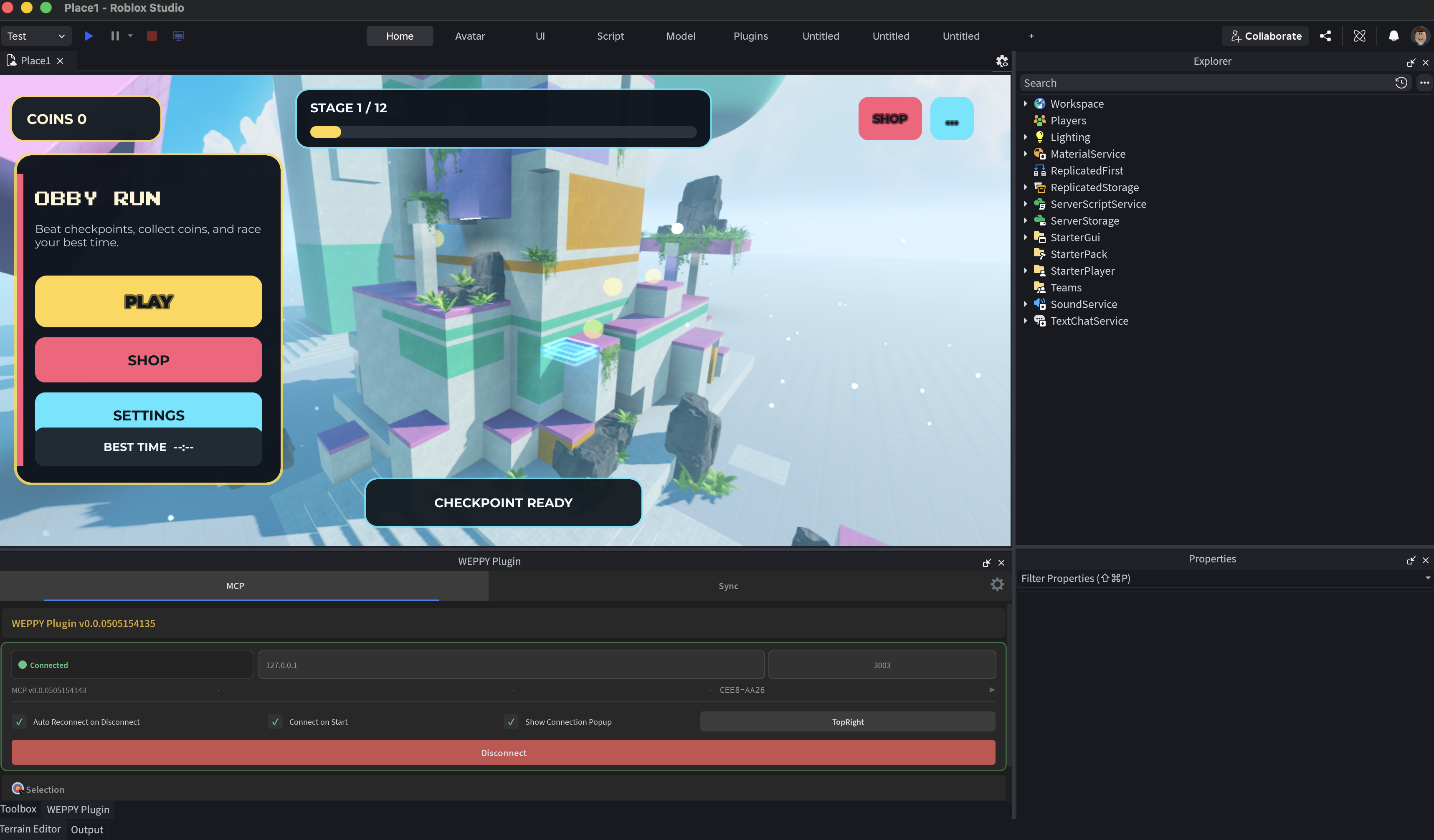
UI Studio lets AI agents create in-game UI that matches your game's style, or analyze the UI you already have and suggest improvements. Design briefs and visual reviews are optional; unreviewed results stay marked as unreviewed.
The WEPPY AI Agent Plugin also provides game presentation guidance for worlds, characters, and UI. It helps agents choose a direction from a short game request, with suggestions for icon alignment, HUD readability, item tiers, stat comparisons, button states, and image parts. These are adaptable choices, including image-free designs, rather than fixed layouts or mandatory styles.
UI reviews distinguish observed overlap, Roblox guidance, and AI suggestions. Unavailable control geometry stays unverified. Recommendations respect your chosen design; changes follow the scope you requested.
For UI created by LocalScripts, UI Studio distinguishes Edit StarterGui from a structured Play Client PlayerGui observation. If runtime UI has not been reviewed, it reports that missing evidence instead of assuming the game has no UI. Play-mode screenshots remain unsupported, so semantic runtime checks and visual screenshot review stay separate.
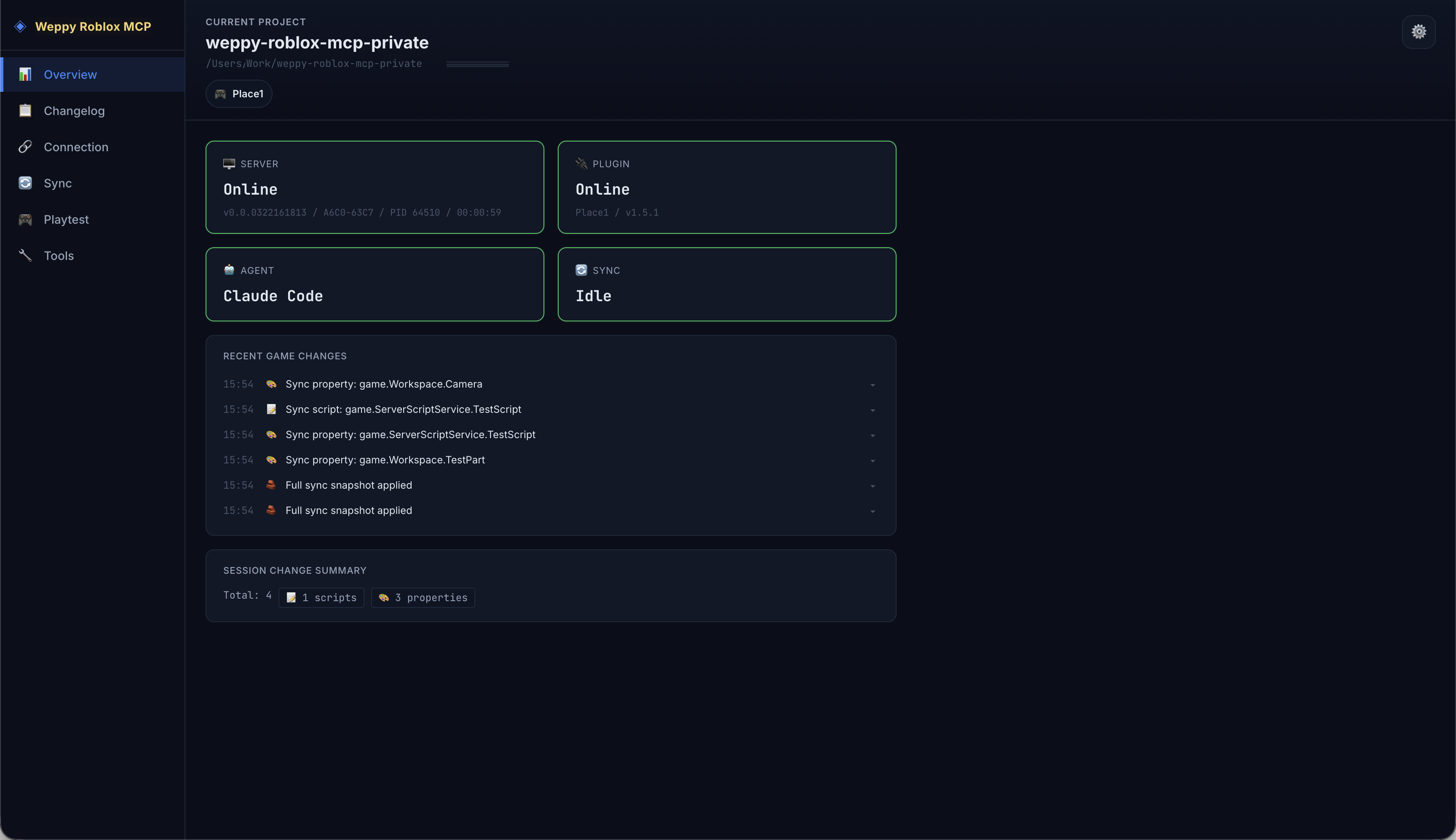
The MCP server provides a web dashboard where you can check connection status, tool execution history, sync state, UI Studio history, and game change logs in real time.
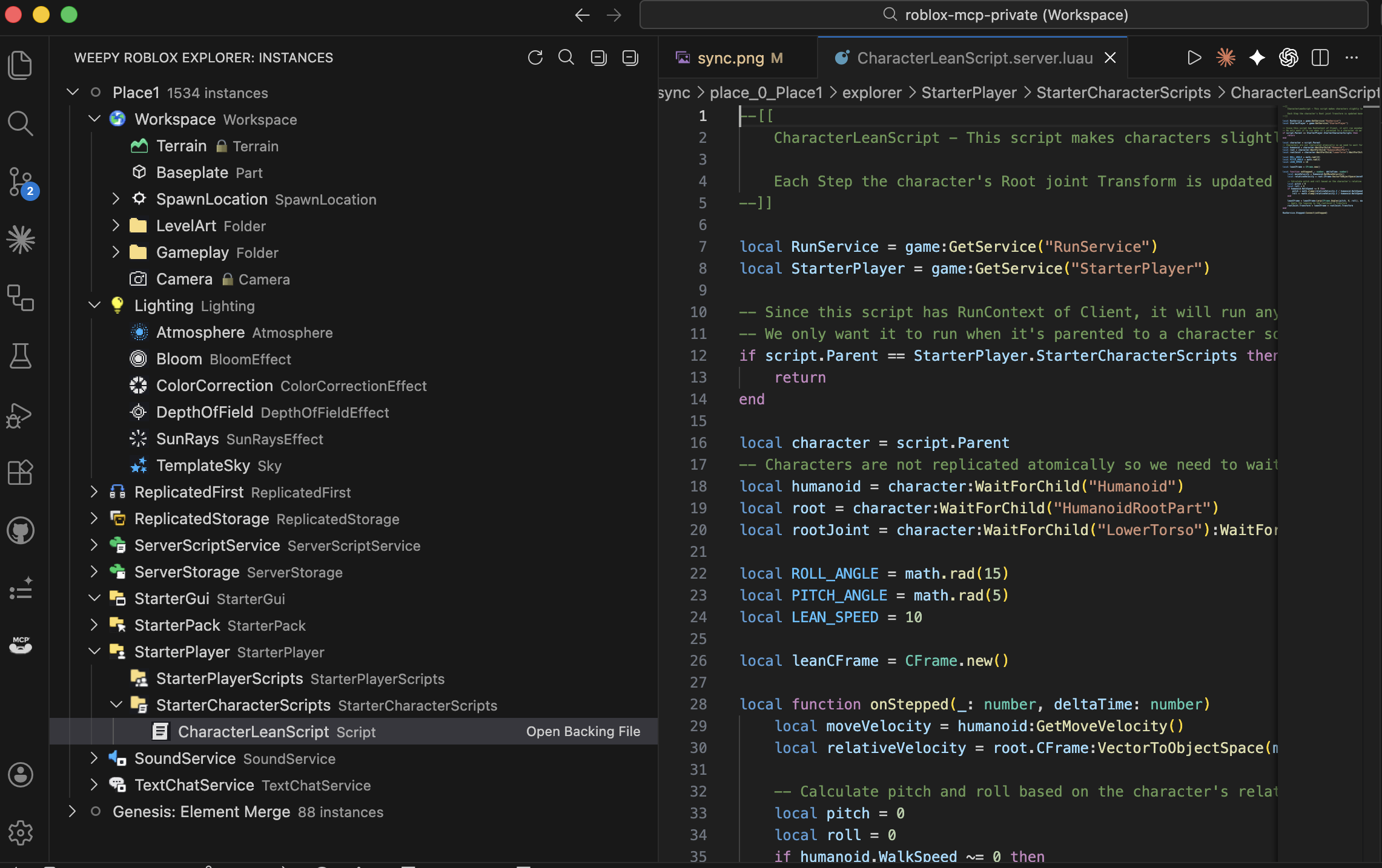
View the full instance tree of your Roblox Studio place directly inside VSCode. Navigate services, open synced scripts and property files, and track sync status - all without switching to Studio. WEPPY Roblox Explorer is a companion VSCode extension for sync data generated by WEPPY. Tree browsing works from synced files, and live sync state or direction indicators are enhanced when the local MCP server is running. Install from VS Code Marketplace or Open VSX.
Detailed guides and app-specific setup now live on the web.
For app setup details, open the web docs hub and choose the relevant AI client guide.
WEPPY uses Google Analytics 4 Measurement Protocol telemetry and a best-effort anonymous operations device observation to understand product usage, reliability, platform coverage, and feature adoption. Telemetry can be disabled by setting ENABLE_TELEMETRY=false or ENABLE_TELEMETRY=0 in the MCP server environment.
WEPPY does not collect your name, email address, raw license key, local file paths, script source, or Roblox project contents through telemetry.
See PRIVACY.md for the full telemetry notice.
Install from the web install page to register the WEPPY MCP Server and install the WEPPY Roblox Studio Plugin. You can also add the WEPPY AI Agent Plugin for Claude Code with the commands above. Its MCP command remains npx -y @weppy/roblox-mcp@latest.
Install the WEPPY Roblox Studio Plugin, then add the WEPPY MCP Server config to Codex CLI. You can also add the Codex plugin marketplace and install WEPPY AI Agent Plugin from Plugin Directory.
Yes. Any MCP-compatible AI client works.
Yes. AI can create instances, write scripts, generate terrain, set up lighting, insert assets, configure physics, and more - all inside a live Roblox Studio session. It goes beyond code generation to executable actions.
Basic (Free) includes MCP tool execution and one-way sync (Studio -> Local). Pro adds multi-place work across up to five Places, Asset Library with Roblox upload, bidirectional sync, UI Studio, bulk operations, terrain generation, spatial analysis, and audio/animation control. See the Pro upgrade page.
Weppy uses action-based dispatching instead of separate tools for each function. This reduces AI token consumption significantly. It also combines Studio ID based multi-place work, generated asset upload/apply, bidirectional project sync, and Playtest control.
The server runs on localhost only (127.0.0.1:3002). Forbidden paths (CoreGui, CorePackages) are blocked. Rate limiting (450 req/min) and 30-second timeouts prevent runaway operations. All changes are trackable via sync history.
Multi-Place work, generated assets to Roblox, bidirectional Sync, UI Studio, Playtest control, and AI token efficiency - all in one upgrade.
WEPPY-owned software is provided under the WEPPY Software License. Basic is free for personal and commercial project use; Pro features require a valid license. Your games and project outputs can be used and sold without WEPPY royalties.
The npm package includes THIRD_PARTY_NOTICES.txt for bundled JavaScript libraries and WEPPY_SDK_NOTICES.txt for the included WEPPY SDKs. Those notices preserve the applicable component licenses.
For a short summary or additional permissions, see COMMERCIAL-LICENSE.md.
Use of the Weppy name and logos is governed by TRADEMARKS.md.

Claim this server with your GitHub account to request manual ownership verification.
Link to the catalog listing for WEPPY MCP Server for Roblox Studio from your README. This badge does not certify ownership, compatibility or security.
[](https://awesome-mcp.com/servers/weppy-roblox-mcp)Public repository statistics could not be verified. Check the configured source address; unavailable counts are not zero.
来源、范围和时段分别列出;不相加,不代表安装人数、活跃用户或安全审核。
尚无已审核的包 / 镜像标识,暂不展示下载统计。
Alternative and complementary servers in the same category
A directory listing describing a cancellation-letter and mailing-address service. The configured public GitHub repository returned 404 during source verification.

A hosted MCP service for browsing and searching through Singapore mobile-network proxies.

A directory listing describing a Markdown-to-PDF service. The configured public GitHub repository returned 404 during source verification.